
Introduction
This manual provides essential information for the installation, operation, and maintenance of your Cryfokt Electric Scooter Dashboard Circuit Board. Please read this manual thoroughly before installation and use to ensure proper function and longevity of the product.
Product Features
- Universal Compatibility: Designed to fit 8.5 to 10-inch electric scooters.
- Easy Replacement: Facilitates straightforward replacement of old or damaged dashboards.
- Durable Material: Constructed from premium PCB materials, offering durability and oxidation resistance.
- Clear Data Display: Provides real-time power and speed information for clear visibility.
- User-Friendly Installation: Designed for easy installation and removal.
Package Contents
Verify that all items listed below are included in your package:
- 1 x Electric Scooter Dashboard Circuit Board
- 1 x Storage Bag
- 1 x Cable Tie
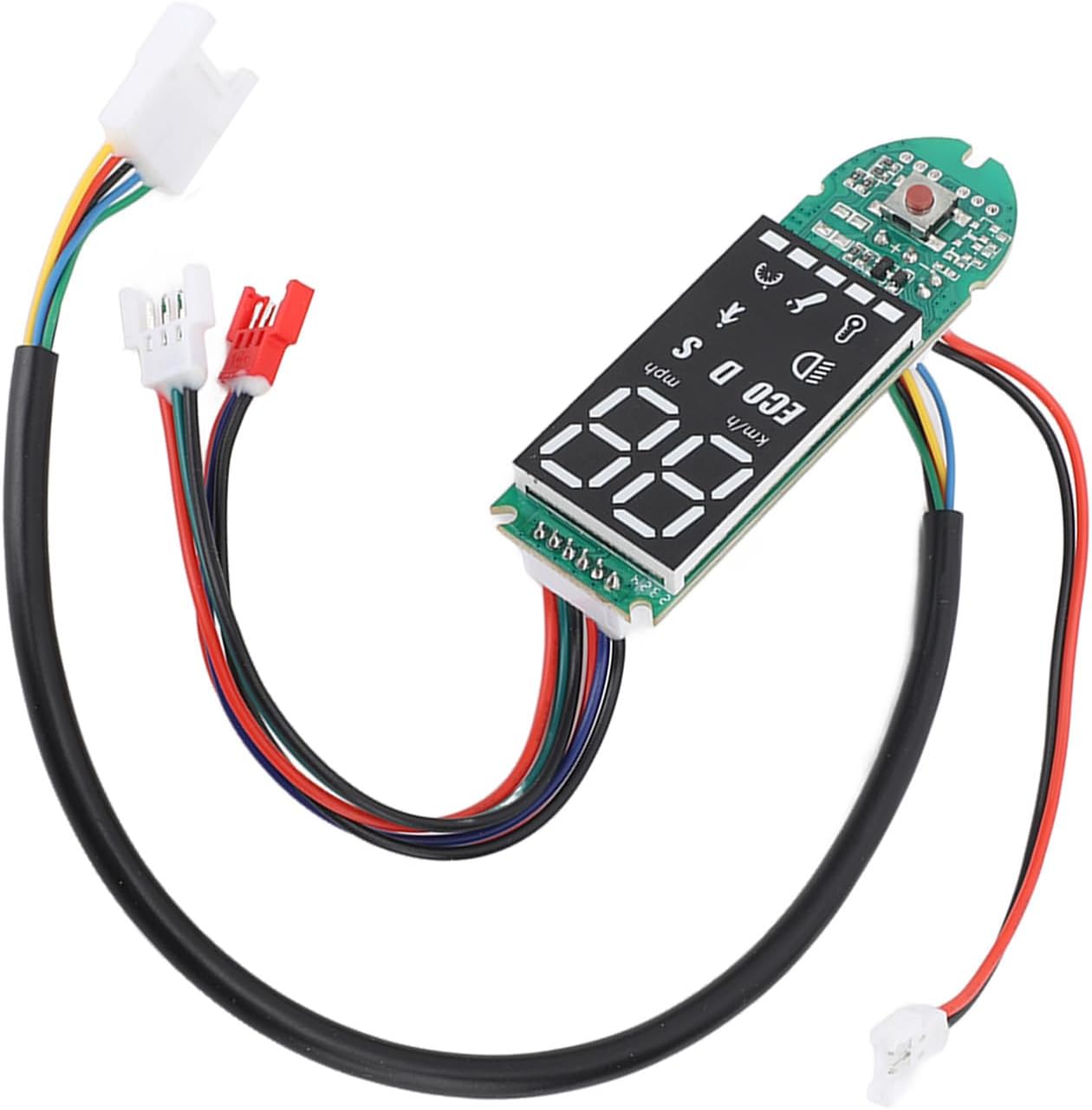
Figure 1: The Cryfokt Electric Scooter Dashboard Circuit Board, including its various wire connectors and the main display unit. The image also shows a storage bag and a cable tie, which are included accessories.
Setup: Installation Guide
This dashboard circuit board is compatible with 8.5 to 10-inch electric scooters. Follow these steps for installation:
- Preparation: Ensure your scooter is powered off and disconnected from any power source.
- Access Old Dashboard: Carefully remove the existing dashboard or cover to access the wiring connections.
- Disconnect Old Dashboard: Disconnect all wires from the old dashboard, noting their positions if necessary for reference.
- Connect New Dashboard: Connect the wires from your scooter to the corresponding connectors on the new Cryfokt dashboard circuit board. Ensure all connections are secure.
- Secure Dashboard: Place the new dashboard into its designated slot and secure it. Use the provided cable tie if needed to manage wires.
- Test Functionality: Power on your scooter and verify that the new dashboard displays information correctly.

Figure 2: A detailed view of the dashboard circuit board, showing the various colored wires and connectors that need to be properly attached during installation.

Figure 3: An illustration demonstrating the compatibility of the Cryfokt dashboard circuit board with a typical electric scooter, indicating its intended use as a replacement part.
Operating Instructions
Once installed, the dashboard provides real-time information about your electric scooter:
- Power Display: The screen will show the current power level of your scooter's battery.
- Speed Display: Your current speed will be displayed in either kilometers per hour (km/h) or miles per hour (mph).
- Mode Indicators: Indicators for different riding modes (e.g., ECO, D, S) may be present, depending on your scooter's capabilities.
- Light Indicator: An icon will illuminate when the scooter's lights are active.
- Other Icons: Additional icons may indicate status such as Bluetooth connectivity or error messages.
The small red button on the circuit board is typically used for power on/off or cycling through display modes, depending on the scooter's specific firmware.

Figure 4: A close-up view of the dashboard's digital display, showing speed (88), unit (km/h or mph), and various status icons like ECO, D, S, and a light indicator.
Maintenance
To ensure the longevity and optimal performance of your dashboard circuit board, follow these maintenance guidelines:
- Keep Dry: While the board is designed with some water resistance, avoid prolonged exposure to heavy rain or submersion in water.
- Clean Gently: Use a soft, dry cloth to clean the display and surrounding areas. Avoid abrasive cleaners or solvents.
- Inspect Connections: Periodically check all wire connections to ensure they remain secure and free from corrosion.
- Avoid Physical Damage: Protect the dashboard from impacts or drops that could damage the circuit board or display.
Troubleshooting
If you encounter issues with your dashboard, consider the following common troubleshooting steps:
- No Display: Ensure all power connections are secure and the scooter's battery has sufficient charge.
- Incorrect Readings: Verify that the dashboard is correctly installed and compatible with your scooter model. If issues persist, a factory reset of the scooter's system (if available) might be necessary, or contact support.
- Intermittent Function: Check for loose wiring connections. Ensure no moisture has entered the dashboard unit.
For persistent issues, consult a qualified technician or contact customer support.
Specifications
| Feature | Specification |
|---|---|
| Item Type | Electric Scooter Dashboard Circuit Board |
| Material | PCB |
| Weight | Approx. 46g / 1.6oz (Item Weight: 0.988 ounces) |
| Compatibility | For 8.5 to 10-inch electric scooters |
| Model Number | Cryfoktvu8dmief13 |
| Package Dimensions | 7.09 x 5.12 x 0.39 inches |

Figure 5: Diagram illustrating the physical dimensions of the dashboard circuit board, showing its length (7.3cm / 2.87in) and width (2.3cm / 0.9in).
Warranty Information
Specific warranty details for the Cryfokt Electric Scooter Dashboard Circuit Board are not provided in this manual. Please refer to the product packaging or the manufacturer's official website for the most current warranty policy and terms.
Customer Support
For technical assistance, troubleshooting beyond this guide, or inquiries regarding your Cryfokt Electric Scooter Dashboard Circuit Board, please contact Cryfokt customer support through their official channels. Refer to the product packaging or the brand's Amazon store page for contact information.
You can visit the Cryfokt Store at: Cryfokt Amazon Store