
Haier XI 4A4M4PB
Haier I-PRO Shine SERIE 6 XI 4A4M4PB Fully Integrated Dishwasher User Manual
Model: XI 4A4M4PB
1. Introduction
This manual provides essential information for the safe and efficient use of your Haier I-PRO Shine SERIE 6 XI 4A4M4PB fully integrated dishwasher. Please read these instructions carefully before installation, operation, or maintenance to ensure proper functioning and to prevent damage or injury.
Important Safety Information:
- Always disconnect the appliance from the power supply before cleaning or performing any maintenance.
- This appliance is intended for household use only.
- Keep packaging materials out of reach of children.
- Ensure the electrical installation is properly grounded.
- Do not operate the dishwasher if it is damaged. Contact qualified service personnel.
2. Installation
The Haier I-PRO Shine SERIE 6 XI 4A4M4PB is a fully integrated dishwasher designed to be built into your kitchen cabinetry. Professional installation is recommended to ensure correct fitting and connection to water and electrical supplies.
2.1 Unpacking and Placement
Carefully remove all packaging materials. Inspect the dishwasher for any signs of damage during transit. Place the dishwasher in the desired location, ensuring it is level. The appliance dimensions are approximately 55.5 cm (Depth) x 59.7 cm (Width) x 81.8 cm (Height), with a weight of 45 kg.

Image: Front view of the Haier I-PRO Shine SERIE 6 XI 4A4M4PB dishwasher. Note that the furniture front is not included with the appliance.

Image: Side view of the Haier I-PRO Shine SERIE 6 XI 4A4M4PB dishwasher, illustrating its design for integration into kitchen cabinetry.
2.2 Water and Electrical Connections
Connect the water inlet hose to a cold water supply and the drain hose to a suitable drain. Ensure all connections are secure and leak-free. The appliance requires a 230 Volt electrical supply. The power cord must be connected to a properly grounded outlet. Do not use extension cords or multiple adapters.
Note: The furniture panel for the integrated design is not supplied with the dishwasher and must be purchased separately.

Image: The Haier I-PRO Shine SERIE 6 XI 4A4M4PB dishwasher integrated into a modern kitchen setting, with the door open to reveal the interior.
3. Operating Instructions
Your Haier I-PRO Shine SERIE 6 XI 4A4M4PB dishwasher features intuitive touch controls and a variety of programs to suit your washing needs.
3.1 Loading the Dishwasher
The dishwasher has a capacity for 14 place settings. Utilize the adjustable baskets and the dedicated cutlery drawer for efficient loading. Ensure dishes do not block the spray arms or detergent dispenser.

Image: Interior of the dishwasher showing loaded dishes in the upper and lower racks, demonstrating the 14 place setting capacity.

Image: Close-up of the upper rack, highlighting the design for securely holding wine glasses.

Image: The dedicated cutlery drawer with water jets, ensuring thorough cleaning of utensils.
3.2 Adding Detergent and Rinse Aid
Fill the detergent dispenser with the appropriate amount of dishwasher detergent. If using rinse aid, ensure the rinse aid dispenser is filled to the recommended level. The MAXI Tub design optimizes space and detergent distribution.

Image: Interior view showing the detergent dispenser and the 'MAXI Tub' feature, designed for optimal space utilization.
3.3 Selecting and Starting a Program
Choose from 10 available cycle options, including an Economy program. Use the touch controls to select your desired program. Press the start button to begin the wash cycle. The dishwasher operates at a low noise level of 44 dBA.
WiFi Functionality: This dishwasher features WiFi connectivity, allowing for remote control and monitoring via a compatible application. Refer to the separate app manual for detailed instructions on connecting and using the WiFi features.

Image: A smartphone screen showing the Haier app interface, demonstrating the WiFi connectivity and smart features for monitoring wash cycles and efficiency.
4. Maintenance and Care
Regular maintenance ensures the longevity and optimal performance of your dishwasher. Always disconnect the power supply before cleaning.
4.1 Cleaning the Filters
The dishwasher's filter system should be cleaned regularly to prevent blockages and ensure effective washing. Remove the filter assembly, rinse it under running water, and brush away any food particles. Reassemble and secure the filters properly.

Image: Close-up of the dishwasher's base, showing the filter system and the lower spray arm in operation.
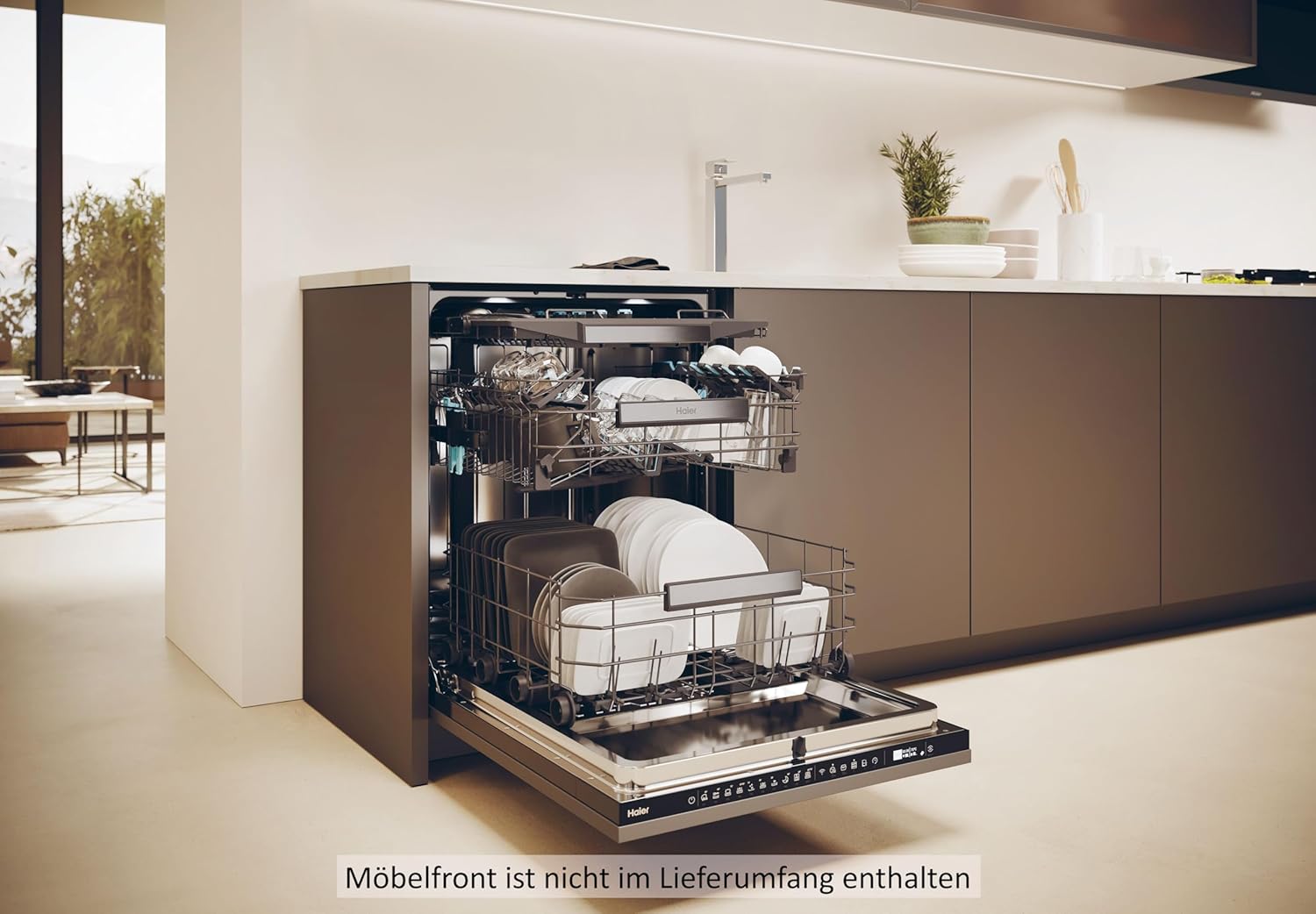
Image: Detailed view of the dishwasher's filter system, indicating components that require regular cleaning.
4.2 Cleaning the Interior and Exterior
The interior is made of stainless steel. Wipe down the interior surfaces, including the spray arms, with a damp cloth. For the exterior, use a soft, damp cloth and mild detergent. Avoid abrasive cleaners or solvents.
5. Troubleshooting
Before contacting service, review the following common issues and solutions:
| Problem | Possible Cause / Solution |
|---|---|
| Dishwasher does not start | Check if the power cord is securely plugged in. Ensure the door is fully closed and latched. Check the circuit breaker. |
| Dishes are not clean | Ensure dishes are loaded correctly and not blocking spray arms. Check if filters are clean. Use adequate detergent and rinse aid. Verify water temperature. |
| Detergent dispenser not opening | Ensure no dishes are obstructing the dispenser door. Check for residue buildup around the dispenser. |
| Error Code E12 (Drying Error) | This indicates a drying issue. Ensure proper loading and sufficient rinse aid. If the problem persists, contact customer support. |
| Unusual noises | Check for foreign objects in the pump area or spray arms. Ensure dishes are stable and not rattling. |
If the problem persists after attempting these solutions, please contact Haier customer support.
6. Technical Specifications
Detailed specifications for the Haier I-PRO Shine SERIE 6 XI 4A4M4PB dishwasher:
| Feature | Specification |
|---|---|
| Model Number | XI 4A4M4PB |
| Installation Type | Fully Integrated |
| Capacity | 14 Place Settings |
| Dimensions (D x W x H) | 55.5 x 59.7 x 81.8 cm |
| Weight | 45 kg |
| Energy Efficiency Class | A |
| Noise Level | 44 dBA |
| Water Consumption (Eco Program) | 9.5 Liters/cycle |
| Voltage | 230 Volt |
| Number of Programs | 10 |
| Control Type | Touch Control |
| Interior Material | Stainless Steel |
| Special Features | WiFi Function, Cutlery Drawer, Adjustable Baskets, MAXI Tub Design |

Image: EU Energy Label for the Haier XI 4A4M4PB dishwasher, detailing its energy efficiency, water consumption, and noise level.
For more detailed product information, refer to the EPREL database: https://eprel.ec.europa.eu/qr/1674974
7. Warranty and Support
Your Haier I-PRO Shine SERIE 6 XI 4A4M4PB dishwasher comes with a standard manufacturer's warranty of 24 months from the date of purchase. Please retain your proof of purchase for warranty claims.
For technical assistance, spare parts, or warranty service, please contact Haier customer support. You can find contact information on the official Haier website or in your purchase documentation.
Related documentsXI 4A4M4PB


Ask a question about this manual
Ask about setup, troubleshooting, compatibility, parts, safety, or missing instructions. Manuals+ will review the question and use this page’s manual context to help answer it.