
1. Introduction
Thank you for choosing the Brifit Bluetooth 5.2 Transmitter Receiver. This device is designed to seamlessly integrate Bluetooth audio capabilities into your existing wired audio systems, offering both transmission and reception functionalities. It allows you to enjoy high-quality wireless audio with minimal latency.
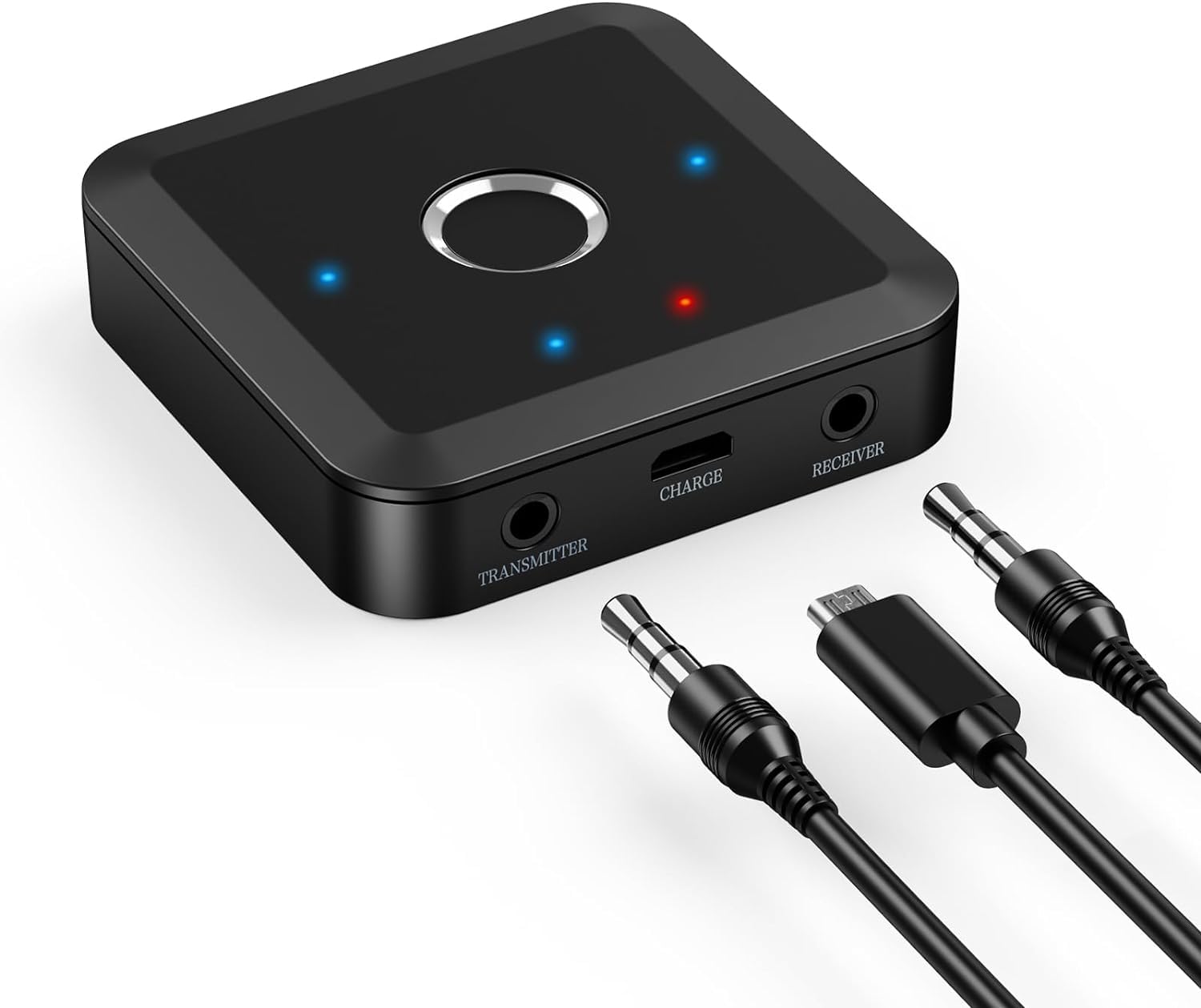
Image 1: Brifit Bluetooth 5.2 Transmitter Receiver
This manual provides detailed instructions for setup, operation, and troubleshooting to ensure optimal performance and user experience.
2. Product Overview
Key Features
- 2-in-1 Functionality: Operates as both a Bluetooth transmitter (TX) and receiver (RX).
- Bluetooth 5.2 Technology: Ensures stable and fast wireless connections up to 10 meters.
- Qualcomm Chip with APTX Adaptive: Supports various audio codecs including SBC, MP3, AAC, APTX, APTX LL, APTX HD, and APTX Adaptive for high-fidelity sound and low latency.
- Dual Connection: Connects to two Bluetooth devices simultaneously in TX mode (e.g., two headphones) or pairs with two source devices in RX mode.
- Long Battery Life: Up to 10 hours in RX mode and 8 hours in TX mode, with support for charging while in use.
- Enhanced Noise Reduction: Features advanced noise cancellation technology with a signal-to-noise ratio of 90dB.
Package Contents
- Brifit Bluetooth 5.2 Transmitter Receiver
- 3.5mm Audio Cable
- USB Charging Cable
- User Manual
3. Specifications
| Parameter | Value |
|---|---|
| Bluetooth Version | V5.2 |
| Bluetooth Range | 10 meters |
| Product Dimensions | 58 x 58 x 15.5 mm |
| Bluetooth Protocols (RX) | AVRCP, A2DP |
| Bluetooth Protocols (TX) | A2DP |
| Frequency Response | 100Hz-20kHz |
| Supported Audio Formats | SBC, APTX-LL, APTX-HD, APTX, APTX Adaptive |
| Max Connected Devices | 2 |
| Frequency Range | 2.402GHz-2.480GHz |
| Battery Capacity | 300mAh |
| Operating Time (RX) | Up to 10 hours |
| Operating Time (TX) | Up to 8 hours |
| Charging Time | Approximately 2 hours |
| Signal-to-Noise Ratio | 90dB |
4. Device Layout

Image 2: Device Interface and Indicators
- Main Button: Power on/off, pairing, mode switching.
- TX Mode LED Indicator: Indicates Transmitter mode status.
- RX Mode LED Indicator: Indicates Receiver mode status.
- Audio Indicator: Displays current audio codec.
- Charging Indicator: Shows charging status and battery level.
- TX Mode Interface (3.5mm AUX IN): Connects to audio source in TX mode.
- RX Mode Interface (3.5mm AUX OUT): Connects to audio system in RX mode.
- Charging Interface (USB-C): For power input.
5. Setup and Basic Operation
5.1 Charging the Device
Before first use, fully charge the device. Connect the provided USB charging cable to the device's charging interface and a 5V USB power adapter (not included). The charging indicator will show red while charging and turn off when fully charged.
5.2 Power On/Off
- Power On: Press and hold the main button for 3 seconds. The LED indicators will light up.
- Power Off: Press and hold the main button for 3 seconds. The LED indicators will turn off.
5.3 Switching Modes (TX/RX)
Triple-click the main button to switch between Transmitter (TX) and Receiver (RX) modes. The corresponding TX or RX LED indicator will illuminate.
6. Operating Modes
6.1 Transmitter (TX) Mode
In TX mode, the device transmits audio from a non-Bluetooth source (e.g., TV, PC, MP3 player) to Bluetooth headphones or speakers.
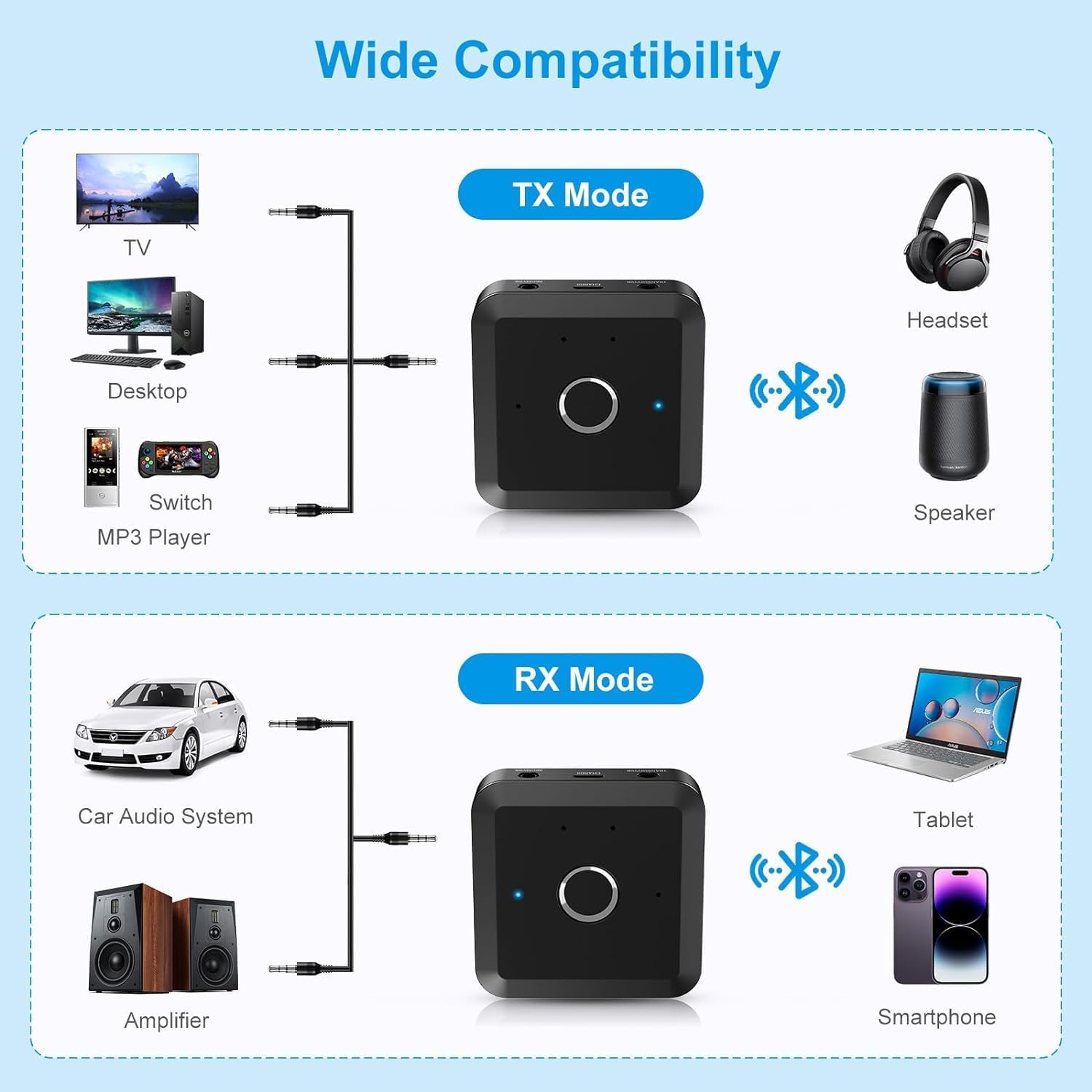
Image 3: TX Mode Compatibility
- Switch the device to TX mode. The TX LED indicator will light up.
- Connect the device's TX Mode Interface (3.5mm AUX IN) to your audio source (e.g., TV, PC) using the 3.5mm audio cable.
- Place your Bluetooth headphones or speakers into pairing mode.
- Double-click the main button on the Brifit device to start searching for Bluetooth devices. The TX LED will flash rapidly.
- Once paired, the TX LED will remain steady, and audio will be transmitted to your Bluetooth device.
6.2 Receiver (RX) Mode
In RX mode, the device receives audio from a Bluetooth source (e.g., smartphone, tablet) and outputs it to a non-Bluetooth audio system (e.g., wired speakers, car stereo, amplifier).
Image 4: RX Mode Compatibility
- Switch the device to RX mode. The RX LED indicator will light up.
- Connect the device's RX Mode Interface (3.5mm AUX OUT) to your non-Bluetooth audio system using the 3.5mm audio cable.
- On your Bluetooth source device (e.g., smartphone), search for Bluetooth devices and select "Brifit B0CSDB3YXD" (or similar name) to pair.
- Once paired, the RX LED will remain steady, and audio from your source device will play through your connected audio system.
7. Connecting Two Devices Simultaneously
The Brifit device supports connecting to two Bluetooth receiving devices in TX mode or pairing with two Bluetooth transmitting devices in RX mode.
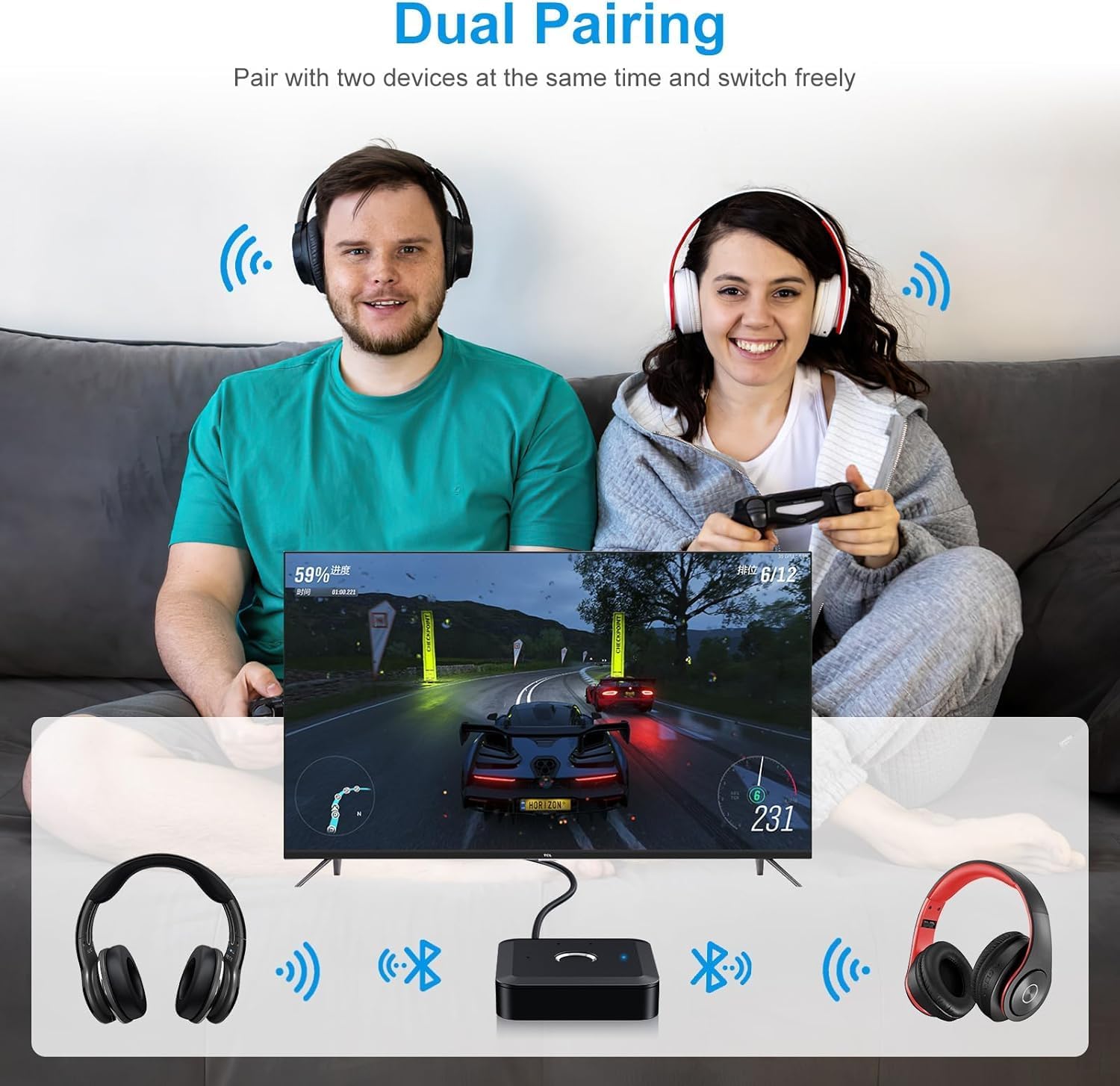
Image 5: Dual Pairing Functionality
7.1 Dual Connection in TX Mode (e.g., two headphones)

Image 6: How to Connect Two Devices
- Ensure the Brifit device is in TX mode and connected to your audio source.
- Turn on your first Bluetooth headset and put it into pairing mode.
- Double-click the main button on the Brifit device to search and pair with the first headset. The TX LED will flash rapidly during search and become steady upon successful connection.
- Turn on your second Bluetooth headset and put it into pairing mode.
- Double-click the main button on the Brifit device again to search for the second headset.
- Once both headsets are successfully paired, both TX LED indicators will remain steady.
7.2 Dual Pairing in RX Mode (e.g., two smartphones)
In RX mode, the device can be paired with two Bluetooth source devices (e.g., two smartphones), allowing you to switch between them for audio playback. Only one device can play audio at a time.
- Ensure the Brifit device is in RX mode and connected to your audio system.
- Pair the first Bluetooth source device (e.g., smartphone 1) with the Brifit device as described in section 6.2.
- After successful pairing, disable Bluetooth on the first source device.
- Pair the second Bluetooth source device (e.g., smartphone 2) with the Brifit device.
- Once the second device is paired, re-enable Bluetooth on the first source device. The Brifit device will now be connected to both. You can switch audio playback by pausing one device and starting playback on the other.
8. Low Latency Audio (APTX Adaptive)
The Brifit device supports APTX Adaptive and other low-latency codecs to minimize audio delay, which is crucial for gaming and watching videos.
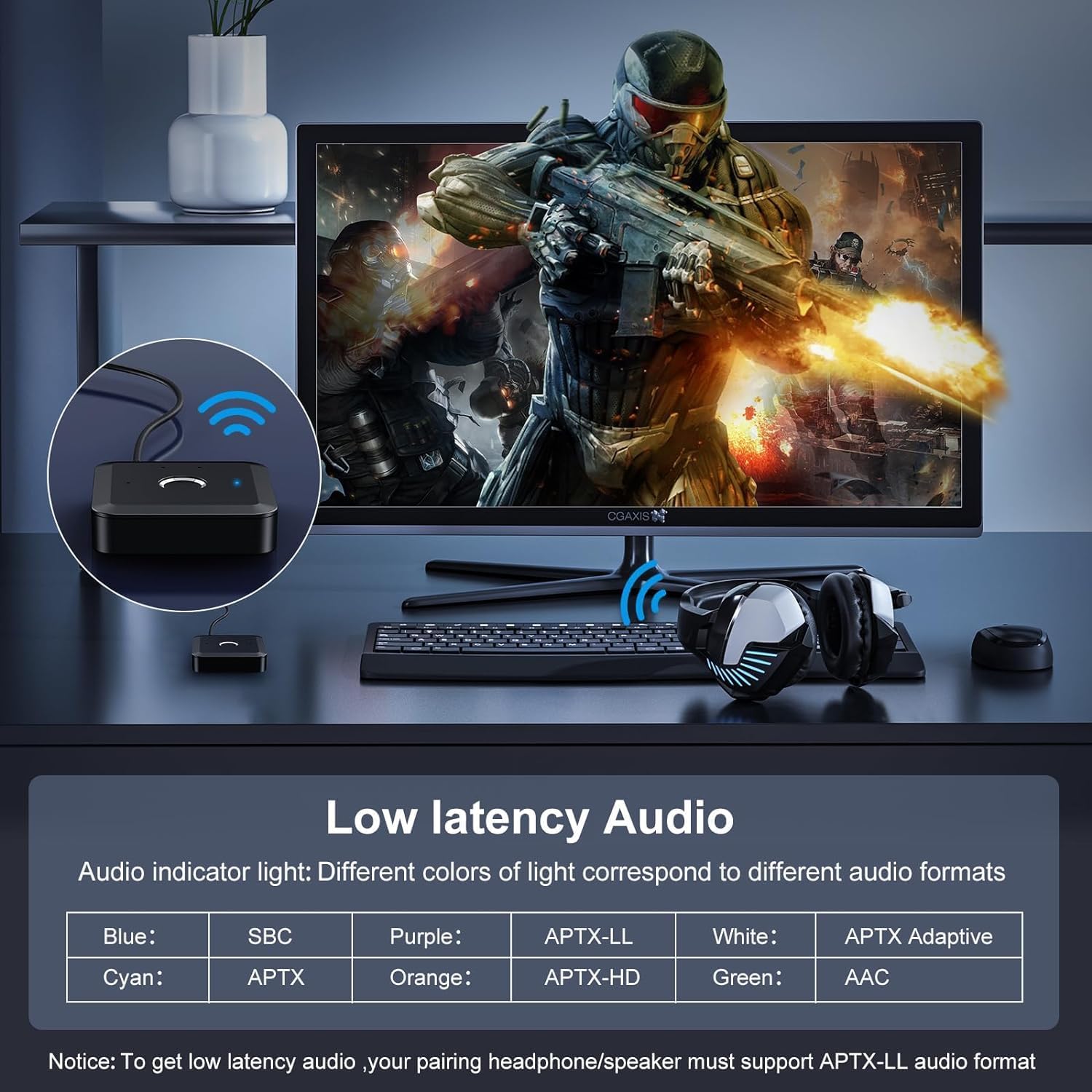
Image 7: Audio Codec Indicator Lights
The audio indicator light on the device changes color to reflect the active audio codec:
- Blue: SBC
- Cyan: APTX
- Purple: APTX-LL (Low Latency)
- Orange: APTX-HD (High Definition)
- White: APTX Adaptive
- Green: AAC
Note: To achieve low latency audio, your paired headphones or speakers must also support the APTX-LL or APTX Adaptive audio format.
9. Battery and Charging
The device is equipped with a 300mAh battery, providing extended usage time.
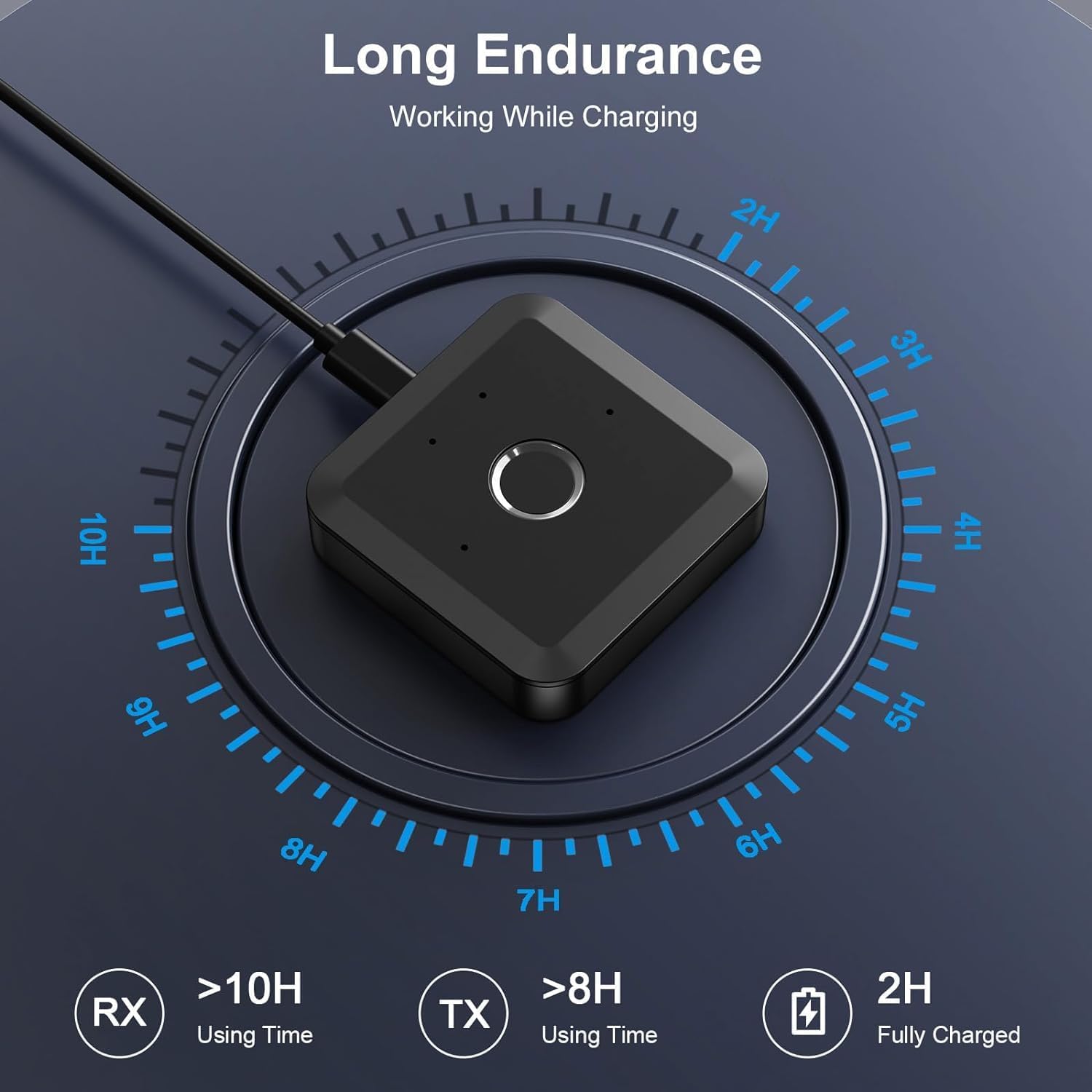
Image 8: Battery Endurance and Charging
- RX Mode Usage Time: Up to 10 hours.
- TX Mode Usage Time: Up to 8 hours.
- Charging Time: Approximately 2 hours for a full charge.
- Charging Indicator: Red light flashes for low battery, solid red while charging, and turns off when fully charged.
- Charging While Using: The device supports operation while connected to a power source, ensuring uninterrupted use.
10. Troubleshooting
- Device does not power on: Ensure the device is charged. Connect it to a power source using the USB cable.
- Cannot pair with a Bluetooth device:
- Ensure the Brifit device is in the correct mode (TX for transmitting, RX for receiving).
- Make sure the target Bluetooth device (headphones, speaker, phone) is in pairing mode.
- Double-click the main button on the Brifit device to initiate pairing search.
- Clear previous pairing information by long-pressing the main button for 8 seconds, then try pairing again.
- Ensure the 3.5mm audio cable is correctly connected to the appropriate port (TX IN or RX OUT) before attempting to pair.
- No sound or poor audio quality:
- Check all cable connections (3.5mm audio cable, power cable).
- Ensure the volume on both the Brifit device and the connected audio device is turned up.
- Verify that the Brifit device is in the correct mode (TX/RX) for your setup.
- If using low-latency codecs, ensure both devices support the same codec (e.g., APTX-LL).
- Reduce the distance between the Brifit device and the paired Bluetooth device, and remove any obstructions.
- Dual connection issues: If experiencing problems with two devices, try pairing them one by one. Ensure the first device is fully connected before attempting to pair the second.
11. Maintenance
- Keep the device dry. Avoid exposure to moisture or liquids.
- Do not attempt to disassemble or modify the device.
- Clean the device with a soft, dry cloth. Do not use harsh chemicals or abrasive cleaners.
- Store the device in a cool, dry place when not in use for extended periods.
12. Safety Information
- Do not expose the device to extreme temperatures.
- Keep out of reach of children.
- Use only approved charging cables and adapters.
- Dispose of the device and its battery responsibly according to local regulations.
13. Warranty and Support
Brifit products are designed for reliability and performance. For warranty information or technical support, please refer to the contact details provided with your purchase or visit the official Brifit website. Please retain your proof of purchase for warranty claims.