1. Introduction
Thank you for choosing the Kapvis Second Generation Music Boxing Machine. This wall-mounted Bluetooth trainer is designed to enhance your reaction speed, body coordination, and overall fitness. It features 9 distinct modes and 9 adjustable speeds, making it suitable for users of all ages and skill levels, from professional boxers to children and office workers seeking an engaging home workout.
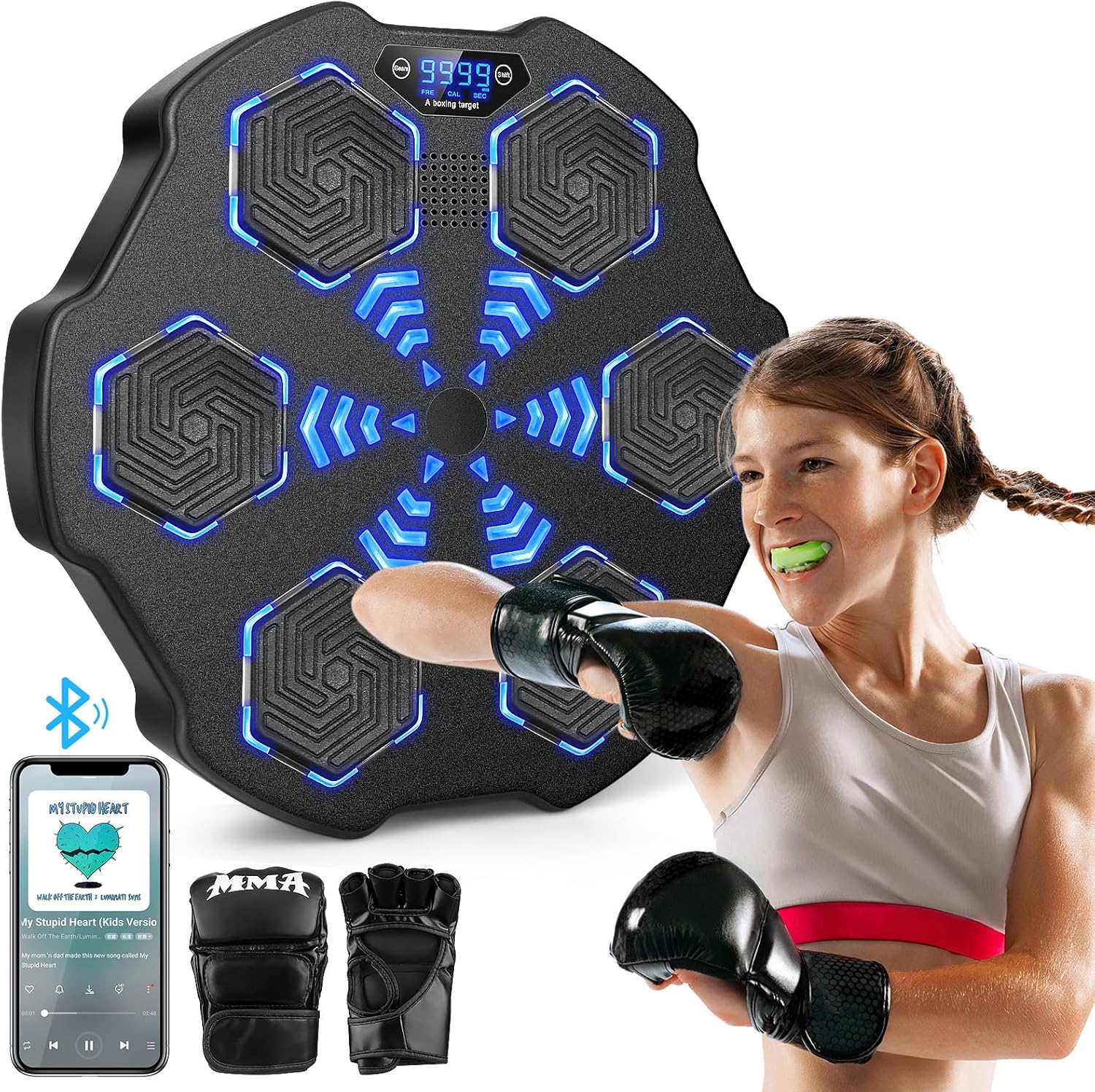
Image: The Kapvis Music Boxing Machine, a black hexagonal device with blue LED lights, being used by a young girl wearing boxing gloves. A smartphone displaying music is shown in the foreground, indicating Bluetooth connectivity.
The machine integrates an LED display to track your progress, Bluetooth connectivity for personalized music, and surround speakers with cool lighting effects to create an immersive training experience. Its high-elastic foam impact surface ensures comfort and hand protection during workouts.
2. Setup and Installation
The Kapvis Music Boxing Machine is designed for easy wall-mounted installation, saving space and eliminating the need for drilling in most cases. There are three primary installation methods to suit various wall types.

Image: A visual guide illustrating three installation methods: 1) using expansion screws for secure mounting, 2) using widened Velcro for temporary or less invasive attachment, and 3) using an EVA sticker for smooth surfaces like ceramic tile, marble, wood board, or wallpaper.
Installation Methods:
- Expansion Screws: For the most secure and permanent installation, use the provided expansion screws to mount the machine directly to a sturdy wall. This method is recommended for high-intensity use.
- Widened Velcro: For a less permanent solution, the machine can be fixed to the wall using widened Velcro strips. Ensure the wall surface is clean and dry for optimal adhesion.
- EVA Sticker: For smooth surfaces such as ceramic tile, marble, wood board, or wallpaper, an EVA sticker can be used. Peel off the protective backing and firmly press the machine onto the desired location.
Ensure the installation height is appropriate for all users, allowing for comfortable and effective training. The machine's dimensions are approximately 17.7 inches by 17.7 inches.
3. Operating Instructions
The Music Boxing Machine offers a dynamic and interactive workout experience with various modes and speeds.

Image: A graphic highlighting the key features of the Music Boxing Machine: Bluetooth connectivity, music playback, multiple training modes, and interactive punching lights.
Key Features:
- Power On/Off: Locate the power button on the top panel of the machine. Press and hold to turn on or off.
- LED Display: The integrated LED display shows your hit count, allowing you to track your performance and progress during workouts.
- Bluetooth Connectivity:
- Activate Bluetooth on your smartphone or audio device.
- Search for the device name (e.g., 'KAPVIS Boxing Machine') and pair.
- Once connected, you can play your favorite music through the machine's surround speakers, enhancing your workout motivation.
- Modes and Speeds: The machine offers 9 distinct modes and 9 adjustable speeds. Use the control buttons on the top panel to cycle through modes (P1-P9) and adjust the speed (S1-S9) to match your desired intensity and training style.
- Interactive Lights: When a target lights up, punch it. The machine will register your hit and provide visual feedback.
Video: A demonstration of the Kapvis Music Boxing Machine in use, showcasing its interactive lights, sound, and responsiveness to punches. The video highlights the various modes and speeds as a user interacts with the device.
The machine comes with a pair of boxing gloves to protect your hands during training. You may also use your own preferred boxing gloves.
4. Maintenance
To ensure the longevity and optimal performance of your Kapvis Music Boxing Machine, follow these simple maintenance guidelines:
- Cleaning: The surface of the musical boxing machine is smooth and easy to clean. Use a soft, damp cloth to wipe down the impact surface and body after each use to remove sweat and dust. Avoid abrasive cleaners or solvents that could damage the material.
- Storage: When not in use, keep the machine in a dry, cool place away from direct sunlight and extreme temperatures.
- Inspection: Periodically check the mounting for stability and ensure all connections are secure.
5. Troubleshooting
If you encounter any issues with your Music Boxing Machine, please refer to the following common solutions:
- No Power: Ensure the machine is fully charged or properly connected to a power source. Check the power adapter and cable for any damage.
- Bluetooth Connectivity Issues:
- Make sure Bluetooth is enabled on your device and the boxing machine.
- Ensure the machine is not already paired with another device.
- Try unpairing and re-pairing the device.
- Move your device closer to the boxing machine to ensure a strong signal.
- Lights Not Responding: Ensure the machine is powered on and in an active training mode. If specific targets are not lighting up, try restarting the machine.
- Sound Distortion or No Sound: Check the volume levels on both the boxing machine and your connected Bluetooth device. Ensure there are no obstructions to the speakers.
If the problem persists after attempting these solutions, please contact customer support for further assistance.
6. Specifications
| Feature | Detail |
|---|---|
| Brand | Kapvis |
| Model Name | MBT-02 |
| Product Dimensions | 17.7"W x 17.7"H |
| Item Weight | 6.5 Pounds |
| Color | Black |
| Outer Material | Polyurethane (PU) |
| Material | Leather |
| Age Range (Description) | Adult |
| Number of Items | 1 |
| Included Components | Boxing glove |
| Modes | 9 |
| Speeds | 9 |
| UPC | 759041264284 |
7. Warranty and Support
Your Kapvis Music Boxing Machine is covered by a standard return policy. For specific details regarding returns or replacements, please refer to the purchase platform or contact the seller directly. Typically, products are eligible for return or replacement within 30 days of purchase.
For additional support, troubleshooting, or inquiries, please refer to the official user manual PDF available online or contact Kapvis customer service through the vendor 'Achenda' on Amazon.
You can also find the User Manual (PDF) at: https://manuals.plus/m/fe6f6560a52a8459ba1b5209a934b3e8a7329d48576bb72c785b12543d722c25


