Introduction
This manual provides essential information for the safe and efficient operation, installation, and maintenance of your Greenfinaqua® SunSun XDP-6000 DC Conversion Submersible Pump. Please read these instructions thoroughly before use and retain them for future reference.
The SunSun XDP-6000 is a DC 24V frequency conversion submersible pump designed for use in aquariums and fish tanks. It offers energy-efficient water circulation, oxygenation, and filtration support, contributing to a healthy aquatic environment.
Product Features
- Submersible Design: The pump is designed to be fully submerged in water, making it suitable for use in aquariums and fish tanks.
- Power Efficiency: With a power consumption of 60 watts, it offers efficient operation while providing adequate flow and filtration.
- Quiet Operation: Designed to operate quietly, it won't disrupt the peaceful ambiance of your aquarium.
- Multi-Function: This pump serves multiple purposes, including enhancing water circulation, oxygenating the water, and maintaining water quality in your tank.
Specifications
| Brand | GREENFIN AQUA COMPLETE AQUA PRODUCTS |
| Model Number | XDP-6000 |
| Power Source | DC 24V |
| Power Consumption | 60W |
| Maximum Flow Rate | 6000 Liters Per Hour (L/H) |
| Maximum Lifting Height (H-max) | 5 Metres |
| Outlet Size | 32mm |
| Cable Length | 2m, 2.5m (varies by specific unit) |
| Material | Plastic |
| Item Weight | 4 kg |
| Dimensions (Package) | 33.02 x 25.4 x 22.86 cm |
| Certification | CE, GS |
Safety Instructions
Always follow basic safety precautions to reduce the risk of fire, electric shock, and injury to persons.
- Read all instructions before using the appliance.
- Ensure the power supply voltage matches the pump's requirements (DC 24V).
- Do not operate the pump dry. Always ensure the pump is fully submerged in water before connecting to power.
- Never pull the pump by its power cord.
- Disconnect the power supply before performing any maintenance, cleaning, or when the pump is not in use.
- Do not use the pump if the power cord or plug is damaged.
- This pump is designed for indoor aquarium use only. Do not use it for other purposes or in outdoor environments.
- Keep out of reach of children.
Setup Instructions
- Unpacking: Carefully remove the pump and all accessories from the packaging. Inspect for any damage.
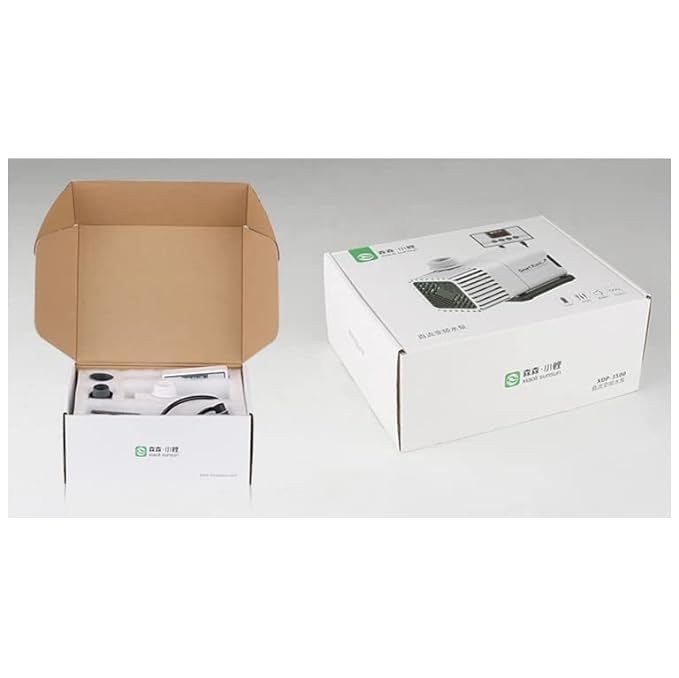
Image: The SunSun XDP-6000 pump and its components neatly packed within its retail box, ready for setup.
- Component Assembly:
- Attach the appropriate outlet nozzle or hose connector to the pump's discharge port. Ensure a secure fit to prevent leaks.
- If using an intake strainer, ensure it is properly attached to the pump's intake to prevent debris from entering.
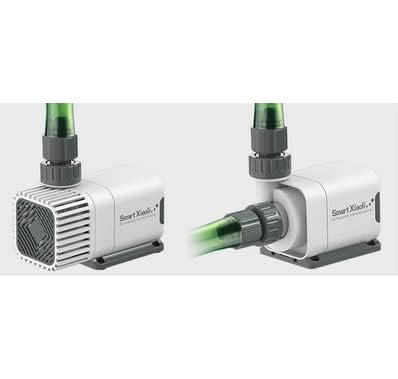
Image: A close-up view of the SunSun XDP-6000 pump, showing the intake and outlet ports with a green hose connected to the discharge.
- Placement: Position the pump securely at the desired location within your aquarium or sump. Ensure it is fully submerged and stable. The pump can be placed horizontally or vertically.
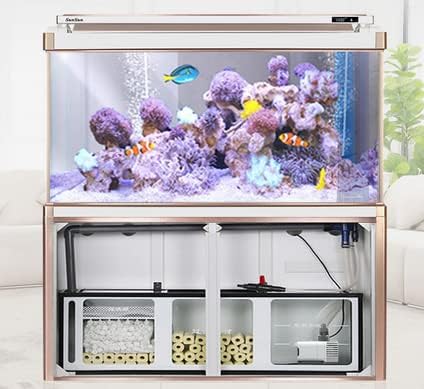
Image: An example setup showing the SunSun XDP-6000 pump installed within the sump filtration system of an aquarium, demonstrating typical placement.
- Power Connection: Connect the pump's DC plug to the provided power adapter. Then, plug the power adapter into a suitable electrical outlet. Ensure a drip loop is formed with the power cord to prevent water from traveling along the cord to the outlet.
Operating Instructions
- Initial Start-up: After ensuring the pump is fully submerged and all connections are secure, plug in the power adapter. The pump should start operating immediately, circulating water.
- Flow Adjustment (if applicable): Some models may feature flow control. Refer to the pump's controller (if included) for instructions on adjusting the flow rate.
- Monitoring: Regularly observe the pump's operation to ensure proper water flow and quiet performance. Listen for unusual noises, which may indicate an issue.
- Shut Down: To turn off the pump, simply unplug the power adapter from the electrical outlet.
Maintenance
Regular maintenance is crucial for the longevity and efficient performance of your pump.
- Disconnect Power: Always unplug the pump from the power outlet before performing any maintenance.
- Cleaning the Impeller:
- Carefully remove the pump from the water.
- Disassemble the front cover and impeller housing according to the pump's design.
- Remove the impeller assembly.
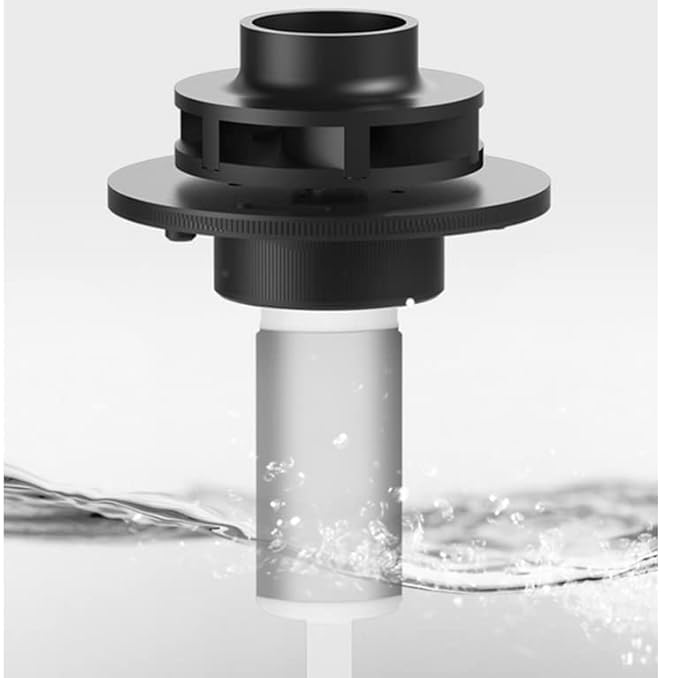
Image: A detailed view of the impeller component, which is responsible for water movement, shown partially submerged in water.
- Clean the impeller, shaft, and impeller housing thoroughly with a soft brush and clean water to remove any debris, algae, or mineral deposits.
- Reassemble the impeller and pump components, ensuring all parts are securely in place.
- Cleaning the Intake Strainer: Periodically clean the intake strainer to ensure unrestricted water flow and prevent clogging.
- Cable Inspection: Regularly inspect the power cord for any signs of damage, fraying, or cuts. If damage is found, discontinue use immediately.
Troubleshooting
If your pump is not functioning as expected, refer to the following common issues and solutions:
| Problem | Possible Cause | Solution |
|---|---|---|
| Pump does not start | No power; Impeller jammed; Damaged motor | Check power connection; Clean impeller; Contact support if motor is damaged. |
| Reduced water flow | Clogged intake/impeller; Kinked hose; Low water level | Clean intake and impeller; Straighten hose; Ensure pump is fully submerged. |
| Excessive noise/vibration | Debris in impeller; Impeller worn or damaged; Pump not stable | Clean impeller; Inspect/replace impeller; Secure pump firmly. |
| Pump stops intermittently | Overheating (thermal protection); Loose connection | Ensure proper water circulation for cooling; Check power connections. |
If the problem persists after attempting these solutions, please contact customer support.
Warranty and Support
This product may be covered by a manufacturer's warranty. Please refer to your purchase documentation for specific warranty terms and conditions. An optional 1-year extended warranty may be available for purchase.
For technical support, spare parts, or warranty claims, please contact Greenfinindia® customer service or visit their official store:


