
1. Introduction
This manual provides detailed instructions for the installation, operation, and maintenance of your ZEROXCLUB BW7M 1080P 7" Wireless RV Backup Camera System. This system is designed to enhance safety and convenience when maneuvering RVs, trucks, and trailers, especially those with Furrion pre-wired setups. Please read this manual thoroughly before using the product to ensure proper function and longevity.
2. What's in the Box
Upon unpacking, please verify that all components listed below are present and in good condition:
- 7-inch IPS Monitor (x1)
- 1080P Wireless Backup Camera (x1)
- Windshield Suction Cup Mount (x1)
- Desktop Stand (x1)
- Camera Power Cord (x1)
- Monitor Power Cord (x1)
- 12V Car Charger (x1)
- Antennas (x2)
- T-Taps (x2)
- 12V DC Power Connector (x1)
- Installation Kit (screws, anchors) (x1)
- User Manual (x1)

3. Setup and Installation
3.1 Camera Installation
The BW7M camera system is designed for simple installation, especially for RVs equipped with Furrion pre-wired and mounting locations. The camera automatically powers on when your vehicle's lights are activated.
- For Furrion Pre-Wired RVs: Connect the camera directly to the existing Furrion pre-wired jacks. No complex wiring is required.
- For Vehicles Without Pre-Wired Mounts: Secure the camera in place using the provided installation kit and connect it to the vehicle's power supply (e.g., reversing lights for backup camera function, or running lights for observation).


3.2 Monitor Setup
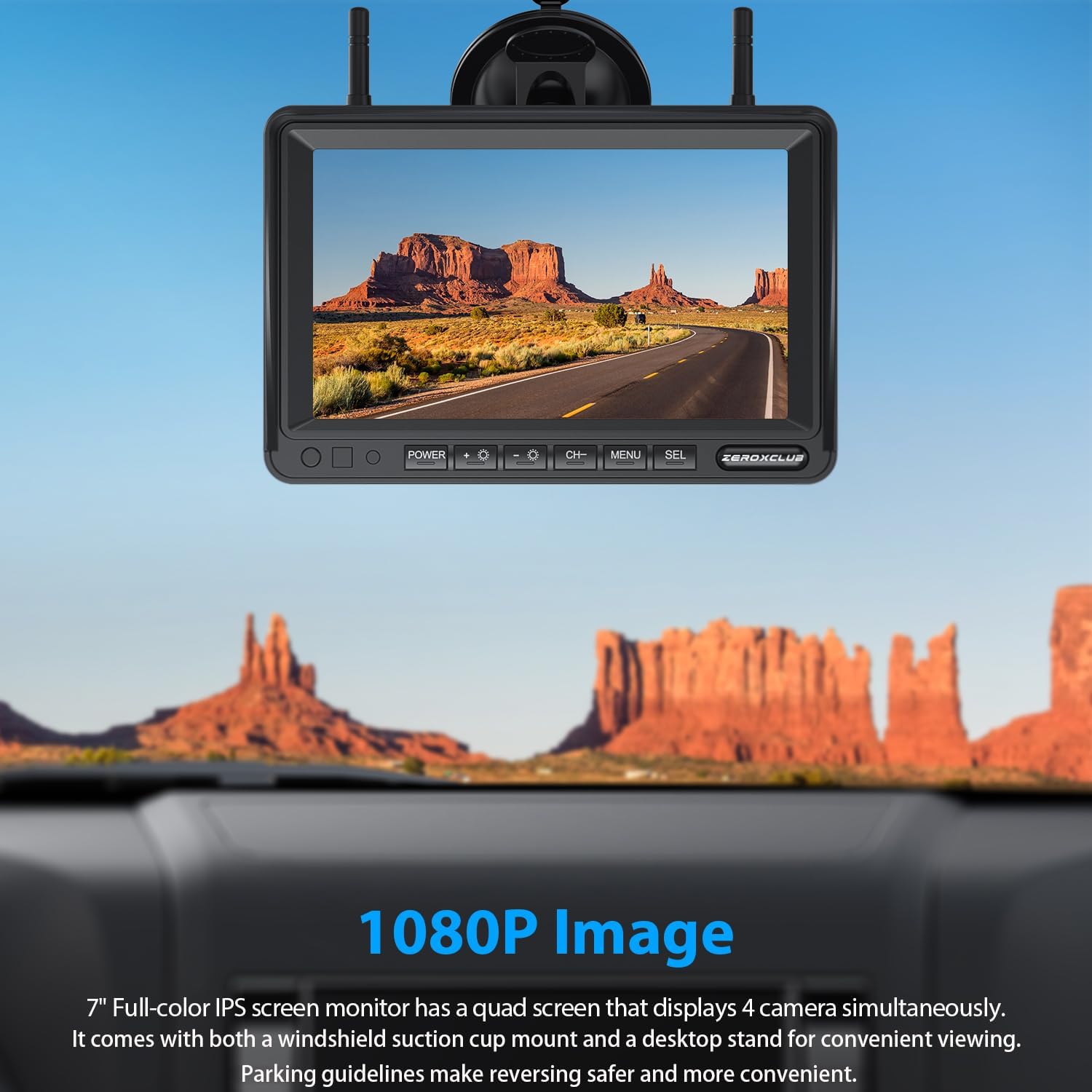
The 7-inch IPS monitor can be mounted in your vehicle's cabin using either the windshield suction cup mount or the desktop stand.
- Power Connection: Connect the monitor to a 12V power source using the provided car charger or hardwire it directly into your vehicle's 12V system.
- Placement: Choose a location that provides a clear view without obstructing your driving visibility.

3.3 Important Considerations
- Wireless Transmission: The BW7M system transmits video wirelessly between the camera and monitor. However, both units require wired power connections for stable performance.
- PWM Power (GMC/Chevy/Ford Owners): Newer GM vehicles use PWM power, which can cause video flickering or signal loss. To ensure stable performance, consider adding a Furrion 7-way adapter (not included) or a 12V PWM filter (not included) to clean the power supply. Test your vehicle's power supply with a portable 12V source if unsure.
- Camera Power: Ensure the lights to which the camera(s) are wired (reverse or running lights) are on when testing the system.
- Compatibility: This system is not compatible with existing Furrion cameras.
3.4 Installation Video Guide
4. Operating Instructions
4.1 Monitor Functions
- 7-inch IPS Screen: The full-color IPS screen provides clear images and can display feeds from up to 4 cameras simultaneously (additional cameras not included).
- Parking Guidelines: Adjustable parking guidelines are available on the monitor to assist with safer and more convenient reversing.
- Loop Recording: Insert an SD card (not included) into the DVR monitor to enable loop recording, capturing moments or evidence. The oldest video is automatically overwritten when the card is full.
- Image Orientation: The image can be set to either front view or rear view as needed.
- Split-Screen Mode: If multiple cameras are connected, the system supports split-screen mode for simultaneous monitoring of surroundings.
4.2 Camera Features
- IP69k Waterproof: The camera boasts an IP69k waterproof rating, ensuring reliable operation in extreme weather conditions like heavy rain or snow.
- Night Vision: Equipped with 6 infrared lights and a light sensor, the infrared lights automatically activate in low-light environments, delivering clear and HD images continuously.
- 120° Viewing Angle: Provides a wide and clear rear view for comprehensive coverage.
- Dual Antenna for Strong Signal: The 2.4GHz proprietary wireless communication ensures a reliable digital connection between the camera and the monitor, with a high-speed reception range of up to 100 feet, delivering real-time images without interference.


5. Maintenance
To ensure optimal performance and longevity of your ZEROXCLUB BW7M system, follow these maintenance guidelines:
- Cleaning: Regularly clean the camera lens and monitor screen with a soft, damp cloth. Avoid abrasive cleaners that could scratch surfaces.
- Connection Check: Periodically inspect all wired connections for tightness and signs of wear or corrosion.
- Firmware Updates: Check the ZEROXCLUB official website for any available firmware updates to ensure your system has the latest features and bug fixes.
- Storage: If storing the RV or trailer for an extended period, ensure the system is powered off and, if possible, store the monitor in a cool, dry place.
6. Troubleshooting
If you encounter issues with your ZEROXCLUB BW7M system, refer to the following common troubleshooting steps:
- No Signal/Flickering Screen:
- Ensure both the camera and monitor are receiving stable power.
- Verify that the vehicle's lights (reverse or running lights) connected to the camera are active.
- For GMC/Chevy/Ford vehicles, consider installing a Furrion 7-way adapter or a 12V PWM filter to address power fluctuations.
- Check for any physical obstructions between the camera and monitor that might interfere with the wireless signal.
- Poor Image Quality:
- Clean the camera lens to remove dirt or debris.
- Ensure the camera is securely mounted and its angle is correctly adjusted.
- Verify that the monitor settings (brightness, contrast) are optimized for current lighting conditions.
- Recording Issues:
- Ensure an SD card is properly inserted into the monitor.
- Check if the SD card is full; if so, the loop recording feature should overwrite older files. Consider formatting the card if issues persist.
- Use a compatible SD card (up to 128GB, not included).
7. Specifications
| Feature | Specification |
|---|---|
| Brand | ZEROXCLUB |
| Model | BW7M |
| Screen Size | 7 Inches |
| Product Dimensions | 7"L x 1"W x 5"H |
| Installation Type | Surface Mount |
| Optical Sensor Technology | Infrared |
| Lens Type | Wide Angle |
| Real Angle of View | 120 Degrees |
| Connector Type | 3.5mm male jack, DC |
| Video Capture Format | MP4 |
| Display Technology | LCD |
| Video Capture Resolution | 1080p |
8. Warranty and Support
Your ZEROXCLUB BW7M system comes with a 2-year warranty.
For any technical support, questions, or assistance, please refer to the contact information provided in your user manual or reach out through customer questions & answers channels. ZEROXCLUB is committed to providing reliable products and service experiences.


