
vine TJ-919T
Vine Programmable Thermostat User Manual
Model: TJ-919T
Brand: vine
1. Introduction
The Vine TJ-919T Programmable Thermostat is designed to provide intelligent and efficient control over your home's heating and cooling systems. Featuring a user-friendly 4.3-inch touch screen, Wi-Fi connectivity, and compatibility with popular voice assistants like Alexa and Google Assistant, this thermostat offers convenient remote control and energy-saving capabilities. It is engineered for wide compatibility with various 24V AC HVAC systems, ensuring a comfortable and optimized indoor environment.
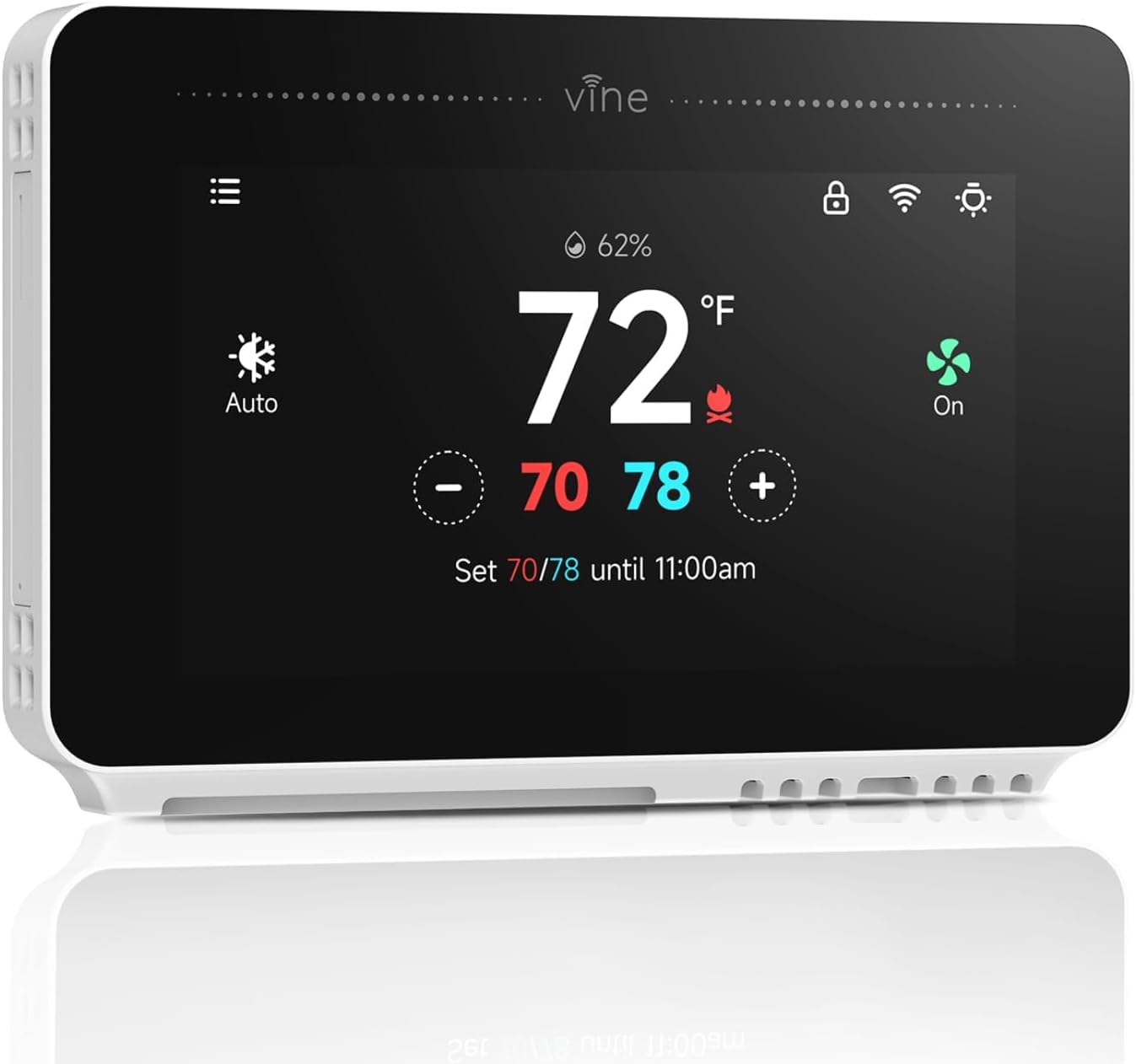
Image: Front view of the Vine TJ-919T Programmable Thermostat, displaying temperature and settings on its 4.3-inch screen.
2. What's in the Box
Upon unboxing your Vine TJ-919T Thermostat, please verify that all components listed below are present:
- Vine Thermostat x1
- Wire Labels x1
- Jumper Wire x1
- Screw Sets x1
- Flathead Screwdriver x1
- User Manual x1

Image: All components included in the Vine TJ-919T thermostat packaging, laid out on a white surface.
3. Setup and Installation
3.1 DIY Installation Steps
The Vine TJ-919T thermostat is designed for easy DIY installation, typically completed in 20 minutes or less. Follow these steps carefully:
- Step 1: Switch off power to your HVAC system at the circuit breaker. Remove your old thermostat and carefully label all wires.
- Step 2: Remove the old wall plate. Mount the new Vine thermostat wall plate securely to the wall.
- Step 3: Connect the labeled wires to the corresponding terminals on the new wall plate. Ensure a common wire (C-wire) is connected, as it is required for all system types.
- Step 4: Install the Vine thermostat onto the wall plate, ensuring it clicks securely into place.

Image: Visual guide showing the four steps for easy DIY installation of the Vine thermostat, including wiring and mounting.
3.2 App Setup and Wi-Fi Connection
To unlock the full smart features of your thermostat, connect it to your home Wi-Fi network using the Vine Thermostat App or Smart Life App.
Video: A step-by-step guide on how to download and set up the Vine Thermostat App, including creating an account, adding the device, and connecting to Wi-Fi.
- Step 1: Download the "Vine Thermostat" or "Smart Life" app from your device's app store.
- Step 2: Open the app, create an account, and sign in.
- Step 3: On the thermostat, touch the Wi-Fi Setup button.
- Step 4: In the app, tap "Add Device" and follow the on-screen instructions to connect your thermostat to your 2.4GHz Wi-Fi network. (Note: 5GHz Wi-Fi is not supported).
- Step 5: Once connected, you can modify the thermostat's name within the app for easy identification.
4. Operating the Thermostat
4.1 User-Friendly Touch Screen
The 4.3-inch high-resolution color touch screen provides an intuitive interface for direct control. Its brightness automatically adjusts to room lighting for optimal readability.

Image: A hand interacting with the large color touch screen of the Vine thermostat, highlighting its ease of use.
4.2 Remote and Voice Control
Control your thermostat from anywhere using the Vine Thermostat App or Smart Life App on your smartphone, tablet, or laptop. For hands-free operation, the thermostat is compatible with Amazon Alexa and Google Home.

Image: A person controlling the Vine thermostat remotely via a smartphone app, demonstrating convenience.

Image: Two people using voice commands with Alexa and Google Assistant to control the Vine thermostat.
4.3 Energy Saving Features
Utilize 7-day programmable schedules and the Auto Home/Away mode to automatically adjust your home's temperature, optimizing energy consumption and reducing HVAC expenses.

Image: Depiction of energy saving features, including scheduling and monthly energy reports, alongside the child lock and power-off memory functions.
4.4 Child Lock and Power-Off Memory
The child lock feature prevents unintended changes to settings, ensuring consistent climate control. In case of a power outage, the power-off memory function retains your settings and data, eliminating the need for re-configuration.
5. Compatibility
The Vine TJ-919T thermostat is compatible with approximately 90% of 24V AC HVAC systems. A common wire (C-wire) is required for all system types. Refer to the table below for detailed compatibility information:

Image: A detailed compatibility chart for the Vine thermostat, outlining compatible and incompatible HVAC systems and wiring requirements.
For a comprehensive compatibility check, please visit the official Vine support page: www.vineconnected.com/support/thermostat/
6. Specifications
Key technical specifications for the Vine TJ-919T Programmable Thermostat:
| Feature | Detail |
|---|---|
| Brand | vine |
| Model Name | TJ-919T |
| Product Dimensions | 1.02"D x 4.84"W x 3.35"H |
| Controller Type | Amazon Alexa, Google Assistant |
| Special Feature | Geofence Technology, Filter Indicator, Fan Control, Lockable, Sleep Mode |
| Color | Black |
| Specific Uses For Product | Heat Pump, Air Conditioner, Furnace |
| Temperature Control Type | Cooling, Heating |
| Connectivity Technology | Wi-Fi |
| Included Components | Vine Thermostat x1, Wire Labels x1, Jumper Wire x1, Screw Sets x1, Flathead Screwdriver x1, User Manual x1 |
| Voltage | 24 Volts (AC) |
| Shape | Square |
| Display Type | LCD |
| Screen Size | 4.3 Inches |
| Control Type | Touchpad Control/App Control/Voice Control |
| Control Method | App, Touch, Voice |
| Connectivity Protocol | Wi-Fi |
| Mounting Type | Wall Mount |
| Style | Modern |
| Backlight | Yes |
| Item Weight | 12.6 ounces |
7. Maintenance
To ensure optimal performance and longevity of your Vine TJ-919T thermostat, regular maintenance is recommended:
- Cleaning: Gently wipe the screen and exterior with a soft, dry cloth. Avoid abrasive cleaners or solvents.
- Software Updates: Ensure your thermostat's firmware and the Vine Thermostat App are kept up-to-date to benefit from the latest features and security enhancements. Updates are typically managed through the app.
- Battery Check (if applicable): While the TJ-919T requires a C-wire for continuous power, some older models or specific installations might have backup batteries. Refer to the full user manual for details on battery replacement if your model uses them.
8. Troubleshooting
If you encounter any issues with your Vine TJ-919T thermostat, consider the following common troubleshooting steps:
- No Power/Screen Off: Ensure the circuit breaker for your HVAC system is on and the C-wire is properly connected.
- Wi-Fi Connection Issues: Verify your Wi-Fi network is 2.4GHz. Restart your router and the thermostat. Ensure the thermostat is within range of your Wi-Fi signal.
- Incorrect Temperature Readings: Ensure the thermostat is not exposed to direct sunlight, drafts, or heat sources that could affect its internal sensor.
- App Control Not Working: Check your internet connection. Ensure the app is updated to the latest version. Log out and log back into your account.
- System Not Responding (Heating/Cooling): Double-check all wiring connections. Ensure the correct system type is selected in the thermostat settings.
For more detailed troubleshooting guides or persistent issues, please refer to the comprehensive User Manual (PDF) or contact customer support.
9. Warranty and Support
Vine is committed to providing excellent customer service and support for its products. As a small business brand, they prioritize direct and efficient assistance.

Image: Information regarding Vine customer support, emphasizing quick response times and direct human interaction.
For any inquiries, technical assistance, or warranty claims, please reach out to Vine Customer Support:
- Support Hours: 09:00 AM - 05:00 PM PST, Monday - Friday
- Contact: Refer to the contact information provided in your product packaging or the official Vine website for the most up-to-date details.
A digital copy of the full user manual is available for download: User Manual (PDF)
Related documentsTJ-919T


Ask a question about this manual
Ask about setup, troubleshooting, compatibility, parts, safety, or missing instructions. Manuals+ will review the question and use this page’s manual context to help answer it.