1. Introduction
Thank you for choosing the LESU 1/14 RC Hydraulic Dumper Truck. This highly detailed and functional remote-controlled model is designed for hobby enthusiasts aged 21 and up, offering a realistic operating experience with its 8x8 heavy-duty metal chassis and hydraulic tipping system. This manual provides essential information for the safe and effective setup, operation, and maintenance of your new RC dumper truck.
2. Safety Information
- This product is recommended for users aged 21 years and up. Adult supervision is advised for all operations.
- Operate the RC truck in open, clear areas away from people, pets, and obstacles.
- Do not operate near water or in wet conditions to prevent electrical damage.
- Ensure all batteries are correctly installed and charged according to instructions.
- Always turn off the truck and remote control when not in use.
- Keep fingers and loose clothing away from moving parts, especially during hydraulic operation.
- Do not modify the truck or its components, as this may void the warranty and create safety hazards.
3. Package Contents
Please verify that all items listed below are included in your package:
- 1 x LESU 1/14 RC Hydraulic Dumper Truck
- 2 x Remote Control Transmitters
- 1 x Battery (D battery, included)
- 1 x Battery Charger

Image: The LESU 1/14 RC Hydraulic Dumper Truck shown with its included remote control, battery, and charger.
4. Setup
4.1. Battery Charging
- Connect the included battery to the charger.
- Plug the charger into a suitable power outlet.
- Allow the battery to charge fully. Refer to the charger's indicator lights for charging status.
- Once charged, disconnect the battery from the charger.
4.2. Battery Installation
- Truck Battery: Locate the battery compartment on the truck. Carefully connect the charged battery to the truck's power connector and secure it within the compartment.
- Remote Control Batteries: Open the battery cover on the back of the remote control. Insert the required D batteries (included), ensuring correct polarity. Close the cover.
4.3. Remote Control Binding
Your truck and remote control should be pre-bound. If re-binding is necessary, follow these general steps:
- Ensure both the truck and remote control are powered off.
- Turn on the remote control while holding down the binding button (if present, refer to remote control specific instructions).
- Power on the truck.
- The indicator lights on both devices should confirm a successful connection.
4.4. Initial Checks
- Verify that all wheels rotate freely.
- Check that the steering mechanism responds correctly to remote input.
- Test the hydraulic tipping function to ensure smooth operation.
5. Operating Instructions
5.1. Basic Driving Controls
Use the joysticks on the remote control to maneuver the truck:
- Forward/Backward: Push the left joystick forward or backward.
- Steering (Left/Right): Push the right joystick left or right.
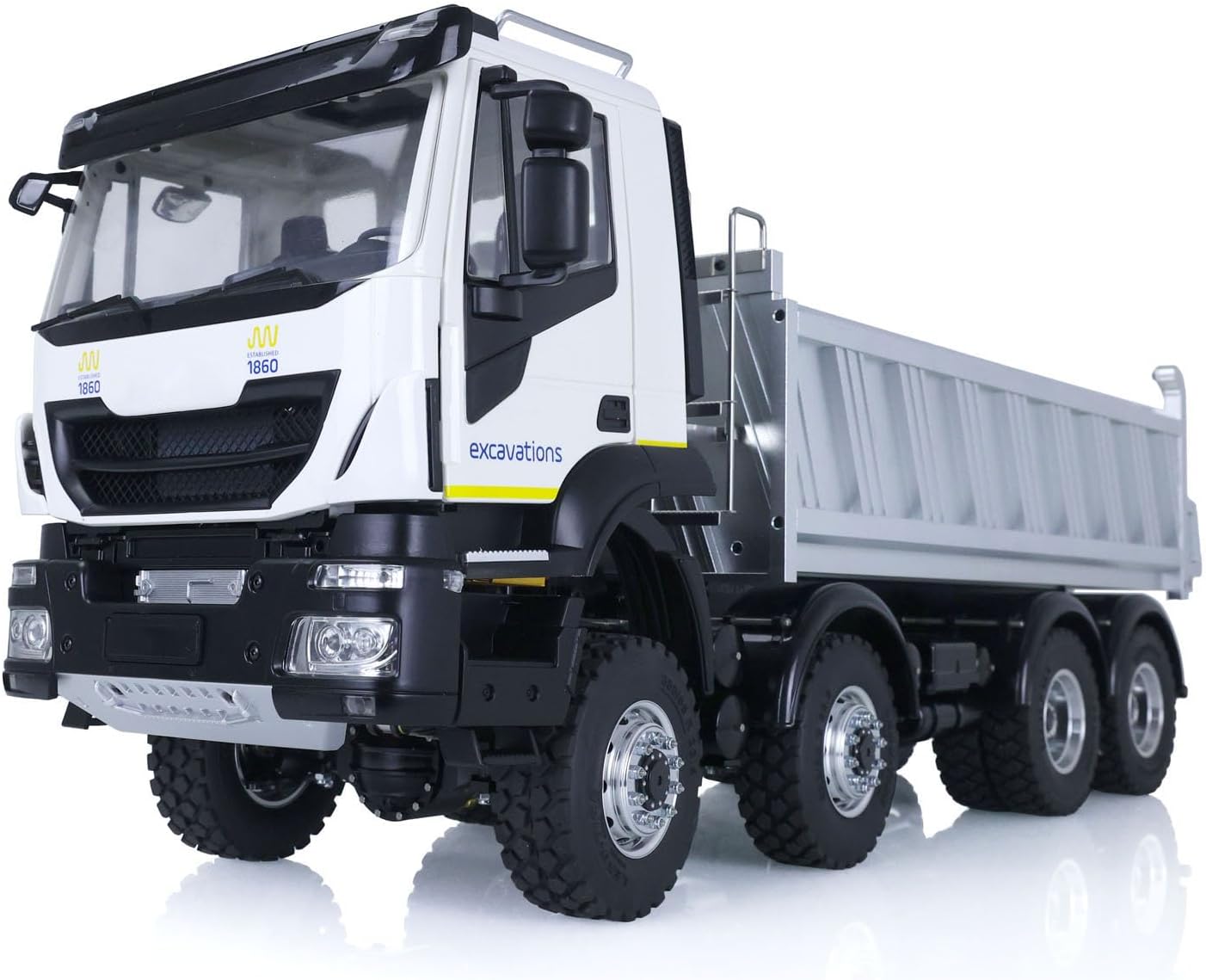
Image: The RC dumper truck with its dump bed in the lowered, transport position.
5.2. Hydraulic Tipping System
The hydraulic system allows for realistic dumping operations:
- Identify the dedicated button or switch on your remote control for activating the hydraulic lift.
- Press and hold the button to raise the dump bed. Release to stop.
- Press the corresponding button to lower the dump bed. Release to stop.
- Ensure the truck is on a stable, level surface before operating the hydraulic system.
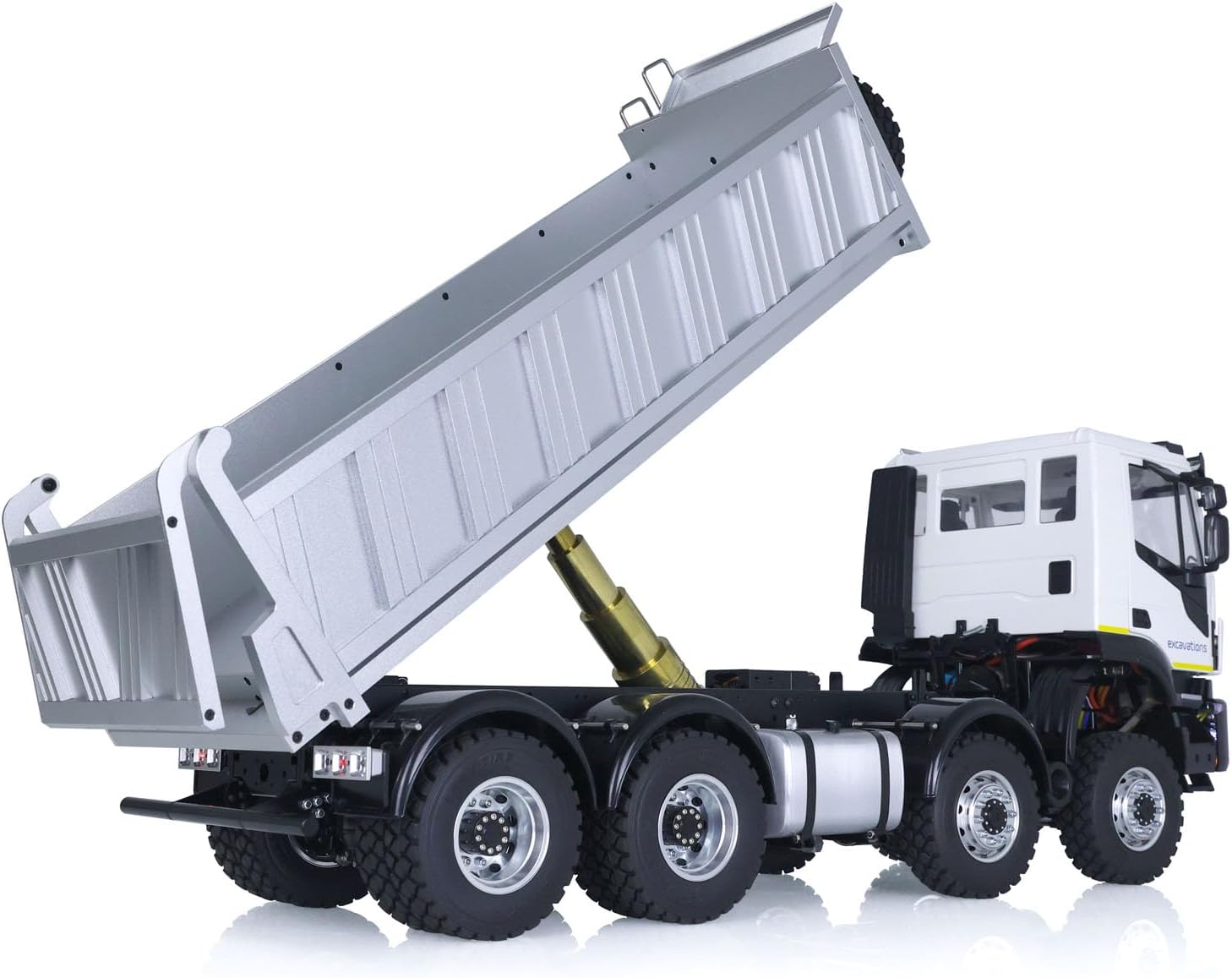
Image: The RC dumper truck with its dump bed fully raised, demonstrating the hydraulic tipping function.

Image: A detailed view of the hydraulic cylinder responsible for lifting and lowering the dump bed.
5.3. Sound and Light System
The truck is equipped with a realistic sound module and functional lights:
- Specific buttons on the remote control activate engine sounds, horn, and headlights.
- The headlights and taillights operate to enhance realism.
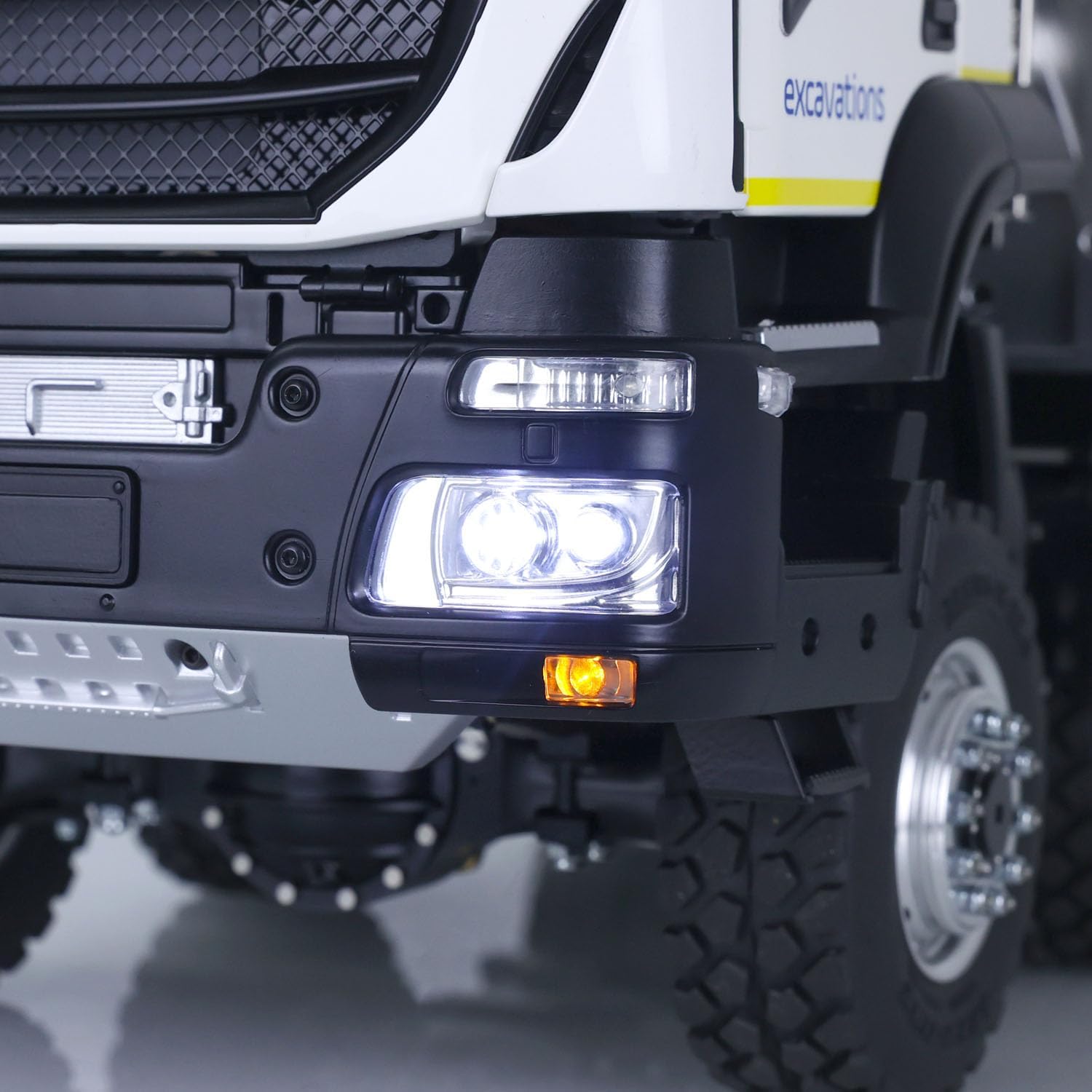
Image: A close-up view of the functional front headlights on the RC dumper truck.

Image: A close-up view of the functional rear lights on the RC dumper truck.
6. Maintenance
6.1. Cleaning
- After each use, gently wipe down the truck with a soft, dry cloth to remove dust and debris.
- Avoid using water or harsh chemicals, which can damage electronic components.
- Periodically inspect the wheels and chassis for trapped dirt or small objects that could impede movement.
6.2. Hydraulic System Care
- Regularly check the hydraulic cylinders for any signs of leaks or damage.
- Ensure the hydraulic fluid reservoir (if accessible) has adequate fluid levels. Consult support for specific fluid type and refill procedures if needed.
- Keep the hydraulic components clean and free of obstructions.
6.3. Battery Care and Storage
- Always remove batteries from the truck and remote control when storing for extended periods.
- Store batteries in a cool, dry place, away from direct sunlight and extreme temperatures.
- Do not overcharge or completely discharge batteries.
7. Troubleshooting
- Truck Not Responding: Check battery levels in both the truck and remote control. Ensure both devices are powered on and properly bound.
- Hydraulic System Not Working: Verify the truck battery is fully charged. Check for any physical obstructions in the hydraulic mechanism.
- Weak Performance: Recharge the truck battery. Ensure the operating environment is clear of interference.
For persistent issues or complex problems, please refer to the Warranty and Support section for contact information.
8. Specifications
| Feature | Detail |
|---|---|
| Product Dimensions | 28.8 x 17.6 x 11.2 inches |
| Item Weight | 39.6 pounds |
| Item Model Number | THZH1488-AMZUS2-S-1 |
| Manufacturer Recommended Age | 21 years and up |
| Batteries | 1 D battery required (included) |
| Manufacturer | LESU |
9. Warranty and Support
9.1. Damaged Items
In the event that your item arrives damaged, LESU offers a free replacement part. Please contact customer service immediately upon discovering any damage.
9.2. Technical Support
LESU provides a professional after-sales team and technical maintenance team. Technicians can offer guidance in English through video or text for repairs and troubleshooting.
For further assistance, please visit the official LESU store or contact their customer support channels.
Visit the LESU Store on Amazon.


