
Lefant M310
Contents
Lefant M310 Robot Vacuum Cleaner User Manual
Model: M310 | Brand: Lefant
Introduction
The Lefant M310 Robot Vacuum Cleaner is designed to provide efficient and quiet cleaning for your home. Featuring 4500Pa suction, ultra-slim design, and advanced obstacle avoidance, it is ideal for pet hair and hard floors. This manual provides detailed instructions for setup, operation, maintenance, and troubleshooting to ensure optimal performance of your device.

Image: The Lefant M310 Robot Vacuum Cleaner, its charging base, and included accessories such as side brushes and a HEPA filter.
Key Features
- Powerful Suction: 4500Pa suction with dual side brushes for effective cleaning of dust, pet hair, and debris on hard floors and low-pile carpets.
- Brushless Suction Mouth: Prevents hair tangles, making it highly suitable for homes with pets.
- PreciSense Obstacle Avoidance (PSD Tech): 9 built-in position-sensitive sensors detect and avoid objects from 1.6 inches away, offering a 190° field of view and identifying objects 2 inches or taller.
- Ultra-Slim Design: At 2.99 inches high and 11 inches in diameter, it easily cleans under furniture and in tight spaces.
- Freemove Tech 3.0: Intelligently detects obstacles and frees itself when stuck, ensuring continuous cleaning.
- Large Dustbin & HEPA Filtration: 550ml dustbin and high-efficiency HEPA filter capture fine dust, pollen, and pet dander, improving indoor air quality.
- Extended Runtime: Up to 160 minutes of cleaning on a single charge, covering up to 1,700 sq ft in quiet mode.
- Smart Connectivity: Control via Lefant App, Alexa, and Google Assistant (supports 2.4GHz Wi-Fi only).
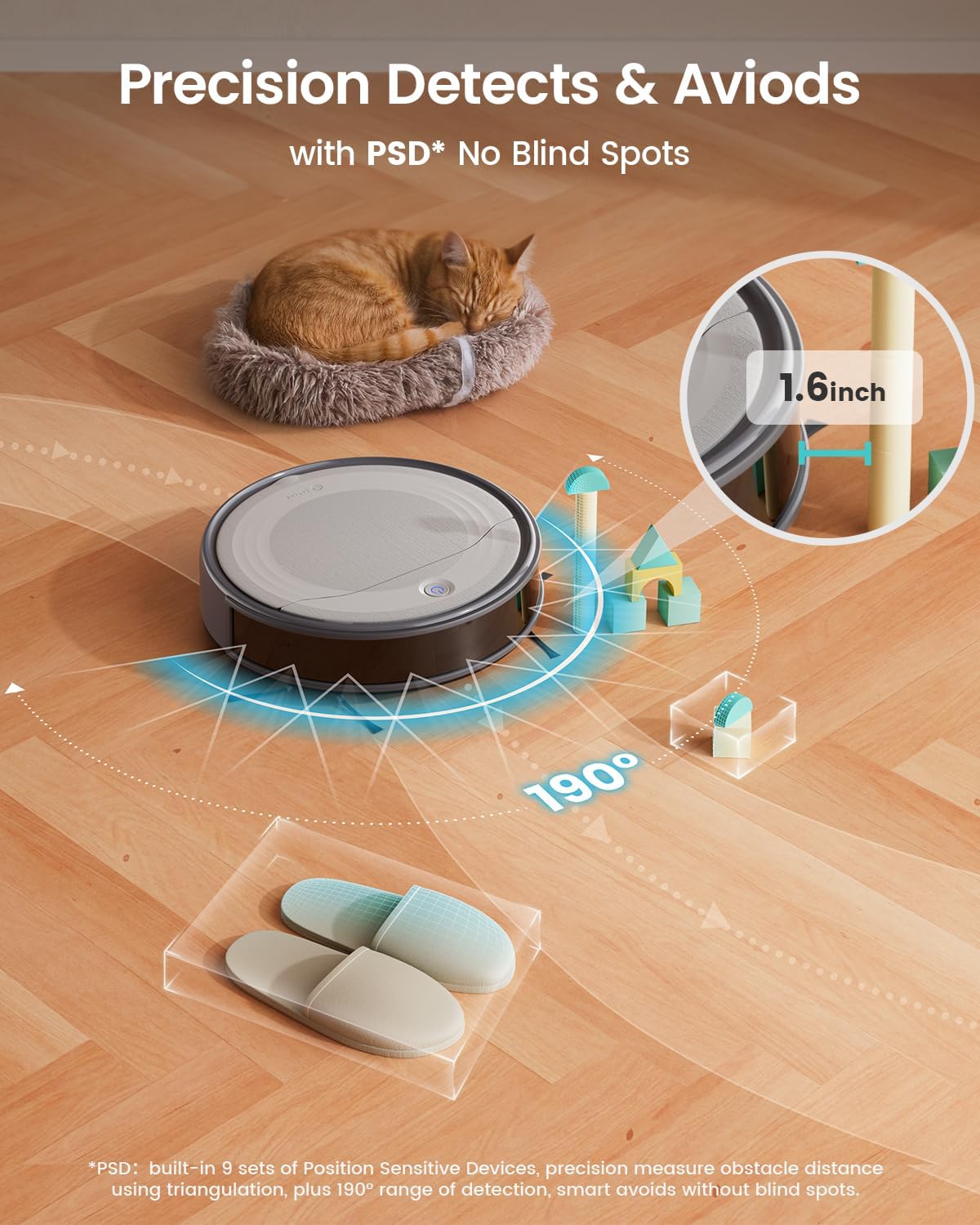
Image: The Lefant M310 demonstrating its precision detection and avoidance capabilities with a 190-degree field of view, navigating around a sleeping cat and toys.
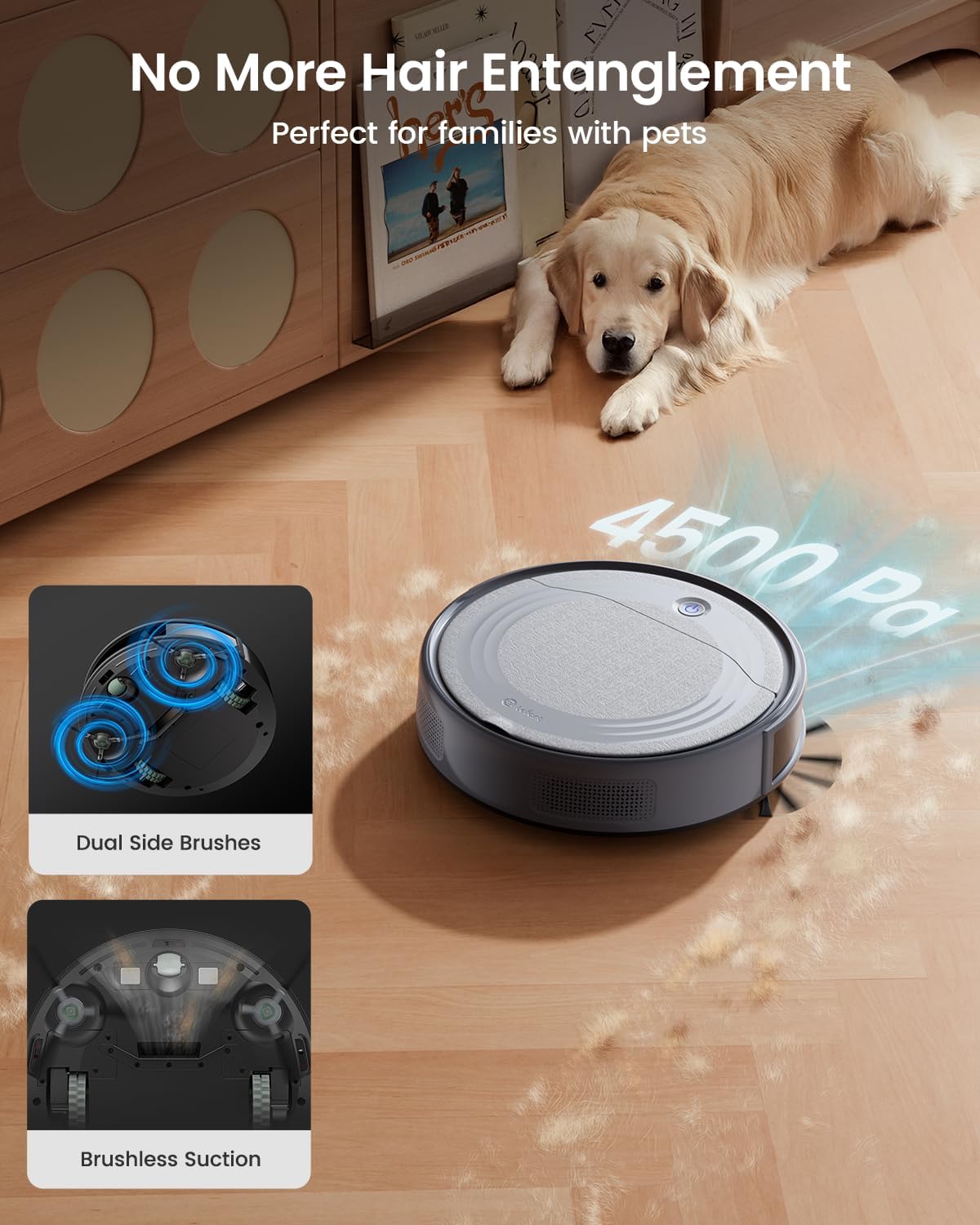
Image: The Lefant M310's dual side brushes and brushless suction mechanism, highlighting its effectiveness in picking up pet hair without tangles.

Image: The compact and quiet Lefant M310 robot vacuum operating under a couch, demonstrating its ability to clean discreetly without disturbing pets.
Video: A demonstration of the Lefant M310 Robot Vacuum's PSD Tech, showcasing its ability to detect and avoid obstacles effectively during cleaning.
Video: The slim design of the Lefant M310 robot vacuum allows it to easily navigate and clean under low furniture.
Video: The Lefant M310 robot vacuum demonstrates its precise obstacle avoidance capabilities, navigating around various household items.
Setup Guide
1. Initial Charging
Place the Lefant M310 on its charging base. Ensure the charging contacts on the robot align with those on the base. The robot will automatically power on when charging begins. Allow the robot to fully charge before its first use. A full charge typically takes 4-5 hours.
2. App Download and Connection
- Press and hold the start button for 3 seconds to power on the robot.
- Download the Lefant app from the App Store or Google Play Store. You can find the app by searching for "Lefant" or by visiting the official download link: Lefant App Download.
- Press and hold the start button for 6 seconds until the light begins to flash. This puts the robot in Internet state.
- Open the Lefant app and add your M310 robot vacuum.
- Connect to a 2.4GHz Wi-Fi network. (Note: Lefant robot vacuums only support 2.4GHz Wi-Fi. It is recommended to switch to a 2.4GHz network when using the robot by following your router's setup instructions.)
- Wait for the successful connection.

Image: The Lefant M310 robot vacuum alongside a smartphone displaying the Lefant app interface, illustrating app control capabilities.
Operating Instructions
Power On/Off
- To power on: The robot automatically powers on when charging begins.
- To start/pause cleaning: Simply press the power button once.
- To shut down: Hold the power button for 12 seconds. (Note: To prevent power loss, turn off the robot if not in use after a full charge.)
Cleaning Modes
The Lefant M310 offers four cleaning modes, selectable via the Lefant App:
- Auto Mode: The robot cleans automatically, adapting to the environment.
- Spot Mode: Focuses on a specific dirty area, cleaning in a spiral pattern.
- Edge Mode: Cleans along walls and furniture edges.
- Zig-zag Mode: Cleans in a systematic zig-zag pattern for thorough coverage.

Image: Visual representation of the Lefant M310 operating in Random, Zigzag, Spot, and Edge cleaning modes.
Smart App & Voice Control
The Lefant App provides comprehensive control over your robot vacuum:
- Schedule cleanings.
- Adjust suction power.
- Track cleaning progress.
- Switch between cleaning modes.
- Manual control for precise cleaning.
For hands-free operation, the M310 is compatible with Amazon Alexa and Google Assistant. Simply use voice commands to start or stop cleaning.

Image: The Lefant M310 robot vacuum integrated with Amazon Alexa and Google Assistant for smart voice control.
Automatic Return to Charging Base
When the battery is low or a cleaning cycle is complete, the Lefant M310 will automatically return to its charging base to recharge, ensuring it is always ready for the next task.
Maintenance
Regular maintenance ensures the longevity and optimal performance of your Lefant M310 robot vacuum.
1. Dustbin Emptying
The 550ml extra-large dustbin should be emptied regularly, ideally after each cleaning cycle or when full. To empty, open the top cover of the robot, remove the dustbin, and dispose of the collected debris.
2. Filter Cleaning and Replacement
The M310 features a dual-layer filter system: a washable metal pre-filter and a non-washable HEPA filter. Clean the filters using the provided cleaning brush. Replace the HEPA filter periodically (e.g., every 3-6 months, depending on usage) to maintain filtration efficiency and air quality.
3. Side Brush Cleaning
Inspect and clean the side brushes regularly to remove tangled hair or debris. If brushes are worn or damaged, replace them with new ones (4 side brushes are included as accessories).

Image: The large 550ml dustbin of the Lefant M310, showing its integrated filter system with both HEPA and metal filters for improved air filtration.

Image: An overview of the items included with the Lefant M310 robot vacuum, such as the robot itself, charging base, adapter, user manual, cleaning brush, dustbin with HEPA filter, and multiple sets of side brushes.
Troubleshooting
| Issue | Solution |
|---|---|
| Cannot pair the robot. | Please press and hold the button for 6 seconds until you hear "di-di" sounds, then the robot enters the Internet state. Note: The robot only works with 2.4GHz Wi-Fi. |
| Robot cannot return to charge / not enough battery for apartment cleaning. | The M310 automatically returns to the charging base when the battery is low or cleaning is complete. Alternatively, you can double-click the button to recharge. Note: It will automatically turn on when charging begins. If you don't use it for a long time after charging complete (4-5h), please turn it off and avoid power loss. |
| Robot goes over the same spots repeatedly. | For first-time use, due to the robot's unfamiliarity with the new environment, there may be repeated cleaning. After the first construction of the cleaning area, its efficiency will improve. |
| Does not come with a remote control. | This set does not include a remote control; it needs to be purchased additionally. Alternatively, choose bundles that include a remote. |
| Dislike the zigzag pattern. | The M310 offers flexible management via the Lefant App; switch between 4 cleaning modes, schedule sessions, and adjust suction power to suit your preferences. |
Specifications
| Brand | Lefant |
| Model Name | M310 |
| Special Feature | HEPA Filtration |
| Color | Gray |
| Product Dimensions | 11"L x 11"W x 2.99"H |
| Included Components | Side Brushes*4, HEPA Filter*2, Docking Station*1, Charging Adapter*1, Lefant M310 Robot Vacuum*1 |
| Filter Type | HEPA |
| Battery Life | 160 minutes |
| Capacity | 550 Milliliters (Dustbin) |
| Power Source | Battery Powered |
| Batteries Included | Yes (1 Lithium Polymer battery) |
| Control Method | App, Remote, Voice |
| Compatible Devices | Smartphones, Amazon Echo, Google Home |
| Form Factor | Robotic |
| Item Weight | 7 pounds |
| Manufacturer | Lefant |
| Country of Origin | China |
Warranty and Support
For detailed warranty information, please refer to the official user manual included in your product packaging or available for download from the manufacturer's website. Lefant provides customer support for product inquiries, technical assistance, and warranty claims.
You can also find additional support and FAQs within the Lefant App.
Official User Manual (PDF): Download Here
Instructions for Use (IFU) (PDF): Download Here
Ask a question about this manual
Ask about setup, troubleshooting, compatibility, parts, safety, or missing instructions. Manuals+ will review the question and use this page’s manual context to help answer it.