
Introduction
This manual provides detailed instructions for the safe and efficient use of your Spigen AMP06527 3-in-1 Qi2 MagSafe Wireless Charging Station. This device is designed to simultaneously charge your compatible iPhone, Apple Watch, and AirPods.
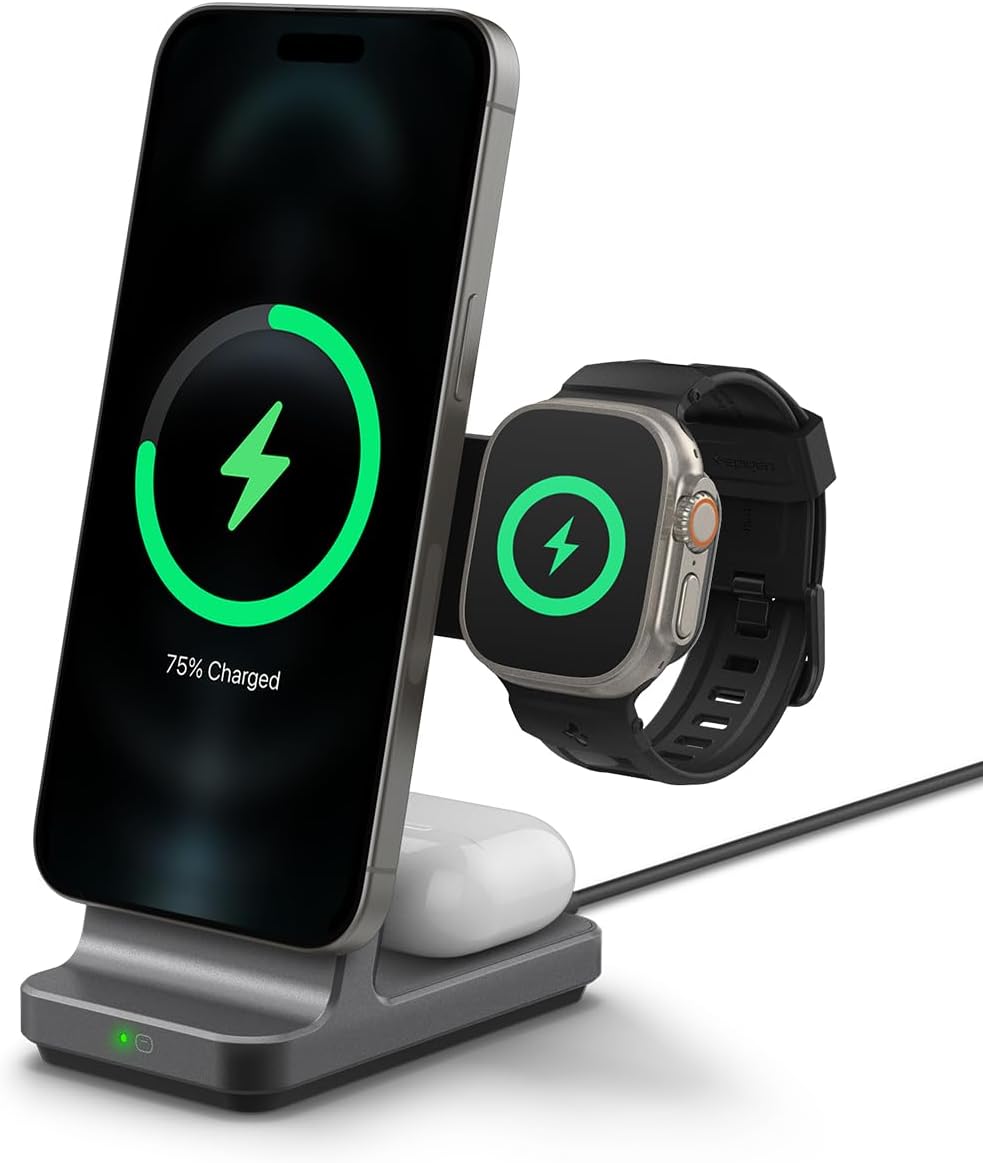
Image: The Spigen 3-in-1 Charging Station in Gunmetal, actively charging an iPhone, Apple Watch, and AirPods simultaneously. The iPhone and Apple Watch display charging indicators.
Package Contents
Please verify that all items are present in your package:
- Spigen AMP06527 3-in-1 Qi2 MagSafe Wireless Charging Station
- User Manual
Note: A 35W wall adapter or higher is required for optimal fast charging and is not included. The Apple Watch charging cable is also not included.
Setup Instructions
Follow these steps to set up your charging station:
- Install the Apple Watch Charging Cable:
The charging station features a dedicated slot for your Apple Watch charging cable. Carefully route your existing USB-A or USB-C Apple Watch charging cable through the designated channels within the watch charging module. Ensure the charging puck is securely seated in its position.
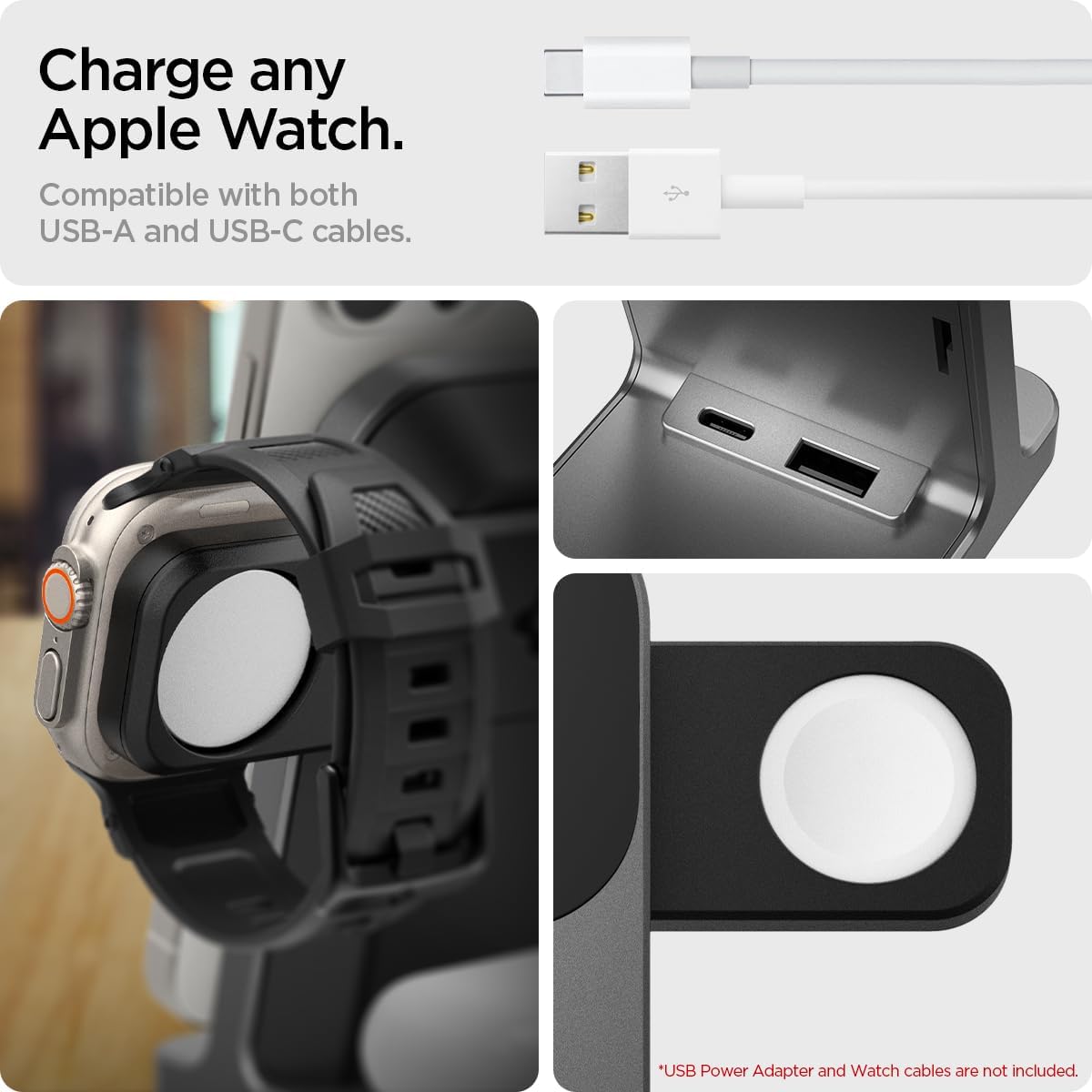
Image: Close-up view of the Apple Watch charging area, showing compatibility with both USB-A and USB-C cables. The watch charging puck is not included.
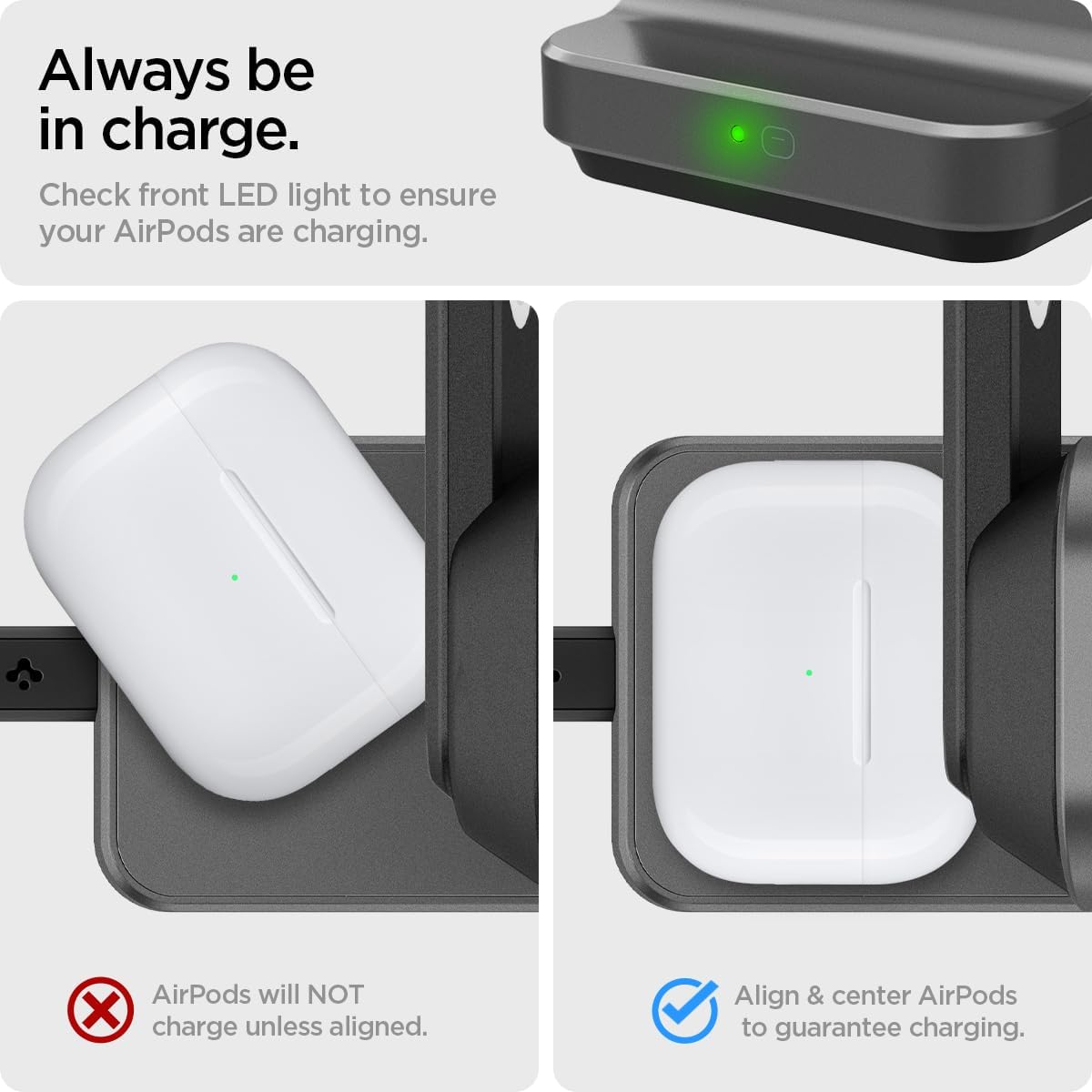
Image: A visual guide demonstrating the three steps to install the Apple Watch charging cable into the station's module, ensuring proper cable management and secure placement.
- Connect to Power:
Connect the charging station to a power source using a USB-C cable (not included). For optimal performance and fast charging, use a 35W or higher power adapter.
Setup Video Guide:
Video: This official Spigen video demonstrates the installation process for the Apple Watch charging cable and the overall setup of the 3-in-1 charging station.
Operating Instructions
The Spigen AMP06527 charging station allows for simultaneous charging of three devices:
- iPhone (MagSafe Compatible): Place your MagSafe-compatible iPhone (iPhone 12 series and newer) onto the vertical charging pad. The magnetic connection will secure the phone and initiate Qi2 fast wireless charging up to 15W.
- Apple Watch: Place your Apple Watch onto the installed charging puck. Ensure it is properly aligned to begin charging.
- AirPods: Place your AirPods case onto the designated charging area at the base of the stand. An LED indicator will confirm charging status.
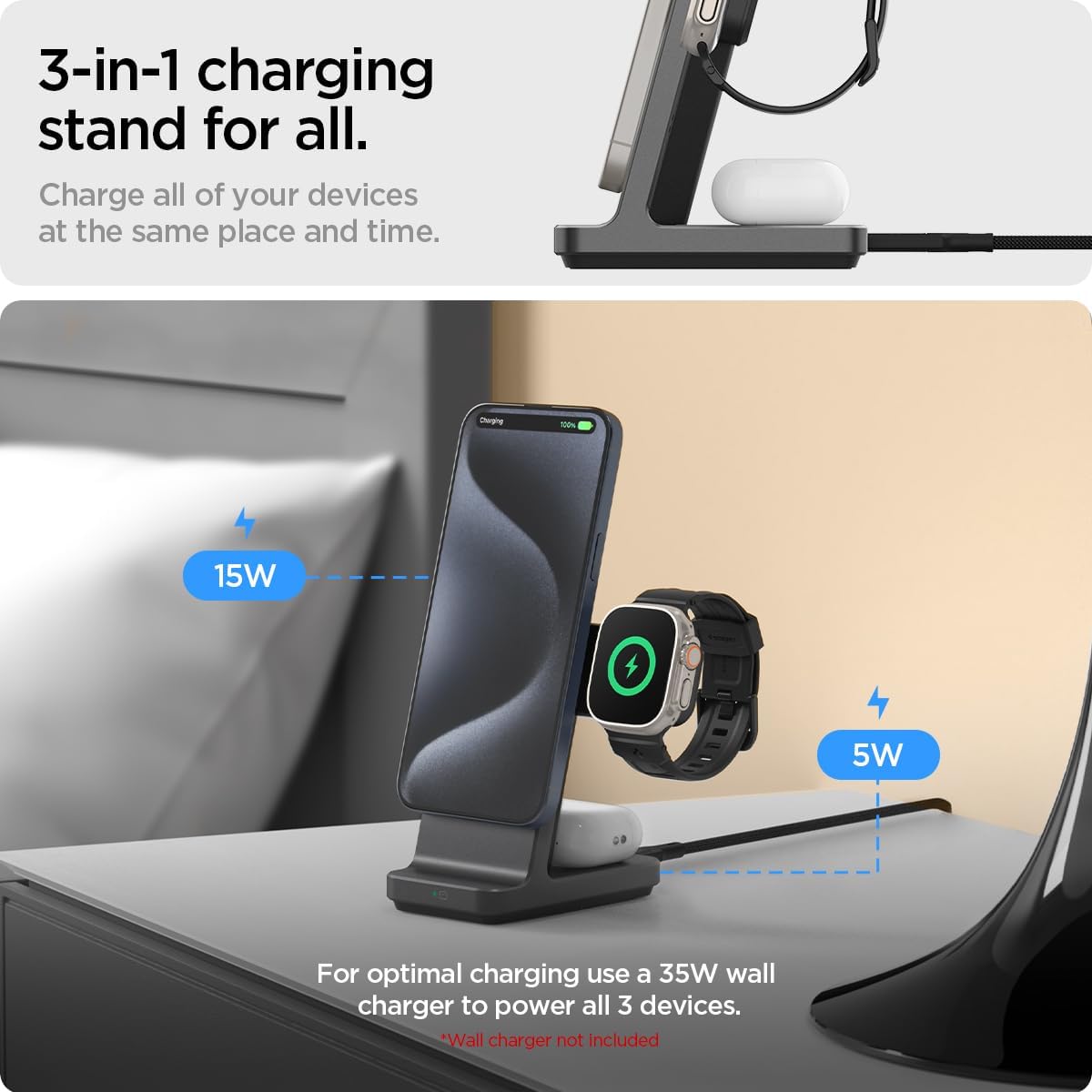
Image: The charging station with an iPhone, Apple Watch, and AirPods in their respective charging positions. The image highlights 15W charging for the iPhone and 5W for the Apple Watch, emphasizing the need for a 35W wall charger.
LED Charging Indicator for AirPods:
The charging station features an LED light at the front to indicate the charging status of your AirPods. A green light typically indicates active charging.

Image: This image illustrates the correct alignment for AirPods charging, showing the LED indicator on the charging station and on the AirPods case. It also shows an example of incorrect alignment where charging would not occur.
Compatibility
The Spigen AMP06527 charging station is compatible with a wide range of Apple devices:
- iPhones: iPhone 17 / 17 Pro / 17 Pro Max / iPhone Air / 16 / 16 Plus / 16 Pro / 16 Pro Max / 15 / 15 Plus / 15 Pro / 15 Pro Max / 14 / 14 Plus / 14 Pro / 14 Pro Max / 13 mini / 13 / 13 Pro / 13 Pro Max / 12 mini / 12 / 12 Pro / 12 Pro Max, and MagSafe compatible cases.
- Apple Watch: Apple Watch Series 11 / 10 / 9 / 8 / 7 / 6 / 5 / 4 / 3 / 2 / 1, Apple Watch Ultra Series 3 / 2 / 1, Apple Watch SE 3 / 2 / 1.
- AirPods: AirPods Pro 3 / 2 / 1, AirPods 4, 3.

Image: A visual representation of the charging station's compatibility, showing an iPhone 12 or newer, various Apple Watch series, and AirPods 4/3 along with AirPods Pro 2/1.
Maintenance
To ensure the longevity and optimal performance of your charging station, follow these maintenance guidelines:
- Cleaning: Disconnect the charger from the power source before cleaning. Use a soft, dry, lint-free cloth to wipe the surfaces. Avoid using abrasive cleaners, solvents, or aerosol sprays, as these can damage the finish or internal components.
- Storage: When not in use for extended periods, store the charging station in a cool, dry place away from direct sunlight and extreme temperatures.
- Cable Care: Avoid bending or crimping the charging cables excessively. Ensure cables are not under tension when connected to the device or power source.
Troubleshooting
If you encounter issues with your Spigen AMP06527 charging station, refer to the following common solutions:
- Device Not Charging:
- Ensure the charging station is properly connected to a functional power outlet and a 35W or higher power adapter.
- Verify that your device (iPhone, Apple Watch, AirPods) is correctly placed and aligned on its respective charging area. For AirPods, check the LED indicator.
- Remove any thick cases from your iPhone that might interfere with wireless charging, especially if they are not MagSafe compatible.
- Confirm that the Apple Watch charging cable is securely installed within the station's module and connected to the internal USB port.
- Slow Charging:
- Ensure you are using a 35W or higher power adapter. Lower wattage adapters may result in slower charging speeds, especially when charging multiple devices simultaneously.
- Check that your iPhone is MagSafe compatible and properly aligned for optimal Qi2 15W charging.
- LED Indicator Not Lighting Up for AirPods:
- Ensure the AirPods case is centered on the charging pad. Slight misalignment can prevent charging.
- Confirm the AirPods case is closed.
- Overheating:
- It is normal for the charger and devices to become slightly warm during charging. However, if excessive heat is detected, disconnect the charger immediately and allow it to cool down. Ensure adequate ventilation around the charging station.
Specifications
| Feature | Detail |
|---|---|
| Model Number | AMP06527 |
| Brand | Spigen |
| Product Dimensions | 5.08 x 4.09 x 4.02 inches |
| Item Weight | 2.47 ounces |
| Connector Type | USB |
| Special Feature | Fast Charging (Qi2 15W) |
| Input Voltage | 9 Volts |
| Amperage | 2.33 Amps |
| Total USB Ports | 3 (1x USB-C Power Input, 1x USB-A for Watch Cable, 1x USB-C for Watch Cable) |
| Wattage | 15 watts (Max for iPhone) |
| Color | Gunmetal |
Warranty and Support
Spigen products are designed for durability and performance. For information regarding product warranty, please refer to the official Spigen website or contact their customer support directly.
For technical assistance or further inquiries, please visit the Spigen Inc. seller page on Amazon or the official Spigen support channels.


