
1. Introduction
The FiiO KA11 is a compact and powerful USB C to 3.5mm audio adapter designed to enhance your audio experience across various devices. It integrates a high-performance Digital-to-Analog Converter (DAC) and a headphone amplifier to deliver high-fidelity sound. This manual provides essential information for setting up, operating, and maintaining your FiiO KA11.

Image: The FiiO KA11 USB C to 3.5mm Audio Adapter, showcasing its compact design and connectors.
2. Key Features
- High-Fidelity Audio Performance: Equipped with a Hi-Res DAC chip (CS43131) for excellent and stable decoding. Supports a maximum sampling rate of 32bit/384KHz.
- Powerful Amplification: Delivers up to 245mW at 16Ω load and 200mW at 32Ω load, sufficient to drive most headphones.
- Compact and Portable Design: With dimensions of 44x9.7x10.5mm and a weight of approximately 8.5g, it is convenient for on-the-go use.
- Advanced Circuitry: Features high-standard circuit components and a multi-layer immersion gold circuit board for strong decoding ability and detailed sound control. Achieves THD+N: <0.0006%, SNR: 125dB, Noise: <1.7uV.
- Wide Compatibility: Connects via USB Type-C or Lightning connector to Android/iOS phones and tablets, as well as Windows and Mac computers.
- UAC1.0 Support: Offers UAC1.0 mode for plug-and-play compatibility with devices like Nintendo Switch and PS5, providing a low-latency gaming experience with rich sound effects. (Note: UAC1.0 mode requires switching via the FiiO Control app).

Image: Diagram illustrating the power output capabilities of the FiiO KA11 at different impedance levels.
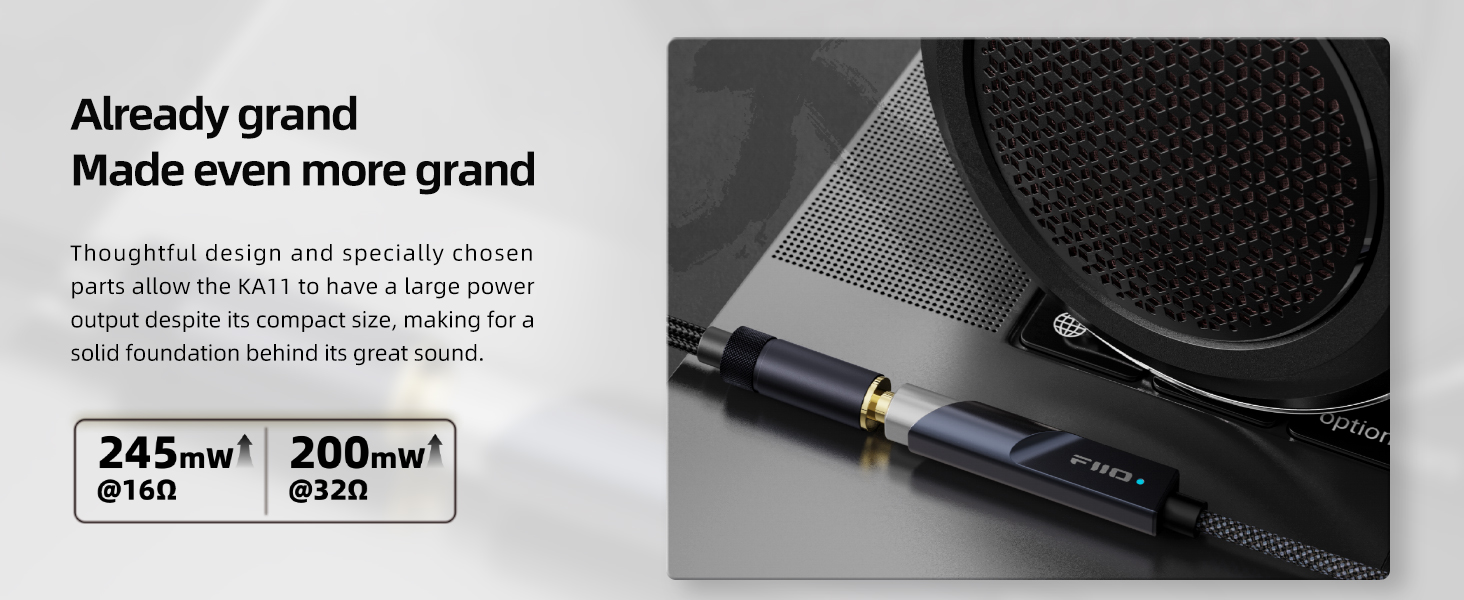
Image: Detailed block diagram of the FiiO KA11's specially designed HiFi audio circuit, highlighting the DAC and op-amp components.

Image: Visual representation of the FiiO KA11's audio performance metrics, including THD+N, SNR, and Noise levels, along with supported audio formats.

Image: Cross-section view of the FiiO KA11's cable, illustrating its high-purity oxygen-free palladium-plated copper wires and flexible silicone/braided cloth exterior.
3. Setup Guide
- Connect to Source Device: Plug the USB Type-C or Lightning connector of the FiiO KA11 into the corresponding port on your smartphone, tablet, or computer.
- Connect Headphones: Insert your 3.5mm headphones or earphones into the 3.5mm audio jack of the FiiO KA11.
- Automatic Recognition: Most devices will automatically recognize the FiiO KA11 as an external audio output device. No additional drivers are typically required for standard operation (UAC2.0 mode).
- Adjust Volume: Control the audio volume directly from your connected source device.

Image: The FiiO KA11 connected to various devices, illustrating its compatibility with Android, iOS, Windows, and Mac operating systems.
4. Operating Instructions
4.1 Standard Audio Playback
Once connected, the FiiO KA11 will function as your device's primary audio output. Simply play your desired audio content (music, videos, games) from your source device, and the sound will be routed through the KA11 to your connected headphones.
4.2 UAC1.0 Mode for Gaming Consoles
For devices like Nintendo Switch and PS5, the FiiO KA11 supports UAC1.0 mode, enabling plug-and-play functionality and low-latency audio. To activate UAC1.0 mode:
- Download and install the FiiO Control app on an Android device.
- Connect the FiiO KA11 to the Android device.
- Open the FiiO Control app and navigate to the settings for the KA11.
- Switch the USB Audio Class (UAC) mode from UAC2.0 to UAC1.0.
- Once switched, the KA11 can be connected to your gaming console for an immersive audio experience.
Note: The FiiO Control app is currently only supported on Android devices for changing UAC modes and other settings.

Image: The FiiO KA11 connected to a Nintendo Switch, demonstrating its UAC1.0 compatibility for an enhanced gaming audio experience.

Image: Screenshot of the FiiO Control app interface, showing options for adjusting settings like RGB lighting and digital filters for the KA11.
5. Maintenance
- Cleaning: Use a soft, dry cloth to wipe the exterior of the FiiO KA11. Avoid using liquid cleaners or solvents.
- Storage: Store the adapter in a cool, dry place away from direct sunlight and extreme temperatures.
- Handling: Avoid bending or twisting the cable excessively, and always pull from the connector housing when unplugging to prevent damage.
- Heat: It is normal for the device to warm up during extended use, especially when driving high-impedance headphones. Ensure adequate ventilation and avoid covering the device.

Image: Infographic detailing various quality assurance tests performed on the FiiO KA11, including plug/unplug cycles, salt spray, lifting, swing, crush, and extreme temperature tests.
6. Troubleshooting
- No Sound Output:
- Ensure the FiiO KA11 is securely connected to both your source device and headphones.
- Check the volume levels on your source device.
- Verify that the FiiO KA11 is selected as the audio output device in your device's sound settings.
- Test with different headphones or a different source device to isolate the issue.
- Device Not Detected:
- Try reconnecting the KA11.
- Restart your source device.
- If using UAC1.0 mode, ensure it was correctly switched using the FiiO Control app on an Android device. If the device is not detected after switching to UAC1.0, try connecting it to a compatible UAC1.0 device (like a gaming console) or an Android device to switch back to UAC2.0 if needed.
- Distorted or Low-Quality Sound:
- Ensure your audio files are of good quality.
- Check for loose connections.
- Reduce the volume on your source device if distortion occurs at high levels.
- Avoid using the adapter in environments with strong electromagnetic interference.
- Device Gets Warm:
It is normal for the FiiO KA11 to become warm during operation, especially when driving demanding headphones or during prolonged use. This is due to the power amplification and DAC processing. If it becomes excessively hot or stops functioning, disconnect it immediately and contact support.
7. Technical Specifications
| Model | KA11 |
| DAC Chip | CS43131 |
| Connector Type | USB Type C (also available in Lightning variant) |
| Output Power (16Ω) | 245mW |
| Output Power (32Ω) | 200mW |
| Max Sampling Rate | 32bit/384KHz |
| THD+N | <0.0006% |
| SNR | 125dB |
| Noise | <1.7uV |
| Dimensions | 44 x 9.7 x 10.5 mm (approximate) |
| Item Weight | 8.5g (approximate) |
| Compatible Devices | Android, iOS, Windows, Mac, Nintendo Switch, PS5 |
8. Warranty and Support
FiiO products are manufactured to high-quality standards. For warranty information, please refer to the warranty card included with your product or visit the official FiiO website. For technical support, product inquiries, or service, please contact FiiO customer service through their official channels.
You can find more information and support resources on the FiiO Store on Amazon.


