
1. Introduction
Thank you for choosing the NISOO Z1 Native 1080P Projector. This projector is designed to deliver a superior viewing experience with its advanced features and user-friendly design. It supports 4K content, boasts a high brightness of 400 ANSI lumens, and offers seamless connectivity options including WiFi 6 and two-way Bluetooth 5.2. Enjoy cinematic quality in your home or outdoors.

Image 1.1: The NISOO Z1 Native 1080P Projector, showcasing its sleek design and powerful projection.
2. What's in the Box
- NISOO Z1 Native 1080P Projector
- Remote Control
- HDMI Cable
- Power Cord
- User Manual
3. Setup Guide
Follow these steps to set up your NISOO Z1 Projector for optimal performance:
- Placement: Place the projector on a stable, flat surface. Ensure there are no obstructions blocking the ventilation ports. For best results, position the projector directly in front of your projection surface (wall or screen).
- Power Connection: Connect the power cord to the projector's power input and then to a power outlet.
- Initial Power On: Press the power button on the projector or the remote control to turn on the device.
- Focus Adjustment (Electric Focus): Use the dedicated focus buttons on the remote control to achieve a clear and sharp image. This projector features electric focus for convenient adjustment.
- Keystone Correction (Electric Keystone): If the image appears trapezoidal, use the electric keystone correction function via the remote control to adjust the image shape until it is rectangular. This allows for flexible placement.
- Zoom Function: Utilize the 50%-100% zoom feature to adjust the projection size without physically moving the projector. This is controlled via the remote.

Image 3.1: Illustrates the electric focus feature for easy setup.
4. Operating Instructions
4.1. Connectivity Options
The NISOO Z1 Projector offers a wide range of connectivity options:
- HDMI: Connect devices like TV sticks, gaming consoles, laptops, or DVD players using the provided HDMI cable.
- USB: Play media directly from a USB drive.
- WiFi 6: Experience ultra-high-speed wireless transmission for screen mirroring from your phone, laptop, or tablet. This is at least 30% faster than previous WiFi standards.
- Two-way Bluetooth 5.2: Connect to external Bluetooth speakers or headphones for enhanced audio. The projector can also function as a standalone Bluetooth speaker.
- AV: Connect older devices using an AV cable (not included).

Image 4.1: Demonstrates the ease of screen mirroring using WiFi 6 technology.

Image 4.2: Visual representation of the two-way Bluetooth 5.2 feature.
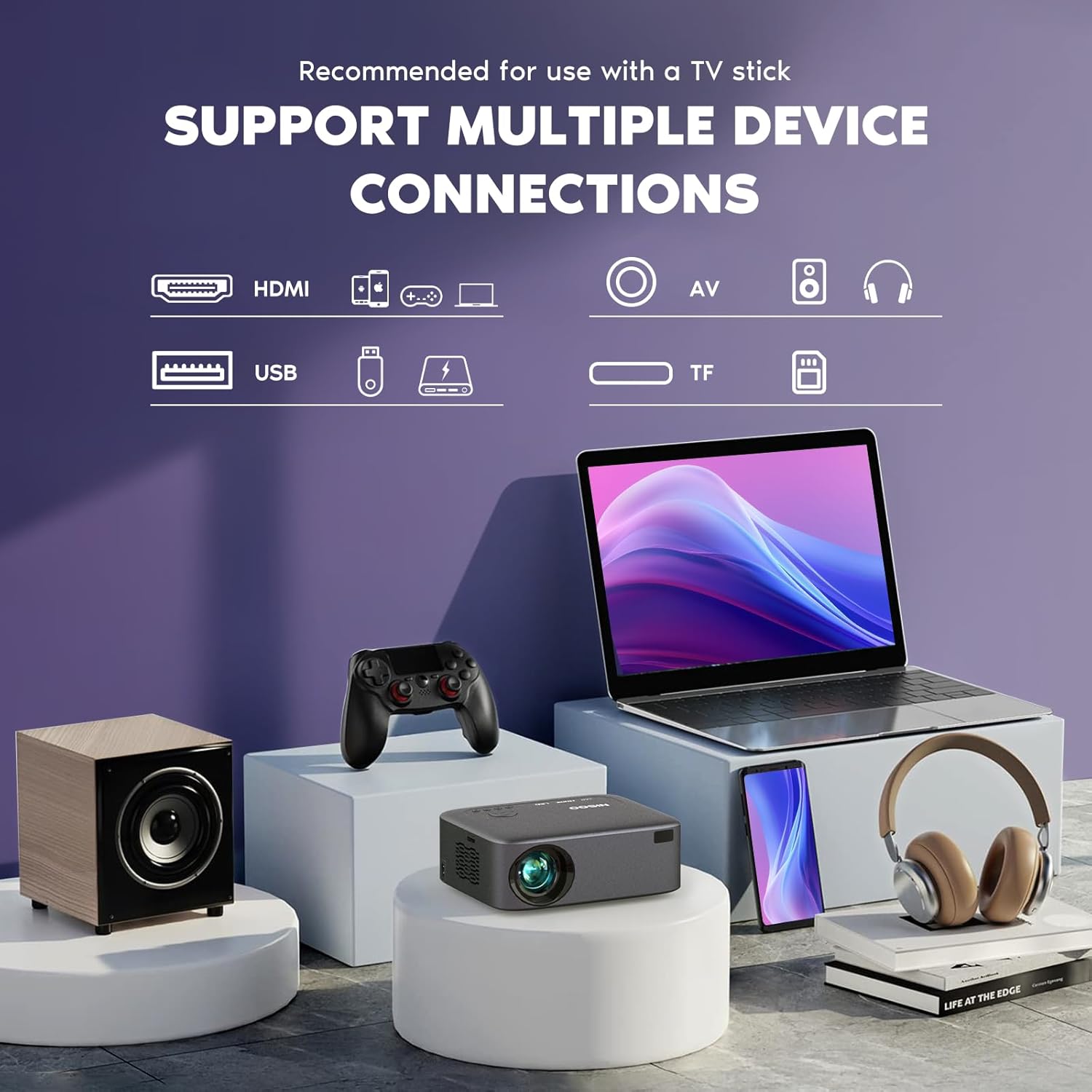
Image 4.3: Overview of various supported device connections.
4.2. Picture Quality
The NISOO Z1 delivers native 1080P resolution and supports 4K content (when playing through HDMI cable connection). With 400 ANSI lumens brightness, it ensures a clear and bright image even in less than ideal lighting conditions. The colors are vibrant and details are sharp, providing a true cinematic experience.

Image 4.4: Comparison illustrating the superior brightness of 400 ANSI lumens.
4.3. Audio Quality
The projector features built-in 5W HiFi speakers that offer crisp highs and lows, providing a true theater experience. For an even more immersive sound, you can connect external Bluetooth speakers or headphones using the two-way Bluetooth 5.2 feature.
4.4. Projection Size
The NISOO Z1 Projector can achieve a maximum projection size of 300 inches, allowing for a large-scale viewing experience suitable for home cinema or outdoor movie nights.
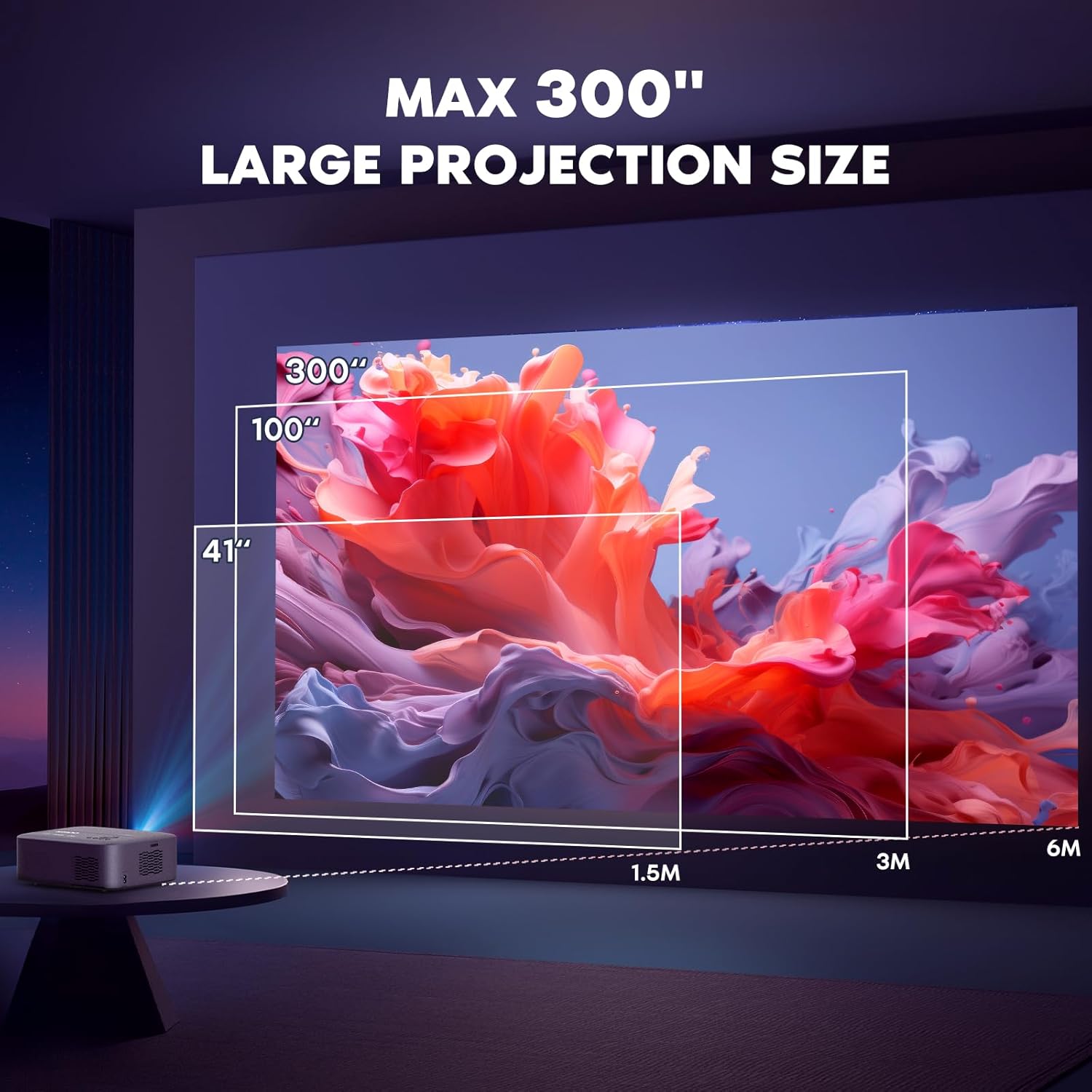
Image 4.5: Diagram showing the maximum projection size of 300 inches.
5. Maintenance
To ensure the longevity and optimal performance of your NISOO Z1 Projector, follow these maintenance guidelines:
- Lens Cleaning: Use a soft, lint-free cloth or a lens cleaning kit (if provided) to gently wipe the projector lens. Avoid using abrasive materials or harsh chemicals.
- Ventilation: Ensure the projector's ventilation ports are clear of dust and debris. Do not block the vents during operation to prevent overheating. The projector has a built-in cooling system.
- Storage: When not in use, store the projector in a cool, dry place away from direct sunlight and extreme temperatures. Use the original packaging or a protective case to prevent dust accumulation and damage.
- Lamp Life: The LED lamp has a long-lasting life of up to 60,000 hours, minimizing the need for frequent replacements.

Image 5.1: Highlights the long-lasting LED lamp life and smart noise reduction.
6. Troubleshooting
If you encounter any issues with your NISOO Z1 Projector, refer to the following common troubleshooting tips:
- No Image/Poor Image Quality:
- Check all cable connections (HDMI, USB).
- Ensure the correct input source is selected on the projector.
- Adjust the electric focus using the remote control.
- Adjust keystone correction if the image is distorted.
- Verify the projection distance is within the recommended range for clarity.
- No Sound:
- Check the volume level on both the projector and the connected device.
- Ensure external speakers (if connected) are properly paired via Bluetooth or connected via cable.
- Confirm the audio output settings on your source device.
- Wireless Connection Issues:
- Ensure the projector and your device are connected to the same WiFi network.
- Restart both the projector and your device.
- Check for any interference from other wireless devices.
- Remote Control Not Working:
- Replace the batteries in the remote control.
- Ensure there are no obstructions between the remote and the projector's IR receiver.
For further assistance, please refer to the contact information in the Warranty & Support section.
7. Specifications
| Feature | Detail |
|---|---|
| Brand Name | NISOO |
| Model Number | Z1 |
| Display Resolution | 1920 x 1080 (Native 1080P, 4K Supported) |
| Brightness | 400 ANSI Lumens |
| Connectivity Technology | Bluetooth, HDMI, USB, Wi-Fi (WiFi 6) |
| Special Features | Built-In Cooling System, Built-In Speaker, Built-In Wi-Fi, Portable, Wi-Fi Ready, Electric Focus, Electric Keystone, Zoom Function |
| Item Weight | 5.66 pounds |
| Package Dimensions | 15.47 x 10.98 x 6.22 inches |
| Color Name | Silver gray |
| Recommended Uses | Home Cinema, Outdoor Movie Nights, Business Presentations |
| Date First Available | January 12, 2024 |
8. Warranty & Support
NISOO is committed to providing high-quality products and excellent customer service.
- Protection Plans: Extended protection plans are available for purchase to cover your device beyond the standard warranty. Options include 2-Year and 3-Year plans.
- Technical Support: For any technical inquiries or assistance, please refer to the contact information provided in your product packaging or visit the official NISOO website.
- Product Authenticity: This product is Verified by Transparency, ensuring each item has a unique code for authenticity verification.
