
DEMICEA B17
DEMICEA LibreFit Aurora B17 Bone Conduction Headphones User Manual
Model: B17
Brand: DEMICEA
Introduction
Welcome to the user manual for your new DEMICEA LibreFit Aurora B17 True Bone Conduction Headphones. These open-ear headphones are designed to provide high-quality audio while maintaining awareness of your surroundings, making them ideal for activities like night running and cycling. Featuring a unique Aurora Mode with RGB lights for enhanced visibility and an IP68 waterproof rating, these headphones offer comfort, durability, and up to 30 hours of playtime with the charging case.

What's in the Box
Your package includes the following items:
- LibreFit Aurora B17 earphones x2
- Charging Case x1
- USB to Type-C Charging Cable x1
- User Manual x1

Setup Guide
1. Initial Charge
Before first use, fully charge your headphones and charging case. Connect the provided USB to Type-C charging cable to the charging case and a power source. The charging case takes approximately 2.5 hours to fully charge.
2. Power On & Pairing
The headphones automatically power on when removed from the charging case. To pair with your device:
- Open the charging case. The indicator lights on the headphones will illuminate, indicating they are ready for pairing.
- On your smartphone or Bluetooth-enabled device, go to Bluetooth settings.
- Select "LibreFit B17" from the list of available devices.
- Once connected, you will hear an audible confirmation, and the lights may change or turn off.
Operating Instructions
Bone Conduction Technology
These headphones utilize true bone conduction technology, transmitting sound through vibrations directly to your inner ear bones. This innovative design allows your ear canal to remain open, ensuring you can hear your audio while staying aware of ambient sounds and your surroundings. This is particularly beneficial for outdoor activities where situational awareness is crucial for safety.

Wearing the Headphones
The LibreFit Aurora B17 headphones feature an open-ear design with ear hooks for a secure and comfortable fit. Simply slip the ear hook over the top of your ear, ensuring the main speaker unit rests comfortably near your ear canal without entering it. The design is ultra-lightweight at under 0.28 oz (single earbud), providing all-day comfort without pressure.

Aurora Mode (RGB Light)
The Aurora Mode activates dynamic RGB lights on the headphones, enhancing your visibility during night activities such as running or cycling. This feature adds an extra layer of safety in low-light conditions.
To activate/deactivate Aurora Mode: Refer to the quick guide or full user manual for specific button press instructions.
Note: When Aurora Mode is active, the earphone playback time is approximately 3 hours.

Controls (Button Control)
The headphones feature intuitive button controls for various functions:
- Play/Pause: Single press on either earbud.
- Next Track: Double press on the right earbud.
- Previous Track: Double press on the left earbud.
- Volume Up: Triple press on the right earbud.
- Volume Down: Triple press on the left earbud.
- Answer/End Call: Single press during an incoming call.
- Reject Call: Long press during an incoming call.
- Activate Voice Assistant: Long press for 2 seconds.
Key Features & Benefits
- True Bone Conduction: Delivers audio through bone vibrations, keeping your ears open to ambient sounds for enhanced safety and awareness.
- Aurora Night Safety Lights: Dynamic RGB lighting increases visibility during nighttime activities.
- Ultra-Lightweight Design: Weighing less than 0.28 oz per earbud, they provide comfortable all-day wear without ear canal pressure.
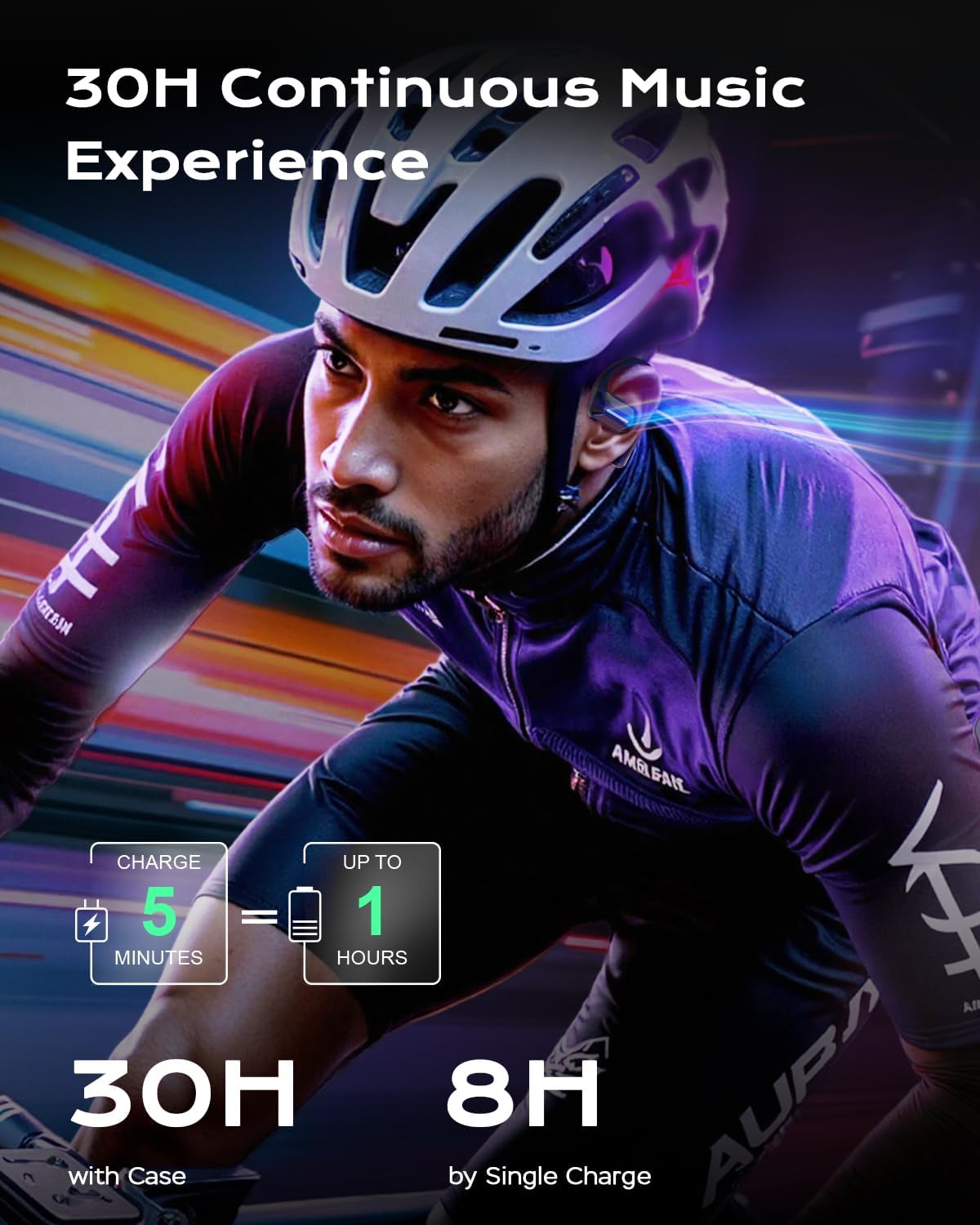
- Extended Playtime: Up to 8 hours of continuous listening on a single charge, and a total of 30 hours with the portable charging case. A 5-minute quick charge provides an extra hour of playtime.
- IP68 Waterproof Rating: Fully protected against dust and water immersion, making them suitable for rain, humidity, and intense workouts. The hydrophobic coating prevents water accumulation.
- Bluetooth 5.3: Ensures stable and efficient wireless connectivity with a range of up to 9.99 meters.
Maintenance & Care
- Cleaning: Wipe the headphones and charging case with a soft, dry cloth. For stubborn dirt, a slightly damp cloth can be used, but ensure all components are dry before placing them back in the charging case or using.
- Storage: Store the headphones in their charging case when not in use to protect them and keep them charged. Avoid extreme temperatures.
- Water Exposure: While IP68 rated, it is recommended to dry the headphones thoroughly after exposure to water or sweat to maintain longevity and performance.
- Charging: Use only the provided USB to Type-C charging cable.
Troubleshooting
No Power / Not Charging
- Ensure the charging cable is securely connected to both the case and the power source.
- Check if the power source is active.
- Verify that the headphones are correctly seated in the charging case.
Cannot Pair / Disconnection Issues
- Ensure Bluetooth is enabled on your device.
- Make sure the headphones are within the Bluetooth range (approx. 10 meters).
- Turn off Bluetooth on your device, then turn it back on.
- Forget "LibreFit B17" from your device's Bluetooth list and attempt to re-pair.
- Ensure the headphones are fully charged.
Low Volume / Poor Sound Quality
- Adjust the volume on both your device and the headphones.
- Ensure the headphones are positioned correctly on your ears, with the bone conduction transducers making proper contact.
- Check for any obstructions or debris on the transducers.
Technical Specifications
| Feature | Specification |
|---|---|
| Model Name | LibreFit B17 |
| Connectivity Technology | Wireless, Bluetooth, Bone Conduction |
| Bluetooth Version | 5.3 |
| Bluetooth Range | Up to 9.99 meters |
| Battery Life (Headphones) | 8 Hours (3 Hours with Aurora Mode) |
| Total Playtime (with Charging Case) | Up to 30 Hours |
| Charging Time (Case) | 2.5 Hours |
| Water Resistance Level | IP68 |
| Audio Driver Type | Bone Conduction Driver |
| Control Type | Button Control |
| Item Weight (single earbud) | Less than 0.28 oz |
Warranty and Support
For warranty information, technical support, or customer service inquiries, please refer to the contact details provided on the product packaging or visit the official DEMICEA website. Keep your purchase receipt for warranty claims.
Ask a question about this manual
Ask about setup, troubleshooting, compatibility, parts, safety, or missing instructions. Manuals+ will review the question and use this page’s manual context to help answer it.