
Introduction
The BoxWave MagnetoSnap PD Angle Adapter is designed to enhance your USB Type-C charging and data transfer experience. This magnetic adapter provides a convenient and protective solution for connecting your devices, supporting up to 100W power delivery and offering a practical 90-degree angled connection.
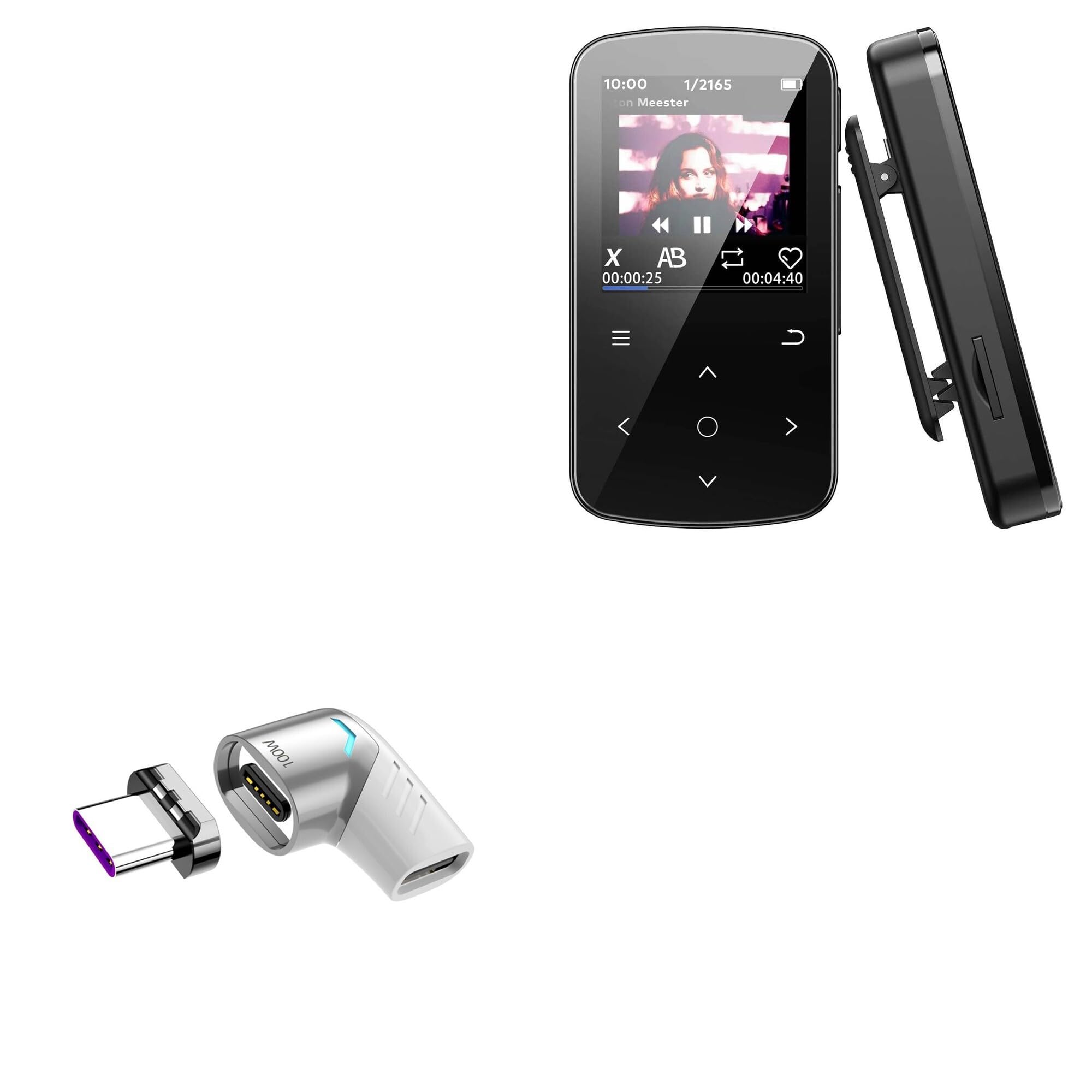
Image: The BoxWave MagnetoSnap PD Angle Adapter, illustrating its two magnetic components.
Setup and Installation
Follow these steps to properly set up your MagnetoSnap PD Angle Adapter:
- Insert the Magnetic Plug: Carefully plug the smaller magnetic plug component of the adapter into the USB Type-C charging port of your device. This part is designed to remain in your device's port.
- Connect the Angled Adapter: Connect your existing USB Type-C charging cable to the angled adapter component.
- Magnetic Connection: To charge or transfer data, simply bring the angled adapter (with your cable attached) close to the magnetic plug inserted in your device. The magnetic connection will automatically snap into place.

Image: Demonstrates the magnetic connection of the adapter to a smartphone, showing the ease of attachment.
Operating Instructions
The MagnetoSnap PD Angle Adapter facilitates both power delivery and data transfer for compatible USB Type-C devices.
- Power Delivery: The adapter supports up to 100W of power, allowing for safe and efficient charging of various devices, from small electronics to power-hungry laptops. Ensure your charger and cable also support the desired power output.
- Data Transfer: The adapter supports data transmission speeds of up to 480Mbps, enabling quick file transfers between your device and a connected computer or other peripherals.
- 90-Degree Angle Design: The thoughtful 90-degree right-angle construction helps optimize desktop space and routes your charging cable neatly, reducing cable strain and clutter.

Image: The adapter in use with a laptop, showcasing its features including 100W power delivery, USB-C compatibility, fast charging, data transfer, and short-circuit protection.

Image: The 90-degree angle of the adapter connected to a phone, illustrating how it provides a more ergonomic charging experience.
Maintenance and Care
To ensure the longevity and optimal performance of your MagnetoSnap PD Angle Adapter, consider the following:
- Port Preservation: Leaving the magnetic plug in your device's port helps prevent wear and tear from constant plugging and unplugging, thereby preserving the device's original charging port.
- Cleaning: Gently wipe the adapter with a dry, soft cloth to remove dust or debris. Avoid using liquid cleaners or abrasive materials.
- Storage: Store the adapter in a clean, dry environment when not in use.
- Material Quality: The adapter is constructed from high-quality aluminum alloy materials, ensuring durability.

Image: An exploded view diagram detailing the construction materials and internal components of the adapter, such as zinc alloy, 24K gold-plated pins, and the protection circuit board.
Troubleshooting
If you encounter issues with your MagnetoSnap PD Angle Adapter, consider the following common solutions:
- No Charging/Data Transfer:
- Ensure both parts of the adapter are securely connected magnetically.
- Verify that your charging cable and power source are functioning correctly and are compatible with your device's power requirements.
- Check if the magnetic plug is fully inserted into your device's USB Type-C port.
- Inspect the adapter and cable for any visible damage or debris in the connectors.
- Intermittent Connection:
- Clean the magnetic contact points on both adapter components.
- Ensure there are no obstructions between the magnetic surfaces.
- Slow Charging:
- Confirm that your charger and cable support the fast charging capabilities required by your device and the adapter (up to 100W).
- Some devices may limit charging speed if they are in heavy use or if the battery is already near full.
Specifications
| Feature | Detail |
|---|---|
| Model Name | MagnetoSnap PD Angle Adapter |
| Brand | BoxWave |
| Material | Zinc Alloy + TPE |
| Power Delivery | Up to 100W / 5A |
| Data Transmission Speed | 480Mbps |
| Connector Type | USB Type-C (Magnetic) |
| Angle Design | 90-Degree Right Angle |
| Color | Metallic Silver |
| Item Weight | 2.4 ounces |
Image: Technical diagram illustrating the dimensions and key parameters of the adapter, including material, power, and transmission speed.
Warranty and Support
BoxWave products are designed for reliability and performance. For any inquiries or assistance with your MagnetoSnap PD Angle Adapter, please refer to the following:
- Technical Support: Limited third-party technical support is available for this product (up to 3 inquiries via electronic messaging). This support is provided by the seller and is not affiliated with or endorsed by ZOOAOXO.
- Contact Information: For support, please contact BoxWave Corporation through the platform where the product was purchased.
- Warranty Information: Please refer to the specific warranty terms provided at the time of purchase or on the official BoxWave website for detailed warranty coverage.