
Introduction
Thank you for choosing the Rowenta Eole Home VU6980F0 Tower Fan. This powerful and quiet tower fan is designed to provide optimal cooling and comfort. Please read this manual carefully before using the appliance and keep it for future reference.
Important Safety Instructions
When using electrical appliances, basic precautions should always be followed to reduce the risk of fire, electric shock, and injury to persons, including the following:
- Read all instructions before using this fan.
- Ensure the voltage indicated on the appliance corresponds to your mains voltage before connecting.
- Do not operate any fan with a damaged cord or plug. Discard fan or return to an authorized service facility for examination and/or repair.
- Do not run cord under carpeting. Do not cover cord with throw rugs, runners, or similar coverings. Do not route cord under furniture or appliances. Arrange cord away from traffic area and where it will not be tripped over.
- Do not insert or allow fingers or foreign objects to enter any ventilation or exhaust opening as this may cause an electric shock or fire, or damage the fan.
- Do not use outdoors.
- Always unplug the fan before moving it, cleaning it, or whenever it is not in use.
- This appliance is not intended for use by persons (including children) with reduced physical, sensory or mental capabilities, or lack of experience and knowledge, unless they have been given supervision or instruction concerning use of the appliance by a person responsible for their safety.
- Children should be supervised to ensure that they do not play with the appliance.
Package Contents
Please check the contents of the package upon unpacking:
- Rowenta Eole Home VU6980F0 Tower Fan unit
- Base components
- Remote control
- Instruction Manual (this document)
Note: Some assembly may be required for the base. Ensure all parts are present before proceeding.
Setup
Follow these steps to assemble and set up your tower fan:
- Assemble the Base: Carefully attach the two halves of the base together. Align the slots and press firmly until they click into place.

Figure 1: Tower fan dimensions. The base needs to be assembled before attaching the main unit.
- Attach the Fan Unit: Place the main fan unit onto the assembled base. Ensure it is securely seated and aligned. You may need to twist it slightly until it locks.
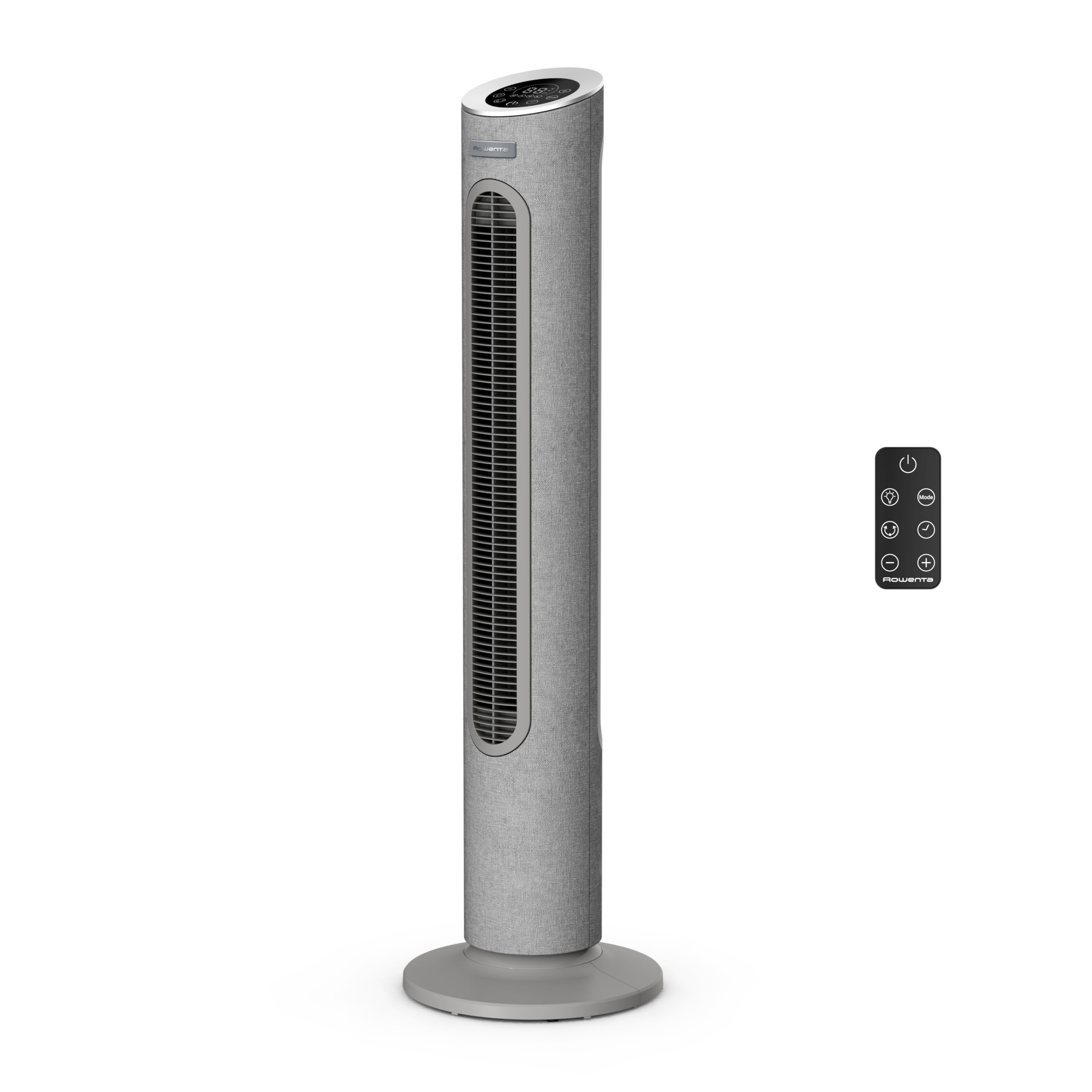
Figure 2: Assembled Rowenta Eole Home VU6980F0 tower fan.
- Secure the Base (if applicable): Some models may require screws to secure the base to the fan unit. Refer to the quick start guide included in the packaging for specific instructions.
- Position the Fan: Place the fan on a stable, flat surface. Ensure there is adequate space around the fan for proper air circulation.
- Connect to Power: Plug the power cord into a suitable electrical outlet (220V).
Operating Instructions
Your Rowenta Eole Home VU6980F0 fan can be operated using the control panel on top of the unit or the provided remote control.
Control Panel
The LED control screen on top of the fan displays current settings. Touch sensitive buttons allow you to adjust various functions.
- Power Button: Press to turn the fan ON or OFF.
- Speed Adjustment: Use '+' and '-' buttons to cycle through 7 speed settings.
- Mode Selection: Press the 'Mode' button to switch between Natural Breeze, Night, and Twilight modes.
- Oscillation: Press the 'Oscillation' button to activate or deactivate the automatic oscillation (60° or 120°).
- Timer: Press the 'Timer' button to set the automatic shut-off timer (up to 12 hours).
Remote Control
The compact remote control allows for convenient operation from a distance. Ensure the remote control is pointed towards the fan's receiver.
- The remote control features buttons corresponding to the functions on the control panel: Power, Speed (+/-), Mode, Oscillation, and Timer.
- There is an integrated storage space on the fan for the remote control to prevent it from being misplaced.
Modes and Settings
The fan offers several modes for personalized cooling:
- Normal Mode: Provides continuous airflow at the selected speed.
- Natural Breeze Mode: Simulates natural wind patterns by varying fan speed.
- Night Mode: Operates at a very low speed and noise level (40 dB(A)) for quiet cooling during sleep.
- Twilight Mode: Provides gentle cooling suitable for evening use.
- Timer Function: Set the fan to automatically turn off after a specified period, up to 12 hours.
- Oscillation: The fan can oscillate automatically between 60° and 120° to distribute air widely across the room.
Maintenance and Cleaning
Regular cleaning ensures optimal performance and extends the lifespan of your fan.
- Before Cleaning: Always unplug the fan from the power outlet before cleaning.
- Exterior Cleaning: Wipe the exterior surfaces of the fan with a soft, damp cloth. Do not use abrasive cleaners or solvents, as these may damage the finish.
- Air Inlet/Outlet Grilles: Use a vacuum cleaner with a brush attachment to remove dust from the air inlet and outlet grilles. Do not attempt to disassemble the fan to clean internal components.
- Storage: If storing the fan for an extended period, cover it to protect it from dust and store it in a dry place.
Note: The fabric surface of the fan may attract dust. Regular gentle vacuuming or wiping with a lint roller is recommended.
Troubleshooting
If you encounter issues with your fan, refer to the following common problems and solutions:
| Problem | Possible Cause | Solution |
|---|---|---|
| Fan does not turn on. | Not plugged in; power outlet not working; power button not pressed. | Ensure the fan is securely plugged into a working outlet. Press the power button. |
| Weak airflow. | Low speed setting; air inlets/outlets blocked by dust. | Increase the speed setting. Clean the air inlets and outlets. |
| Fan makes unusual noise. | Fan not on a stable surface; foreign object inside. | Place the fan on a flat, stable surface. Unplug and check for any obstructions in the grilles. |
| Remote control not working. | Batteries depleted; remote not pointed at receiver; obstruction. | Replace remote control batteries. Ensure direct line of sight to the fan's receiver. |
If the problem persists after trying these solutions, please contact Rowenta customer support.
Specifications
| Brand | Rowenta |
| Model Number | VU6980F0 |
| Color | Grey |
| Power | 40 Watts |
| Voltage | 220.0 V |
| Material | Plastic |
| Automatic Shut-off Function | Yes |
| Number of Speeds | 7 |
| Noise Level | 40 Decibels (at lowest speed) |
| Special Features | 7 speeds and 3 modes, Silent operation, 60° and 120° oscillation, Compact remote control, LED control screen |
| Item Weight | 5.5 Kilograms |
| Product Dimensions | 99 cm (Height) x 28.5 cm (Width) x 28.5 cm (Depth) |
| Power Source | Electric Cable |
| Recommended Uses | Cooling |
| Mounting Type | Floor Mount |
Warranty and Support
Rowenta is committed to providing quality products and support.
- Spare Parts Availability: Rowenta commits to keeping spare parts available for 15 years after purchase for the majority of its products.
- For warranty claims, technical support, or to find an authorized service center, please visit the official Rowenta website or contact their customer service department.


