
DeerRun Walking Pad Foldable Treadmill
Model: BA05-B1-04
User Manual
1. Product Overview
The DeerRun Walking Pad is a foldable, app-controlled treadmill designed for both walking and light jogging. It features a compact design suitable for home and office use, offering a versatile fitness solution. This manual provides essential information for safe operation, setup, maintenance, and troubleshooting.
Included Components:
- DeerRun Walking Pad
- Power Cord
- Remote Control
- Lubricant
- Tool Kit
- User Manual (this document)
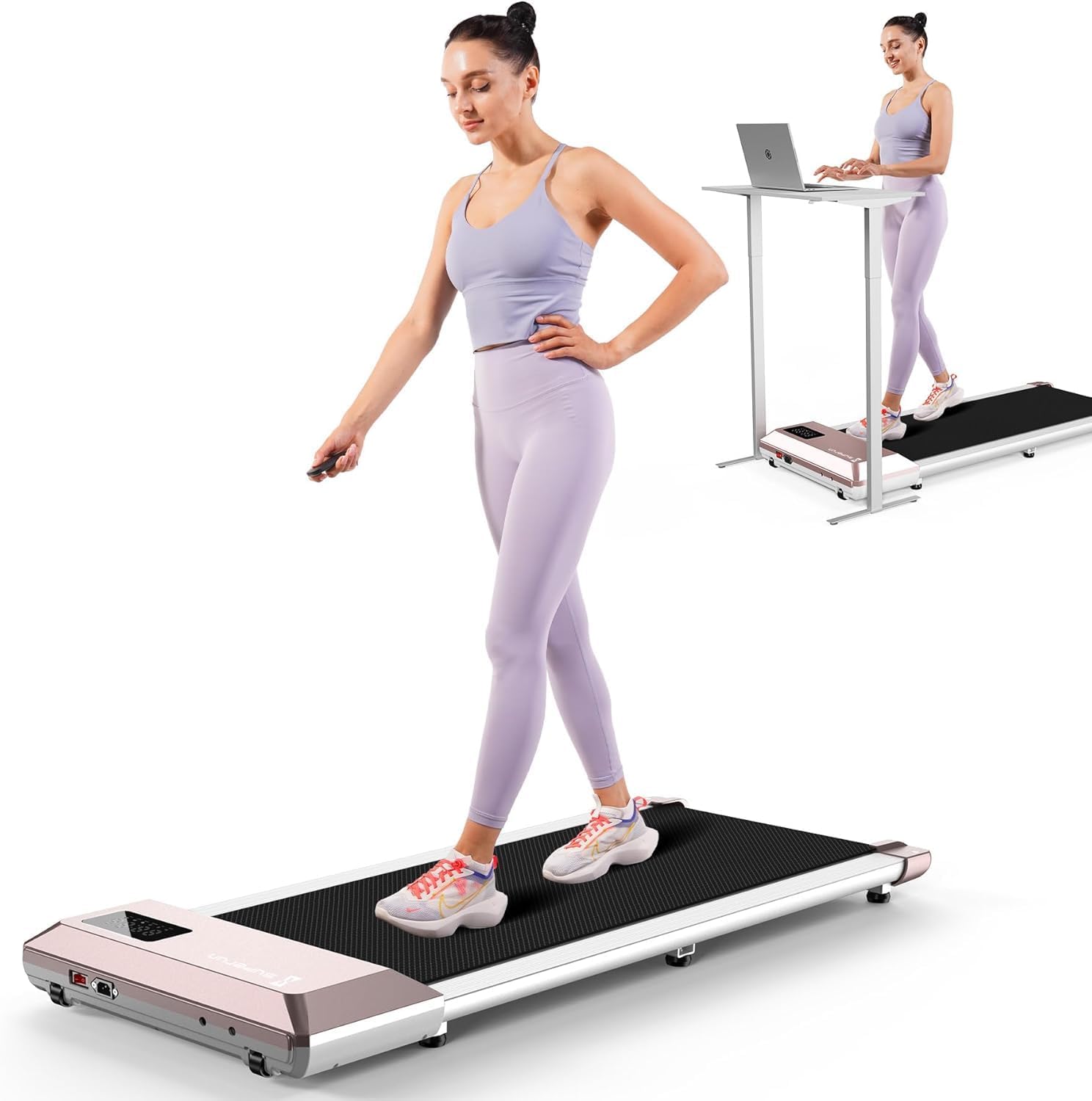
Image 1.1: The DeerRun Walking Pad Foldable Treadmill in its operational state.
2. Safety Guidelines
Please read all safety instructions carefully before using the DeerRun Walking Pad. Failure to follow these instructions may result in injury or damage to the product.
- Ensure the walking pad is placed on a flat, stable surface.
- Keep children and pets away from the walking pad during operation.
- Do not use the walking pad if you weigh more than the maximum weight capacity (300 lbs).
- Wear appropriate athletic footwear during use.
- Stop exercising immediately if you feel dizzy, nauseous, or experience any pain.
- Unplug the power cord when not in use or before cleaning/maintenance.
- Do not operate the walking pad in damp or wet conditions.
- The running belt features a 5-layer shock-absorbing, non-slip design to minimize impact on joints.

Image 2.1: Illustration of the 5-layer shock-absorbing running belt designed to reduce knee impact.
3. Assembly and Setup
The DeerRun Walking Pad comes largely pre-assembled. Follow these steps for initial setup:
- Unpacking: Carefully remove the walking pad from its packaging.
- Placement: Place the walking pad on a firm, level surface, ensuring adequate space around it for safe operation.
- Power Connection: Connect the power cord to the walking pad and then to a grounded electrical outlet.
- Initial Check: Before first use, ensure the running belt is centered and free of any obstructions.

Image 3.1: The walking pad in use under a standing desk, demonstrating its suitability for various environments.
4. Operating the Walking Pad
The DeerRun Walking Pad can be controlled via the included remote control or through the dedicated PitPat smartphone application.
4.1 Basic Controls (Remote Control)
- Power On/Off: Press the power button on the remote to start or stop the walking pad.
- Speed Adjustment: Use the '+' and '-' buttons to increase or decrease the speed. The speed range is 0.6 to 3.8 mph.
- Mode Selection: The remote may offer basic mode selections, consult the remote's specific instructions for details.
4.2 Speed Modes
The walking pad supports various speed ranges for different activities:
- Working (0.6-1.6 Mph): Ideal for eliminating sedentary stiffness while working.
- Walking (1.6-2.6 Mph): Suitable for daily healthy aerobics.
- Jogging (2.6-3.8 Mph): For fast fat-burning fitness.

Image 4.1: Visual representation of the three primary speed modes and their recommended uses.
4.3 Display Information
The integrated LED display provides real-time workout data:
- Distance: Total distance covered.
- Speed: Current speed in mph.
- Time: Duration of the current workout.
- Calories: Estimated calories burned.
- WiFi/Bluetooth Indicators: Status of wireless connections.

Image 4.2: Close-up of the LED display and its various indicators for workout data and connectivity.
5. Smart App Features (PitPat APP)
The DeerRun Walking Pad integrates with the PitPat APP for enhanced control, tracking, and interactive training experiences.
5.1 Activating the PitPat APP
To unlock the full potential of your walking pad, download and activate the PitPat APP:
- Download the PitPat APP from your device's app store.
- Follow the in-app instructions to register and activate your device. This typically involves creating an account and pairing the walking pad via Bluetooth.
- The app allows you to manage maintenance services, track component status, and set up a maintenance plan.

Image 5.1: Step-by-step guide for activating the PitPat APP, including registration and device pairing.
5.2 App Functionality
- Real-time Tracking: Monitor speed, distance, time, and calories burned directly on your smartphone.
- AI-Driven Training Programs: Access personalized workout routines designed to improve fitness scientifically.
- Interactive Workouts: Participate in virtual races and competitions with other users globally.
- Professional Guide: Provides training courses and AI intelligent companionship, recording exercise data in real-time.
- Cross-device Connectivity: Connects to high-tech devices for an integrated fitness experience.

Image 5.2: Diagram illustrating the intelligent integration and data synchronization process with the PitPat APP.
6. Storage and Portability
The DeerRun Walking Pad is designed for easy storage and portability, making it suitable for small living spaces.
- Foldable Design: The walking pad can be folded for compact storage.
- Under-Desk Storage: Its slim profile allows it to be stored under a sofa or bed when not in use.
- Integrated Wheels: Built-in transport wheels facilitate easy movement and relocation.

Image 6.1: Examples of compact storage, showing the walking pad stored horizontally under furniture and vertically against a wall.

Image 6.2: A user demonstrating the ease of moving the walking pad using its integrated transport wheels.
7. Maintenance
Regular maintenance ensures the longevity and optimal performance of your DeerRun Walking Pad.
- Cleaning: Wipe down the walking pad with a damp cloth after each use. Avoid abrasive cleaners.
- Belt Lubrication: The running belt requires periodic lubrication to reduce friction and wear. Use the provided lubricant or a silicone-based treadmill lubricant. Refer to the PitPat APP for maintenance schedules and instructions.
- Belt Adjustment: If the running belt becomes misaligned, refer to the troubleshooting section or contact customer support for adjustment instructions.
8. Troubleshooting
This section addresses common issues you might encounter with your DeerRun Walking Pad.
| Problem | Possible Cause | Solution |
|---|---|---|
| Walking pad does not power on. | Power cord not properly connected; power outlet issue. | Ensure power cord is securely plugged in. Test the outlet with another device. |
| Running belt slips or hesitates. | Belt requires lubrication; belt tension is too loose. | Apply lubricant as per maintenance instructions. Adjust belt tension (refer to specific instructions or contact support). |
| Unusual noise during operation. | Loose components; motor issue; belt friction. | Check for loose screws. Lubricate the belt. If noise persists, contact customer support. The treadmill operates at less than 55dB. |
| Remote control not responding. | Dead batteries; remote not paired. | Replace remote batteries. Re-pair the remote with the walking pad (refer to specific pairing instructions). |
| App connectivity issues. | Bluetooth not enabled; app not updated; device not paired. | Ensure Bluetooth is enabled on your device. Update the PitPat APP. Follow in-app instructions to pair the walking pad. |

Image 8.1: The walking pad is designed for ultra-quiet performance, operating at less than 55dB.
9. Product Specifications
| Feature | Detail |
|---|---|
| Model Number | BA05-B1-04 |
| Product Dimensions | 114 x 52 x 12 cm (44.8 x 20.2 x 4.7 inches) |
| Item Weight | 18.6 kg (41 lbs) |
| Maximum Weight Capacity | 300 lbs |
| Speed Range | 0.6 - 3.8 mph |
| Motor Horsepower | 2.5 HP |
| Noise Level | < 55dB |
| Frame Material | Aluminum |
| Running Belt Material | Rubber (5-layer shock-absorbing) |
| Display Type | LED (shows Distance, Speed, Time, Calories) |
| Control Methods | Remote Control, PitPat APP |
| Special Features | Compact Design, Portable, Smart Walking Pad, AI Training, Multi-Runner Races |
| Power Source | Corded Electric |
| Color | Pink |
10. Warranty and Support
DeerRun is committed to providing quality products and customer satisfaction.
- 2-Year Maintaining Service: The product is protected by a 2-year maintaining service, ensuring comprehensive support and repair.
- 60-Day No Risk Trial: Users can try the product for 60 days. If unsatisfied, it can be returned for a refund.
- 24/7 Online Customer Support: For any inquiries or assistance, please contact DeerRun customer support.
Contact Information:
- Hotline: +1 888 589 0777
- Email: support@deerruntreadmill.com

Image 10.1: Overview of DeerRun's customer support and warranty commitments.