
Introduction
Thank you for choosing the Portronics Breeze 5 Portable Bluetooth Speaker. This manual provides essential information for setting up, operating, and maintaining your speaker. Please read it carefully to ensure optimal performance and longevity of your device.
What's in the Box
- 1N Portable Speaker
- 1N Charging Cable
- 1N User Manual
Product Overview
The Portronics Breeze 5 is a 25W portable wireless Bluetooth speaker designed for a rich audio experience with added visual flair. Its compact size makes it suitable for various environments, from home to outdoor activities.

Image: Internal components illustrating the 25W HD sound architecture.
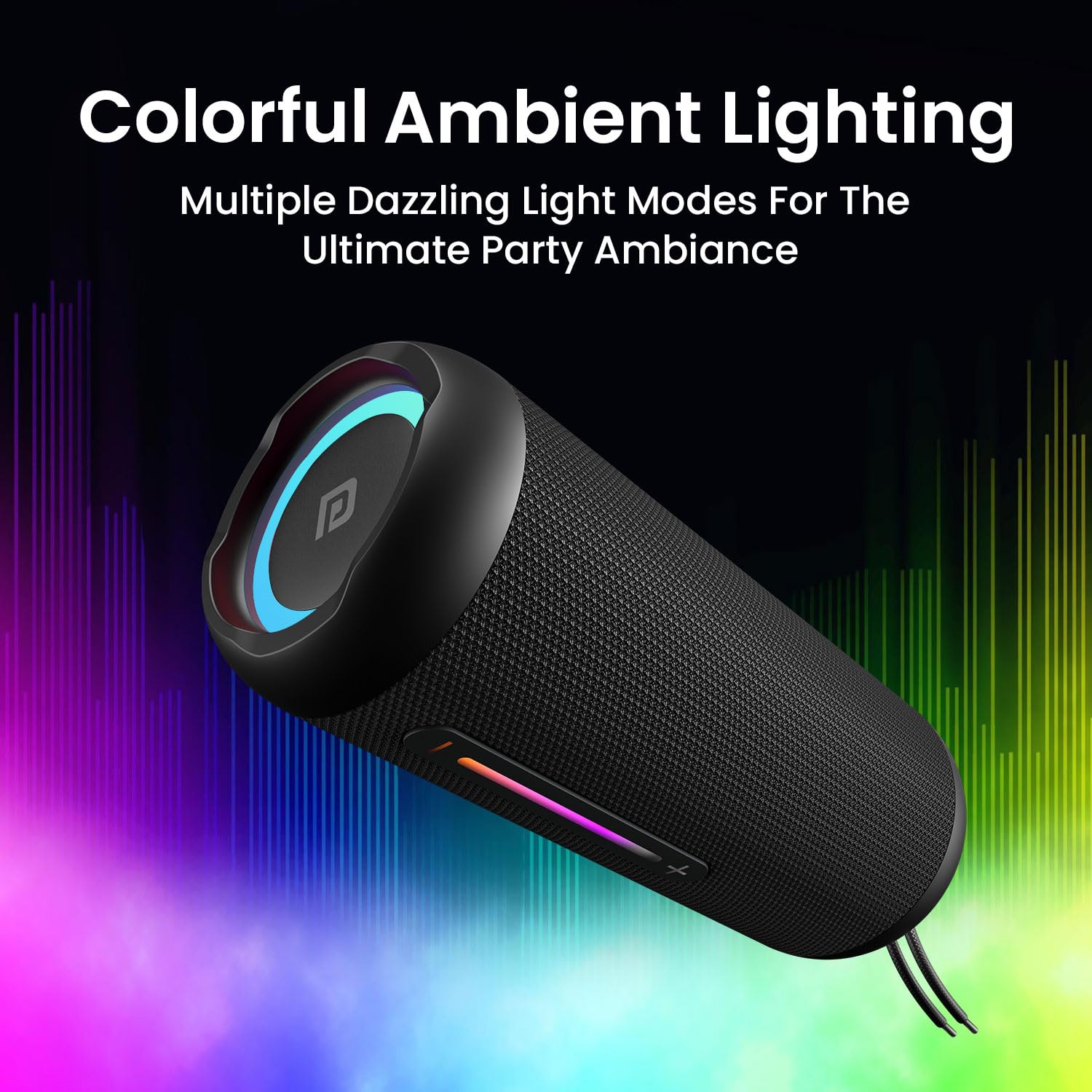
Image: Speaker showcasing its colorful ambient RGB lighting.
Controls and Ports
Familiarize yourself with the speaker's controls and connection ports for seamless operation.

Image: Speaker with visible control buttons and input ports.
- Power Button: Press and hold to turn the speaker ON/OFF.
- Play/Pause Button: Press to play or pause audio.
- Volume Up (+): Press to increase volume.
- Volume Down (-): Press to decrease volume.
- Mode Button (M): Press to switch between Bluetooth, FM Radio, AUX, and Micro SD/USB modes.
- TWS Button: Press to initiate True Wireless Stereo pairing.
- USB Port: For USB flash drive playback.
- Micro SD Card Slot: For Micro SD card playback.
- AUX-in Port: For wired audio connection.
- Type-C Charging Port: For charging the speaker.
Charging the Speaker
Before first use, fully charge the speaker. Use the included Type-C charging cable to connect the speaker to a compatible USB power adapter (not included).
- Connect the Type-C end of the cable to the speaker's charging port.
- Connect the USB-A end to a 5V/2A USB power adapter.
- The LED indicator will show charging status and turn off when fully charged.
- A full charge provides approximately 6 hours of playtime, depending on volume and usage.

Image: Speaker highlighting its 6-hour playtime and Type-C fast charging capability.
Bluetooth Pairing
- Turn on the speaker by pressing and holding the Power button. The speaker will enter Bluetooth pairing mode, indicated by a flashing LED.
- Enable Bluetooth on your smartphone or tablet.
- Search for "Portronics Breeze 5" in the list of available devices and select it to pair.
- Once successfully paired, the LED indicator will stop flashing and remain solid, and you will hear an audible confirmation.
TWS (True Wireless Stereo) Pairing
To achieve a powerful 50W dual sound output, you can pair two Breeze 5 speakers together.

Image: Two speakers demonstrating TWS connectivity for dual sound.
- Ensure both Breeze 5 speakers are powered ON and not connected to any other Bluetooth device.
- On one speaker, press the TWS button. It will emit a sound indicating it's searching for another speaker.
- The two speakers will automatically connect to each other. Once connected, you will hear a confirmation sound.
- Now, connect your device to one of the paired speakers via Bluetooth as described in the Bluetooth Pairing section. Both speakers will play audio simultaneously.
Using Other Playback Modes
The Breeze 5 supports multiple connectivity options:
- AUX-in Mode: Connect an audio device using a 3.5mm AUX cable (not included) to the AUX-in port. The speaker will automatically switch to AUX mode.
- USB Flash Drive Mode: Insert a USB flash drive into the USB port. The speaker will automatically detect and play audio files.
- Micro SD Card Mode: Insert a Micro SD card into the Micro SD card slot. The speaker will automatically detect and play audio files.
- FM Radio Mode: Press the Mode button (M) to switch to FM Radio mode. Use the Play/Pause button to auto-scan for stations and the Volume +/- buttons to navigate.
Hands-Free Calling
When connected via Bluetooth to your smartphone, the built-in microphone allows for hands-free calling.
- Answer Call: Press the Play/Pause button once to answer an incoming call.
- End Call: Press the Play/Pause button once during a call to end it.
- Reject Call: Press and hold the Play/Pause button to reject an incoming call.
RGB LED Lights
The speaker features dynamic RGB LED lights with three modes to enhance your listening experience.
- The lights automatically cycle through different colors and patterns.
- Specific controls for changing light modes are typically integrated with the Mode button or a dedicated light button (refer to the speaker's physical controls for exact functionality).
Water Resistance (IPX5)
The Portronics Breeze 5 is IPX5 water-resistant, meaning it can withstand splashes of water from any direction. This makes it suitable for outdoor use and environments where it might encounter light rain or splashes.

Image: Speaker in a light rain environment, illustrating its IPX5 water resistance.
Note: IPX5 rating means the speaker is splash-proof, not fully waterproof. Do not submerge the speaker in water. Ensure the rubber flap covering the ports is securely closed before exposure to water.
Specifications
| Feature | Detail |
|---|---|
| Model Name | Breeze 5 |
| Model Number | POR-2098 |
| Audio Wattage | 25 Watts |
| Connectivity Technology | Bluetooth 5.3v, Auxiliary, USB, Micro SD |
| Special Features | Portable, Wireless, Built-in Mic, RGB LEDs, TWS Mode, FM Radio |
| Power Source | Battery Powered (Lithium Polymer) |
| Playtime | Up to 6 hours |
| Charging Port | Type-C |
| Water Resistance | IPX5 (Splash Resistant) |
| Dimensions | 21D x 10W x 10H Centimeters |
| Item Weight | 600 Grams |
Troubleshooting
- No Power: Ensure the speaker is charged. Connect to a power source and try again.
- No Sound: Check volume levels on both the speaker and your connected device. Ensure the correct input mode is selected.
- Bluetooth Disconnection: Ensure the speaker is within the effective range (approx. 10 meters) of your device. Disconnect and re-pair the speaker.
- TWS Pairing Failure: Ensure both speakers are fully charged and not connected to any other Bluetooth device before initiating TWS pairing.
- Poor FM Reception: Extend the antenna (if available) or reposition the speaker for better signal.
Care and Maintenance
- Keep the speaker away from extreme temperatures, direct sunlight, and corrosive liquids.
- Clean the speaker with a soft, dry cloth. Do not use harsh chemicals or abrasive materials.
- Store the speaker in a cool, dry place when not in use for extended periods.
- Ensure the charging port cover is sealed when not charging to maintain water resistance.
Warranty and Support
The Portronics Breeze 5 comes with a Limited Warranty. For warranty claims or technical support, please refer to the contact information provided in the included warranty card or visit the official Portronics website.
Manufacturer: Portronics Digital Pvt Ltd
Contact: 9555-245-245


