
1. Introduction
This manual provides detailed instructions for the proper setup, operation, and maintenance of your BEBANG WX-C03-652 Monocular Dual LED Microscope. Designed for educational and laboratory use, this microscope offers a wide range of magnifications and features to explore the microscopic world. Please read this manual thoroughly before using the microscope to ensure optimal performance and longevity.

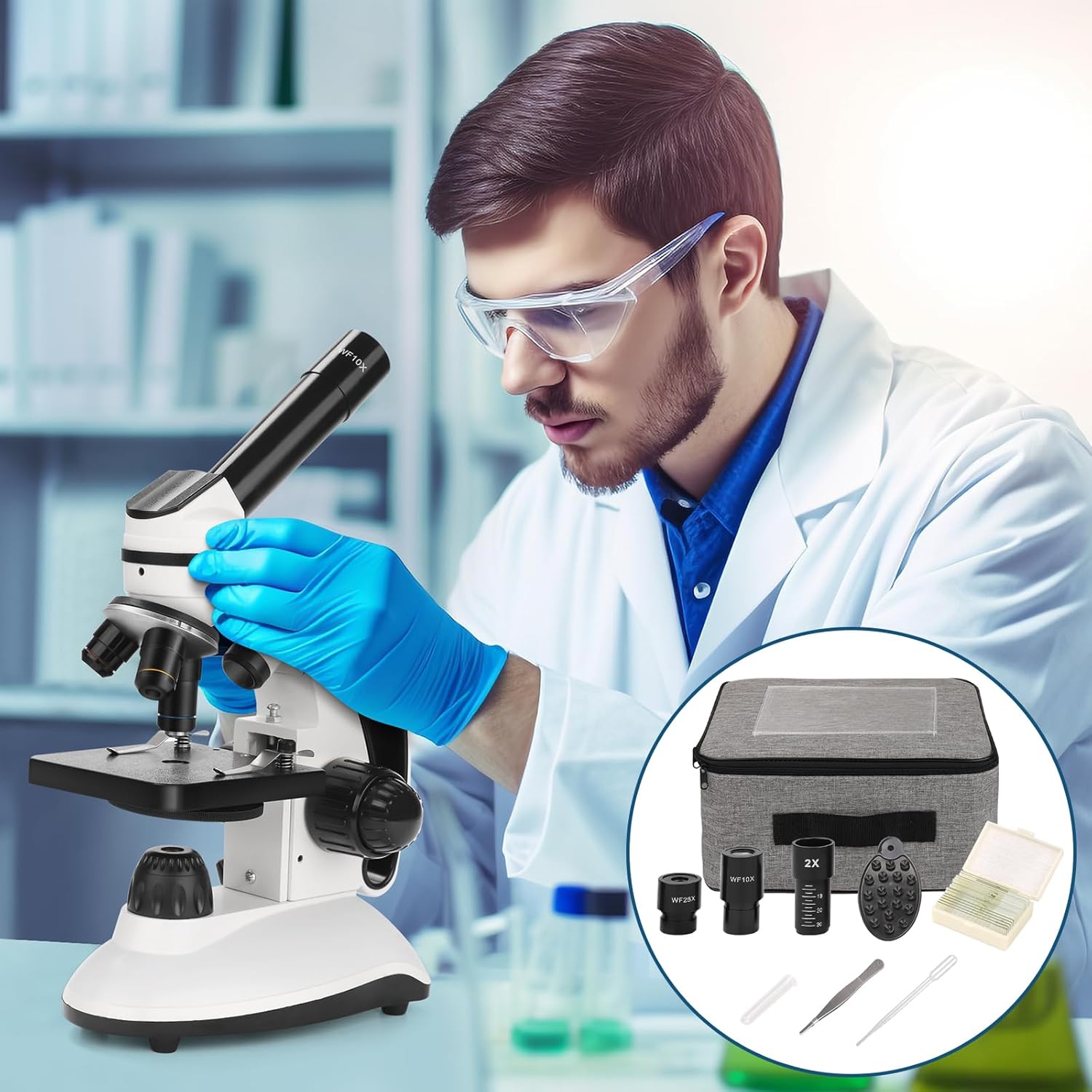
The BEBANG WX-C03-652 Monocular Dual LED Microscope, shown with its various accessories including eyepieces, Barlow lens, and slide kits.
2. Product Overview and Components
Familiarize yourself with the main parts of your microscope before operation.

Diagram illustrating the main components of the BEBANG microscope.
- Eyepiece
- Monocular Head
- Stage
- Top LED Illuminator
- Objective Lens
- Filter Circle
- Bottom LED Illuminator
- LED Brightness Switch
- Coarse and Fine Focus Knobs
- Battery Compartment
- AC Power Interface
3. Setup Instructions
3.1 Unpacking
Carefully remove all components from the packaging. Inspect for any damage. Keep all packaging materials for future storage or transport.
3.2 Power Connection
The microscope can be powered via the included AC adapter or by batteries (not included). Connect the AC adapter to the AC Power Interface (11) and a suitable power outlet. Alternatively, open the Battery Compartment (10) and insert the required batteries, ensuring correct polarity.
3.3 Eyepiece Installation
Insert the desired eyepiece (WF10X or WF25X) into the Monocular Head (2). If using the 2x Barlow lens, insert it into the monocular head first, then insert the eyepiece into the Barlow lens.
3.4 Objective Lens Selection
Rotate the revolving nosepiece to select the 4X objective lens (5) for initial viewing. The objective lenses are 4X, 10X, and 40X.
4. Operating Instructions
4.1 Magnification Adjustment
The total magnification is calculated by multiplying the eyepiece magnification by the objective lens magnification, and then by the Barlow lens magnification if used. The microscope offers 10 levels of magnification from 40x to 2000x.
- Eyepieces: WF10X, WF25X
- Objective Lenses: 4X, 10X, 40X
- Barlow Lens: 2X (optional)
For example:
- WF10X Eyepiece + 4X Objective = 40X
- WF10X Eyepiece + 40X Objective + 2X Barlow Lens = 800X
- WF25X Eyepiece + 40X Objective + 2X Barlow Lens = 2000X

Visual guide to calculating total magnification with different eyepiece and objective lens combinations.
4.2 Illumination Control
The microscope features a dual LED illumination system with adjustable brightness.
- Top LED Illuminator (4): Suitable for opaque objects (e.g., hair, fabric, leaves).
- Bottom LED Illuminator (7): Suitable for translucent specimens on slides.
Use the LED Brightness Switch (8) to adjust the intensity of the light source. Select the appropriate illuminator based on your specimen type for clear viewing.

Illustration of the dual LED illumination system, showing top and bottom light sources and brightness control.
4.3 Focusing
Place your prepared slide on the Stage (3). Use the Coarse Focus Knob (9) to bring the specimen into approximate focus. Then, use the Fine Focus Knob (9) for precise adjustments to achieve a sharp, clear image.
4.4 Using the Phone Adapter
The included phone adapter allows you to attach your smartphone to the eyepiece for viewing, capturing photos, or recording videos of your observations. Securely attach your phone to the adapter, then place the adapter over the eyepiece. Adjust your phone's camera to align with the eyepiece for the best view.

The BEBANG microscope with a smartphone attached via the phone adapter, demonstrating its use for digital viewing.
4.5 Slide Preparation
The microscope comes with 10 prepared specimen slides and 5 blank slides. For blank slides, place a thin, transparent specimen in the center, add a drop of water or mounting medium, and cover with a coverslip. Ensure there are no air bubbles for optimal viewing.
Included accessories: a set of prepared specimen slides and blank slides for observation.
5. Maintenance
- Cleaning Lenses: Use a soft, lint-free lens tissue and a specialized lens cleaning solution to clean objective lenses and eyepieces. Avoid touching optical surfaces with bare hands.
- Cleaning Body: Wipe the microscope body with a soft, damp cloth. Do not use harsh chemicals or abrasive cleaners.
- Storage: When not in use, cover the microscope with a dust cover (if available) and store it in a dry, dust-free environment. Remove batteries if storing for extended periods.
- Handling: Always carry the microscope by its arm and base to ensure stability.
6. Troubleshooting
- No Illumination: Check power connection or battery installation. Ensure the LED Brightness Switch is turned on and adjusted.
- Image is Blurry: Adjust the Coarse and Fine Focus Knobs. Ensure the specimen is properly prepared and positioned on the stage. Check if the correct objective lens is selected and fully clicked into place.
- Dark Field of View: Ensure the illuminator is on and adjusted. Check if the diaphragm (Filter Circle) is open sufficiently.
- Dust on Lenses: Use a blower brush or lens tissue to gently remove dust from eyepieces and objective lenses.
7. Specifications
| Feature | Specification |
|---|---|
| Brand | BEBANG |
| Model Name | RM (WX-C03-652) |
| Material | Metal |
| Color | Silver |
| Eyepieces | WF10X, WF25X |
| Objective Lenses | Achromatic; 4X, 10X, 40X |
| Barlow Lens | 2X |
| Maximum Magnification | 2000X |
| Illumination Type | Dual LED (Top and Bottom) |
| Viewing Angle | 45 degrees |
| Compatible Devices | Smartphone (with adapter) |
| Power Source | AC Adapter, Batteries |
| Package Dimensions | 34.4 x 25.9 x 19.4 cm |
| Package Weight | 2.32 Kilograms |
8. Warranty and Support
BEBANG provides quality warranty service for this product. For specific warranty details, including duration and coverage, please refer to the documentation included with your purchase or contact BEBANG customer support directly. For technical assistance or inquiries, please visit the official BEBANG website or contact their customer service.