
LIECTROUX HCR-09
LIECTROUX HCR-09 Window Cleaning Robot User Manual
Model: HCR-09
Introduction
The LIECTROUX HCR-09 Window Cleaning Robot is an intelligent home appliance designed to automate the cleaning of various smooth surfaces, including windows, tiles, and glass floors. It features powerful suction and intelligent navigation to provide efficient and safe cleaning, freeing you from the tedious task of manual window washing.

Image: The LIECTROUX HCR-09 Window Cleaning Robot shown with its remote control, highlighting its compact design.
Safety Precautions
- Always connect the robot to a power source during operation.
- Ensure the safety rope is securely attached to a fixed anchor point before starting the robot, especially when cleaning high-rise windows. The robot is equipped with a 4m professional safety rope.
- The built-in UPS (Uninterrupted Power System) battery provides approximately 25 minutes of backup power in case of a power outage, allowing the robot to remain adhered to the surface and sound an alarm. Retrieve the robot promptly during a power interruption.
- Do not use the robot on cracked or damaged glass surfaces.
- Keep hands and loose clothing away from moving parts during operation.
- Use only recommended cleaning solutions and microfiber cloths.

Image: Illustration demonstrating the robust 200kg.f safety rope, essential for secure operation, especially on high windows.

Image: Visual representation of the 20-minute power-off protection feature, indicating the robot's ability to remain attached and alert the user during power interruptions.
Package Contents
Verify that all components are present in the package:
- LIECTROUX HCR-09 Window Cleaning Robot
- Remote Control
- Power Adapter and Cord (5.2m adapter cable)
- Safety Rope (4m professional safety rope)
- Microfiber Cleaning Cloths (multiple pairs recommended for optimal use)
- User Manual (this document)
Setup
- Prepare the Surface: Ensure the window or surface is free from large debris or loose particles that could scratch the glass or impede the robot's movement.
- Attach Cleaning Cloths: Securely attach clean microfiber cleaning cloths to the dual spiral cleaning heads on the underside of the robot. Ensure they are properly aligned and cover the cleaning pads.
- Connect Power: Plug the power adapter into a wall outlet and connect the power cord to the robot. The robot requires continuous power during operation.
- Secure Safety Rope: Attach one end of the 4-meter safety rope to the designated attachment point on the robot. Secure the other end of the safety rope to a strong, fixed anchor point indoors, such as a sturdy furniture leg or a window frame.
- Apply Cleaning Solution: Lightly spray a suitable window cleaning solution onto the microfiber cloths or directly onto the surface to be cleaned. Do not oversaturate.
Operating Instructions
Starting the Robot
- Place the robot on the surface to be cleaned, ensuring it is flat against the glass.
- Press the power button on the robot or the remote control. The robot will activate its suction motor (2800PA strong suction) and adhere to the surface. Wait for the robot to firmly attach before releasing it.
- Once attached, select a cleaning mode using the remote control.
Cleaning Modes
The LIECTROUX HCR-09 offers multiple cleaning modes for optimal results:
- Automatic Cleaning Modes (3 modes): The robot uses intelligent AI technology to detect window frames and obstacles, automatically adjusting its cleaning path. These modes are ideal for comprehensive cleaning of the entire surface.
- Manual Control: Use the directional buttons on the remote control to guide the robot to specific areas for spot cleaning or to navigate around obstacles.
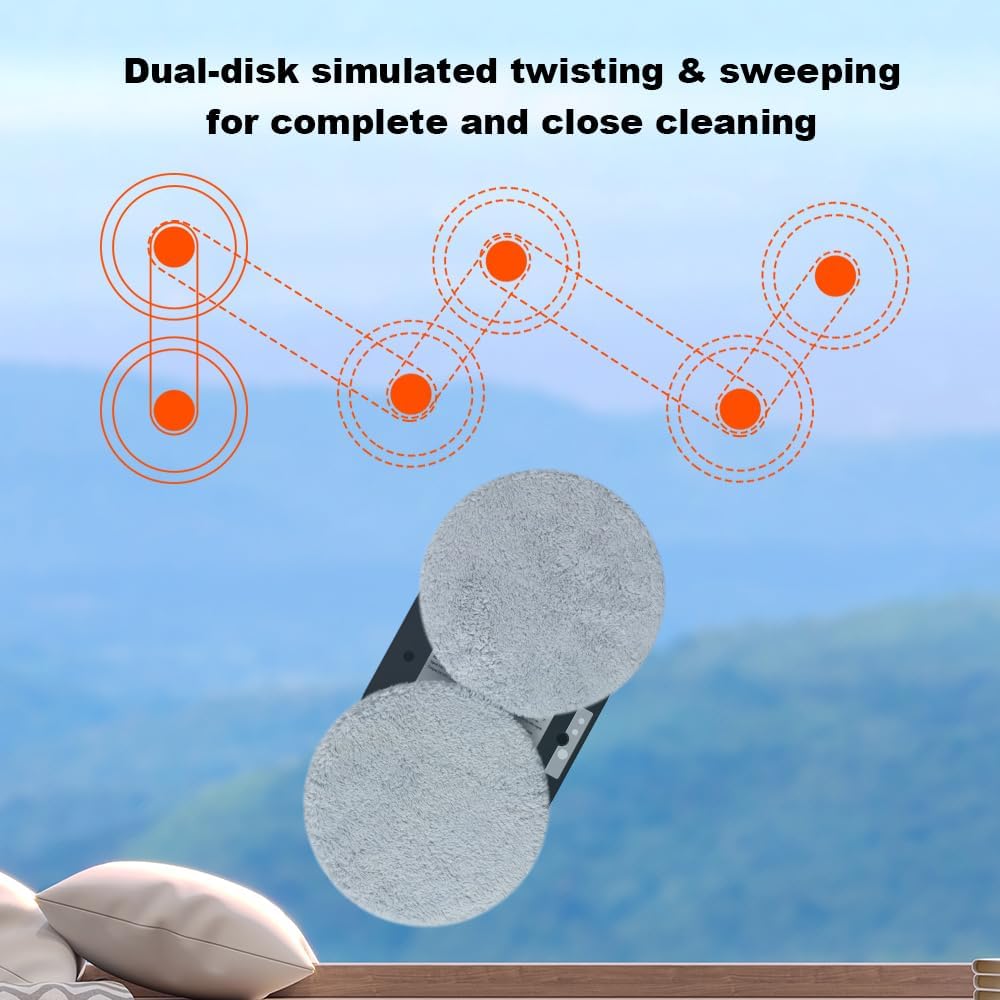
Image: Depiction of the dual-disk simulated twisting and sweeping motion, illustrating how the robot achieves thorough and close cleaning.

Image: Visual explanation of the 2800Pa vacuum suction, demonstrating its power for strong adhesion and smooth, safe movement across surfaces.
Stopping the Robot
To stop the robot, press the stop button on the remote control or the power button on the robot. The robot will cease movement but maintain suction. Carefully grasp the robot and detach it from the surface.
Maintenance
Cleaning Microfiber Cloths
After each use, remove the microfiber cleaning cloths from the robot. Wash them with mild detergent and water, then air dry completely before reuse. Replace cloths when they show signs of wear or reduced cleaning effectiveness.
Cleaning the Robot Body
Wipe the exterior of the robot with a soft, damp cloth. Do not use abrasive cleaners or immerse the robot in water. Ensure the suction vents are clear of dust and debris.
Storage
Store the robot in a cool, dry place away from direct sunlight and extreme temperatures. Ensure the power cord and safety rope are neatly coiled to prevent damage.
Troubleshooting
| Problem | Possible Cause | Solution |
|---|---|---|
| Robot does not adhere to surface. | Insufficient suction; power not connected; surface too dirty or uneven. | Ensure power cord is securely connected. Clean the surface and the robot's suction area. Check for obstructions. |
| Robot leaves streaks. | Dirty cleaning cloths; too much cleaning solution; improper solution. | Replace or wash cleaning cloths. Use less cleaning solution. Ensure solution is suitable for glass. |
| Robot stops mid-operation. | Power interruption; low battery (UPS); obstacle detected. | Check power connection. If power cut, retrieve robot within 25 minutes. Clear any obstacles. |
| Remote control not responding. | Dead batteries in remote; signal obstruction. | Replace remote control batteries. Ensure direct line of sight to robot. |
Specifications
- Model: HCR-09
- Brand: LIECTROUX
- Suction Power: 2800Pa
- Cleaning Modes: 3 Automatic, Manual
- Safety Features: Built-in UPS (25 min backup), 4m Professional Safety Rope
- Power Source: Corded Electric
- Dimensions: 27L x 27W x 7.8H centimetres
- Applicable Surfaces: Glass, Windows, Tiles, Glass Floors, Mirrors, Marble Walls
- Included Components: Robot, Remote Control, Power Adapter, Safety Rope, Microfiber Cloths
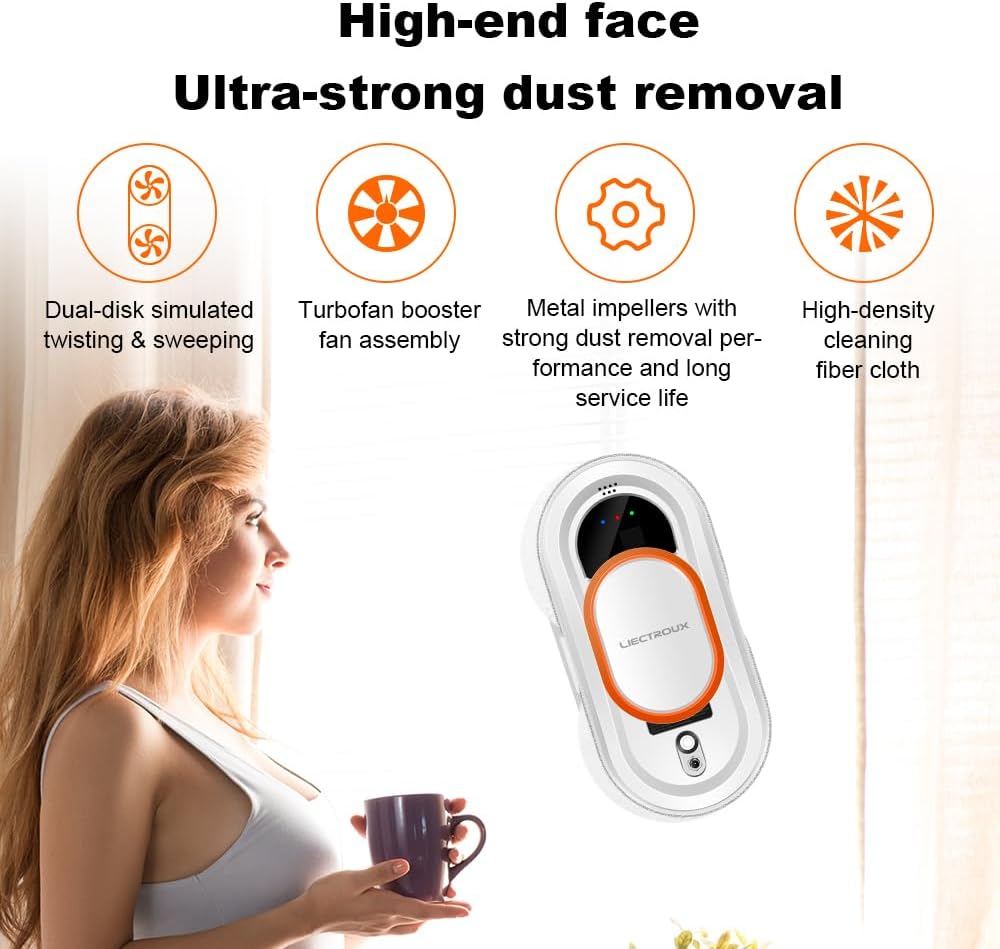
Image: Key features for ultra-strong dust removal, including dual-disk simulated twisting, turbofan booster fan assembly, metal impellers for strong dust removal, and high-density cleaning fiber cloth.

Image: Examples of various surfaces and environments where the LIECTROUX HCR-09 can be effectively used, such as bathroom mirrors, tiled surfaces, windows, and framed glass in different settings.
Warranty and Support
For warranty information and technical support, please refer to the official LIECTROUX website or contact your local distributor. Keep your purchase receipt as proof of purchase for warranty claims.
Manufacturer: Liectroux
Customer Service: Please visit www.liectroux.com for contact details and further assistance.
Related documentsHCR-09


Ask a question about this manual
Ask about setup, troubleshooting, compatibility, parts, safety, or missing instructions. Manuals+ will review the question and use this page’s manual context to help answer it.