
1. Introduction
This manual provides essential instructions for the safe and effective use of your DIYSecuritycameraworld 12V 2A Universal Power Supply Adapter. Please read this manual thoroughly before use and retain it for future reference.
This power adapter is designed to provide a stable 12V DC power source for compatible electronic devices, particularly BOAVISION WiFi cameras. Its universal design and extended cable length offer flexibility in various installation scenarios.
2. Safety Information
WARNING: Failure to follow these safety instructions could result in fire, electric shock, or other injury or damage.
- Ensure the power adapter is used with devices that require 12V DC input and a current draw of 2 Amps or less. Using it with incompatible devices may cause damage to the device or the adapter.
- Do not expose the adapter to water, moisture, or extreme temperatures. It is designed for indoor use only.
- Avoid placing the adapter in direct sunlight or near heat sources.
- Do not attempt to open, modify, or repair the adapter. Refer all servicing to qualified personnel.
- Keep the adapter and its cable out of reach of children and pets.
- Always unplug the adapter from the power outlet before cleaning or when not in use for extended periods.
- Inspect the adapter and cable for any signs of damage before each use. Do not use if damaged.
- The adapter features built-in protections against over-current, over-voltage, overload, short-circuit, and temperature fluctuations. However, proper usage is still essential.
3. Package Contents
- 1 x DIYSecuritycameraworld 12V 2A Universal Power Supply Adapter with 33Ft (10m) cable
4. Specifications
| Feature | Detail |
|---|---|
| Input Voltage | AC 100V-240V, 50/60Hz |
| Output Voltage | DC 12V |
| Output Current | 0-2000mA (2A) |
| Wattage | 24W Max |
| DC Connector Type | Barrel Plug 2.1mm x 5.5mm |
| Cable Length | 33 Feet (10 Meters) |
| Safety Certifications | FCC, CE, RoHS |
| Protections | Over-current, Over-voltage, Overload, Short-circuit, Temperature |
| Compatible Devices | BOAVISION WiFi Cameras (e.g., HD22M102M, HD22M502M, HD80M, HX-B03-2MP, HD22M-1080P, HD22M-5MP, UY-IVS2-SB6R, SD47W) and other 12V 0-2A devices with 2.1mm x 5.5mm DC input. |
5. Setup
- Verify Compatibility: Before connecting, ensure your device requires a 12V DC input and draws no more than 2 Amps of current. Also, confirm that your device's power input port is compatible with a 2.1mm x 5.5mm barrel plug.
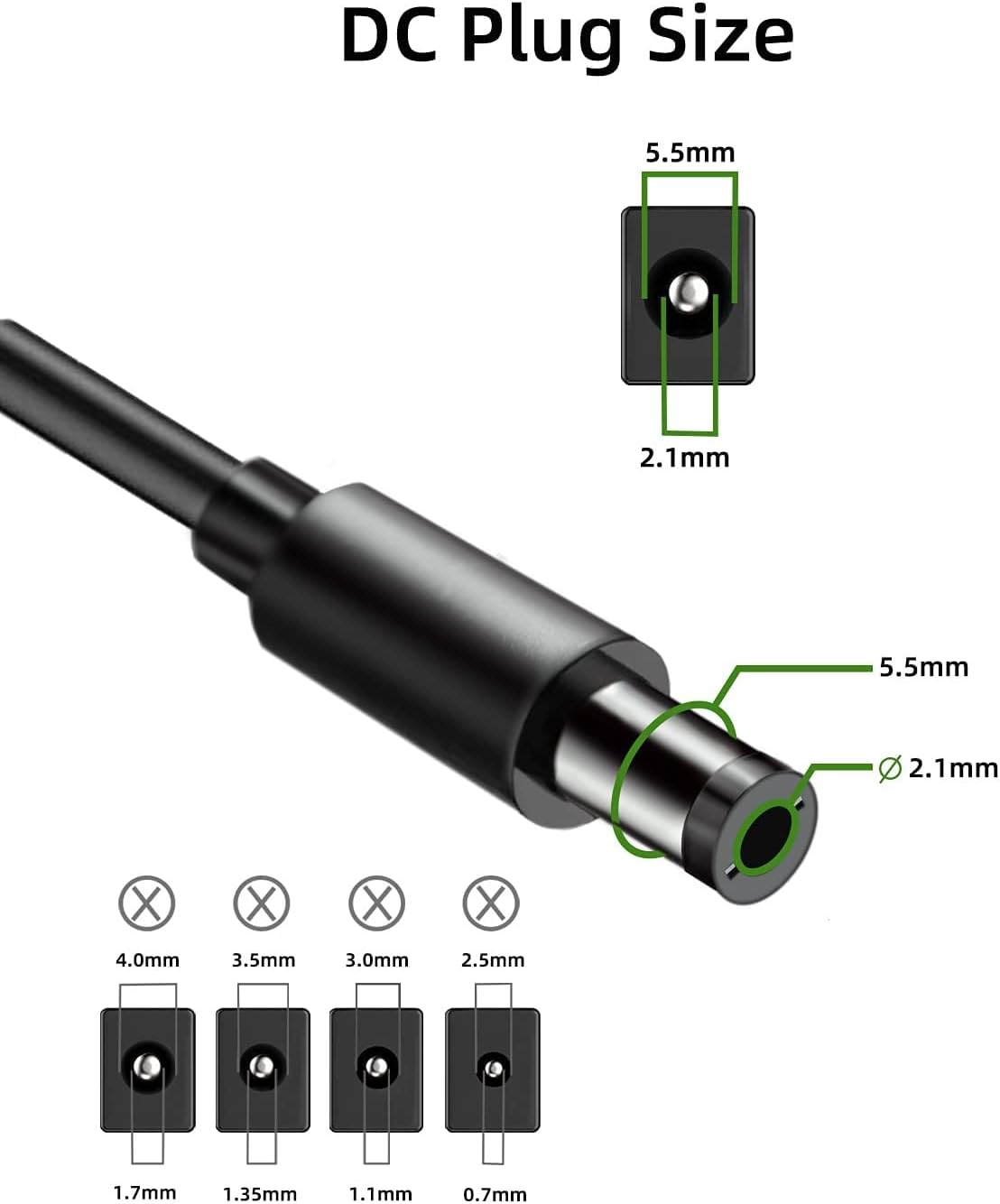
Image: DC Plug Size Diagram. This image illustrates the precise dimensions of the 2.1mm x 5.5mm DC barrel plug, highlighting the inner and outer diameters for compatibility verification. It also shows examples of smaller, incompatible plug sizes.
- Connect to Device: Carefully insert the DC barrel plug of the adapter into the power input port of your compatible device. Ensure a snug and secure connection.
- Connect to Power Outlet: Plug the AC prongs of the power adapter into a standard AC 100V-240V wall outlet.
- Power On: Once connected, your device should receive power. Observe your device's power indicator (if available) to confirm it is powered on.

Image: DIYSecuritycameraworld 12V 2A Universal Power Supply Adapter. This image displays the power adapter unit with its integrated 33-foot (10-meter) power cable, coiled neatly. The AC prongs are visible on the adapter body, and the DC barrel plug is at the end of the cable.
6. Operation
The DIYSecuritycameraworld 12V 2A Universal Power Supply Adapter operates automatically once connected to a power source and a compatible device. It provides a continuous 12V DC output.
- The extended 33-foot (10-meter) cable allows for flexible placement of your device relative to the power outlet.
- The adapter is designed for continuous operation within its specified limits.
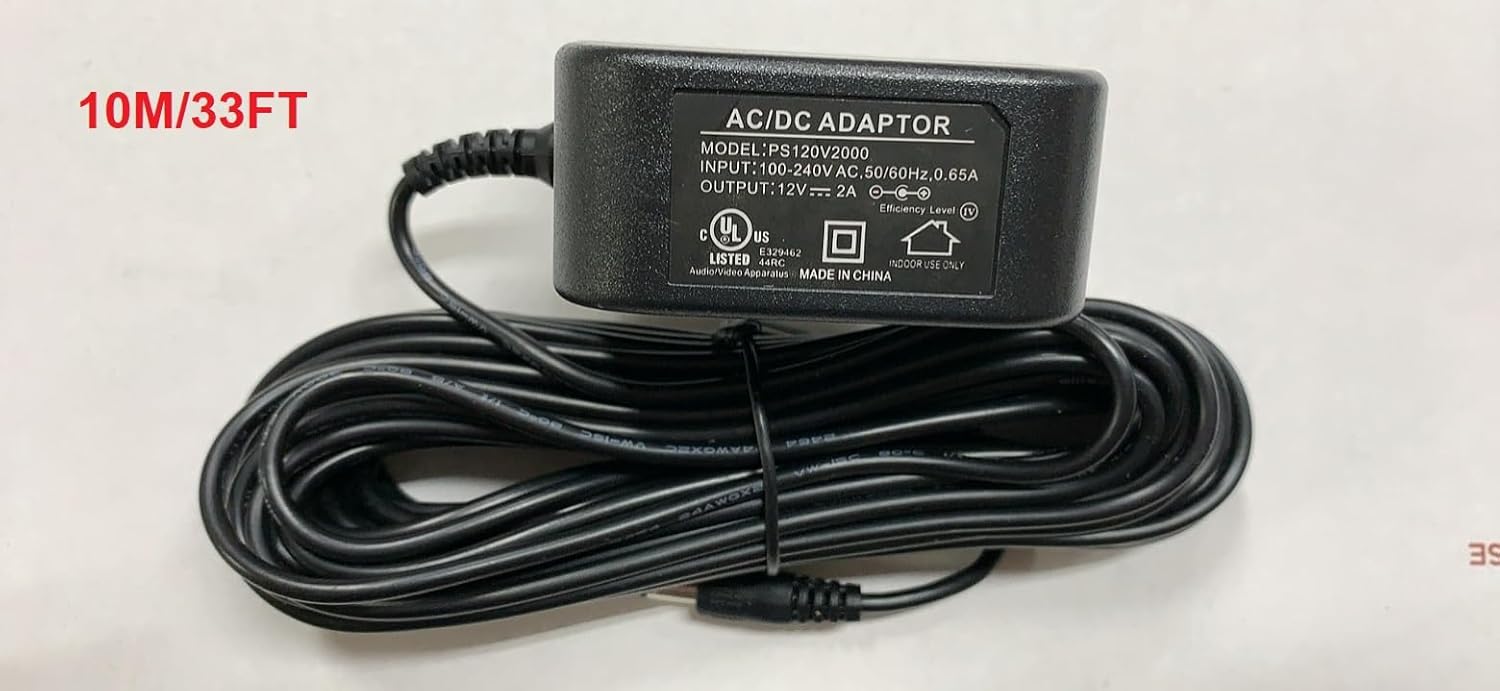
Image: AC/DC Adaptor with Cable Length Indication. This image shows a top-down view of the power adapter, clearly indicating "AC/DC ADAPTOR" and its specifications. The text "10M/33FT" is prominently displayed, emphasizing the cable's length.
7. Maintenance
- Cleaning: Disconnect the adapter from the power outlet and the device. Use a soft, dry cloth to wipe the exterior of the adapter. Do not use liquid cleaners or abrasive materials.
- Storage: When not in use, store the adapter in a cool, dry place, away from direct sunlight and moisture. Coil the cable loosely to prevent kinks or damage.
- Inspection: Periodically check the cable and adapter housing for any signs of wear, cuts, or damage. If any damage is observed, discontinue use immediately.
8. Troubleshooting
| Problem | Possible Cause | Solution |
|---|---|---|
| Device not powering on. |
|
|
| Adapter feels hot. |
|
|
9. Warranty and Support
For warranty information or technical support, please refer to the contact details provided by your retailer or the manufacturer, DIYSecuritycameraworld. Keep your purchase receipt as proof of purchase.
Manufacturer: DiySecurityCameraWorld