
1. Introduction
This manual provides detailed instructions for the installation, operation, and maintenance of your Ejoyous Multi-Coin Acceptor. This device is designed to accurately identify and accept various types of coins for use in a wide range of coin-operated machines.
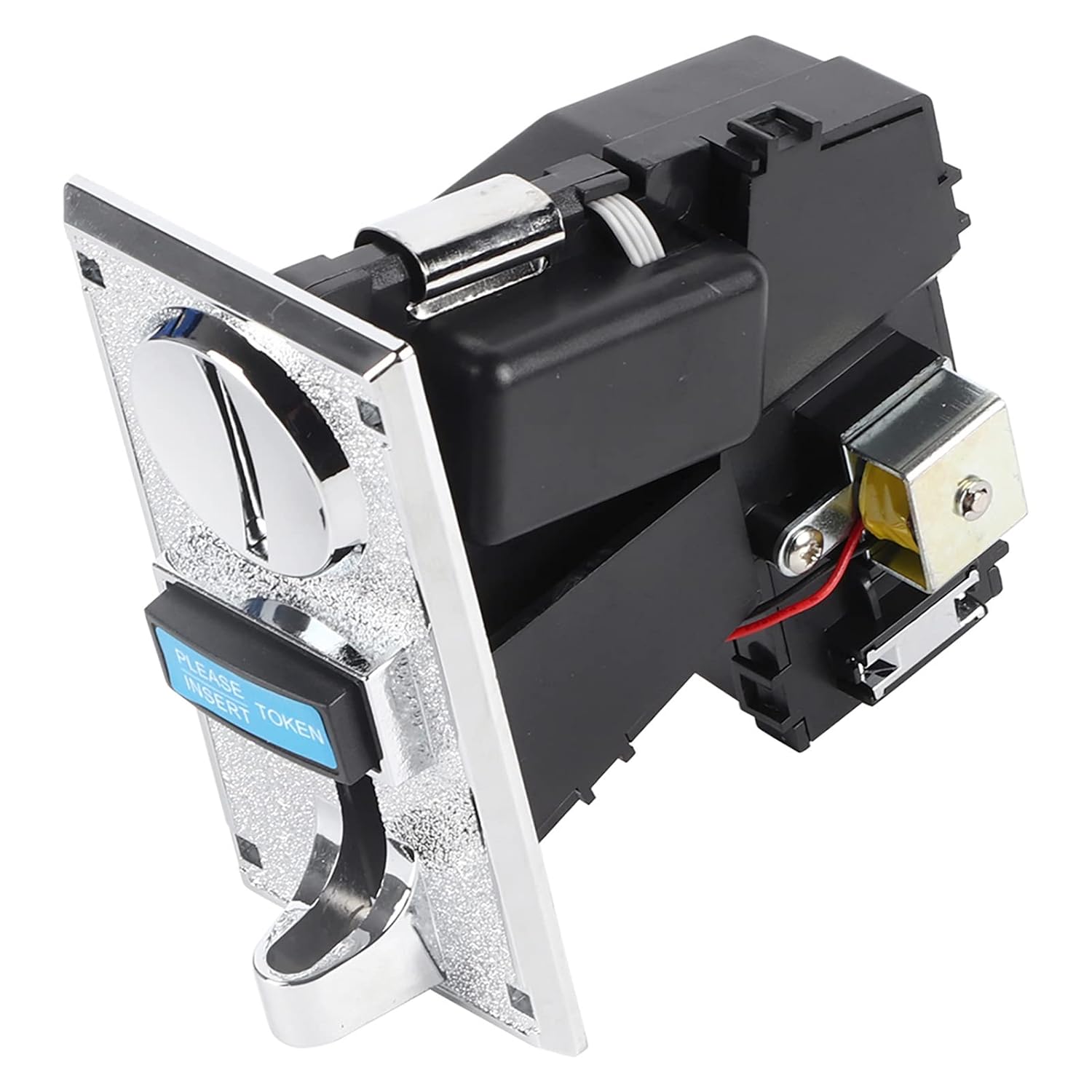
Figure 1: Front view of the Ejoyous Multi-Coin Acceptor.
2. Product Features
- High Accuracy Coin Recognition: Identifies genuine and counterfeit coins based on material, diameter, and thickness with 95% accuracy.
- Multi-Coin Acceptance: Capable of accepting up to six different types of coins simultaneously. The CPU process control automatically stores and remembers the set coin groups.
- Customizable Functions: Supports cumulative signal output and timing control functions. Includes a locking function to restrict coin acceptance.
- Broad Application Range: Suitable for game consoles, vending machines, public telephones, coin-operated washing machines, massage chairs, and other coin-operated devices.
- Enhanced Security: Features anti-phishing, anti-coin mixing, anti-shock, and anti-high-frequency interference capabilities. Can be connected to a counter for monitoring.

Figure 2: Back view of the coin acceptor highlighting key features.
3. Setup
3.1 Mounting
Mount the coin acceptor securely to your machine using the provided screws and nuts. Ensure the coin entry and exit points are clear and accessible. Refer to the screw hole dimensions for proper alignment.

Figure 3: Side view illustrating mounting points.
3.2 Wiring
Connect the coin acceptor to your system using the provided connection cable. Ensure correct polarity and secure connections for power (DC 12V) and signal output. Consult your machine's wiring diagram for specific integration details.

Figure 4: Internal view with wiring connections.
3.3 Coin Programming
The CPU process control allows for automatic learning of coin types. Follow the instructions in the included manual (if more detailed) to program the specific coins you wish the acceptor to recognize. This typically involves inserting sample coins multiple times to teach the device their characteristics.
4. Operating Instructions
Once installed and programmed, the coin acceptor operates automatically. Users should insert coins one at a time into the designated slot. The device will process the coin, and if recognized as valid, it will activate the associated function of your machine. Rejected coins will be returned through the coin return slot.

Figure 5: Coin acceptor in operation, accepting various currencies.
5. Maintenance
To ensure optimal performance and longevity of your coin acceptor, regular maintenance is recommended:
- Cleaning: Periodically clean the coin entry and exit paths to prevent blockages from dust or debris. Use a soft, dry cloth. Avoid using abrasive cleaners or solvents.
- Inspection: Regularly inspect the wiring and connections for any signs of wear or damage. Ensure all screws remain tight.
- Environmental Conditions: Operate the device within the specified temperature and humidity ranges to prevent malfunction.
6. Troubleshooting
If you encounter issues with your Ejoyous Multi-Coin Acceptor, consider the following:
- Coins Not Accepted: Check if the coin type has been properly programmed. Ensure the coin path is clear of obstructions. Verify power supply.
- Incorrect Coin Recognition: Re-program the coin types. Ensure the coins used for programming are clean and undamaged.
- No Power: Check the DC 12V power connection and ensure the power source is active.
- Intermittent Operation: Inspect all wiring connections for looseness or damage. Ensure the operating environment is within specified conditions.
For persistent issues, contact customer support.
7. Specifications
| Parameter | Value |
|---|---|
| Back Shell Material | PC Plastic |
| Accuracy Rate | 95% |
| Coin Diameter | 18-31 mm |
| Coin Thickness | 1.8 - 2.8 mm |
| Air Pressure | 85 kpa - 106 kpa |
| Operating Voltage | DC 12 V ± 10% |
| Operating Current | 20 mA |
| Maximum Current | 350 mA (less than 0.5 s) |
| Humidity | ≤ 95% |
| Storage Temperature | -20 °C to +85 °C |
| Operating Temperature | -10 °C to +60 °C |
| Detection Speed | ≤ 0.6 sec |
| Product Dimensions | 64 x 124 x 110 mm |
| Screw Hole | 5 x 5 mm / 0.20 x 0.20 inch |
| Hole Spacing | 46 x 97 mm / 1.81 x 3.82 inch |
8. Package Contents
The following items are included in your product package:
- 1 x Multi-Coin Acceptor
- 4 x Screws
- 4 x Nuts
- 1 x Connection Cable
- 1 x User Manual (this document or similar)

Figure 6: Contents of the product package.
9. Important Notes
Please be aware that due to manufacturing variations, the product you receive may be either the new or old type. Both types are functionally equivalent.
10. Warranty and Support
For information regarding product warranty, technical support, or service, please refer to the documentation provided with your purchase or contact the retailer/manufacturer directly. Keep your purchase receipt as proof of purchase.