
1. Introduction
Thank you for purchasing the XTRONS IQ82A3AP Car Stereo GPS system. This device is specifically designed for Audi A3 models manufactured between 2003 and 2012. It integrates advanced features such as Android 12 operating system, an 8-core processor, 8GB RAM, 256GB ROM, GPS navigation, Wi-Fi, 4G connectivity, Bluetooth, Apple CarPlay, and Android Auto. This manual provides essential information for proper installation, operation, and maintenance of your new car stereo. Please read this manual thoroughly before using the product to ensure safe and optimal performance.
2. Safety Information
- Professional Installation Recommended: Due to the complexity of vehicle electrical systems, professional installation by a qualified technician is strongly recommended to prevent damage to the unit or your vehicle.
- Power Supply: Ensure the unit is connected to a 12V DC power supply with negative grounding. Incorrect voltage can cause damage.
- Wiring: Do not modify or cut any wires unless explicitly instructed. Incorrect wiring can lead to malfunctions or electrical hazards.
- Driving Safety: Do not operate the unit's complex functions or watch videos while driving. Always prioritize road safety.
- Temperature: Avoid exposing the unit to extreme temperatures or direct sunlight for prolonged periods.
- Moisture: Keep the unit away from water and excessive moisture to prevent electrical shock or damage.
- Cleaning: Use a soft, dry cloth for cleaning. Avoid abrasive cleaners or solvents.
3. Package Contents
Please check the contents of your package against the list below. If any items are missing or damaged, contact your retailer.
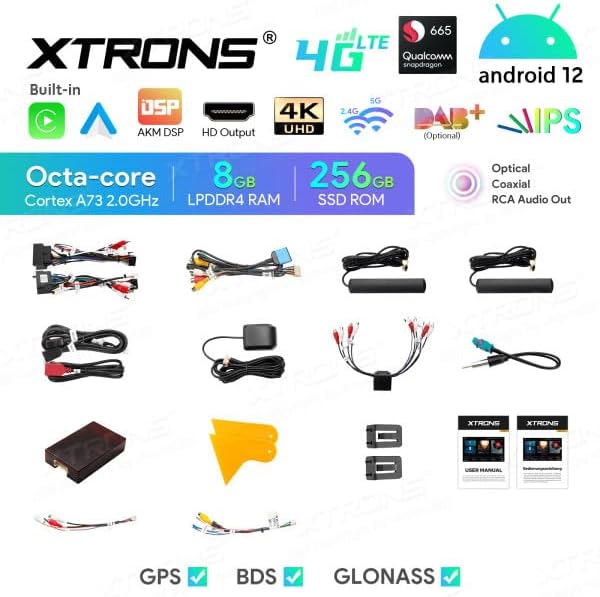
Image: All components included in the XTRONS IQ82A3AP package.
- XTRONS IQ82A3AP Head Unit
- Power Cable Harness
- CANBUS Decoder
- GPS Antenna
- 4G Antenna
- USB Cables
- RCA Output Cables
- SIM Card Reader
- External Microphone Input Cable (Microphone not included)
- User Manual
- Installation Tools/Brackets
- TPMS Support Kit (TPMS sensors not included)
4. Product Overview
The XTRONS IQ82A3AP is an advanced car multimedia system featuring an 8-inch HD touchscreen display. It runs on Android 12 and is powered by an 8-core processor with 8GB RAM and 256GB internal storage.
4.1 Key Features
- Operating System: Android 12
- Processor: Octa-core Cortex A73 2.0GHz
- Memory: 8GB LPDDR4 RAM
- Storage: 256GB SSD ROM
- Display: 8-inch HD Screen (1280x720 resolution)
- Connectivity: Built-in WiFi, 4G LTE (with SIM card reader), Bluetooth, USB
- Navigation: GPS, BDS, GLONASS support
- Smartphone Integration: Built-in Apple CarPlay and Android Auto
- Audio: AKM DSP, Optical and Coaxial RCA Audio Out, Equalizer
- Video: 4K UHD Video Playback, HD Output
- Vehicle Integration: CANBUS support for steering wheel controls and vehicle information display.
- Expandability: Support for DAB+, OBD2, DVR, External Microphone, TPMS (accessories sold separately).
4.2 Dimensions
Refer to the diagram below for the physical dimensions of the head unit to ensure compatibility with your vehicle's dashboard.
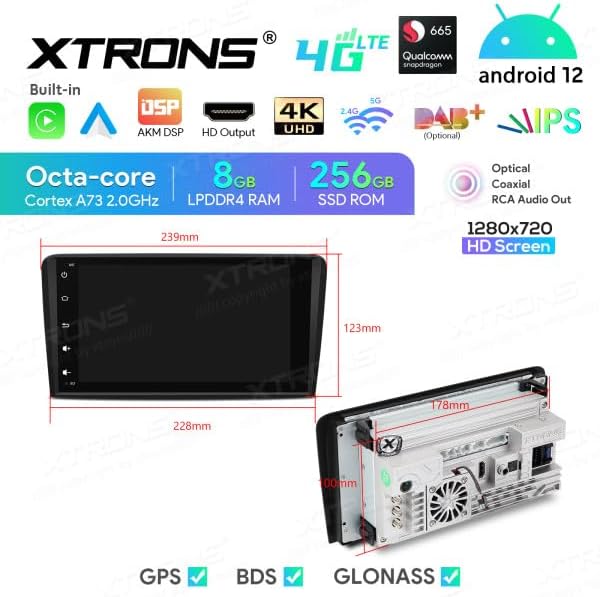
Image: Front and side view dimensions of the XTRONS IQ82A3AP head unit. Front panel width is approximately 228mm at the top and 239mm at the bottom, with a height of 123mm. The main unit depth is 178mm.
5. Setup
5.1 Installation
Installation of the XTRONS IQ82A3AP requires technical knowledge and experience with car audio systems. It is highly recommended to have the unit installed by a certified professional to avoid damage to the unit or your vehicle's electrical system. Incorrect installation can void your warranty.
- Vehicle Compatibility: This unit is designed for Audi A3 models (2003-2012). Ensure your vehicle's dashboard opening matches the unit's dimensions.
- Disconnect Battery: Before starting any installation, disconnect the vehicle's negative battery terminal to prevent electrical shorts.
- Remove Old Unit: Carefully remove the existing car stereo and any associated trim panels.
- Wiring Connections: Connect the provided wiring harness, CANBUS decoder, GPS antenna, 4G antenna, and other necessary cables. Ensure all connections are secure. Refer to the wiring diagram provided with the unit for specific connections.
- Mounting: Secure the head unit into the dashboard using the provided brackets and screws.
- Reconnect Battery: Once all connections are made and the unit is securely mounted, reconnect the vehicle's battery.
5.2 Initial Power-On and Configuration
After installation, power on the unit and follow the on-screen prompts for initial setup.
- First Boot: The system may take longer to boot up for the first time.
- Language Settings: Select your preferred language (e.g., Italian, English).
- Time and Date: Set the correct time zone, date, and time.
- Wi-Fi Connection: Connect to an available Wi-Fi network to enable internet access and download updates.
- 4G SIM Card: Insert your 4G SIM card into the provided reader for mobile data connectivity.
- GPS Calibration: Ensure the GPS antenna is properly positioned for optimal signal reception. The system will automatically detect GPS satellites.
6. Operating Instructions
This section details the primary functions and operations of your XTRONS IQ82A3AP unit.
6.1 Basic Interface and Controls
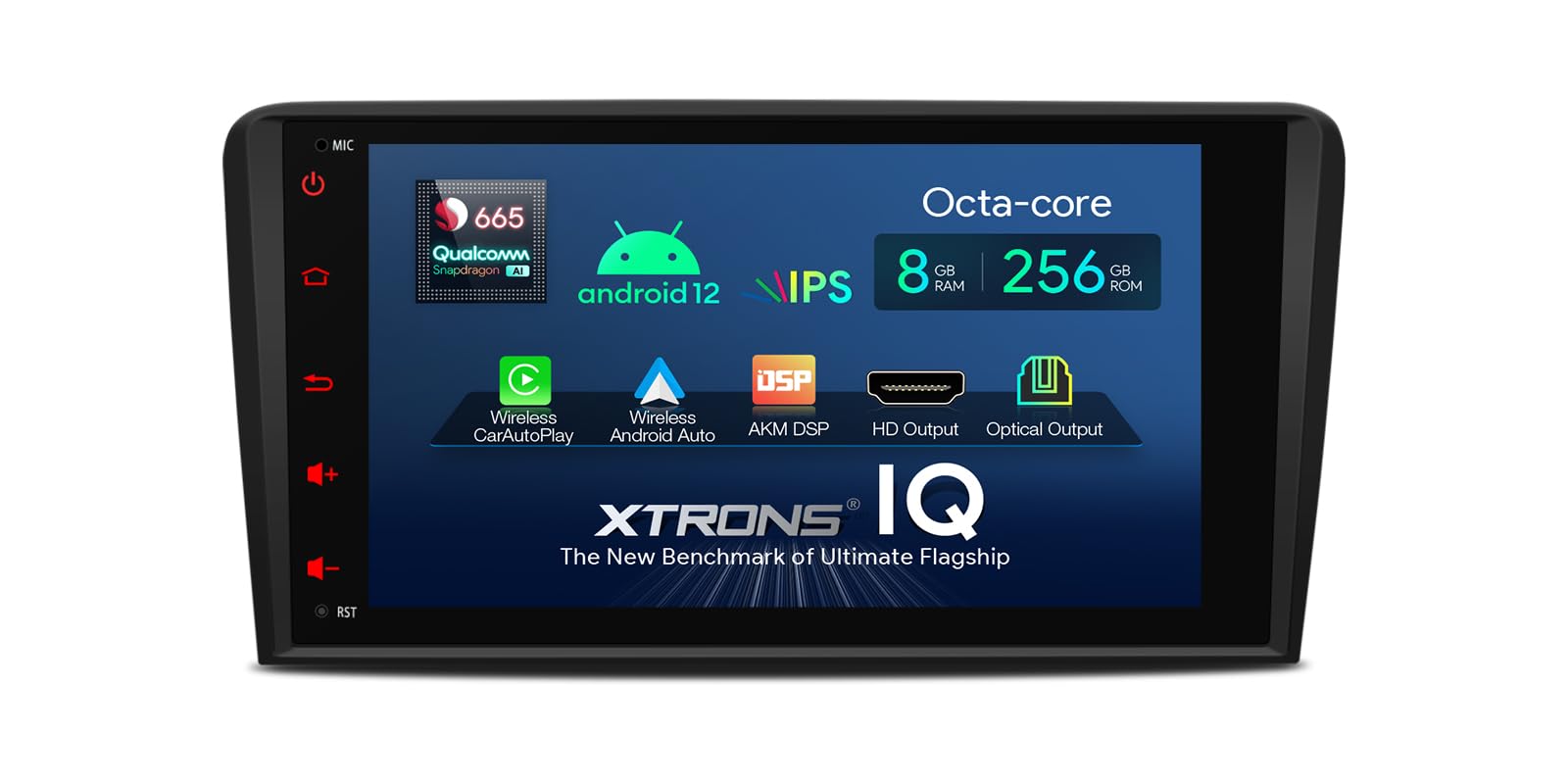
Image: Main user interface of the XTRONS IQ82A3AP, showing navigation, music, and Bluetooth shortcuts.
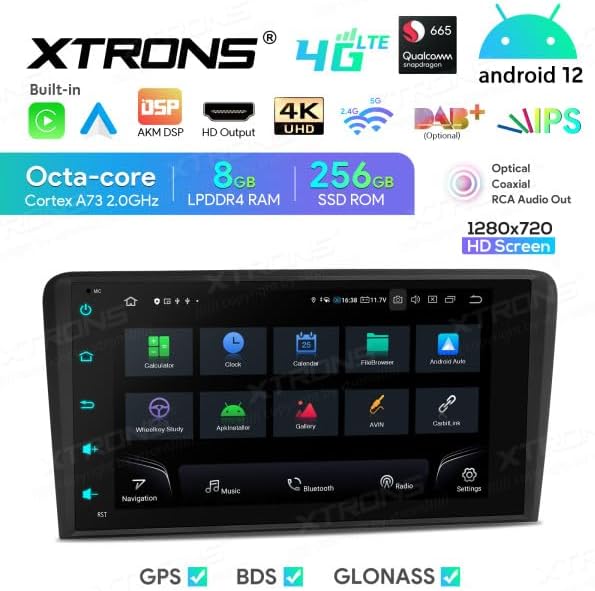
Image: Applications screen displaying various pre-installed and user-downloaded apps.
The unit features an intuitive touchscreen interface. Swipe left or right to access different screens and applications. Physical buttons on the side provide quick access to common functions like Home, Back, Volume, and Power.
6.2 Navigation (GPS/BDS/GLONASS)
The unit supports multiple satellite navigation systems for accurate positioning. Tap the "Navigation" icon on the home screen to launch the pre-installed navigation application or any other navigation app you download from the Google Play Store.
- Route Planning: Enter your destination to get turn-by-turn directions.
- Map Updates: Connect to Wi-Fi or 4G to download map updates.
6.3 Bluetooth Connectivity
Connect your smartphone via Bluetooth for hands-free calling and audio streaming.
- Go to "Settings" > "Bluetooth".
- Enable Bluetooth on both the head unit and your smartphone.
- Search for available devices on your smartphone and select "XTRONS IQ82A3AP" (or similar name).
- Confirm the pairing code on both devices.
- Once paired, you can access your phonebook, make calls, and play music.
6.4 Wi-Fi and 4G Internet
The unit supports both Wi-Fi and 4G connectivity for internet access.
- Wi-Fi: Go to "Settings" > "Network & Internet" > "Wi-Fi" to connect to a local Wi-Fi hotspot.
- 4G: Insert a valid 4G SIM card into the provided SIM card reader. The unit will automatically detect the network. Ensure the 4G antenna is properly connected.
6.5 Apple CarPlay and Android Auto
The unit has built-in support for Apple CarPlay and Android Auto, allowing seamless integration with your smartphone for navigation, music, messages, and more.
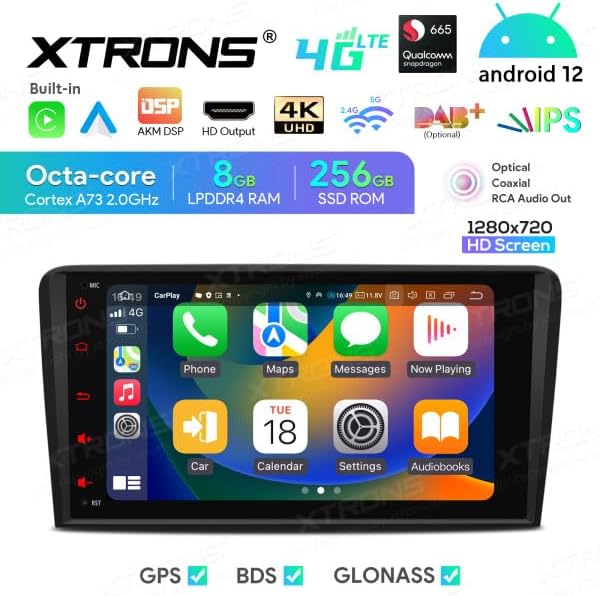
Image: Apple CarPlay interface displayed on the unit.

Image: Android Auto interface displayed on the unit.
- Connection: Connect your iPhone or Android phone via a USB cable to the unit's USB port.
- Launch: The system should automatically detect and launch CarPlay or Android Auto. If not, tap the corresponding icon on the app screen.
6.6 DSP Equalizer
The built-in Digital Signal Processor (DSP) allows for advanced audio customization. Access the equalizer settings to adjust sound frequencies, balance, fader, and other audio enhancements to suit your preferences.

Image: DSP Equalizer interface showing various frequency bands and audio settings.
6.7 USB Playback and Screen Mirroring
- USB Playback: Connect a USB drive to the unit's USB port to play audio, video, or view images. The unit supports up to 128GB USB drives.
- Screen Mirroring: Use the screen mirroring function to display your smartphone's screen directly on the head unit. Refer to the specific app (e.g., Zlink, EasyConnect) for instructions.
6.8 CANBUS Integration
The included CANBUS decoder ensures seamless integration with your Audi A3's existing systems. This allows the unit to support original steering wheel controls and display vehicle information on the board display (if applicable).
- Steering Wheel Controls: Configure the steering wheel buttons through the unit's settings to control audio playback, volume, and calls.
- Vehicle Information: Certain vehicle data may be displayed on the unit or the original vehicle display, depending on the vehicle model and CANBUS configuration.
6.9 Optional Accessories (Not Included)
The XTRONS IQ82A3AP supports various optional accessories to enhance its functionality:
- DAB+ Box: For digital audio broadcasting.
- OBD2 Diagnostic Tool: For vehicle diagnostics.
- DVR Camera: For dash camera recording.
- External Microphone: For improved call quality.
- TPMS (Tire Pressure Monitoring System) Kit: To monitor tire pressure.
7. Maintenance
7.1 Cleaning the Unit
- Use a soft, dry, lint-free cloth to clean the screen and exterior surfaces.
- Do not use abrasive cleaners, waxes, or solvents as they may damage the finish or screen.
- Avoid spraying cleaning liquids directly onto the unit.
7.2 Software Updates
Periodically check for software updates to ensure optimal performance and access to new features. Updates can typically be found in the system settings under "About device" or "System updates". Connect to a stable Wi-Fi network before downloading and installing updates.
Note: Software updates are provided by the manufacturer, and their availability is not guaranteed indefinitely.
8. Troubleshooting
If you encounter issues with your XTRONS IQ82A3AP, refer to the following common problems and solutions. If the problem persists, contact customer support.
| Problem | Possible Cause | Solution |
|---|---|---|
| Unit does not power on. | No power supply; incorrect wiring; blown fuse. | Check power connections; verify wiring according to diagram; check vehicle's fuse box and unit's fuse. |
| No sound. | Volume too low; mute activated; speaker wiring issue. | Increase volume; check mute setting; verify speaker connections. |
| GPS signal weak or lost. | GPS antenna improperly placed or disconnected; environmental interference. | Ensure GPS antenna has a clear view of the sky and is securely connected. |
| Bluetooth connection issues. | Bluetooth not enabled; device not discoverable; interference. | Ensure Bluetooth is enabled on both devices; make device discoverable; try re-pairing. |
| Touchscreen unresponsive. | System freeze; temporary software glitch. | Restart the unit (press and hold power button); perform a factory reset (data will be lost). |
9. Specifications
| Feature | Detail |
|---|---|
| Brand | XTRONS |
| Model | IQ82A3AP |
| Operating System | Android 12 |
| Processor | Octa-core |
| RAM | 8GB |
| ROM (Internal Storage) | 256GB |
| Screen Size | 8 Inches |
| Screen Resolution | 1280x720 HD |
| Touch Screen Type | Capacitive |
| Connectivity Technology | Bluetooth, Wi-Fi, 4G, Apple CarPlay, Android Auto, USB |
| Special Features | Bluetooth, GPS, BDS, GLONASS, DSP, 4K UHD Video, HD Output, CANBUS |
| Mounting Type | On-dash |
| Included Components | SIM Card Reader, TPMS Support Kit |
| Vehicle Service Type | Automobile (Audi A3 2003-2012) |
10. Warranty and Support
XTRONS products are designed for reliability and performance. For warranty information, please refer to the warranty card included with your product or visit the official XTRONS website. Keep your proof of purchase for warranty claims.
For technical support, troubleshooting assistance, or inquiries about optional accessories, please contact XTRONS customer service through their official website or the retailer from whom you purchased the product.


