1. Introduction
The Ajazz AKS068 is a 65% wired mechanical gaming keyboard featuring an ergonomic Alice-layout. Designed for both gaming and typing, it includes RGB backlighting, hot-swappable switches, and VIA/QMK programmability for extensive customization. This manual provides detailed instructions for setup, operation, maintenance, and troubleshooting to ensure optimal performance of your keyboard.

Image: The Ajazz AKS068 keyboard showcasing its Alice-layout, coiled cable, and RGB backlighting.
2. Package Contents
Please verify that all items are present in your package:
- Ajazz AKS068 Keyboard Kit (barebones PCB, case)
- Pre-lubed Mechanical Switches (Red Switches)
- PBT OEM Keycaps
- Coiled USB-C Cable
- Switch Puller Tool
- Keycap Puller Tool
- User Manual (this document)
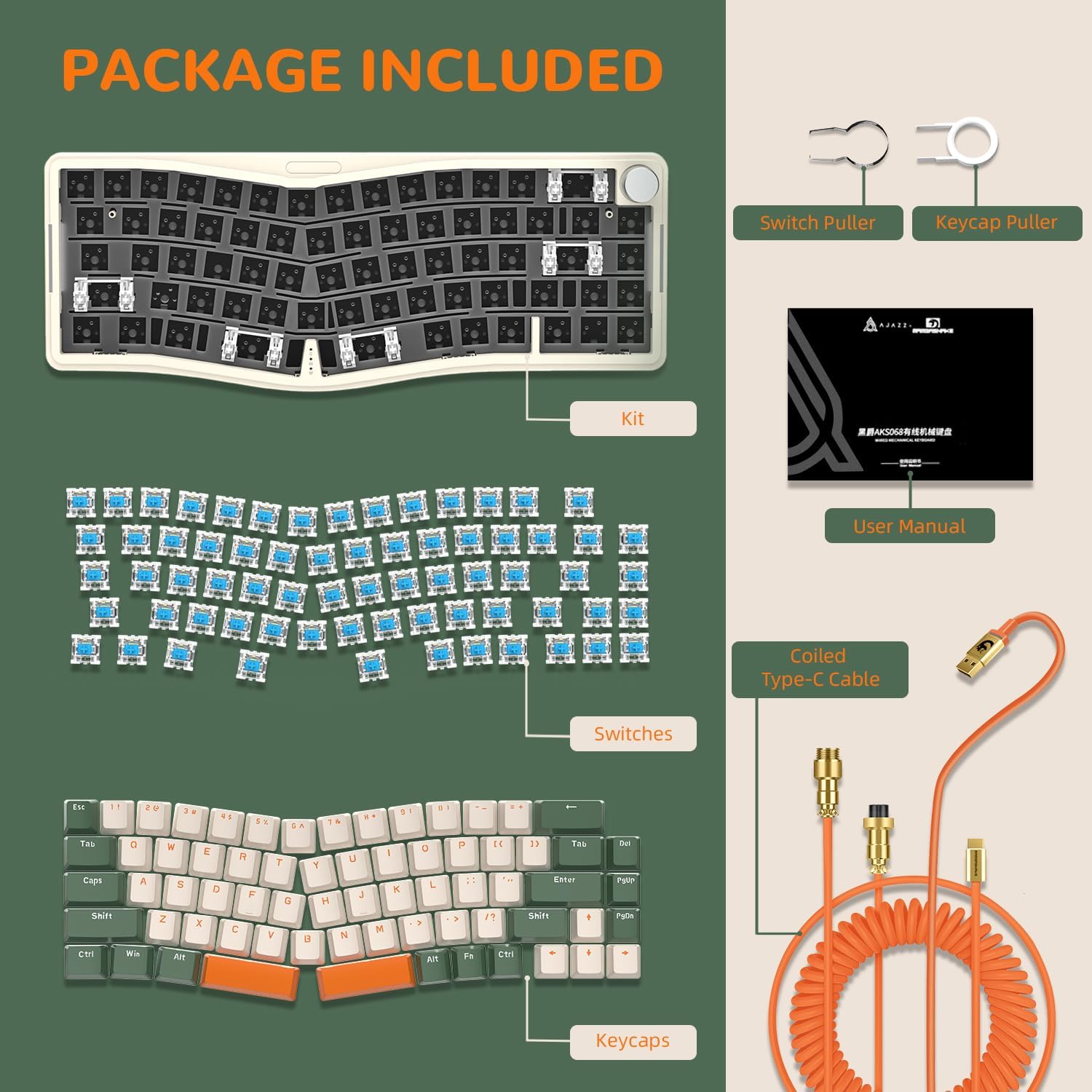
Image: An exploded view of the Ajazz AKS068 package contents, showing the keyboard kit, individual switches, keycaps, coiled cable, and included tools.
3. Setup
3.1. Assembly (Installing Switches and Keycaps)
The Ajazz AKS068 is designed for customization and requires the installation of switches and keycaps before first use. Follow these steps:
- Prepare Switches: Ensure the pins on each mechanical switch are straight. If bent, gently straighten them with tweezers.
- Install Switches: Align the pins of each switch with the corresponding holes on the PCB (Printed Circuit Board). Gently press the switch until it clicks into place. Ensure the switch is fully seated and flush with the PCB. Repeat for all switches.
- Install Keycaps: Place each keycap onto its corresponding switch stem. Press down firmly until the keycap is securely attached. Refer to the keyboard layout for correct placement.

Image: A close-up demonstrating the hot-swappable feature, showing how to install a mechanical switch onto the PCB.
3.2. Connecting the Keyboard
Connect the coiled USB-C cable to the USB-C port on the keyboard and the other end to an available USB port on your computer. The keyboard is plug-and-play and should be recognized automatically by your operating system.
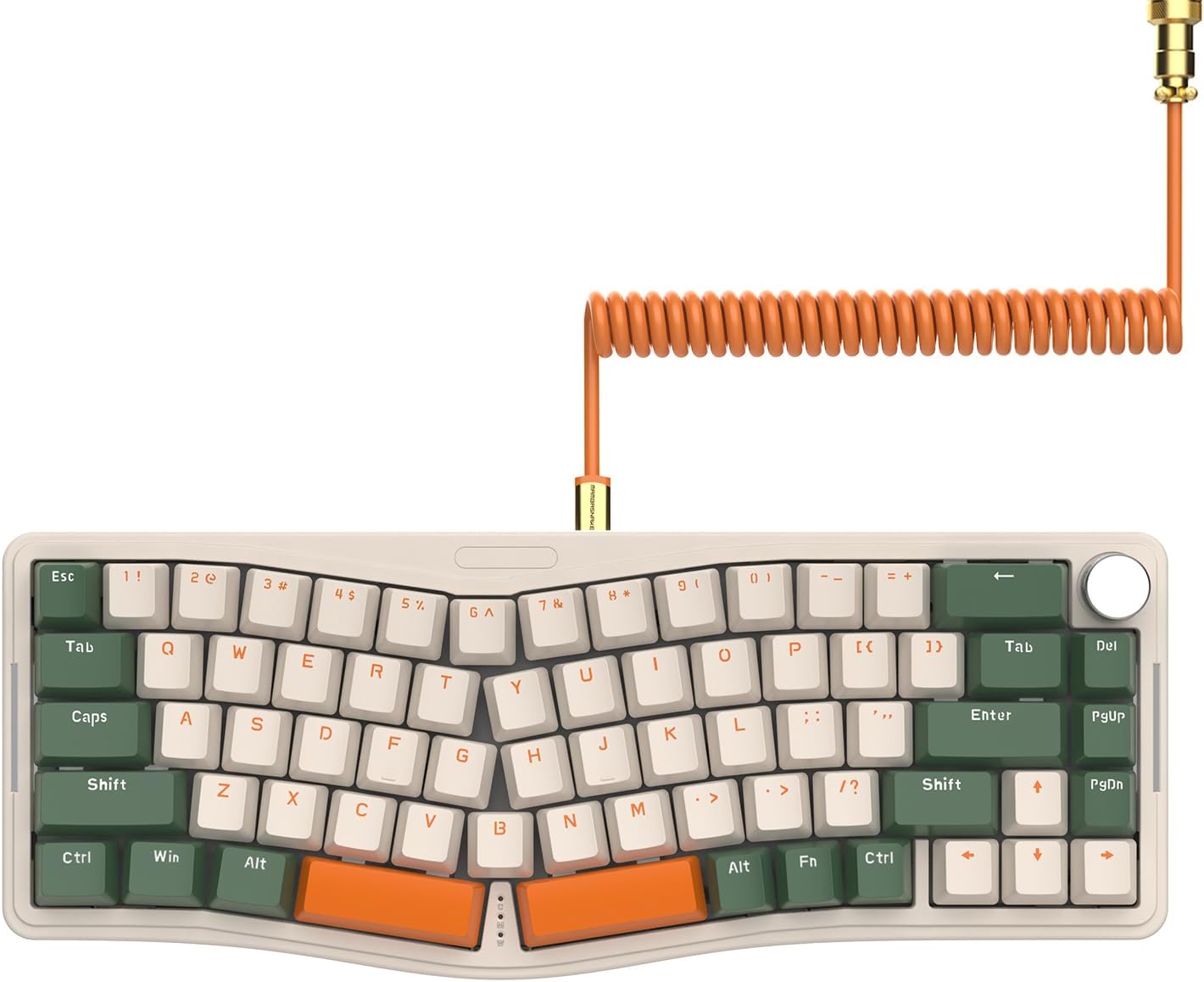
Image: The Ajazz AKS068 keyboard with its distinctive coiled USB-C cable connected, ready for use.
4. Operating Instructions
4.1. Basic Key Functions
The AKS068 features a 68-key Alice-layout. Standard alphanumeric keys function as labeled. Function (FN) key combinations are used to access secondary functions.
4.2. Rotary Knob Functions
The rotary knob located on the top right of the keyboard provides convenient media control:
- Clockwise Rotation: Increases volume.
- Counter-clockwise Rotation: Decreases volume.
- Press Down: Toggles mute/unmute.

Image: A detailed view of the quality CNC volume knob, illustrating its clockwise, counter-clockwise, and press functions for volume control.
4.3. RGB Backlighting Control
The keyboard features 18 built-in RGB backlight modes on the top and 5 on the sides. You can adjust these settings using FN key combinations:
- FN + \|: Cycles through top RGB backlight effects.
- FN + DEL: Cycles through side RGB backlight effects.
- FN + ↑ / ↓: Adjusts backlight brightness.
- FN + ← / →: Adjusts backlight speed/direction.

Image: The Ajazz AKS068 keyboard illuminated with vibrant RGB backlighting, highlighting the programmable effects on both the keys and the side.
4.4. VIA Programming
The AKS068 supports VIA open-source software, allowing you to remap keys, customize the rotary knob function, set macros, and reset RGB lighting modes. This feature is compatible with Windows and Mac OS.
- Switching Operating Systems:
- FN + A: Switches to Windows mode.
- FN + S: Switches to Mac OS mode.

Image: A visual representation of the VIA software interface on a laptop screen, demonstrating its capability for open-source key modification and customization.
5. Maintenance
5.1. Cleaning
To maintain optimal performance and appearance, regularly clean your keyboard:
- Dust Removal: Use a can of compressed air to blow away dust and debris from between keycaps.
- Keycap Cleaning: For deeper cleaning, use the included keycap puller to remove keycaps. Clean them with a mild soap solution and a soft cloth, then ensure they are completely dry before reattaching.
- Surface Cleaning: Wipe the keyboard surface with a slightly damp, lint-free cloth. Avoid excessive moisture.
5.2. Switch and Keycap Replacement
The hot-swappable PCB allows for easy replacement of switches and keycaps without soldering. Use the provided tools:
- Keycap Removal: Use the keycap puller to gently grip and lift keycaps off the switches.
- Switch Removal: Use the switch puller to grasp the clips on the top and bottom of the switch, then gently pull upwards to remove the switch from the PCB.
- Installation: Refer to Section 3.1 for installing new switches and keycaps.
6. Troubleshooting
- Keyboard Not Responding:
- Ensure the USB-C cable is securely connected to both the keyboard and the computer.
- Try connecting the keyboard to a different USB port on your computer.
- Test the keyboard on another computer to rule out system-specific issues.
- RGB Lights Not Working/Incorrect:
- Use FN + \| and FN + DEL to cycle through different lighting modes.
- Adjust brightness using FN + ↑ / ↓.
- If using VIA, ensure no custom lighting profiles are overriding the default settings.
- VIA Programming Issues:
- Download the correct software file (.json) for AKS068 from the manufacturer's website.
- Use a compatible web browser (e.g., Edge or Chrome) and visit usevia.app.
- Connect to your keyboard (it should appear as 'Alice').
- In VIA settings (Gear icon), enable 'Show Design tab'.
- Under the Design tab (Paintbrush icon), enable 'Use V2 definitions'.
- Load the AKS068.json file you downloaded.
- Mac Compatibility Concerns:
- The keyboard is compatible with Mac OS. Ensure you have switched to Mac mode by pressing FN + S.
- If issues persist, verify VIA programming for Mac-specific key assignments.
7. Specifications
| Feature | Detail |
|---|---|
| Model | AKS068 |
| Layout | 65% Alice-Layout, 68-Key |
| Connectivity | Wired (USB-C) |
| Switches | Hot-swappable (3-pin and 5-pin compatible) |
| Backlighting | RGB (18 top modes, 5 side modes) |
| Programmability | VIA/QMK Compatible |
| Mounting Style | Gasket Mount with Flex-cut PC Mounting Plate |
| Sound Dampening | 4 layers of sound-absorbing material |
| Compatible OS | Windows, Mac OS |
| Dimensions | 16.02 x 7.28 x 2.32 inches |
| Weight | 2.13 pounds |

Image: An exploded diagram illustrating the internal components and gasket structure of the Ajazz AKS068 keyboard, highlighting its sound-dampening layers.
8. Warranty and Support
Ajazz products come with a standard manufacturer's warranty. For specific warranty details, please refer to the documentation included with your purchase or contact Ajazz customer support.
For further assistance, technical support, or to explore other Ajazz products, please visit the official Ajazz store or website:


