
1. Introduction
This manual provides detailed instructions for the setup, operation, and maintenance of your Ajazz AKS068 65% Wired Mechanical Gaming Keyboard. Designed for both gaming and typing, this keyboard features an ergonomic Alice layout, hot-swappable switches, customizable RGB lighting, and VIA/QMK programmability. Please read this manual thoroughly to ensure proper use and to maximize your keyboard's potential.
2. Package Contents
Upon unboxing, please verify that all the following components are included in your package:
- Ajazz AKS068 Keyboard Kit (PCB, case, plate)
- Pre-lubed Linear Red Switches (quantity sufficient for 68 keys + spares)
- PBT OEM Keycaps (full set for 68 keys)
- Coiled USB-C Cable with Aviator Connector
- Switch Puller Tool
- Keycap Puller Tool
- User Manual (this document)

Image: All components included in the Ajazz AKS068 keyboard package, showing the keyboard kit, switches, keycaps, coiled cable, and tools.
3. Product Features
3.1 Ergonomic Alice Layout
The AKS068 features an Alice layout, an ergonomic design that angles the key clusters to align more naturally with your wrists and hands. This design aims to reduce strain and discomfort during extended typing sessions compared to traditional straight keyboard layouts.

Image: The Ajazz AKS068 keyboard showcasing its 68-key Alice layout and key features like gasket structure, RGB backlight, volume knob, VIA scheme, ergonomic design, and hot-swappable switches.
3.2 Gasket Mount Structure
The keyboard incorporates a gasket-mounted assembly with a flex-cut PC mounting plate. This design isolates the typing plate from the keyboard case, significantly reducing vibrations and providing a more consistent and satisfying typing sound. Four layers of sound-absorbing material further enhance the acoustic profile.

Image: An exploded diagram illustrating the multi-layered gasket structure of the keyboard, including the top cover, CNC knob, brown switches, slotted PC positioning plate, IXPE underpad, PORON sandwich cotton, bottom cotton, single key slotted PCB, silicone pad, and bottom cover.
3.3 Hot-Swappable PCB & Pre-lubed Linear Switches
The PCB is hot-swappable, allowing for easy installation and removal of switches without soldering. It is compatible with most 3-pin and 5-pin MX-style mechanical switches. The included pre-lubed linear red switches offer a smooth, consistent keystroke with minimal resistance and a quiet sound profile, suitable for both typing and gaming environments.

Image: A close-up view demonstrating the hot-swappable feature, showing a red switch being inserted into the PCB, alongside images of individual red switches and the PCB's single key slotting.
3.4 VIA/QMK Programmability & Rotary Knob
The keyboard supports VIA/QMK open-source software, enabling comprehensive customization. Users can remap keys, assign macro functions, and adjust RGB lighting modes. An anodized metal rotary knob provides convenient control over volume and other programmable functions.

Image: The Ajazz AKS068 keyboard displayed next to a monitor showing the VIA/QMK software interface, illustrating its customization capabilities.

Image: A detailed view of the CNC volume knob, explaining its functions: clockwise for volume up, counter-clockwise for volume down, and pressing to toggle sound on/off.

Image: The keyboard highlighting the metal knob for volume adjustment and the full key anti-ghosting (NKRO) function, ensuring all key presses are registered simultaneously.
3.5 RGB Backlighting
The AKS068 features vibrant RGB backlighting with 18 built-in modes for the top lighting and 5 modes for side lighting. This allows for personalized aesthetics and improved visibility in low-light conditions. Full key anti-ghosting ensures accurate registration of multiple simultaneous key presses.
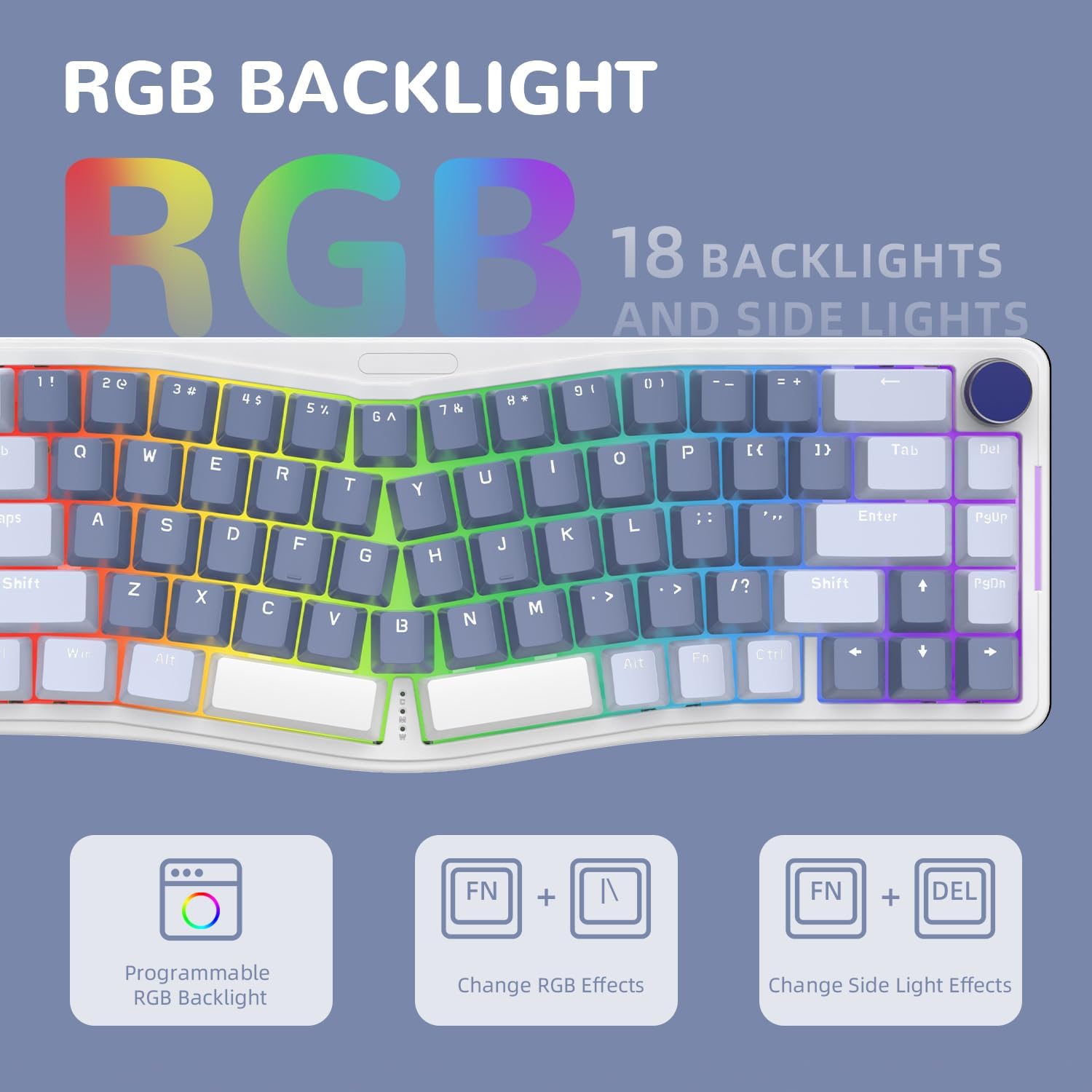
Image: The keyboard displaying its RGB backlighting, with indicators for programmable RGB backlight, changing RGB effects using FN + | keys, and changing side light effects using FN + DEL keys.
3.6 Coiled USB-C Cable
A custom flexible spiral USB-C cable is included, featuring high-quality TPU material, a double-sleeve design, and a professional aviator connector. This cable ensures stable data transmission and is compatible with most USB-C mechanical keyboards.
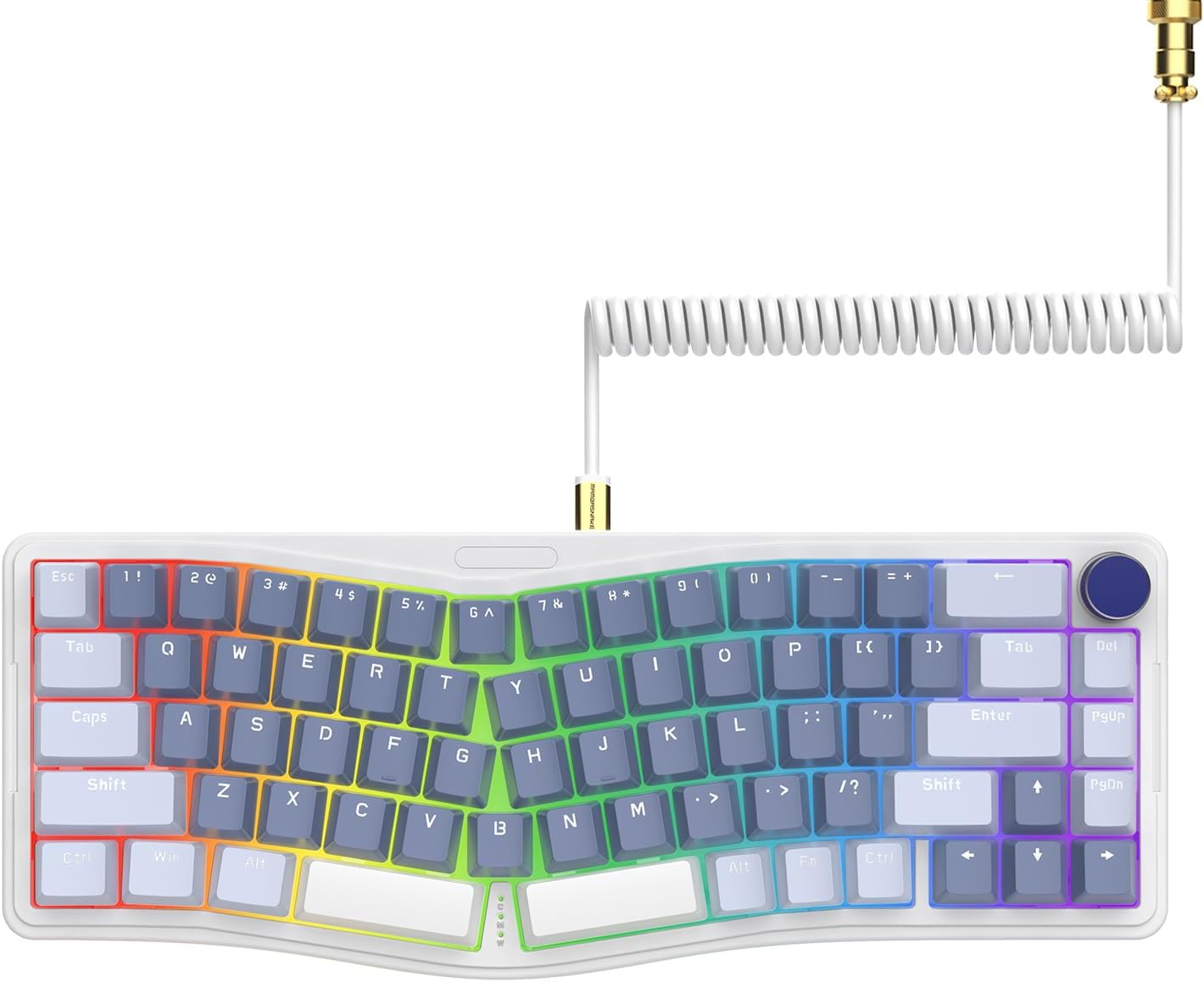
Image: The Ajazz AKS068 keyboard in purple and blue color scheme, connected via its distinctive white coiled USB-C cable with a gold aviator connector.
4. Setup Guide
The Ajazz AKS068 is a kit that requires assembly. Follow these steps to set up your keyboard:
- Unpack Components: Carefully remove all items from the packaging and lay them out on a clean, flat surface.
- Install Switches: Using the provided switch puller if needed, align each pre-lubed red switch with the corresponding hot-swap socket on the PCB. Ensure the pins are straight before gently pressing the switch into place until it clicks. Repeat for all 68 keys.
- Install Keycaps: Place the PBT OEM keycaps onto their respective switches. Ensure they are firmly seated. Use the keycap puller if you need to remove or adjust any keycaps.
- Connect Cable: Connect the coiled USB-C cable to the USB-C port on the keyboard and the other end to an available USB port on your computer (Windows or Mac).
- System Recognition: Your computer should automatically recognize the keyboard. No additional drivers are typically required for basic functionality.
5. Operation Guide
5.1 Basic Functions
- Typing: Begin typing as you would with any standard keyboard.
- Volume Control: Rotate the metal knob clockwise to increase volume, counter-clockwise to decrease volume. Press the knob to mute/unmute audio.
5.2 RGB Lighting Control
The keyboard offers various RGB lighting effects. Use the following key combinations to adjust them:
- Change Top RGB Effects: Press FN + |
- Change Side RGB Effects: Press FN + DEL
- Adjust Brightness/Speed: Refer to the VIA/QMK software for fine-tuning brightness and animation speed.
5.3 VIA/QMK Software Programming
For advanced customization, download the VIA/QMK software. This open-source tool allows you to:
- Remap any key to a different function.
- Assign complex macros to single key presses.
- Customize the rotary knob's functions.
- Adjust RGB lighting modes, colors, and effects.
To use VIA, visit usevia.app in a compatible web browser (e.g., Chrome, Edge) and connect your keyboard. You may need to load the specific JSON definition file for the AKS068, which can typically be found on the manufacturer's support page.
5.4 Operating System Switching
The keyboard supports both Windows and macOS operating systems. Use the following shortcuts to switch modes:
- Switch to Windows Mode: Press FN + A
- Switch to macOS Mode: Press FN + S
6. Maintenance
Regular maintenance helps prolong the life and performance of your keyboard:
- Cleaning Keycaps: Use the keycap puller to remove keycaps. Clean them with a soft cloth dampened with mild soap and water. Ensure they are completely dry before reattaching.
- Cleaning the Board: Use compressed air to remove dust and debris from between switches. For stubborn dirt, a soft brush can be used.
- Switch Care: Avoid spilling liquids on the keyboard. If a switch feels sluggish, it may require re-lubrication or replacement.
- Cable Care: Handle the coiled cable gently, especially the aviator connector, to prevent damage.
7. Troubleshooting
| Problem | Possible Cause | Solution |
|---|---|---|
| Keyboard not responding | Loose cable connection; Incorrect USB port; Driver issue. | Ensure USB-C cable is securely connected to both keyboard and computer. Try a different USB port. Restart your computer. |
| Keys not registering | Switch not fully seated; Damaged switch; Software conflict. | Gently press down on the keycap to ensure the switch is fully seated. If problem persists, remove keycap and switch, then reinsert. If still an issue, replace the switch. Check VIA/QMK for key remapping conflicts. |
| RGB lighting not working/incorrect | Lighting mode off; Software settings; Power issue. | Press FN + | or FN + DEL to cycle through lighting modes. Check VIA/QMK software for lighting configurations. Ensure sufficient USB power. |
| Knob not functioning | Software remapping; Physical obstruction. | Check VIA/QMK software to ensure the knob functions are correctly assigned. Ensure no debris is obstructing the knob's rotation. |
| Keyboard feels wobbly/loose | Loose screws; Gasket not properly seated. | Ensure all screws on the keyboard case are tightened. If comfortable, you may open the case to check gasket seating (refer to online guides if unsure). |
8. Specifications
- Model: Ajazz AKS068
- Layout: 65% Alice Layout, 68-Key
- Connectivity: Wired USB-C
- Mounting Style: Gasket Mount
- Switches: Hot-Swappable (compatible with 3-pin/5-pin MX-style switches), Pre-lubed Linear Red Switches included
- Keycaps: PBT OEM Profile
- Backlighting: RGB (18 top modes, 5 side modes)
- Programmability: VIA/QMK compatible
- Special Features: Rotary Knob, Full Key Anti-Ghosting (NKRO), Adjustable Stand
- Compatible OS: Windows, macOS
- Dimensions: Approximately 16.02 x 7.24 x 2.52 inches
- Weight: Approximately 2.13 pounds
9. Warranty and Support
For warranty information and technical support, please refer to the official Ajazz website or contact your retailer. Keep your purchase receipt as proof of purchase for warranty claims.
Official Ajazz Store: Visit the Ajazz Store on Amazon


