
Introduction
This manual provides essential instructions for the setup, operation, and maintenance of your Toy Shock Ram TRX Pickup 1:22 Scale R/C Vehicle. Please read this manual thoroughly before operating the vehicle to ensure safe and optimal performance. This 1:22 scale remote-controlled vehicle is designed to replicate the rugged and aggressive features of the full-sized Ram TRX, offering stable and responsive control for various terrains.
Package Contents
- 1 x Ram TRX R/C Vehicle
- 1 x 2.4GHz Remote Controller
- 1 x USB Charging Cable (for vehicle battery)
- 1 x Rechargeable Battery Pack (for vehicle)
Setup
1. Charging the Vehicle Battery
- Locate the battery compartment on the underside of the R/C vehicle. You may need to unscrew a small cover.
- Carefully remove the rechargeable battery pack.
- Connect the battery pack to the provided USB charging cable.
- Plug the USB charging cable into a standard USB power adapter (not included) or a computer USB port.
- Allow the battery to charge fully. The indicator light on the USB cable will typically change color or turn off when charging is complete.
- Once charged, disconnect the battery and reinsert it into the vehicle's battery compartment, securing the cover.
Note: Initial charging may take longer. Refer to the battery specifications for exact charging times.
2. Installing Remote Controller Batteries
- Open the battery compartment on the back of the remote controller.
- Insert 2 x AA batteries (not included), ensuring correct polarity (+/-).
- Close the battery compartment cover.
3. Pairing the Vehicle and Remote
- Turn on the R/C vehicle using the ON/OFF switch located on its underside.
- Turn on the remote controller.
- The vehicle and remote should automatically pair. An indicator light on the remote may stop flashing or turn solid to confirm successful pairing.

Image: The Toy Shock Ram TRX R/C Vehicle in red, shown alongside its 2.4GHz remote controller. The vehicle features large off-road tires and a detailed body.
Operating Instructions
Basic Controls
- Forward/Backward: Use the throttle trigger/joystick on the remote to move the vehicle forward or backward.
- Turn Left/Right: Use the steering wheel/joystick on the remote to turn the vehicle left or right.
Trimmer Adjustment
If the vehicle does not drive straight when the steering is centered, use the steering trim adjustment dial or button on the remote controller or the trimmer switch on the underside of the vehicle to fine-tune its direction.
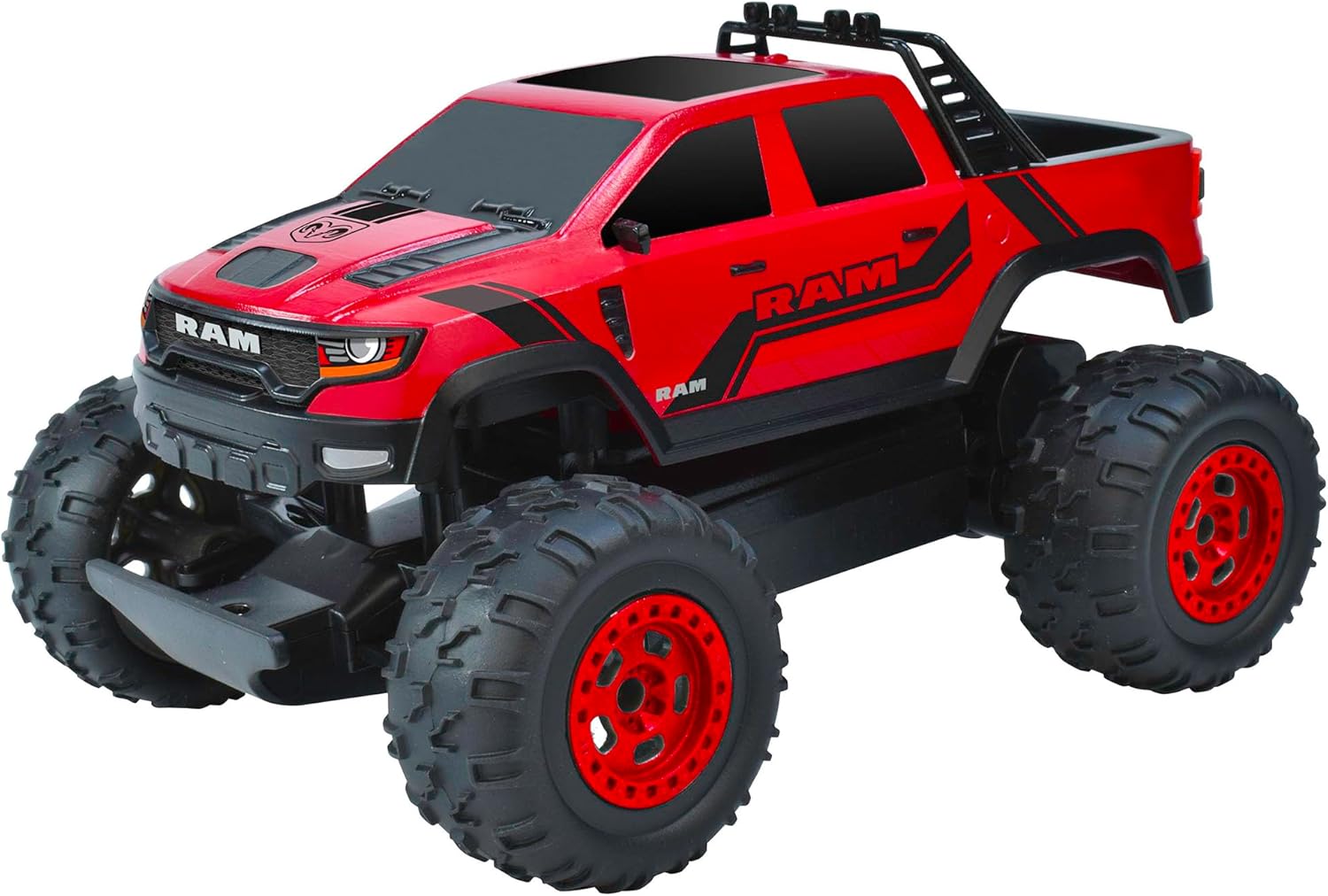
Image: A front three-quarter view of the red Toy Shock Ram TRX R/C Vehicle, highlighting its robust front bumper and detailed grille.
Driving Tips
- The 2.4GHz frequency ensures stable control, suitable for both indoor and outdoor use.
- The vehicle is designed for off-road dominance with durable tires and responsive suspension. It performs well on various terrains including dirt, gravel, and short grass.
- Avoid driving in deep water or extremely muddy conditions to prevent damage to electronic components.

Image: A rear view of the red Toy Shock Ram TRX R/C Vehicle, showcasing its pickup bed and rear light design.
Official Product Videos
No relevant official seller videos for the Toy Shock Ram TRX Pickup (Model 220003A) were found in the provided data.
Maintenance
General Care
- Always turn off the vehicle and remote controller when not in use.
- Remove batteries from the remote controller if storing for extended periods.
- Keep the vehicle away from direct sunlight and heat sources.
Cleaning
- Use a soft, dry cloth to wipe down the vehicle after use.
- For stubborn dirt, a slightly damp cloth can be used, but ensure no water enters electronic components.
- Regularly check wheels and axles for debris that might hinder movement.
Storage
Store the vehicle and remote in a cool, dry place, preferably in its original packaging or a protective container, to prevent dust accumulation and physical damage.

Image: A side profile view of the red Toy Shock Ram TRX R/C Vehicle, highlighting its large wheels and suspension.
Troubleshooting
- Vehicle not responding: Ensure both the vehicle and remote are turned on and batteries are fully charged/fresh. Re-pair the devices if necessary.
- Vehicle not driving straight: Adjust the steering trimmer on the remote or the vehicle's underside until it drives in a straight line.
- Reduced range or interference: Ensure no other 2.4GHz devices are operating nearby. Check for obstacles between the remote and vehicle.
- Slow performance: Recharge the vehicle's battery. Check for debris in the wheels or drivetrain.
Specifications
| Model Number | 220003A |
| Brand | Toy Shock |
| Scale | 1:22 |
| Frequency | 2.4GHz |
| Product Dimensions | 10.43 x 6.3 x 5.32 inches |
| Item Weight | 2.51 pounds |
| Recommended Age | 6 years and up |
| Release Date | January 5, 2023 |
Warranty and Support
For warranty information, technical support, or replacement parts, please contact Toy Shock customer service. Refer to the product packaging or the manufacturer's official website for contact details.