
Jetson Jetson Bolt
Jetson Bolt Folding Electric Ride-On Bike User Manual
Model: Jetson Bolt | Brand: Jetson
Product Overview
The Jetson Bolt Folding Electric Ride-On Bike is designed for convenient and efficient personal transportation. Featuring a lightweight and sturdy steel alloy frame, it supports riders up to 265 lbs. Its electric motor provides speeds up to 15.5 MPH, and the integrated lithium-ion battery offers a range of up to 15 miles on throttle-only mode, or up to 30 miles with pedal assist. The bike is equipped with a twist throttle, LED headlight, and an LED display for battery life monitoring. Its easy-folding mechanism and built-in carrying handle make it highly portable for travel and storage.
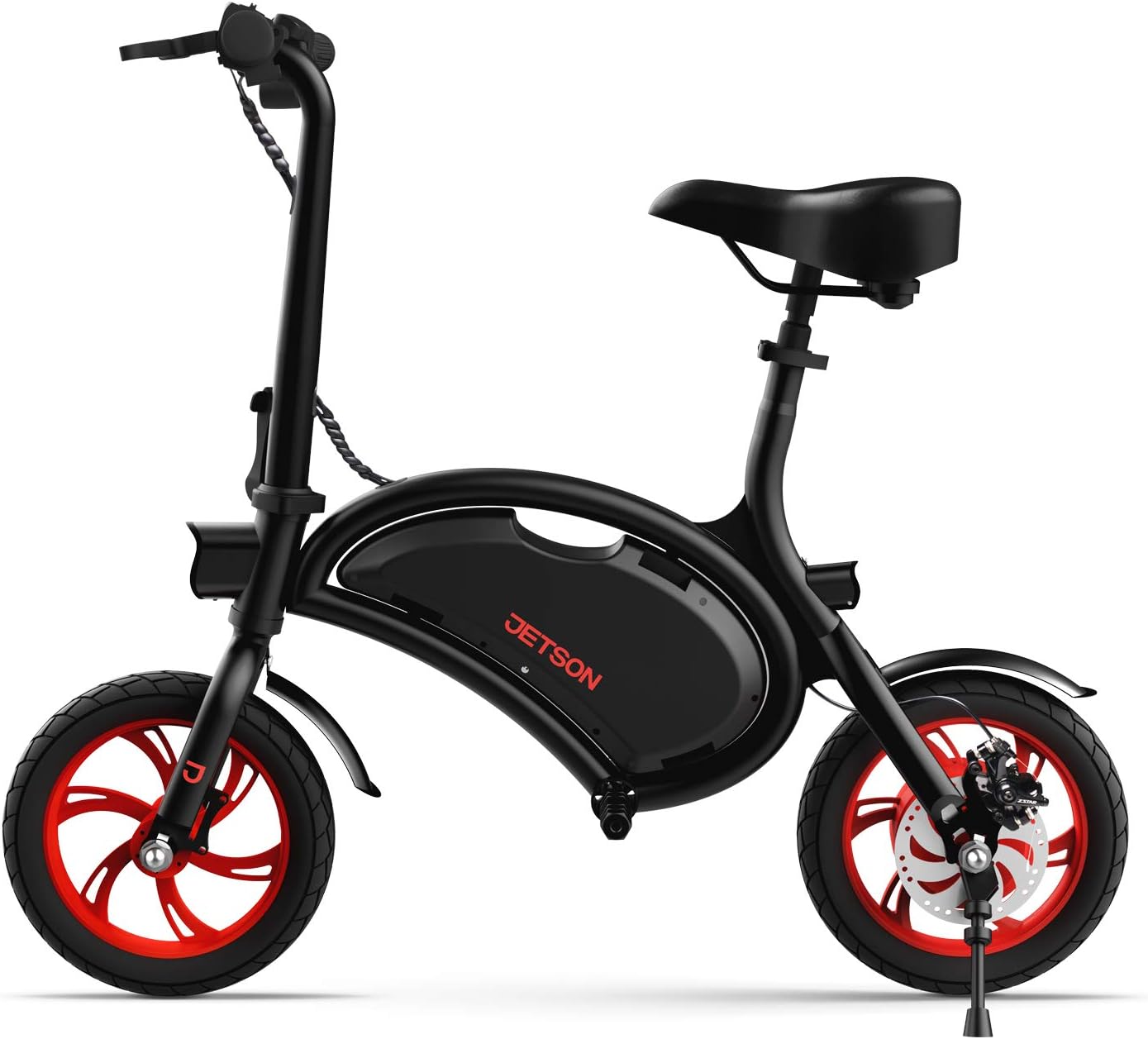
Figure 1: The Jetson Bolt Folding Electric Ride-On Bike in its upright position.
Setup and Assembly
The Jetson Bolt comes mostly pre-assembled, requiring minimal setup to get started. Follow these steps for initial preparation:
- Unfolding the Bike: Carefully remove the bike from its packaging. Unfold the main frame and handlebar stem until they lock securely into place. Ensure all locking mechanisms are engaged before use.
- Adjusting the Seat: Locate the quick-release lever on the seat post. Open the lever, adjust the seat to a comfortable height where your feet can touch the ground, and securely close the lever.
- Charging the Battery: Before first use, fully charge the lithium-ion battery. Connect the provided charger to the bike's charging port and then to a standard electrical outlet. The LED display will indicate charging status. A full charge typically takes approximately 4 hours.
- Checking Tire Pressure: Ensure tires are inflated to the recommended pressure for optimal performance and safety.

Figure 2: Adjustable seat mechanism for rider comfort.
Operating Instructions
Familiarize yourself with the controls before riding. Always wear a helmet and appropriate safety gear.
- Powering On/Off: Press and hold the power button on the handlebar to turn the bike on or off. The LED display will illuminate, showing battery life.
- Twist Throttle: To engage the electric motor, gently twist the throttle grip on the right handlebar. The bike will accelerate smoothly. Release the throttle to slow down.
- Braking: The Jetson Bolt is equipped with disc brakes for reliable stopping power. Squeeze the brake levers on the handlebars to activate the front and rear brakes. Apply both brakes simultaneously for effective stopping.
- LED Headlight: Activate the integrated LED headlight for improved visibility during low-light conditions or night riding.
- Folding for Transport: To fold the bike, disengage the handlebar stem locking mechanism and fold the stem down. The compact design allows for easy storage and transport.

Figure 3: Handlebars showing the LED display for battery life and controls.

Figure 4: Detailed view of the twist throttle for electric propulsion.

Figure 5: The bike in its compact, folded state for easy transport.

Figure 6: Demonstrating the portability of the folded bike, easily carried by its built-in handle.
Maintenance
Regular maintenance ensures the longevity and safe operation of your Jetson Bolt.
- Battery Care: Always fully charge the battery after each use. Avoid completely draining the battery to prolong its lifespan. Store the bike in a cool, dry place when not in use.
- Tire Maintenance: Regularly check tire pressure and inflate as needed. Inspect tires for wear and tear, and replace if necessary.
- Brake Inspection: Periodically check brake pads and cables for wear. Ensure brakes respond effectively. Adjust or replace components as required.
- Cleaning: Use a damp cloth to wipe down the bike. Avoid using high-pressure water jets directly on electrical components.
- General Check: Before each ride, quickly inspect all bolts, nuts, and moving parts to ensure they are secure.
Troubleshooting
| Problem | Possible Cause | Solution |
|---|---|---|
| Bike does not power on | Low battery; Power button not pressed correctly | Charge battery fully; Press and hold power button for 3-5 seconds |
| Motor not engaging | Throttle not twisted; Battery too low; Loose connection | Twist throttle fully; Charge battery; Check all cable connections |
| Reduced range/speed | Under-inflated tires; Overloaded bike; Battery degradation | Inflate tires to recommended PSI; Ensure rider weight is within limits; Contact support for battery assessment |
| Brakes feel loose | Brake cable stretched; Worn brake pads | Adjust brake cable tension; Replace brake pads |
Specifications
- Model Name: Jetson Bolt
- Bike Type: Electric Ride-On Bike
- Motor: 250-Watt
- Top Speed: Up to 15.5 MPH
- Max Range: Up to 15 miles (throttle only), Up to 30 miles (pedal assist)
- Battery: Rechargeable Lithium-Ion (216 Watt Hours)
- Wheel Size: 12 Inches
- Frame Material: Alloy Steel
- Item Weight: 34 Pounds
- Maximum Weight Recommendation: 265 Pounds
- Age Range: 13+ Years
- Brake Style: Disc
- Special Features: Portable, Foldable, Built-in Carrying Handle, Headlight, Adjustable Seat, Twist Throttle, LED Display
- Certifications: UL-2272 Certified

Figure 7: Key performance metrics of the Jetson Bolt.
Warranty and Support
For warranty information and customer support, please refer to the manufacturer's official website or the documentation included with your product. Keep your purchase receipt for warranty claims.
- Warranty Type: Limited
- Warranty Description: See Manufacturer Website
- User Manual (PDF): Download User Manual
- User Guide (PDF): Download User Guide
Related documentsJetson Bolt


Ask a question about this manual
Ask about setup, troubleshooting, compatibility, parts, safety, or missing instructions. Manuals+ will review the question and use this page’s manual context to help answer it.