
SUNITEC EU-BT200
SUNITEC Bluetooth Audio Transmitter User Manual
Model: EU-BT200
Introduction
The SUNITEC Bluetooth Audio Transmitter (Model EU-BT200) is designed to provide a seamless wireless audio experience for devices equipped with a 3.5mm AUX jack. This adapter allows you to connect your favorite Bluetooth headphones or earbuds, including AirPods, to in-flight entertainment systems, TVs, gym equipment, and more. It supports advanced audio codecs like aptX, aptX Adaptive, and aptX HD for high-quality, low-latency sound. With its dual-pairing capability, two users can enjoy audio simultaneously, making it an ideal companion for shared listening experiences.
What's in the Box
Upon unboxing your SUNITEC Bluetooth Audio Transmitter, you will find the following components:
- SUNITEC Bluetooth Audio Transmitter (EU-BT200)
- USB-C Charging Cable
- Dual-prong Airplane Adapter
- User Manual
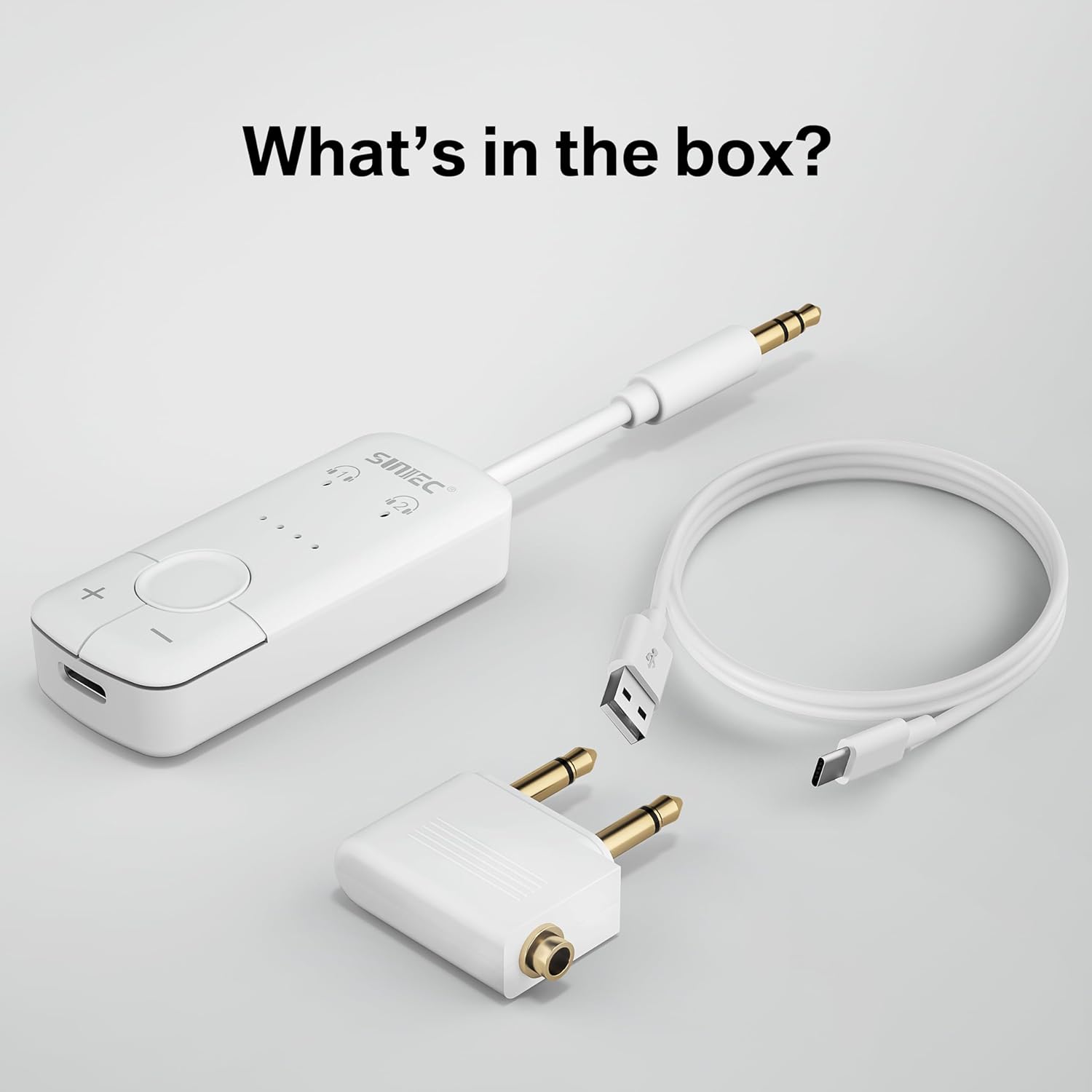
Image: The SUNITEC Bluetooth Audio Transmitter, its USB-C charging cable, and the dual-prong airplane adapter, laid out next to the product box.
Product Features
- Wide Compatibility: Connects to any device with a 3.5mm AUX jack, including airplanes, TVs, gym equipment, and more. Compatible with all Bluetooth headphones and earbuds, including AirPods.
- aptX Audio Support: Ensures superior sound quality with aptX, aptX Adaptive, and aptX HD for lossless music streaming and low-latency audio.
- Dual Pairing: Connect up to two Bluetooth headphones simultaneously for shared audio experiences.
- Extended Playtime: Up to 20 hours of continuous use on a single charge.
- Easy Setup: Simple pairing process with no complex downloads or installations.
- Portable Design: Compact and lightweight for easy travel.

Image: Detailed diagram illustrating the various buttons and indicators on the SUNITEC Bluetooth Audio Transmitter.
Setup
1. Charging the Device
Before first use, fully charge the SUNITEC Bluetooth Audio Transmitter. Connect the provided USB-C cable to the transmitter's charging port and plug the other end into a USB power source. The battery status indicators (four dots) will illuminate, and when all four are solid, the device is fully charged. A full charge typically takes about 2 hours.
Video: An overview of the SUNITEC Bluetooth Audio Transmitter, including unboxing and initial charging instructions.
2. Powering On/Off
Locate the ON/OFF switch on the side of the transmitter. Slide the switch to the "ON" position to power on the device. The headset indicators will light up.
3. Pairing with Headphones
To pair your Bluetooth headphones with the transmitter:
- Ensure your headphones are in pairing mode (refer to your headphone's manual for specific instructions, usually indicated by a flashing light).
- On the SUNITEC transmitter, press and hold the Multi-Function Button (MFB) for 3-5 seconds until the LED indicator flashes red and blue.
- Place the transmitter and your headphones close to each other. They should automatically connect within 5-7 seconds. Once connected, the LED on the transmitter will turn solid blue.

Image: Visual guide for putting the transmitter and headphones into pairing mode.
Video: Demonstrates the process of connecting the BT200 transmitter to a single headphone.
4. Dual Device Pairing
The SUNITEC EU-BT200 supports connecting to two Bluetooth headphones simultaneously. After successfully pairing the first headphone, repeat the pairing process for the second headphone. The second headset indicator on the transmitter will also turn solid blue once connected.

Image: Two users enjoying shared audio via the dual connection feature.
Video: Instructions on how to connect two devices simultaneously to the BT200 transmitter.
Operating Instructions
1. Connecting to Audio Source
Plug the 3.5mm audio jack of the transmitter directly into the audio output port of your desired device (e.g., airplane entertainment system, TV, gym equipment, laptop, MP3 player). For airplane use, if the system requires a dual-prong jack, attach the provided dual-prong adapter to the transmitter's 3.5mm jack before plugging it in.

Image: Transmitter connected to an airplane seat's audio jack.
2. Volume Control
Use the '+' and '-' buttons on the transmitter to adjust the volume of the connected headphones. This allows for convenient volume control directly from the transmitter.
3. Checking Battery Life
To check the remaining battery life, double-click the Multi-Function Button (MFB). The four LED dots will indicate the battery level.
Video: Short demonstration on how to check the remaining battery life of the SUNITEC BT200.
Maintenance
To ensure the longevity and optimal performance of your SUNITEC Bluetooth Audio Transmitter, follow these maintenance guidelines:
- Cleaning: Wipe the device with a soft, dry cloth. Avoid using harsh chemicals or abrasive cleaners.
- Storage: Store the transmitter in a cool, dry place away from direct sunlight and extreme temperatures.
- Battery Care: Recharge the device regularly, even if not in frequent use, to maintain battery health. Avoid fully depleting the battery for extended periods.
- Handling: Handle the device with care. Avoid dropping it or exposing it to excessive force, as this can damage internal components.
Troubleshooting
If you encounter issues with your SUNITEC Bluetooth Audio Transmitter, refer to the following common troubleshooting steps:
| Problem | Possible Cause | Solution |
|---|---|---|
| Device not powering on. | Low battery. | Charge the device fully. |
| Cannot pair with headphones. | Headphones not in pairing mode; devices too far apart; interference. | Ensure headphones are in pairing mode. Place devices closer. Move away from other wireless devices. |
| No audio or poor audio quality. | Incorrect connection; volume too low; incompatible audio codec. | Ensure 3.5mm jack is fully inserted. Increase volume on both transmitter and headphones. Verify audio source is playing. |
| Cannot connect to two devices simultaneously. | Incorrect pairing sequence for second device. | Ensure the first device is paired, then initiate pairing for the second device as per instructions. |
Specifications
| Feature | Detail |
|---|---|
| Model Number | EU-BT200 |
| Product Dimensions | 2.36 x 0.98 x 0.39 inches |
| Item Weight | 0.663 ounces |
| Connectivity Technology | Wireless (Bluetooth 5.3) |
| Supported Audio Codecs | Qualcomm aptX, aptX HD, aptX Adaptive |
| Power Source | Battery Powered (rechargeable Li-ion battery included) |
| Playtime | Up to 20 hours |
| Material | Plastic |
| Manufacturer | SUNITEC |
| Country of Origin | China |
Warranty and Support
SUNITEC is committed to providing high-quality products and customer satisfaction. For any issues or inquiries, please refer to the following:
- Manufacturer's Warranty: SUNITEC offers a 365-day free return policy for any product problems.
- Customer Support: Expect a quick response within 24 hours for your questions and concerns.
- Online Resources: Visit the official SUNITEC website for additional support and product information: www.sunitec.net/en/
For safety information regarding battery handling, temperature exposure, and regulatory compliance, please consult the general safety warnings that may apply to electronic devices.
Related documentsEU-BT200


Ask a question about this manual
Ask about setup, troubleshooting, compatibility, parts, safety, or missing instructions. Manuals+ will review the question and use this page’s manual context to help answer it.