
1. Introduction
Thank you for choosing the Focal Aria Evo X Center Channel Speaker. This manual provides essential information for the proper setup, operation, and maintenance of your speaker. Please read this manual thoroughly before using your speaker and retain it for future reference.
The Aria Evo X Center speaker is designed to integrate seamlessly into a high-performance Home Cinema system. Its 2-way design and Flax sandwich cone drivers ensure clear, transparent sound and articulate vocal reproduction, crucial for an immersive cinematic experience.
2. Safety Instructions
To prevent damage and ensure safe operation, please observe the following safety precautions:
- Placement: Position the speaker on a stable, level surface to prevent it from falling. Avoid placing it near heat sources, direct sunlight, or in areas with high humidity.
- Ventilation: Ensure adequate ventilation around the speaker. Do not block any ventilation openings.
- Power: Connect the speaker to an appropriate amplifier. Do not exceed the recommended power handling capacity.
- Cleaning: Use a soft, dry cloth for cleaning. Avoid liquid cleaners or abrasive materials.
- Servicing: Do not attempt to service the speaker yourself. Refer all servicing to qualified service personnel.
- Children: Keep packaging materials and small parts away from children to prevent choking hazards.
3. Package Contents
Verify that all items are present in the package:
- 1 x Focal Aria Evo X Center Channel Speaker (Model: FARIAEVOXCCMGR)
- 1 x Speaker Grille
- 1 x User Manual (this document)
Note: Speaker cables are typically sold separately and are not included.
4. Setup
4.1 Unpacking
Carefully remove the speaker from its packaging. Retain all packaging materials for future transport or storage.
4.2 Placement
The center channel speaker is crucial for dialogue clarity in a home cinema system. Optimal placement is directly above or below the center of your television or projection screen, at ear level when seated. Ensure the speaker is stable and not obstructed.

Image: Front view of the Focal Aria Evo X Center Channel Speaker without its protective grille, showcasing the two Flax cone woofers and the central tweeter.

Image: The Focal Aria Evo X Center Channel Speaker integrated into a home cinema environment, positioned below a television, flanked by floorstanding speakers.
4.3 Connections
Connect the speaker to the center channel output of your AV receiver or amplifier using high-quality speaker cables. Ensure correct polarity (+ to + and - to -) to maintain proper phase alignment.

Image: Rear view of the Focal Aria Evo X Center Channel Speaker, highlighting the speaker wire terminals and the two rear bass ports.
- Turn off your AV receiver/amplifier before making any connections.
- Strip approximately 1/2 inch (12mm) of insulation from the ends of your speaker cables.
- Unscrew the binding posts on the back of the speaker and your amplifier.
- Insert the bare wire into the corresponding terminals (red for positive, black for negative).
- Tighten the binding posts securely.
5. Operating Instructions
5.1 Initial Power-Up
Once all connections are secure, power on your AV receiver/amplifier. Select an audio source and gradually increase the volume to a low level to confirm sound output.
5.2 System Calibration
For optimal performance in a home cinema setup, it is recommended to run the automatic room correction system (e.g., Audyssey, MCACC, YPAO) on your AV receiver. This will calibrate the speaker levels, distances, and equalization for your listening environment.
If manual setup is preferred, adjust the center channel level to ensure dialogue is clear and balanced with other channels.
5.3 Grille Attachment
The speaker comes with a magnetic grille. You can choose to use the speaker with or without the grille. For protection against dust and physical damage, attach the grille by aligning it with the front baffle; the magnets will hold it in place.
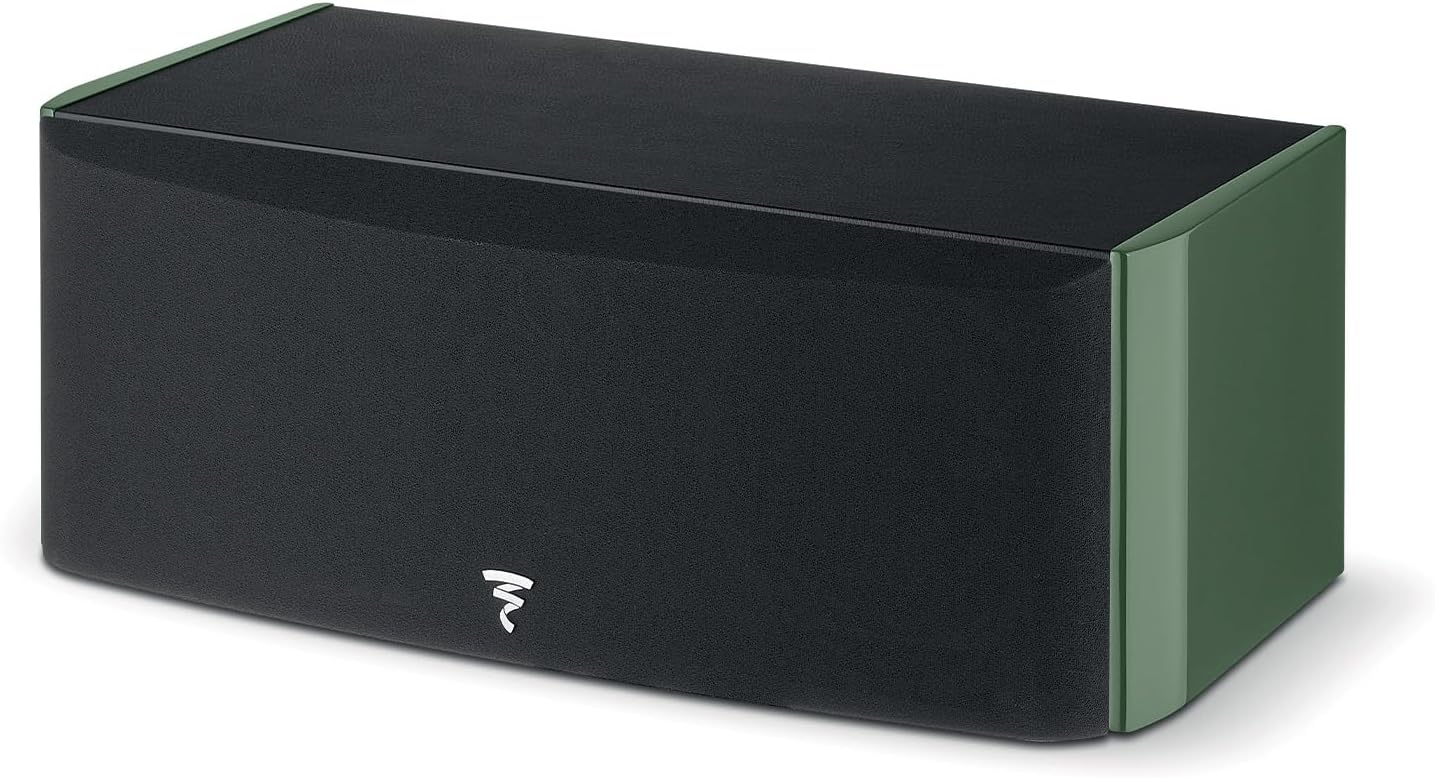
Image: Front view of the Focal Aria Evo X Center Channel Speaker with its protective grille attached, showing a clean, minimalist aesthetic.
6. Maintenance
Proper care will ensure the longevity and performance of your Focal Aria Evo X Center Channel Speaker.
- Cleaning the Cabinet: Use a soft, lint-free cloth to gently wipe the cabinet. For stubborn marks, a slightly damp cloth can be used, followed immediately by a dry cloth. Avoid harsh chemicals or abrasive cleaners.
- Cleaning the Grille: The magnetic grille can be carefully removed and gently dusted with a soft brush or vacuumed with a low-power setting.
- Driver Care: Avoid touching the speaker cones or tweeter dome. Dust can be removed from the drivers using a soft brush or compressed air from a distance.
- Environmental Conditions: Keep the speaker away from extreme temperatures, humidity, and direct sunlight.
7. Troubleshooting
If you encounter issues with your speaker, refer to the following common problems and solutions:
| Problem | Possible Cause | Solution |
|---|---|---|
| No sound from speaker | Incorrect wiring; Amplifier off; Source not selected; Volume too low | Check speaker cable connections and polarity; Ensure amplifier is on and correct input is selected; Increase volume. |
| Distorted sound | Overdriving speaker; Loose connections; Damaged cable | Reduce volume; Check all connections for tightness; Inspect speaker cables for damage. |
| Dialogue unclear or too quiet | Center channel level too low; Incorrect placement | Adjust center channel level in your AV receiver settings; Ensure speaker is positioned optimally and unobstructed. |
| Speaker hums or buzzes | Ground loop; Interference from other electronics | Ensure all components are plugged into the same power outlet or power conditioner; Move speaker away from other electronic devices. |
If the problem persists after trying these solutions, please contact Focal customer support or your authorized dealer.
8. Specifications
Key technical specifications for the Focal Aria Evo X Center Channel Speaker (Model: FARIAEVOXCCMGR):
- Speaker Type: 2-way Center Channel Speaker
- Drivers: 2 x 6.5" (16.5cm) Flax bass/midrange, 1 x 1" (25mm) 'M'-shaped inverted dome TAM tweeter
- Recommended Amplifier Power: Up to 150 Watts
- Frequency Response: (Not explicitly stated in input, but typical for center channel)
- Sensitivity: (Not explicitly stated in input)
- Nominal Impedance: (Not explicitly stated in input)
- Dimensions (H x W x D): 7.88" x 21" x 9.63" (20cm x 53.3cm x 24.5cm approx.)
- Weight: 23.2 lbs (10.5 kg)
- Color: Moss Green (High Gloss)
- Connectivity: RCA (Binding Posts)
- Surround Sound Channel Configuration: Designed for 5.1 systems

Image: Diagram illustrating the dimensions of the Focal Aria Evo X Center Channel Speaker: 21 inches wide, 7.88 inches high, and 9.62 inches deep.
9. Warranty and Support
The Focal Aria Evo X Center Channel Speaker comes with a Limited Warranty. Please refer to the warranty card included with your product or visit the official Focal website for detailed terms and conditions.
For technical support, service, or warranty claims, please contact your authorized Focal dealer or Focal customer service directly. You may need to provide your proof of purchase and the product's serial number.
Manufacturer: Focal
Model Number: FARIAEVOXCCMGR
Date First Available: January 9, 2024
Focal Website: www.focal.com


