
BLACK+DECKER BDUR2-WHT-AZ
BLACK+DECKER UprightSeries+ Upright Bagless Vacuum
Model: BDUR2-WHT-AZ
Introduction
This manual provides essential information for the safe and efficient operation, maintenance, and troubleshooting of your BLACK+DECKER UprightSeries+ Upright Bagless Vacuum. Designed for powerful cleaning on both carpets and hard floors, this vacuum features a robust 900W motor and a HEPA filtration system. Please read this manual thoroughly before first use and retain it for future reference.

Image: The BLACK+DECKER UprightSeries+ Upright Bagless Vacuum in white and blue, showcasing its full upright design with the dustbin and hose visible.
Important Safety Instructions
When using an electrical appliance, basic precautions should always be followed, including the following:
- Read all instructions before using this vacuum cleaner.
- Always unplug the vacuum cleaner from the electrical outlet before cleaning or servicing.
- Do not use outdoors or on wet surfaces.
- Do not allow to be used as a toy. Close attention is necessary when used by or near children.
- Use only as described in this manual. Use only manufacturer's recommended attachments.
- Do not use with damaged cord or plug. If appliance is not working as it should, has been dropped, damaged, left outdoors, or dropped into water, return it to a service center.
- Do not pull or carry by cord, use cord as a handle, close a door on cord, or pull cord around sharp edges or corners. Do not run appliance over cord. Keep cord away from heated surfaces.
- Do not unplug by pulling on cord. To unplug, grasp the plug, not the cord.
- Do not handle plug or vacuum cleaner with wet hands.
- Do not put any object into openings. Do not use with any opening blocked; keep free of dust, lint, hair, and anything that may reduce air flow.
- Keep hair, loose clothing, fingers, and all parts of body away from openings and moving parts.
- Do not pick up anything that is burning or smoking, such as cigarettes, matches, or hot ashes.
- Do not use to pick up flammable or combustible liquids, such as gasoline, or use in areas where they may be present.
- Do not use without dust cup and/or filters in place.
- Turn off all controls before unplugging.
- Use extra care when cleaning on stairs.
Package Contents
Verify that all components are present before assembly and operation:
- BLACK+DECKER UprightSeries+ Upright Bagless Vacuum Unit
- Crevice Tool
- Extension Wand
- Pet Brush (Upholstery Tool)
- Instruction Guide (this manual)
Assembly
The BLACK+DECKER UprightSeries+ vacuum requires minimal assembly. Follow these steps to prepare your vacuum for use:
- Carefully remove all components from the packaging.
- Insert the handle into the main vacuum body until it clicks securely into place. A single screw may be required to firmly attach the handle; ensure it is tightened.
- Attach the hose to the designated port on the vacuum body, ensuring a snug fit.
- Store the included attachments (crevice tool, pet brush, extension wand) on the onboard storage clips for easy access.
Operation
Powering On/Off
To turn the vacuum on or off, locate the foot pedal switch near the base of the unit. Press the pedal firmly to activate or deactivate the vacuum.
Adjusting Carpet Height Settings
The vacuum features 5 adjustable height settings to optimize cleaning performance on various floor types. To adjust, ensure the vacuum is in the upright position, then rotate the dial located on the front of the cleaner head to select the appropriate setting:
- Lowest Setting: Ideal for bare floors and low-pile carpets.
- Higher Settings: Suitable for medium to high-pile carpets.
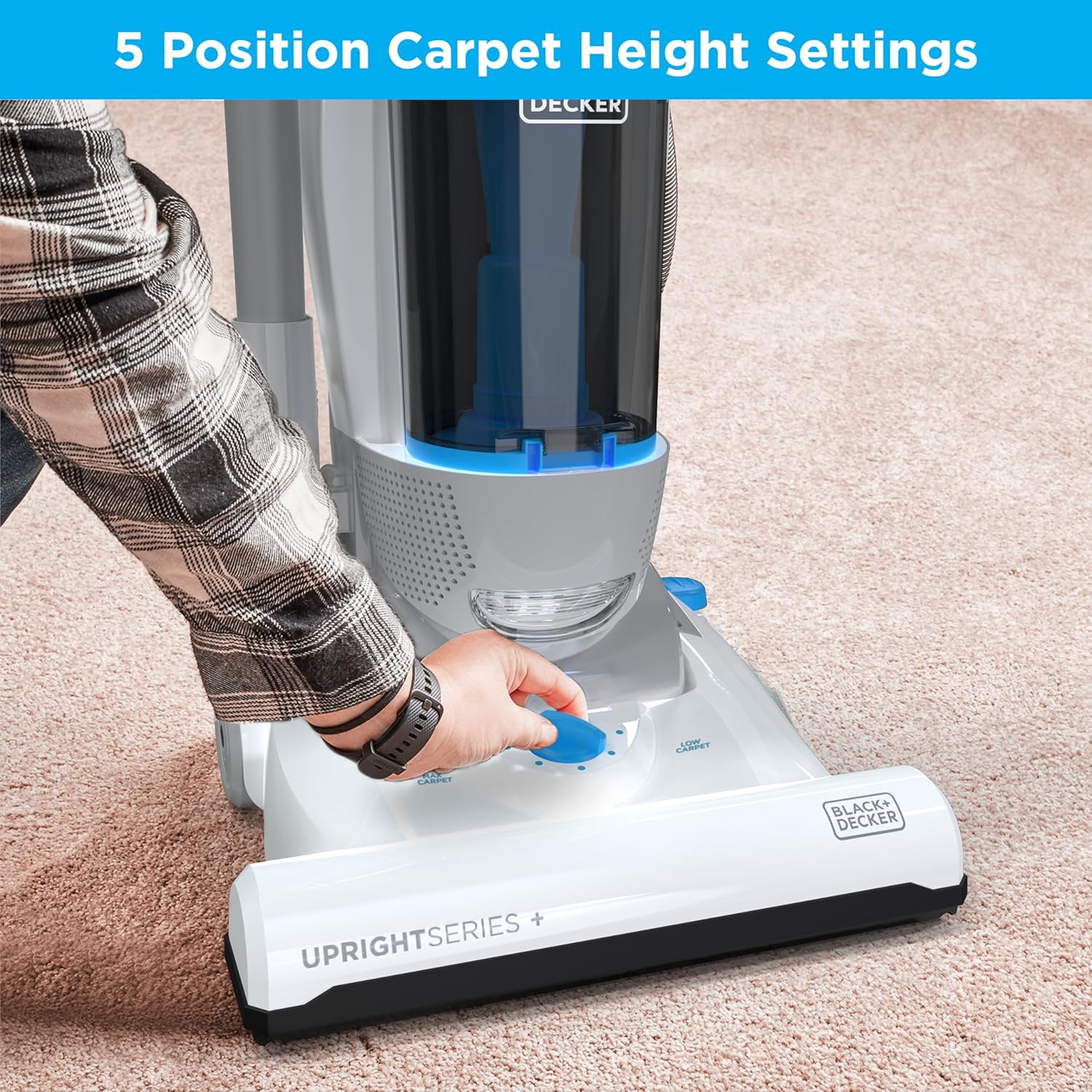
Image: A hand adjusting the 5-position carpet height setting dial on the vacuum's base, with the vacuum positioned on a carpeted floor.
Cleaning Different Surfaces
This vacuum is designed for versatile cleaning across multiple surfaces, from plush carpets to hard floors, maintaining consistent suction.

Image: The BLACK+DECKER vacuum being used on a light-colored carpet, demonstrating its ability to clean various debris with consistent suction.
Using Attachments
The UprightSeries+ comes with specialized tools for enhanced cleaning:
- Pet Brush (Upholstery Tool): Ideal for removing stubborn pet hair from upholstery, stairs, and other fabric surfaces. Attach it to the end of the hose or extension wand.

Image: A close-up of the rotating pet brush attachment being used to clean pet hair from a beige upholstered chair.
- Crevice Tool: Perfect for reaching tight corners, edges, and narrow spaces.

Image: A person using the crevice tool attachment to clean between the cushions of an upholstered chair, with the vacuum unit visible in the background.
- Extension Wand: Provides extended reach for cleaning high areas, ceilings, or under furniture. Attach the crevice tool or pet brush to the end of the wand.

Image: A person using the extension wand with a small brush attachment to clean a high window curtain, demonstrating the extended reach capability.
Maintenance and Care
Emptying the Dustbin
The vacuum features a large capacity, easy-empty dustbin. To empty, press the release button to detach the dustbin from the main unit. Position the dustbin over a trash receptacle and press the bottom release latch to open the bin and dispose of collected debris. Close the latch securely before reattaching the dustbin to the vacuum.
Cleaning the HEPA Filter
The HEPA filter is washable and designed to capture fine particles and allergens. Regular cleaning ensures optimal suction and air filtration.
- Remove the dustbin from the vacuum.
- Locate and remove the HEPA filter from the dustbin assembly.
- Rinse the filter under cool, running water until the water runs clear. Do not use detergents or hot water.
- Allow the filter to air dry completely for at least 24 hours before reinserting it into the vacuum. Do not use the vacuum with a wet filter.

Image: A person rinsing the washable HEPA filter under a kitchen faucet, demonstrating the cleaning process.
Cleaning the Brush Roll
Periodically inspect the brush roll for tangled hair, strings, or debris. To clean, unplug the vacuum, turn it over, and carefully cut away any tangled material with scissors. Ensure the brush roll spins freely before resuming operation.
Troubleshooting
If you encounter issues with your vacuum, refer to the following common problems and solutions:
| Problem | Possible Cause | Solution |
|---|---|---|
| Vacuum does not turn on | No power to the unit; power switch not engaged. | Check if the power cord is securely plugged into a working outlet. Press the foot pedal switch firmly. |
| Loss of suction | Dustbin full; filter clogged; hose or nozzle blocked. | Empty the dustbin. Clean or replace the HEPA filter. Check the hose and nozzle for obstructions and remove them. |
| Brush roll not spinning | Obstruction in brush roll; belt broken or dislodged. | Unplug the vacuum and remove any hair or debris tangled around the brush roll. If the issue persists, contact customer support. |
| Vacuum is difficult to push | Carpet height setting too low. | Adjust the carpet height setting to a higher position suitable for your carpet type. |
Specifications
| Brand | BLACK+DECKER |
| Model Name | UPRIGHTSERIES+ |
| Item Model Number | BDUR2-WHT-AZ |
| Wattage | 900 watts |
| Amperage | 7.5 Amps |
| Filter Type | HEPA Filter |
| Capacity | 4 Liters |
| Product Dimensions | 14"L x 12.5"W x 45.2"H |
| Item Weight | 7 pounds |
| Hose Length | 45 Inches |
| Cleaning Path Width | 14 Inches |
| Included Components | Crevice Tool, Extension Wand, Pet Brush, Instruction Guide |
| Special Features | Bagless, HEPA, Hypoallergenic, Lightweight, Wheels |
Warranty and Customer Support
For warranty information, product registration, or technical assistance, please refer to the official BLACK+DECKER website or contact their customer support directly. Keep your purchase receipt as proof of purchase for any warranty claims.
You can also visit the BLACK+DECKER Store on Amazon for more product details and support resources.
Related documentsBDUR2-WHT-AZ


Ask a question about this manual
Ask about setup, troubleshooting, compatibility, parts, safety, or missing instructions. Manuals+ will review the question and use this page’s manual context to help answer it.