
1. Introduction
This manual provides detailed instructions for the safe and effective use of the Jectse Digital Push Pull Force Gauge. This device is designed for precise measurement of push and pull forces, offering reliable test results for various applications. Please read this manual thoroughly before operation and retain it for future reference.

Figure 1: Front view of the Jectse Digital Push Pull Force Gauge.
2. Safety Information
- Always handle the device with care to prevent damage.
- Do not exceed the maximum measurement range of 200N to avoid damaging the sensor.
- Keep the device away from liquids, dust, and extreme temperatures.
- Do not attempt to disassemble or modify the device, as this will void the warranty and may cause malfunction.
- Ensure proper battery installation and dispose of used batteries according to local regulations.
- Avoid using the device in environments with strong vibrations or corrosive media.
3. Package Contents
Verify that all items are present in the package:
- 1 x Jectse Digital Push Pull Force Gauge
- 2 x AAA 1.5V Batteries
- 6 x Fixture Heads (various types for different applications)
- 4 x M4 x 8 Hex Screws
- 4 x M4 x 10 Hex Screws
- 8 x Gaskets
- 2 x Nuts
- 1 x Storage Box
4. Product Overview
Key Features:
- Digital Display: Equipped with an integrated sensor for accurate measurement of product push and pull forces, providing reliable test results.
- Multi-functional Design: Supports various test scenarios, widely applicable in material mechanics, product development, and quality control.
- Compact and Portable: Small in size, easy to carry and operate, making it suitable for diverse laboratory and field applications.
- User-Friendly Interface: Intuitive controls ensure ease of use, saving time and effort during testing.
- Durable Construction: Manufactured from premium aluminum alloy, ensuring long-term accuracy and reliability.

Figure 2: The force gauge can be used for various test purposes, including push, pull, and tension measurements.
5. Setup
5.1 Battery Installation
- Locate the battery compartment on the back of the device.
- Slide the battery cover open.
- Insert two AAA 1.5V dry batteries, ensuring correct polarity (+/-).
- Close the battery cover securely.

Figure 3: Rear view of the device, highlighting the battery compartment.
5.2 Attaching Fixture Heads
- Select the appropriate fixture head (e.g., hook, flat head) for your specific measurement task.
- Screw the chosen fixture head firmly into the threaded opening at the top or bottom of the force gauge.
- Ensure the fixture head is securely attached before applying any force.

Figure 4: Detail of the hook attachment mechanism.
6. Operating Instructions
6.1 Power On/Off
Press the Power button (usually marked with a circle and line symbol) to turn the device on or off.
6.2 Unit Selection
Press the UNIT button to cycle through the available measurement units: Newtons (N), Kilograms (kg), Pounds (lb), and Ounces (oz).

Figure 5: The device supports multiple units and features a backlight for readability.
6.3 Measurement Modes
The device offers three measurement modes:
- Real-time Mode: The displayed value changes continuously as force is applied or released.
- Peak Mode: The display holds the maximum force value detected during the measurement period.
- First Peak Mode: Records the first peak value within a measurement period. The value must be cleared before a new measurement can be taken.
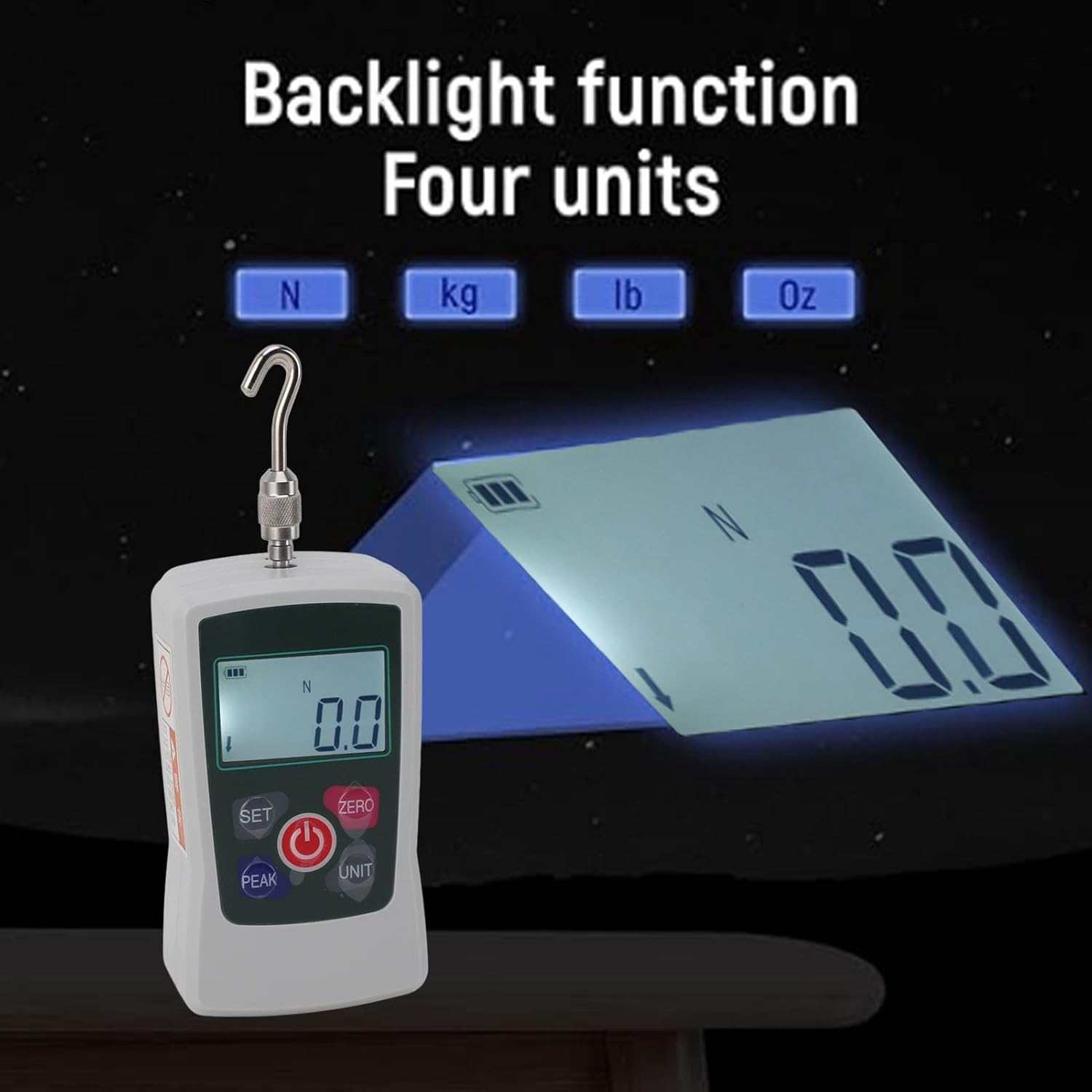
Figure 6: Explanation of the three available measurement modes.
6.4 Zeroing the Device
Before taking a measurement, ensure no force is applied to the sensor, then press the ZERO button to reset the display to 0.0.
6.5 Taking a Measurement
- Ensure the device is powered on and zeroed.
- Select the desired measurement unit and mode.
- Apply the force to be measured using the attached fixture head.
- Read the force value displayed on the screen.
- For Peak or First Peak modes, note the value before clearing for subsequent measurements.

Figure 7: Control buttons for setting, peak, zero, unit selection, and power.
7. Maintenance
7.1 Cleaning
Wipe the exterior of the device with a soft, dry cloth. Do not use abrasive cleaners, solvents, or immerse the device in water.
7.2 Storage
When not in use, store the force gauge in its original storage box in a dry, cool place, away from direct sunlight and extreme temperatures. If storing for extended periods, remove the batteries to prevent leakage.
7.3 Calibration
Regular calibration is recommended to ensure the continued accuracy of the device. For calibration services, please contact Jectse customer support or a qualified technician.
8. Troubleshooting
| Problem | Possible Cause | Solution |
|---|---|---|
| Device does not power on | Low or depleted batteries; Incorrect battery installation | Check battery polarity; Replace batteries with new AAA 1.5V batteries. |
| Inaccurate readings | Device not zeroed; Loose fixture head; Overload; Need for calibration | Press ZERO button before measurement; Ensure fixture head is tight; Do not exceed 200N; Contact for calibration. |
| Display shows error message | Internal malfunction; Sensor issue | Turn off and restart the device. If the error persists, contact customer support. |
9. Specifications
- Product Type: Digital Dynamometer
- Material: Aluminum Alloy
- Battery Type: AAA 1.5V Dry Battery x 2
- Battery Capacity: 600mAh
- Measurement Range: 20N to 200N
- Sensor Structure: Built-in
- Accuracy: ±1%
- Operating Temperature: 5°C to 35°C
- Transport Temperature: -10°C to 60°C
- Relative Humidity: 15% to 80% RH
- Working Environment: No vibration, no corrosive media around
- Manufacturer: Jectse
- Model Number: Jectseva643uk5fy
- Item Weight: 463g
- Package Dimensions: 20.9 x 15.1 x 5.4 cm
10. Warranty and Support
For detailed warranty information, technical support, or service inquiries, please contact Jectse customer service through the official Jectse website or your point of purchase. Please have your model number (Jectseva643uk5fy) and purchase date available when contacting support.