
Introduction
Thank you for choosing the Focal Aria Evo X No. 3 Floorstanding Loudspeaker. This manual provides essential information for the proper setup, operation, and maintenance of your speaker to ensure optimal performance and longevity. The Aria Evo X No. 3 is a 3-way floorstanding loudspeaker designed to deliver a natural sound with rich midrange reproduction and powerful bass, suitable for both music and home cinema applications.

Image: Front view of the Focal Aria Evo X No. 3 Floorstanding Loudspeaker in Gloss Black, showcasing its elegant design and driver configuration.
Setup
1. Unpacking
Carefully remove the speaker from its packaging. Ensure all components are present. The package includes one floorstanding speaker.
2. Placement
Proper speaker placement is crucial for optimal sound quality. Consider the following guidelines:
- Room Acoustics: Place speakers in a room that is not excessively reflective or absorbent.
- Distance from Walls: Position the speakers away from walls to prevent excessive bass resonance. Experiment with distances to find the best balance.
- Stereo Imaging: For a stereo setup, place the speakers equidistant from your primary listening position, forming an equilateral triangle.
- Toe-in: Slightly angle the speakers inward towards the listening position to improve soundstage and focus.

Image: The Focal Aria Evo X No. 3 Floorstanding Loudspeaker positioned in a modern living room, demonstrating typical placement for optimal listening.

Image: A complete home theater setup featuring Focal Aria Evo X speakers, including floorstanding models, a center channel, and a subwoofer, illustrating system integration.
3. Connecting the Speaker
The Aria Evo X No. 3 connects to your amplifier using standard speaker cables. Ensure your amplifier is turned off before making any connections.
- Identify the positive (+) and negative (-) terminals on both your amplifier and the speaker.
- Connect the positive (+) terminal of the amplifier to the positive (+) terminal of the speaker.
- Connect the negative (-) terminal of the amplifier to the negative (-) terminal of the speaker.
- Ensure all connections are secure to prevent signal loss or short circuits.
The speaker has an impedance of 2.8 Ohm. Ensure your amplifier is compatible with this impedance rating.
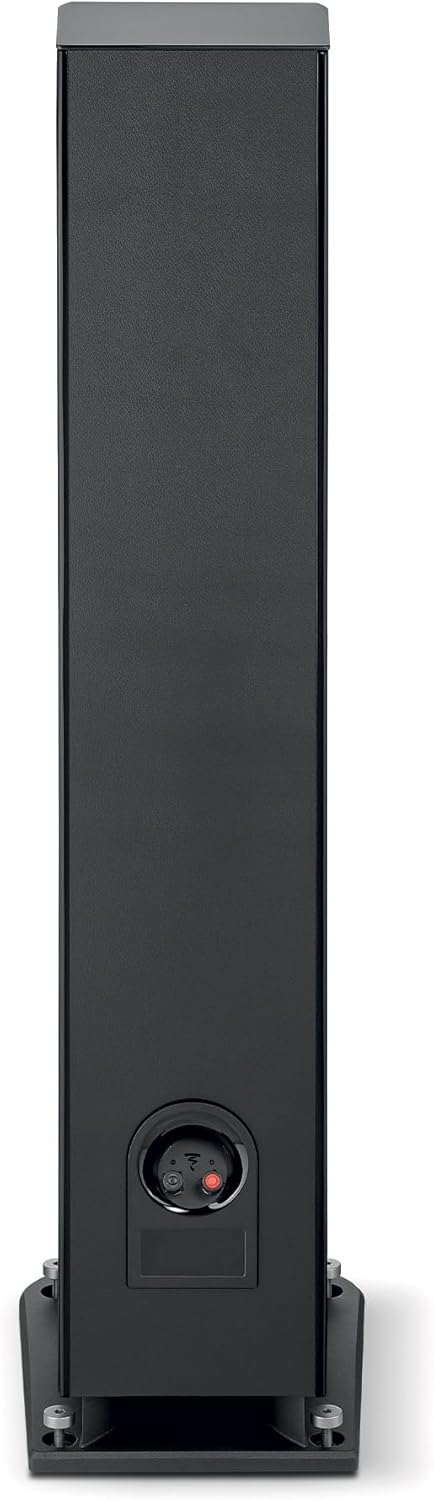
Image: Rear view of the Focal Aria Evo X No. 3 speaker, highlighting the speaker terminals for connecting to an amplifier.
Operating Instructions
Powering On and Playback
- Once connected, turn on your amplifier.
- Select the appropriate input source on your amplifier.
- Begin playback from your audio source (e.g., smartphone, tablet, MP3 player, desktop, television, projector, laptop).
- Adjust the volume gradually using your amplifier's controls.
Driver Technology
The Aria Evo X No. 3 incorporates advanced driver technologies for superior sound reproduction:
- Flax Cone: Features Focal's iconic flax cone, made from French flax fiber, which produces a natural sound with rich midrange reproduction and clear bass.
- TMD (Tuned Mass Damper): Midrange drivers are equipped with TMD for reduced distortion and perfectly balanced dynamics.
- TAM Tweeter: An innovative 'M'-shaped inverted dome TAM tweeter reproduces treble faithfully, ensuring smooth and clear high frequencies.
- Powerflow Multi-Port System: Eliminates compression with both front and down-facing ports for increased impact and powerful bass.

Image: A detailed close-up of the Focal Flax cone driver, showcasing its unique texture and construction.

Image: A close-up view of the Focal TAM tweeter, highlighting its 'M'-shaped inverted dome design.
Maintenance
Cleaning
- Use a soft, dry, lint-free cloth to gently wipe the cabinet surfaces.
- Avoid using abrasive cleaners, solvents, or chemical sprays, as these can damage the finish.
- For the speaker grilles, use a soft brush or vacuum cleaner with a brush attachment to remove dust.
General Care
- Keep the speakers away from direct sunlight, heat sources, and excessive moisture.
- Ensure adequate ventilation around the speakers.
- Avoid placing heavy objects on top of the speakers.
Troubleshooting
If you encounter issues with your Focal Aria Evo X No. 3 speaker, refer to the following common problems and solutions:
- No Sound:
- Check all speaker cable connections at both the speaker and the amplifier. Ensure they are secure and correctly connected (positive to positive, negative to negative).
- Verify that the amplifier is powered on and the correct input source is selected.
- Ensure the volume on your amplifier is not set to minimum or muted.
- Distorted Sound:
- Reduce the volume level on your amplifier. Overdriving the speakers can cause distortion.
- Check speaker cable connections for any loose strands or short circuits.
- Ensure the amplifier's power output is suitable for the speaker's maximum input power (150 Watts).
- Uneven Sound or Poor Imaging:
- Review speaker placement. Ensure speakers are equidistant from the listening position and have appropriate toe-in.
- Check that both speakers are connected with correct polarity.
Specifications
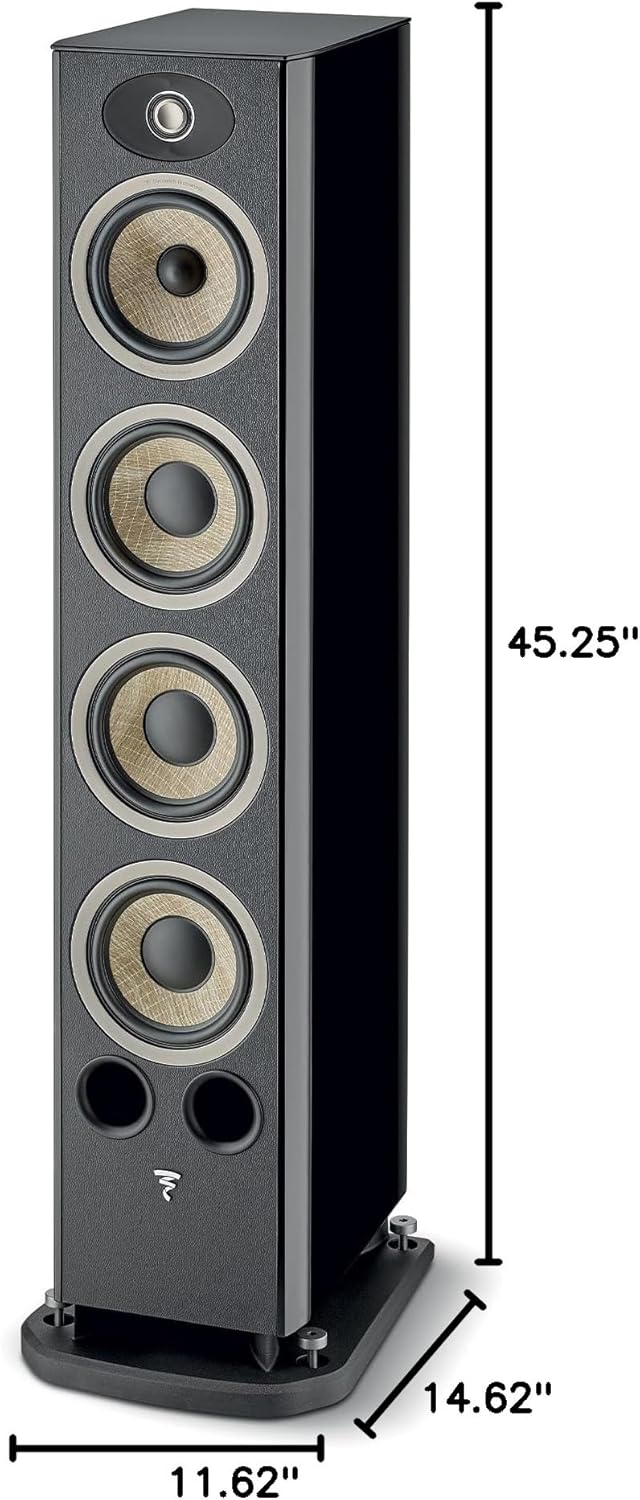
Image: Diagram illustrating the dimensions of the Focal Aria Evo X No. 3 Floorstanding Loudspeaker: 45.25 inches height, 11.62 inches width, and 14.62 inches depth.
| Feature | Detail |
|---|---|
| Model Name | Aria Evo X N°3 |
| Item Model Number | FARIAEVOXN3BK |
| Speaker Type | Tower (Floorstanding) |
| Color | Gloss Black |
| Product Dimensions (D x W x H) | 14.63"D x 11.63"W x 45.25"H |
| Item Weight | 63.9 Pounds |
| Impedance | 2.8 Ohm |
| Speaker Maximum Output Power | 150 Watts |
| Connectivity Technology | RCA (Wired) |
| Audio Output Mode | Stereo, possibly Surround Sound |
| Surround Sound Channel Configuration | 5.1 (when integrated into a system) |
| Recommended Uses For Product | Indoor |
| Included Components | 1 x floorstanding speaker |
| Material | Leather (finish detail) |
| Control Method | Touch (referring to system control, not speaker itself) |
| Audio Driver Type | Dynamic Driver |
| Audio Driver Size | 6.5 Centimeters (for some drivers) |
Warranty Information
The Focal Aria Evo X No. 3 Floorstanding Loudspeaker comes with a full warranty. For specific details regarding the duration and terms of your warranty, please refer to the documentation included with your purchase or visit the official Focal website.
Support
For further assistance, technical support, or inquiries, please contact Focal customer support. You can find contact information and additional resources on the official Focal website or through your authorized dealer.
Visit the Focal Store for more product information and support resources.


