
Introduction
This user manual provides detailed instructions for the AROMA NB126 Beast Wireless Earbuds. Please read this manual carefully before using the product to ensure proper operation and to maximize your listening experience. Keep this manual for future reference.
What's in the Box
Verify that all items are present in the packaging:
- AROMA NB126 Beast Wireless Earbuds
- Wireless Charging Case
- USB Type-C Charging Cable
- Ear Cushions (various sizes)
- User Manual (this document)

Image: The AROMA NB126 Beast wireless earbuds shown with their charging case, illustrating the main components included in the package.
Setup
1. Initial Charging
Before first use, fully charge the earbuds and the charging case. Connect the provided USB Type-C cable to the charging port on the case and to a compatible USB power source. The indicator light on the case will show charging status and turn off or change color when fully charged.

Image: The AROMA NB126 Beast charging case with a USB Type-C cable connected, demonstrating the charging process.
2. Pairing with a Device
- Ensure the earbuds are charged.
- Open the charging case. The earbuds will automatically enter pairing mode, indicated by a flashing LED light on the earbuds.
- On your device (smartphone, tablet, etc.), enable Bluetooth.
- Search for available Bluetooth devices and select "AROMA NB126 Beast" from the list.
- Once connected, the LED indicator on the earbuds will stop flashing or turn off.
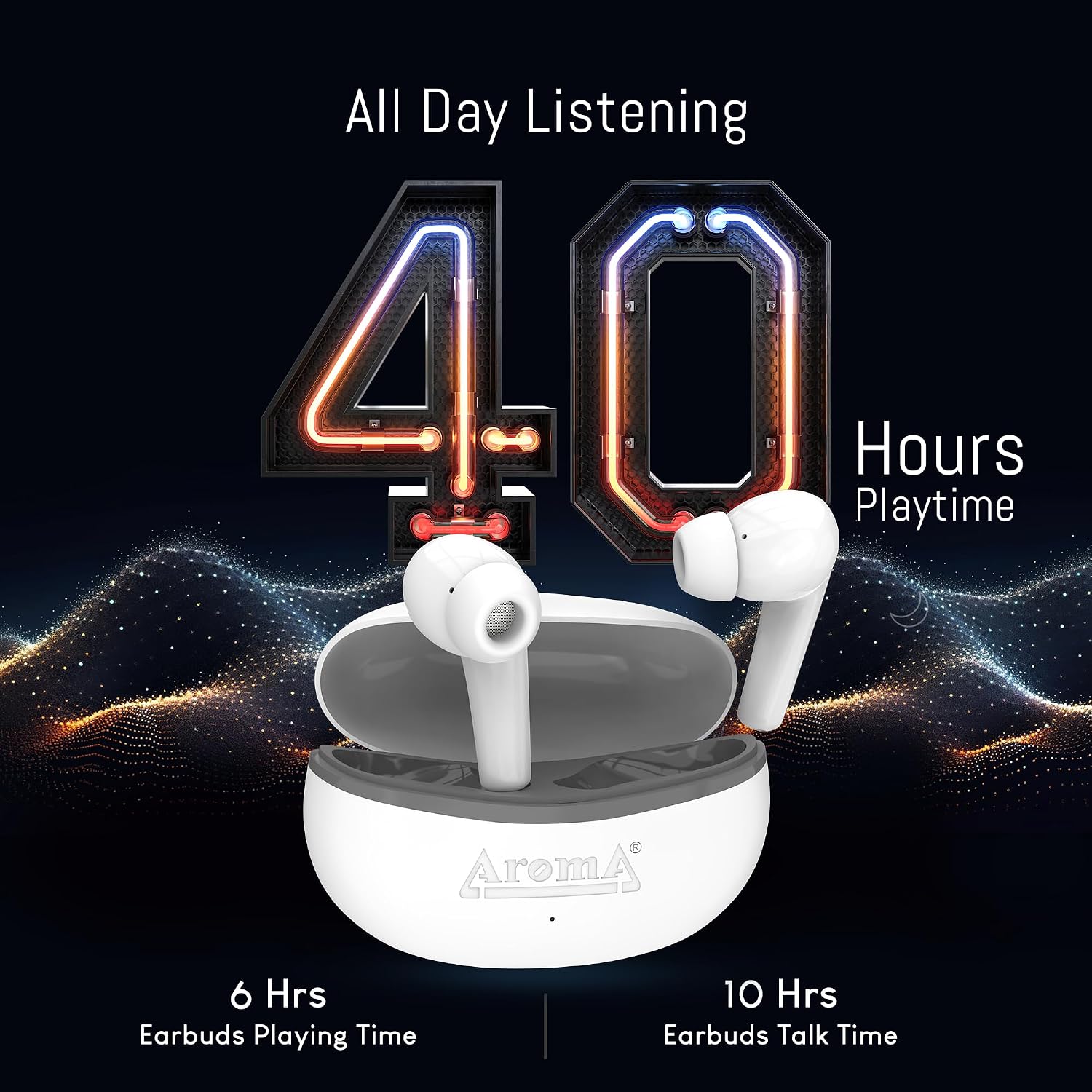
Image: The AROMA NB126 Beast earbuds resting in their open charging case, ready for Bluetooth pairing.
Operating Instructions
1. Power On/Off
- Power On: Open the charging case, and the earbuds will automatically power on. Alternatively, press and hold the touch control area on both earbuds for 3 seconds.
- Power Off: Place the earbuds back into the charging case and close the lid. They will automatically power off and begin charging. Alternatively, press and hold the touch control area on both earbuds for 5 seconds.
2. Touch Controls
The AROMA NB126 Beast earbuds feature touch-sensitive controls on each earbud. Refer to the following table for common functions:
| Action | Left Earbud | Right Earbud |
|---|---|---|
| Play/Pause | Single Tap | Single Tap |
| Next Track | Double Tap | Double Tap |
| Previous Track | Triple Tap | Triple Tap |
| Volume Up | N/A | Press and Hold |
| Volume Down | Press and Hold | N/A |
| Answer/End Call | Single Tap | Single Tap |
| Reject Call | Press and Hold | Press and Hold |
| Activate Voice Assistant | Long Press (2s) | Long Press (2s) |

Image: A close-up view of an AROMA NB126 Beast earbud, highlighting the general area for touch controls.
3. Voice Assistant
To activate your device's voice assistant (e.g., Siri, Google Assistant), long press the touch control area on either earbud for approximately 2 seconds until you hear a prompt.
4. Dual Pairing Mode
The earbuds support dual pairing, allowing them to be connected to two Bluetooth devices simultaneously. To use this feature, pair the earbuds with the first device, then disconnect them. Pair with the second device. Reconnect to the first device from its Bluetooth settings. The earbuds should now be connected to both devices, allowing seamless switching between them.

Image: The AROMA NB126 Beast earbuds and their charging case, visually representing their wireless connectivity capabilities.
5. Hall Switch Functionality
The charging case is equipped with a Hall switch. Opening the lid of the charging case will automatically power on the earbuds and initiate connection with the last paired device. Closing the lid will power off the earbuds and begin charging them.
Maintenance
1. Cleaning
- Gently wipe the earbuds and charging case with a soft, dry, lint-free cloth.
- Do not use harsh chemicals, cleaning solvents, or strong detergents.
- Clean the ear tips regularly to remove earwax and debris for optimal sound quality and hygiene.
2. Storage
When not in use, store the earbuds in their charging case to protect them from dust, damage, and to keep them charged. Store the case in a cool, dry place away from extreme temperatures.
Troubleshooting
If you encounter issues with your AROMA NB126 Beast earbuds, refer to the following common solutions:
- Earbuds not pairing: Ensure both earbuds are charged. Place them back in the case, close the lid, then open it again to re-enter pairing mode. Check your device's Bluetooth settings and try reconnecting.
- No sound from one earbud: Try placing both earbuds back in the case, closing the lid, and then taking them out again. Ensure they are properly paired.
- Charging issues: Verify the USB Type-C cable is securely connected to both the case and the power source. Try a different cable or power adapter. Ensure the charging contacts on the earbuds and inside the case are clean and free of debris.
- Low volume or poor sound quality: Clean the ear tips and speaker grilles. Adjust the volume on both your device and the earbuds. Ensure the earbuds are properly seated in your ears.
- Earbuds not connecting to device: Turn off Bluetooth on your device, then turn it back on. Forget the "AROMA NB126 Beast" from your device's Bluetooth list and attempt to pair again.
If the issue persists, please contact customer support.
Specifications
Technical specifications for the AROMA NB126 Beast Wireless Earbuds:
| Feature | Specification |
|---|---|
| Brand | AROMA |
| Model Number | NB126 Beast |
| Ear Placement | In Ear |
| Form Factor | In Ear |
| Control Type | Media Control |
| Control Method | Touch |
| Wireless Technology | Bluetooth |
| Battery Average Life | Up to 40 Hours (with charging case) |
| Frequency Range | 20 Hz - 20,000 Hz |
| Audio Driver Type | Dynamic Driver |
| Product Features | Splashproof, Sweatproof |
| Water Resistance Level | Waterproof |
| Enclosure Material | Plastic |
| Compatible Devices | Smartphones, Tablets, Laptops, Desktops, Smart Speakers |
Warranty Information
The AROMA NB126 Beast Wireless Earbuds come with a standard manufacturer's warranty. Please refer to the warranty card included in your product packaging for specific terms, conditions, and duration of the warranty. Keep your purchase receipt as proof of purchase for any warranty claims.
Customer Support
For further assistance, technical support, or warranty inquiries, please contact AROMA customer service:
- Email: repair@aroma-accessories.com
- Email: care@aroma-accessories.com
Please provide your product model number (NB126 Beast) and details of your issue when contacting support.


