
AROMA NB126 Beast
AROMA NB126 Beast Wireless Earbuds User Manual
Model: NB126 Beast
1. Introduction
Thank you for choosing the AROMA NB126 Beast Wireless Earbuds. These earbuds are designed to provide a superior audio experience with features like extended playtime, touch controls, and seamless connectivity. This manual will guide you through the setup, operation, and maintenance of your new device.
2. What's in the Box
Please check the package contents to ensure all items are present:
- AROMA NB126 Beast Wireless Earbuds
- Wireless Charging Case
- USB Type-C Charging Cable
- Ear Cushions (various sizes)
- User Manual (this document)
3. Setup
3.1 Charging the Earbuds and Case
Before first use, fully charge the earbuds and the charging case.
- Place the earbuds into the charging case. Ensure they are correctly seated in their respective slots.
- Connect the USB Type-C charging cable to the charging port on the case and the other end to a USB power adapter (not included) or a computer's USB port.
- The indicator lights on the case will show the charging status. Once fully charged, the lights will indicate a full battery or turn off.
The AROMA NB126 Beast features Type-C Fast Charging for quick power replenishment.

Image: Charging case with Type-C port. The earbuds are shown inside the case, indicating the charging process.
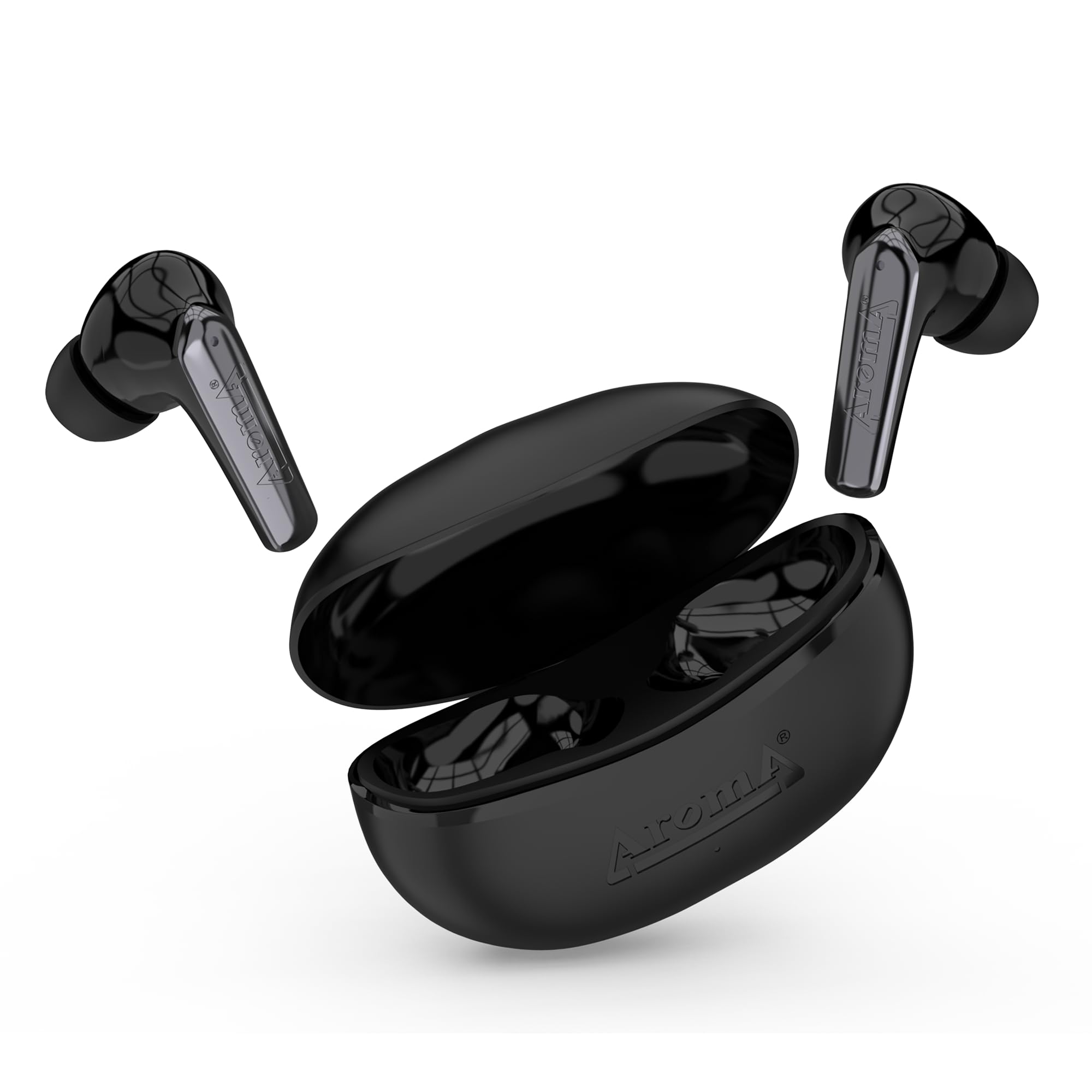
Image: Earbuds and charging case illustrating the 40 hours of total playtime, with 6 hours for earbuds playing time and 10 hours for talk time.
3.2 Initial Pairing
To connect your earbuds to a device for the first time:
- Open the charging case. The earbuds will automatically power on and enter pairing mode (indicated by flashing LED lights on the earbuds).
- On your smartphone or Bluetooth-enabled device, go to the Bluetooth settings.
- Search for available devices and select "AROMA NB126 Beast" from the list.
- Once connected, the earbud indicator lights will stop flashing, and you will hear a confirmation tone.
The integrated Hall Switch allows the earbuds to automatically power on and connect to the last paired device when the case is opened.
4. Operating Instructions
4.1 Touch Controls
The AROMA NB126 Beast earbuds feature intuitive touch controls for various functions:
- Play/Pause: Single tap on either earbud.
- Next Track: Double tap on the right earbud.
- Previous Track: Double tap on the left earbud.
- Answer/End Call: Single tap on either earbud during an incoming call.
- Reject Call: Press and hold either earbud for 2 seconds during an incoming call.
- Activate Voice Assistant: Triple tap on either earbud.
- Volume Up: Press and hold the right earbud.
- Volume Down: Press and hold the left earbud.
4.2 Voice Assistant
Activate your device's voice assistant (Siri, Google Assistant, etc.) by triple-tapping either earbud. You can then issue commands through the earbud's built-in microphone.
4.3 Dual Pairing Mode
The earbuds support dual pairing, allowing them to be connected to two devices simultaneously. To use this feature:
- Pair the earbuds with the first device as described in Section 3.2.
- Disconnect the earbuds from the first device's Bluetooth settings. The earbuds will re-enter pairing mode.
- Pair the earbuds with the second device.
- Reconnect the earbuds to the first device from its Bluetooth settings. The earbuds should now be connected to both devices, allowing seamless switching between them.

Image: The AROMA NB126 Beast earbuds and open charging case, representing the dual pairing capability for connecting to multiple devices.
5. Maintenance
5.1 Cleaning
To maintain optimal performance and hygiene:
- Gently wipe the earbuds and charging case with a soft, dry, lint-free cloth.
- Do not use harsh chemicals, cleaning solvents, or strong detergents.
- Clean the ear tips regularly to remove earwax buildup. You can remove the silicone tips and wash them with mild soap and water, ensuring they are completely dry before reattaching.
5.2 Storage
When not in use, always store the earbuds in their charging case to protect them from dust, damage, and to keep them charged.
6. Troubleshooting
If you encounter any issues with your AROMA NB126 Beast earbuds, please refer to the following common solutions:
| Problem | Possible Solution |
|---|---|
| Earbuds not pairing |
|
| No sound from one earbud |
|
| Charging case not charging |
|
| Touch controls not responding |
|
7. Specifications
Detailed technical specifications for the AROMA NB126 Beast Wireless Earbuds:
| Feature | Detail |
|---|---|
| Model Name | NB126 Beast |
| Wireless Communication Technology | Bluetooth |
| Form Factor | In Ear |
| Control Method | Touch |
| Battery Life (Total) | Up to 40 Hours (with charging case) |
| Earbuds Playing Time | 6 Hours |
| Earbuds Talk Time | 10 Hours |
| Charging Port | USB Type-C |
| Special Features | Splashproof, Sweatproof, Hall Switch, Voice Assistant, Dual Pairing |
| Microphone Format | Built-In |
| Material | Plastic |
| Item Weight | 100 g |
| Product Dimensions | 5 x 2.6 x 5 cm |

Image: Exploded view of an earbud highlighting the 10mm drive for immersive sound.
8. Warranty Information
AROMA products are manufactured to the highest quality standards. This product is covered by a limited warranty against manufacturing defects. Please refer to the warranty card included in your package or visit the official AROMA website for detailed warranty terms and conditions.
9. Support
For further assistance, technical support, or customer service, please contact AROMA customer support:
- Email: care@aroma-accessories.com
- Email for Repairs: repair@aroma-accessories.com
- Online: Visit the official AROMA website for FAQs and support resources.
Related documentsNB126 Beast


Ask a question about this manual
Ask about setup, troubleshooting, compatibility, parts, safety, or missing instructions. Manuals+ will review the question and use this page’s manual context to help answer it.