
FPD CG55-C1
FPD 55-inch Smart TV Google TV 4K UHD User Manual
Model: CG55-C1
Introduction
Welcome to the FPD 55-inch Smart TV Google TV 4K UHD user manual. This guide provides essential information for setting up, operating, and maintaining your new television. Your FPD Smart TV offers a stunning 4K UHD display, integrated Google TV Smart OS, HDR 10, Dolby Vision, Dolby Atmos, MEMC technology, and convenient voice control, ensuring an immersive entertainment experience.

The FPD 55-inch Smart TV, featuring Google TV and 4K UHD resolution, designed for a superior viewing experience.
What's in the Box
Please check the contents of your package to ensure all items are present:
- FPD Google TV (55-inch display)
- Remote control
- AAA battery (x2)
- Stand (2 pieces)
- Base Mounting Accessories
- AV Adapter Cable
- User Manual (this document)

An illustration detailing the TV's dimensions, the included remote control, and a list of all items found within the product packaging.
Setup
Follow these steps to set up your FPD Smart TV:
- Unpacking: Carefully remove the TV from its packaging. It is recommended to have two people for this process due to the size and weight of the TV.
- Stand Installation: Place the TV screen-down on a soft, flat surface. Attach the two stand pieces to the bottom of the TV using the provided screws and base mounting accessories. Ensure they are securely fastened. Alternatively, if wall-mounting, follow the instructions provided with your wall-mount kit.
- Power Connection: Connect the power cord to the TV's power input and then plug it into a wall outlet.
- Connect Devices: Connect your external devices (e.g., cable box, Blu-ray player, gaming console) to the appropriate HDMI or other input ports on the TV.
- Initial Power On: Press the power button on the TV or the remote control to turn on the TV.
- First-Time Setup Wizard: Follow the on-screen instructions to complete the initial setup, including language selection, network connection (Wi-Fi), Google account sign-in, and channel scanning.
Operating Instructions
Your FPD Smart TV is equipped with advanced features for an enhanced viewing and listening experience.
Google TV Smart OS
The Google TV Smart OS provides a personalized entertainment hub. In addition to pre-installed apps like Netflix and YouTube, you can easily access and enjoy various content by downloading apps, games, movies, music, and more from Google Play.

The Google TV interface, consolidating entertainment from various apps and services onto one screen.

Access a wide range of content including games, apps, movies, and more through Google Play directly on your TV.
Display Features: 4K UHD, HDR 10, Dolby Vision, MEMC
The smart TV supports 4K UHD resolution, providing a clear and detailed picture for a more realistic and immersive visual experience. It supports HDR 10 technology, enhancing contrast and color accuracy to deliver more vibrant and lifelike picture quality. You can enjoy richer color details and higher image quality. This TV utilizes Dolby Vision technology, providing exceptional HDR performance for brighter and more detailed visuals. Furthermore, Google TV features Motion Estimation and Motion Compensation (MEMC) technology, ensuring smooth display performance in fast-moving scenes, reducing motion blur for clearer visuals.

Experience breathtaking visuals with 4K UHD resolution, HDR 10, and Dolby Vision for stunning clarity and vibrant colors.

MEMC Technology ensures seamless and buttery-smooth motion, bringing every frame to life with unparalleled clarity and realism, especially in fast-moving scenes.
Audio Features: Dolby Atmos & Built-in Speakers
Dolby Atmos technology delivers an immersive audio experience, creating a surround sound effect that transports you into the action. The TV is equipped with powerful built-in speakers for clear and rich sound.

A 360-degree audio experience fills the room with rich, detailed sound for an unparalleled cinematic audio journey, powered by Dolby Atmos.
Connectivity: Google Cast Built-in
The Chromecast feature allows you to conveniently cast content from your mobile devices, tablets, and other devices onto the TV screen, unlocking a world of entertainment.

Effortlessly stream your favorite movies, shows, and music from your phone to your TV with just a tap using Google Cast.
Voice Remote Control
The included voice remote control allows you to control the TV and search for content using voice commands. This makes it easier for you to navigate and operate the TV functions, enhancing the overall user experience. Simply press the voice button and speak your command.

Press, speak your commands, and effortlessly navigate through your favorite content using the Hey Google Voice Remote.
Smooth Performance & Gaming
Experience seamless multitasking and responsive performance powered by the Cortex-A55 quad-core CPU. Whether you're streaming, gaming, or browsing, enjoy fast loading, smooth switching, and efficient processing. The TV also supports Auto Low Latency Mode (ALLM), which instantly switches to game mode for smoother visuals and ultra-low input lag when gaming content is detected.

Auto Low Latency Mode (ALLM) delivers a next-level gaming experience by instantly switching to game mode for smoother visuals and ultra-low input lag.
Maintenance
Proper maintenance ensures the longevity and optimal performance of your FPD Smart TV:
- Screen Cleaning: Gently wipe the screen with a soft, lint-free cloth specifically designed for electronics. For stubborn smudges, lightly dampen the cloth with distilled water or a screen-cleaning solution. Never spray liquid directly onto the screen.
- Frame and Back Panel: Use a soft, dry cloth to clean the TV frame and back panel. Avoid abrasive cleaners or solvents.
- Ventilation: Ensure the ventilation openings on the back of the TV are not blocked. Adequate airflow prevents overheating.
- Power Cord: Regularly check the power cord for any damage. If damaged, discontinue use and contact customer support.
- Dusting: Periodically dust the TV and surrounding area to prevent dust buildup, which can affect performance.
Troubleshooting
Here are solutions to common issues you might encounter:
| Problem | Possible Cause / Solution |
|---|---|
| No Power | Check if the power cord is securely plugged into the TV and the wall outlet. Ensure the outlet has power. Try a different outlet. |
| No Picture / Black Screen | Verify the correct input source is selected. Check cable connections to external devices. Restart the TV and connected devices. |
| No Sound | Check the volume level and ensure mute is off. Verify audio cable connections. If using external audio, ensure it's properly configured. |
| Remote Control Not Working | Replace the AAA batteries in the remote. Ensure there are no obstructions between the remote and the TV's IR sensor. Re-pair the remote if it's a Bluetooth remote. |
| Wi-Fi Connection Issues | Restart your router and modem. Go to TV settings > Network > Wi-Fi and try reconnecting. Ensure the Wi-Fi password is correct. |
| Apps Not Loading / Slow Performance | Check your internet connection speed. Close unused apps. Clear app cache (Settings > Apps > Select App > Clear Cache). Restart the TV. |
Specifications
Detailed technical specifications for your FPD 55-inch Smart TV:
| Feature | Detail |
|---|---|
| Brand | FPD |
| Model Number | CG55-C1 |
| Screen Size | 55 Inches |
| Display Technology | LED |
| Resolution | 4K UHD (3840 x 2160) |
| Refresh Rate | 60 Hz |
| HDR Support | HDR 10, Dolby Vision |
| Audio Technology | Dolby Atmos, Built-In Speakers |
| Operating System | Google TV Smart OS |
| Special Features | Auto Volume Leveller, Google Assistant, Google Cast, Parental Controls, Sleep Timer, Watchlist, Browser, MEMC, ALLM |
| Connectivity | Wi-Fi |
| Product Dimensions (D x W x H) | 11.7" x 48.3" x 29.7" (with stand) |
| Item Weight | 35.2 pounds |
| Power Consumption (On-mode) | 160.0 watts |
| Batteries Required | 2 AAA (included for remote) |
Warranty and Support
FPD is committed to providing excellent customer service and support for your product.
Your FPD Smart TV comes with an industry-leading 1-year warranty. For any technical assistance or product inquiries, our dedicated support team is available 24/7. We promise a reply within 24 hours to ensure your issues are addressed promptly. Regular software updates are also provided to keep your FPD TV performing at its best.
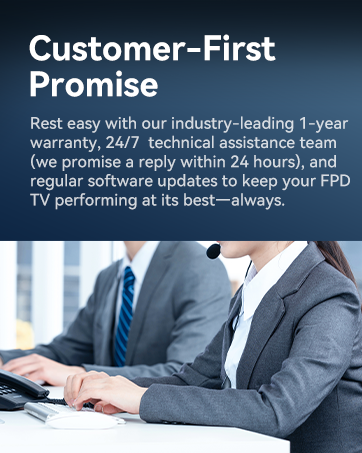
FPD's Customer-First Promise ensures industry-leading warranty and 24/7 technical assistance.
For additional support, FAQs, or to explore other FPD products, please visit the official FPD Store on Amazon: FPD Store.
Related documentsCG55-C1


Ask a question about this manual
Ask about setup, troubleshooting, compatibility, parts, safety, or missing instructions. Manuals+ will review the question and use this page’s manual context to help answer it.