
OEMGMINER Bitmain Antminer S21
Bitmain Antminer S21 User Manual
Model: Bitmain Antminer S21 | Brand: OEMGMINER
1. Product Overview
The Bitmain Antminer S21 is a high-performance ASIC miner designed for mining cryptocurrencies such as Bitcoin (BTC), Bitcoin Cash (BCH), and Bitcoin SV (BSV) using the SHA256 algorithm. It boasts a high computing power of up to 188 TH/s and an excellent energy efficiency of 17.5 J/TH, making it suitable for efficient mining operations.

Image 1.1: The Bitmain Antminer S21, showcasing its robust design with cooling fans.
Key features include:
- High Computing Power: Up to 188 TH/s for efficient mining.
- Energy Efficiency: 17.5 J/TH, optimizing power consumption.
- Supported Cryptocurrencies: Bitcoin (BTC), Bitcoin Cash (BCH), Bitcoin SV (BSV).
- Network Connectivity: RJ45 Ethernet for stable network connection.
- Environmental Adaptation: Operates within 0~45°C and 10~90% non-condensing humidity.

Image 1.2: Overview of the Antminer S21 highlighting its leading performance metrics.
2. Setup Guide
Proper setup is crucial for the optimal performance and longevity of your Antminer S21. Please follow these steps carefully.
2.1 Unpacking and Inspection
Carefully remove the Antminer S21 from its packaging. Inspect the unit for any signs of physical damage that may have occurred during transit. The package dimensions are 570 x 316 x 430 mm with a net weight of 17.2 kg.
2.2 Power Connection
The Antminer S21 requires a 220V power supply. Ensure your electrical infrastructure can provide this voltage. A power cable is not included with the miner. Connect the appropriate power cables to the miner's power input ports. It is recommended to use dedicated power circuits for mining equipment to prevent overloads.

Image 2.1: The warning label on the Antminer S21, emphasizing power requirements and safety.
2.3 Network Connection
Connect the miner to your network using an RJ45 Ethernet cable. A stable and reliable internet connection is essential for continuous mining operations. Ensure your network setup allows for proper communication with mining pools.

Image 2.2: Diagram illustrating the network connectivity options and modular design of the Antminer S21.
2.4 Environmental Placement
Place the Antminer S21 in an environment that meets the specified operating conditions:
- Operating Temperature: 0°C to 45°C (32°F to 113°F)
- Operating Humidity: 10% to 90% (non-condensing)
- Operating Altitude: ≤ 2000 meters
Ensure adequate airflow around the miner to facilitate proper heat dissipation. Avoid placing the unit in enclosed spaces or near heat sources.
3. Operating Instructions
Once the Antminer S21 is properly set up, you can proceed with configuring and monitoring its operation.
3.1 Initial Power On
After connecting power and network cables, power on the miner. The unit will initiate its boot sequence. Allow a few minutes for the system to stabilize.
3.2 Accessing the Web Interface
To configure your miner, you will need to access its web-based management interface. You can typically find the miner's IP address through your router's connected devices list or by using an IP scanner tool. Enter the IP address into your web browser to access the interface.

Image 3.1: A typical Antminer web interface dashboard, showing real-time hashrate and system status.
3.3 Mining Pool Configuration
Within the web interface, navigate to the "Miner Configuration" or "Pool Settings" section. Enter the details of your chosen mining pool, including the pool URL, worker name, and password. The Antminer S21 supports mining Bitcoin (BTC), Bitcoin Cash (BCH), and Bitcoin SV (BSV) using the SHA256 algorithm.

Image 3.2: The Antminer S21 unit alongside a table detailing its model, algorithm, hashrate, and power efficiency.
3.4 Monitoring Performance
The web interface provides real-time monitoring of your miner's performance, including hashrate, temperature, fan speed, and network status. Regularly check these metrics to ensure optimal operation and identify any potential issues early.
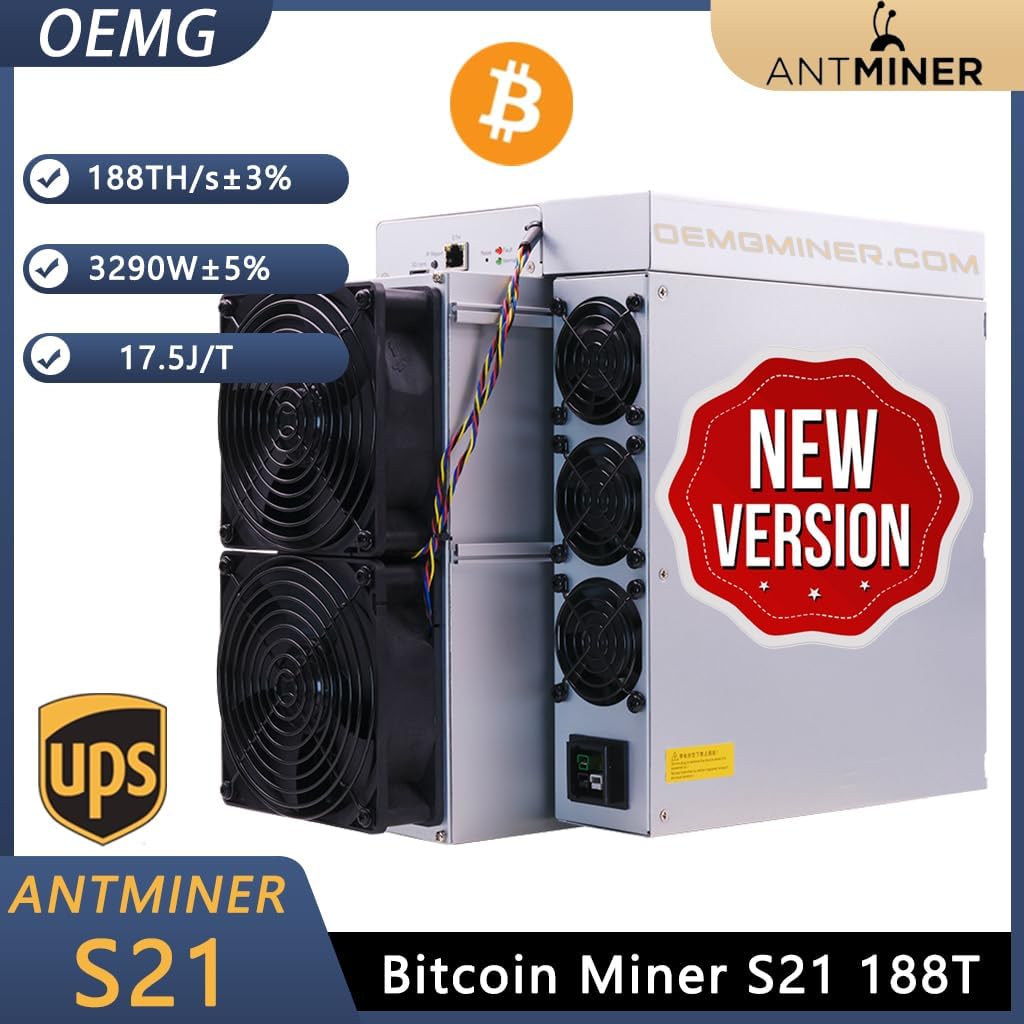
Image 3.3: The Antminer S21 highlighting its 188 TH/s hashrate, 3290W power consumption, and 17.5 J/T efficiency.
4. Maintenance
Regular maintenance helps ensure the longevity and stable performance of your Antminer S21.
4.1 Cleaning
Periodically clean the miner to prevent dust buildup on fans and heatsinks, which can impede airflow and lead to overheating. Use compressed air to gently remove dust from the cooling fins and fan blades. Ensure the miner is powered off and disconnected from the power source before cleaning.
4.2 Environmental Control
Maintain the operating environment within the recommended temperature and humidity ranges. Consistent environmental conditions are vital for stable operation and to prevent component degradation.
4.3 Firmware Updates
Check the official OEMGMINER or Bitmain website periodically for firmware updates. Firmware updates can improve performance, enhance security, and fix bugs. Follow the manufacturer's instructions carefully when performing firmware upgrades.
4.4 Modular Design Benefits
The Antminer S21 features a modular design, which simplifies maintenance and potential upgrades. This design allows for easier replacement of damaged parts, contributing to the overall serviceability and lifespan of the unit.
5. Troubleshooting
This section addresses common issues you might encounter with your Antminer S21.
5.1 Miner Not Powering On
- Check Power Supply: Ensure the miner is connected to a stable 220V power source. Verify that the power cables are securely connected to both the miner and the power outlet.
- Power Button: Confirm the power button (if applicable) is in the 'On' position.
5.2 No Network Connection
- Ethernet Cable: Ensure the RJ45 Ethernet cable is securely plugged into both the miner and the router/switch.
- Router/Switch Status: Check your network equipment to ensure it is functioning correctly and providing an active connection.
- IP Address: Verify the miner's IP address and ensure there are no conflicts on your network.
5.3 Low Hashrate or Instability
- Temperature: Check the miner's operating temperature via the web interface. High temperatures can lead to performance throttling. Ensure adequate ventilation and cooling.
- Dust Buildup: Clean the fans and heatsinks as described in the Maintenance section.
- Mining Pool Connectivity: Verify your mining pool settings and ensure stable connectivity to the pool.
- Firmware: Ensure your miner is running the latest stable firmware version.
5.4 Fan Malfunction
- Obstructions: Check for any physical obstructions blocking the fan blades.
- Dust: Clean the fans thoroughly.
- Replacement: If a fan is faulty, it may need to be replaced. Due to the modular design, this process is simplified.
6. Technical Specifications
Detailed technical specifications for the Bitmain Antminer S21.

Image 6.1: A comprehensive table outlining the technical specifications of the Antminer S21.
| Feature | Value |
|---|---|
| Brand | OEMGMINER |
| Model Name | Bitmain Antminer S21 |
| Hashrate | 188 TH/s |
| Power Consumption | 3290 W |
| Power Efficiency | 17.5 J/TH |
| Input Voltage | 220V |
| Network Connection | RJ45 Ethernet |
| Operating Temperature | 0°C ~ 45°C |
| Operating Humidity | 10% ~ 90% (non-condensing) |
| Product Dimensions (without package) | 29.5 x 19 x 40 cm |
| Product Dimensions (with package) | 570 x 316 x 430 mm |
| Net Weight | 17 kg |
7. Warranty and Support
OEMGMINER is committed to providing efficient and reliable mining solutions, backed by exceptional after-sales service.
For specific warranty terms and conditions, please refer to the documentation provided with your purchase or contact the seller directly. Warranty coverage typically addresses manufacturing defects and hardware malfunctions under normal operating conditions.
For technical support, troubleshooting assistance beyond this manual, or inquiries regarding repairs and parts, please contact OEMGMINER customer service or your authorized reseller. Provide your product model and serial number for faster service.
You can often find contact information on the official OEMGMINER website or through the platform where you purchased the product.
Related documentsBitmain Antminer S21


Ask a question about this manual
Ask about setup, troubleshooting, compatibility, parts, safety, or missing instructions. Manuals+ will review the question and use this page’s manual context to help answer it.