
Introduction
Thank you for choosing the ocioc 52-inch Low Profile Ceiling Fan with Light and Remote. This manual provides detailed instructions for the safe installation, operation, and maintenance of your new ceiling fan. Please read this manual thoroughly before installation and retain it for future reference.
Important Safety Instructions
- Always disconnect power at the circuit breaker before installation or servicing.
- All electrical wiring must comply with local and national electrical codes. If you are unfamiliar with wiring, consult a qualified electrician.
- Ensure the mounting structure can support the weight of the fan (approximately 10.33 lbs).
- Do not connect the fan to a dimmer switch or a fan speed control switch not provided with the unit. Use only the supplied remote control for operation.
- Keep hands and objects clear of the fan blades during operation.
- This fan is designed for indoor use only.
Package Contents
Verify that all components are present before beginning installation:
- Ceiling Fan Motor Housing
- 3 Reversible Blades (black/woodgrain)
- Light Kit (integrated LED)
- Remote Control
- Mounting Hardware
- Instruction Manual

Image: Main product view showing the ocioc 52-inch ceiling fan and its reversible blade options (black and woodgrain).
Product Overview
The ocioc 52-inch ceiling fan combines modern design with advanced functionality, featuring a quiet DC motor, dimmable LED lighting, and convenient remote control operation. Its low-profile flush mount design is suitable for various room types.
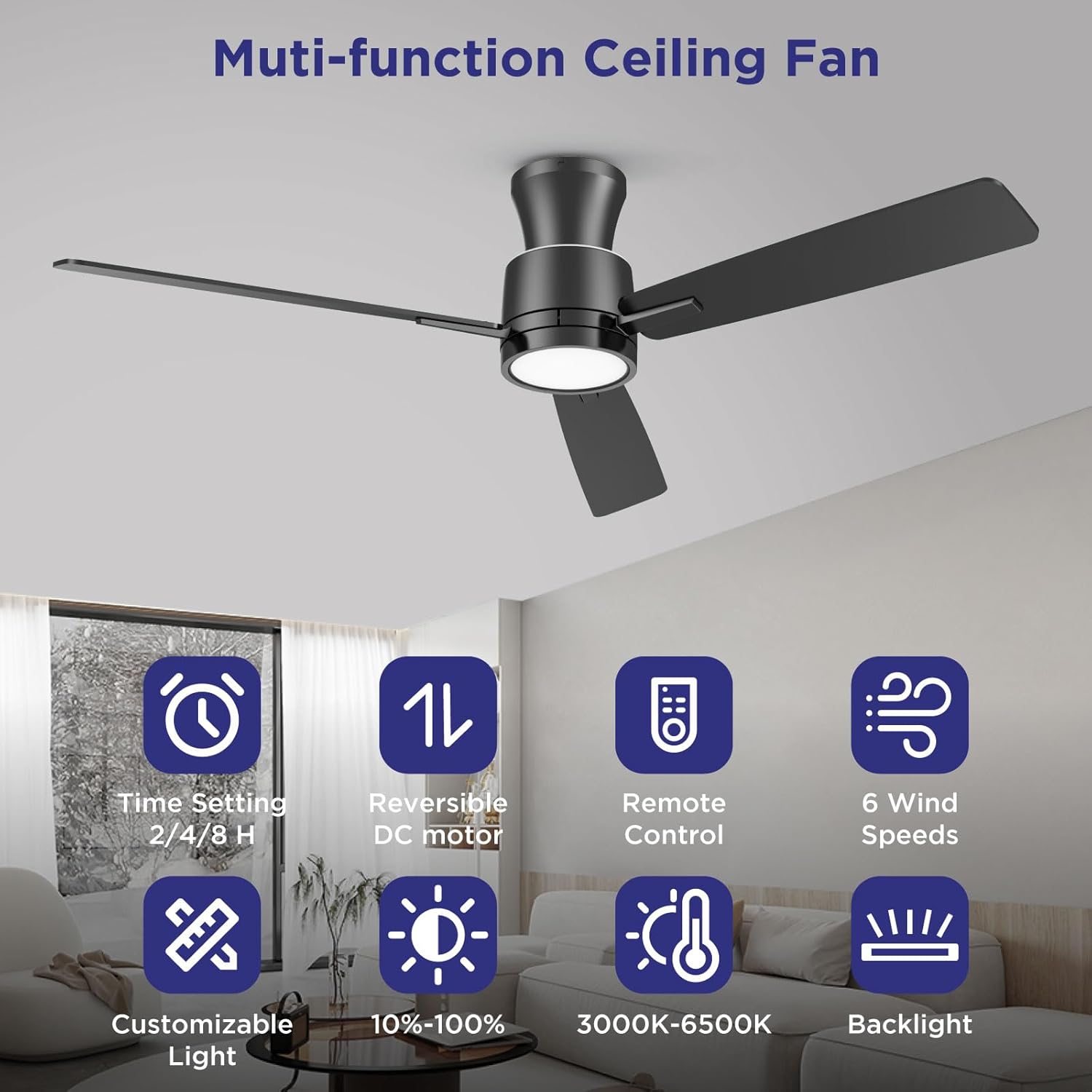
Image: Overview of multi-function features including time setting, reversible DC motor, remote control, 6 wind speeds, customizable light, 10%-100% dimming, 3000K-6500K color temperature, and backlight.
Installation Guide
1. Pre-Installation
- Turn off power at the circuit breaker.
- Ensure the electrical box is securely mounted and capable of supporting the fan.
- Unpack all components and inspect for any damage.
2. Mounting the Bracket
Attach the mounting bracket to the ceiling electrical box using the provided screws. Ensure it is firmly secured.
3. Wiring
Connect the fan's electrical wires to the household wiring according to local codes. Typically, this involves connecting live, neutral, and ground wires. Refer to the wiring diagram in the separate installation sheet for specific connections.
4. Attaching Fan Body and Blades
Carefully lift the fan body and attach it to the mounting bracket. Secure it with the designated screws. Then, attach the fan blades to the motor housing. The blades are reversible, offering a choice between a black finish and a woodgrain finish to match your decor.

Image: Illustration of the double-sided fan blades, showing both the black and woodgrain finish options.

Image: Detailed view of the 52-inch ceiling fan, highlighting its dimensions (52" width, 10.5" height), and close-ups of the backlight, LED light, and flush mount design.
Operating Instructions
Your ocioc ceiling fan is operated using the included remote control. Ensure two AAA batteries are installed in the remote.
Remote Control Functions

Image: The remote control unit, detailing buttons for fan on/off, 6 fan speeds, fan forward/reverse, light on/off, brightness adjustment, color temperature adjustment, night light, buzzer alert, and timer settings (2/4/8 hours).
- Fan On/Off: Press to turn the fan on or off.
- Fan Speed: Select from 6 speed settings (1-6) to adjust airflow.
- Reversible Motor (Summer/Winter Mode): Press the 'Fan Reverse' button to change the direction of blade rotation. In summer, blades rotate counter-clockwise for a cooling downdraft. In winter, blades rotate clockwise for an updraft to circulate warm air.
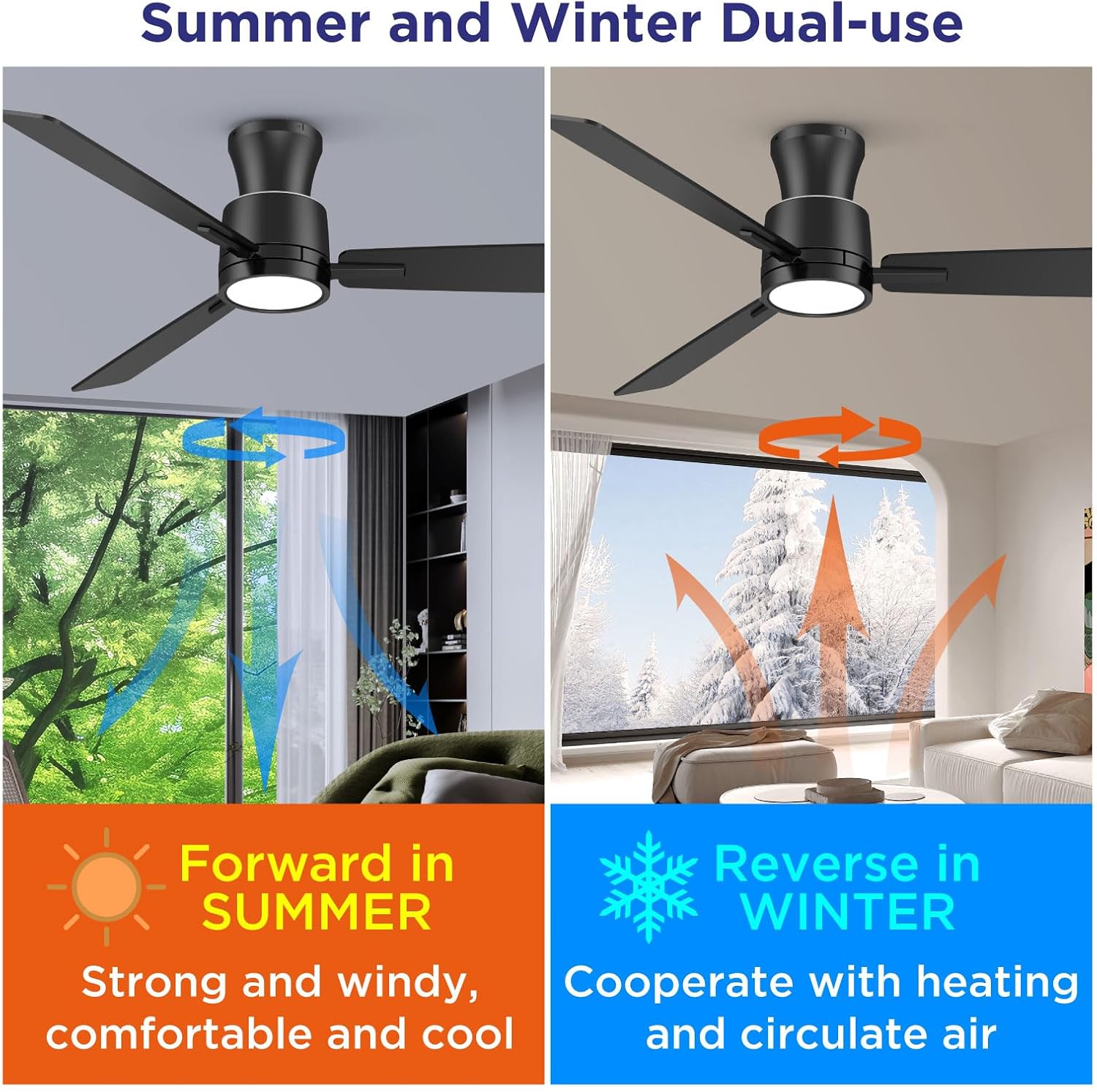
Image: Visual representation of the fan's reversible function, showing forward rotation for summer cooling and reverse rotation for winter heat circulation.
- Light On/Off: Press to turn the main LED light on or off.
- Brightness Adjustment: Adjust the light brightness from 10% to 100%.
- Color Temperature Adjustment: Cycle through or fine-tune color temperatures from 3000K (Warm White) to 6500K (Cool White).
- Night Light: Activate the separate 4W night light for a soft ambient glow.

Image: Demonstrates the customizable light feature, showing Warm White (3000K), Natural White (4500K), and Cool White (6500K) options, along with dimming levels from 10% to 100%.

Image: Illustrates the three distinct lighting modes: main downlight on, night light on, and both lights on.
- Timer: Set the fan to turn off automatically after 2, 4, or 8 hours.
- Memory Function: The fan's light will remember your last brightness and color temperature settings if the light is turned off for at least seven seconds. If turned on within seven seconds, the color temperature may change.

Image: Step-by-step guide for the memory function: 1. Select desired settings, 2. Turn off light for more than 7 seconds, 3. Turn on light to recall previous settings.
Maintenance and Care
- Cleaning: To clean the fan, wipe with a soft, damp cloth. Do not use abrasive cleaners or solvents. Ensure power is off before cleaning.
- Blade Care: Periodically check blade screws for tightness. Loose blades can cause wobbling and noise.
- Light Source: The integrated LED light source is designed for long life and is not user-replaceable.
Troubleshooting
| Problem | Possible Cause | Solution |
|---|---|---|
| Fan does not start | No power to the fan; Loose wire connections; Remote control issues. | Check circuit breaker; Verify all wire connections are secure; Replace remote batteries or re-pair remote. |
| Light does not work | No power to the light; Loose wire connections; LED failure. | Check power supply; Verify light kit wiring; Contact customer support if LED is faulty. |
| Fan wobbles | Loose blade screws; Uneven blade installation; Loose mounting bracket. | Tighten all blade screws; Ensure blades are installed evenly; Secure mounting bracket to ceiling. |
| Remote not responding | Dead batteries; Remote not paired. | Replace batteries; Refer to remote pairing instructions (if applicable). |
| Fan is noisy | Loose screws; Motor noise; Obstruction. | Check and tighten all screws; Ensure no wires are rubbing; The DC motor operates at a low noise level (below 30 dB), ensuring quiet operation. |
Product Specifications
| Feature | Detail |
|---|---|
| Brand | ocioc |
| Model Name | 90071 |
| Size | 52-inch |
| Product Dimensions | 52"L x 52"W x 10.5"H |
| Material | Metal |
| Motor Type | Reversible DC Motor |
| Noise Level | Below 30 dB |
| Light Source Type | Integrated LED |
| Wattage (Light) | 15W (main light), 4W (night light) |
| Brightness | 10%-100% Dimmable (1500 Lumen max) |
| Color Temperature | 3000K-6500K Adjustable |
| Control Method | Remote Control |
| Fan Speeds | 6 |
| Timer Settings | 2/4/8 Hours |
| Installation Type | Flush Mount |
| Voltage | 120 Volts (AC) |
| Item Weight | 10.33 pounds |
Warranty and Customer Support
This ocioc ceiling fan is covered by a 5-year limited warranty from the date of purchase. This warranty covers defects in materials and workmanship under normal use.
For warranty claims, technical assistance, or any questions regarding your product, please contact ocioc customer support through the retailer's platform or the official ocioc website. Please have your model number (90071) and proof of purchase ready.