
1. Introduction
This manual provides essential information for the safe and efficient installation, operation, and maintenance of your Philips Spore GardenLink Low Voltage Outdoor Light. The Philips GardenLink low voltage product range offers outdoor luminaires designed for easy and safe self-installation. Multiple lights can be connected to a single power supply and plugged into a standard outlet, allowing for easy expansion or repositioning.
The Philips Spore GardenLink light is a 1x1W silver, 24V, IP67 waterproof luminaire, built with robust materials like high-quality cast aluminum and plastics for a long lifespan and reliable performance in various weather conditions.

Figure 1: Philips GardenLink lights illuminating an outdoor space.
2. Safety Information
Please read all safety instructions before installing or using the product. Retain this manual for future reference.
- Low Voltage System: This product operates on a 24V low voltage system, which is inherently safer than standard household voltage. However, always ensure the power supply unit is disconnected from the mains before installation or maintenance.
- Power Supply: Only use the Philips GardenLink power supply unit designed for this system. Connecting to an incompatible power source may damage the product or pose a safety risk.
- Waterproof Rating: The light has an IP67 rating, meaning it is protected against dust ingress and immersion in water up to 1 meter for 30 minutes. Ensure all connections are securely sealed to maintain this rating.
- Cable Protection: While low voltage cables do not require deep burial, protect them from mechanical damage (e.g., sharp tools, heavy objects) and ensure they are not a tripping hazard.
- Disassembly: This product is a 'Containing product', meaning it can be disassembled for separate inspection of the light source. Refer to qualified personnel for light source replacement if necessary.
- Temperature Range: The product is designed to operate within a specific temperature range. Avoid installation in areas with extreme temperatures outside the recommended operating conditions.
3. Package Contents
Verify that all components are present and undamaged upon opening the package. If any items are missing or damaged, contact your retailer.
- Philips Spore GardenLink Low Voltage Outdoor Light (1 unit)
- Installation instructions / User Manual
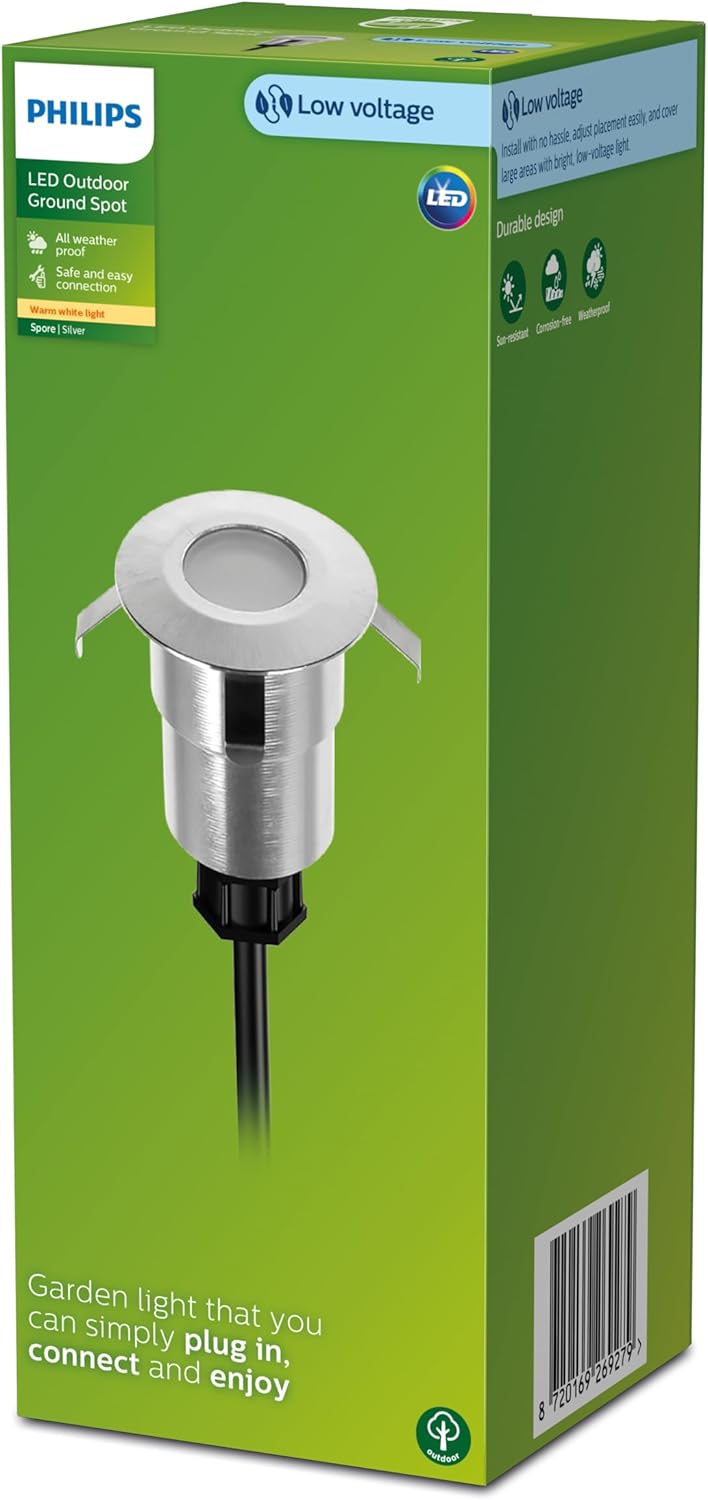
Figure 2: Philips Spore GardenLink product packaging.
4. Setup and Installation
The Philips GardenLink system features super simple installation and connection with Twist & Lock connectors. Thanks to the 24V low voltage, you do not need to bury power cables deeply.
4.1. Planning Your Layout
Before installation, plan the desired placement of your lights and the routing of the cables. Ensure the total wattage of all connected lights does not exceed the capacity of your Philips GardenLink power supply unit (sold separately or included with starter kits).
4.2. Installation Steps
- Position the Luminaire: Place the light unit in your desired location. For ground spots, ensure the ground is suitable for embedding the light securely.
- Connect the Cables: Use the Twist & Lock connectors to link the light to the main GardenLink cable, and then connect the main cable to the power supply unit. Ensure connections are firm and watertight.
- Connect Power Supply: Plug the Philips GardenLink power supply unit into a standard outdoor electrical outlet.
- Enjoy: Once connected, your light system is ready to operate.

Figure 3: Step-by-step installation guide for Philips GardenLink lights.

Figure 4: Detail of the Twist & Lock cable connection.
5. Operating Instructions
The Philips Spore GardenLink light operates automatically when connected to a compatible Philips GardenLink power supply unit and plugged into a live electrical outlet. Most GardenLink power supply units include a timer or dusk-to-dawn sensor for automated operation. Refer to your power supply unit's manual for specific operating modes and settings.
- Power On/Off: The light will turn on when the power supply unit is active and providing power. To turn off the light, disconnect the power supply unit from the electrical outlet or use any integrated controls on the power supply.
- Expansion: You can easily add more Philips GardenLink lights to your existing system, provided the total wattage does not exceed the power supply's capacity.
6. Maintenance
The Philips Spore GardenLink light is designed for durability and minimal maintenance.
- Cleaning: Periodically clean the light fixture with a soft, damp cloth to remove dirt and debris. Do not use abrasive cleaners or solvents. Ensure the power is disconnected before cleaning.
- Weather Resistance: The product is tested to resist corrosion and rust in heavy rainfall, high humidity, bright sun, UV radiation, and extreme temperatures, thanks to its IP67 rating.
- Cable Inspection: Occasionally inspect cables and connections for any signs of wear, damage, or loose connections. Repair or replace damaged components immediately.
- Light Source: The integrated LED light source is designed for a long lifespan (up to 25,000 hours) and is not user-replaceable. If the light source fails, the entire luminaire may need replacement. This product contains a light source of energy class G.

Figure 5: The Philips GardenLink light is suitable for all weather conditions.
7. Troubleshooting
If you encounter issues with your Philips Spore GardenLink light, refer to the following common problems and solutions:
| Problem | Possible Cause | Solution |
|---|---|---|
| Light does not turn on. | No power to the power supply unit. | Check if the power supply unit is securely plugged into a working outlet. Test the outlet with another device. |
| Light does not turn on. | Loose or incorrect cable connection. | Ensure all Twist & Lock connectors are securely fastened. Disconnect and reconnect if necessary. |
| Light does not turn on. | Power supply unit malfunction or overload. | Check the power supply unit's indicator light (if any). Ensure the total wattage of connected lights does not exceed the power supply's maximum capacity. Try disconnecting some lights to see if the issue resolves. |
| Light flickers or is dim. | Loose connection or insufficient power. | Check all cable connections. Ensure the power supply unit is not overloaded. |
| Water ingress in the light. | Damaged seal or improper installation. | Disconnect power immediately. Inspect the light for damage. If seals are compromised, the IP67 rating may be affected. Contact support if damage is significant. |
8. Specifications
| Feature | Detail |
|---|---|
| Brand | Philips Lighting |
| Manufacturer | Signify |
| Model Number | 929004072801 |
| Product Dimensions (L x W x H) | 4 x 6.4 x 4 cm |
| Item Weight | 220 grams |
| Color | Metallic silver |
| Included Components | LED Light |
| Operating Voltage | 24 Volts (Low Voltage System) |
| Power Supply Input Voltage | 240 Volts (for compatible Philips GardenLink power supply unit, sold separately) |
| Power Consumption | 1 Watt |
| Energy Efficiency Label | E |
| IP Rating | IP67 (Dust tight, protected against immersion in water) |
| Lifespan | Up to 25,000 hours |
| Batteries Required/Included | No |
| Date First Available | February 1, 2024 |
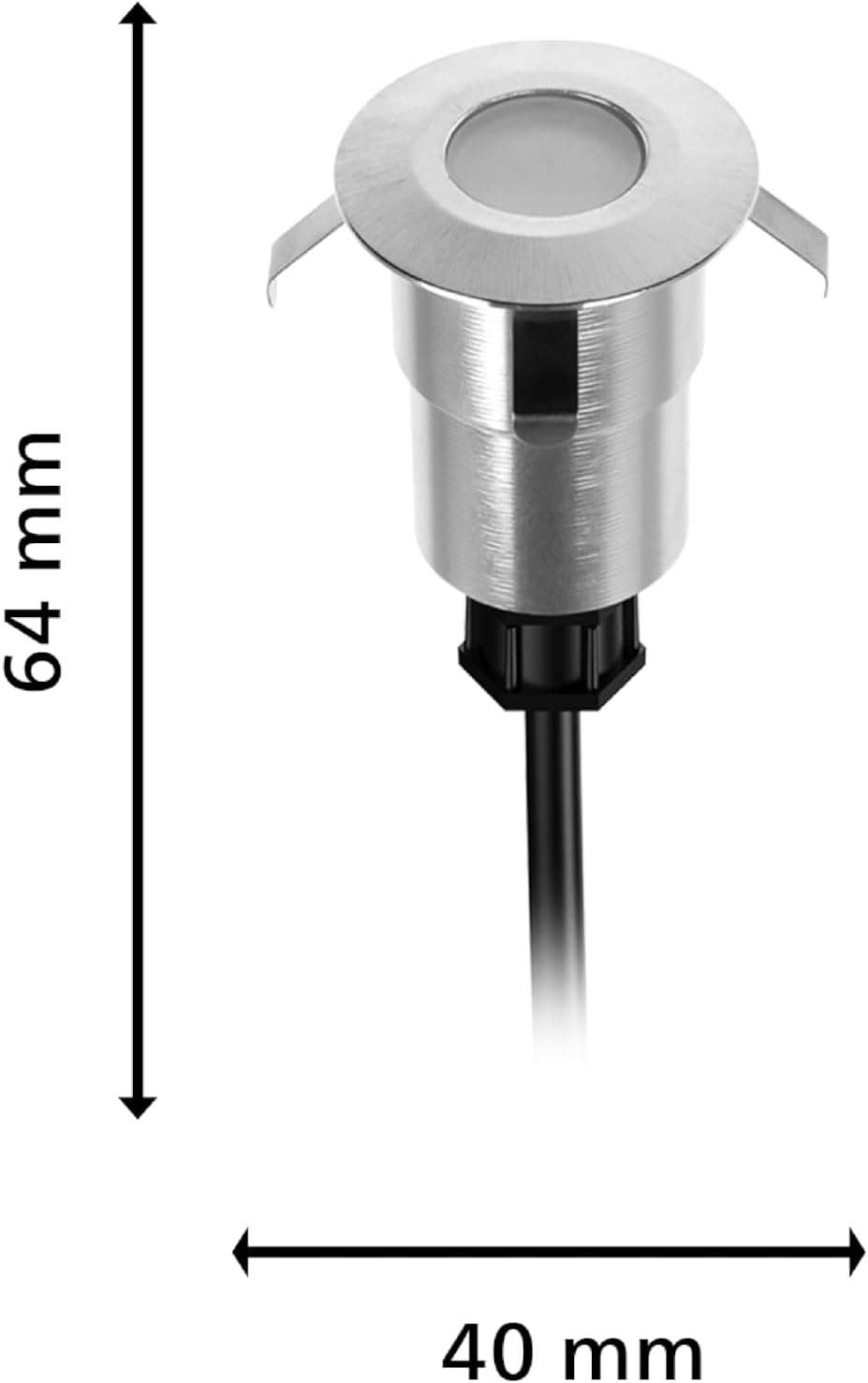
Figure 6: Dimensions of the Philips Spore GardenLink light.
9. Warranty and Support
For warranty information, please refer to the documentation provided with your Philips GardenLink power supply unit or visit the official Philips Lighting website. Philips Lighting products are designed for quality and reliability.
For technical support, spare parts availability (if applicable), or further assistance, please contact Philips Lighting customer service. Information regarding spare parts availability for this specific model is currently unavailable.
You can find more information and support resources on the Philips Lighting Brand Store.


