
Introduction
This manual provides essential information for the safe and effective use of your LELO Hugo 2 Remote Prostate Vibrator. Please read it thoroughly before first use and retain it for future reference.
Safety Information
- This device is for adult use only.
- Do not use on swollen or damaged skin. Discontinue use if irritation or discomfort occurs.
- Consult a medical professional if you have any health concerns or pre-existing conditions before using this device.
- Keep out of reach of children.
- Do not share the device for hygiene reasons.
- Use only water-based lubricants with this device. Oil-based lubricants can damage the silicone material.
Package Contents
Verify that all items are present in your package:
- LELO Hugo 2 Remote Prostate Massager
- Remote Controller
- USB Charging Cable
- Satin Storage Pouch
- Water-based Lubricant Sachet (5 ml / 0.17 fl. oz.)
- Instruction Manual
- Warranty Registration Card

Product Overview
The LELO Hugo 2 Remote is a remote-controlled prostate massager designed for internal use. It features two powerful motors and a motion-sensitive remote for varied sensations.

Key Features:
- Dual Motors: Two powerful motors located at the base and tip for targeted stimulation.
- SenseMotion Technology: Control vibration intensities by tilting or moving the remote.
- 8 Vibration Settings: A variety of rhythmic patterns for diverse experiences.
- Remote Control: Wireless control for hands-free operation.
- Body-Safe Silicone: Made from extra-soft, premium silicone that is warm to the touch.
- Waterproof Design: IPX7 certified, suitable for use in the bath or shower and easy cleaning.
- USB Rechargeable: Convenient charging with the included USB cable.

Specifications
- Material: Body-safe silicone
- Size: 104 x 107 x 41 mm (4.09 x 4.2 x 1.6 in)
- Insertable Length: 72 mm (2.83 in)
- Weight: 5.64 ounces
- Battery: 1 Lithium Polymer battery (required)
- Charging Time: 2 hours
- Use Time: Up to 2 hours
- Standby Time: Up to 90 days
- Interface: 3-button interface on remote
- Wireless Range: Up to 5 m (16 ft)
- Frequency: 120 Hz
- Max Noise Level: 50 dB

Setup
Charging the Device:
- Before first use, charge your LELO Hugo 2 Remote for 2 hours.
- Locate the charging port on the device.
- Connect the USB charging cable to the device and a USB power source.
- The LED lights on the device will indicate the battery level during charging.
- A full charge provides up to 2 hours of use.
Operating Instructions
Basic Operation:
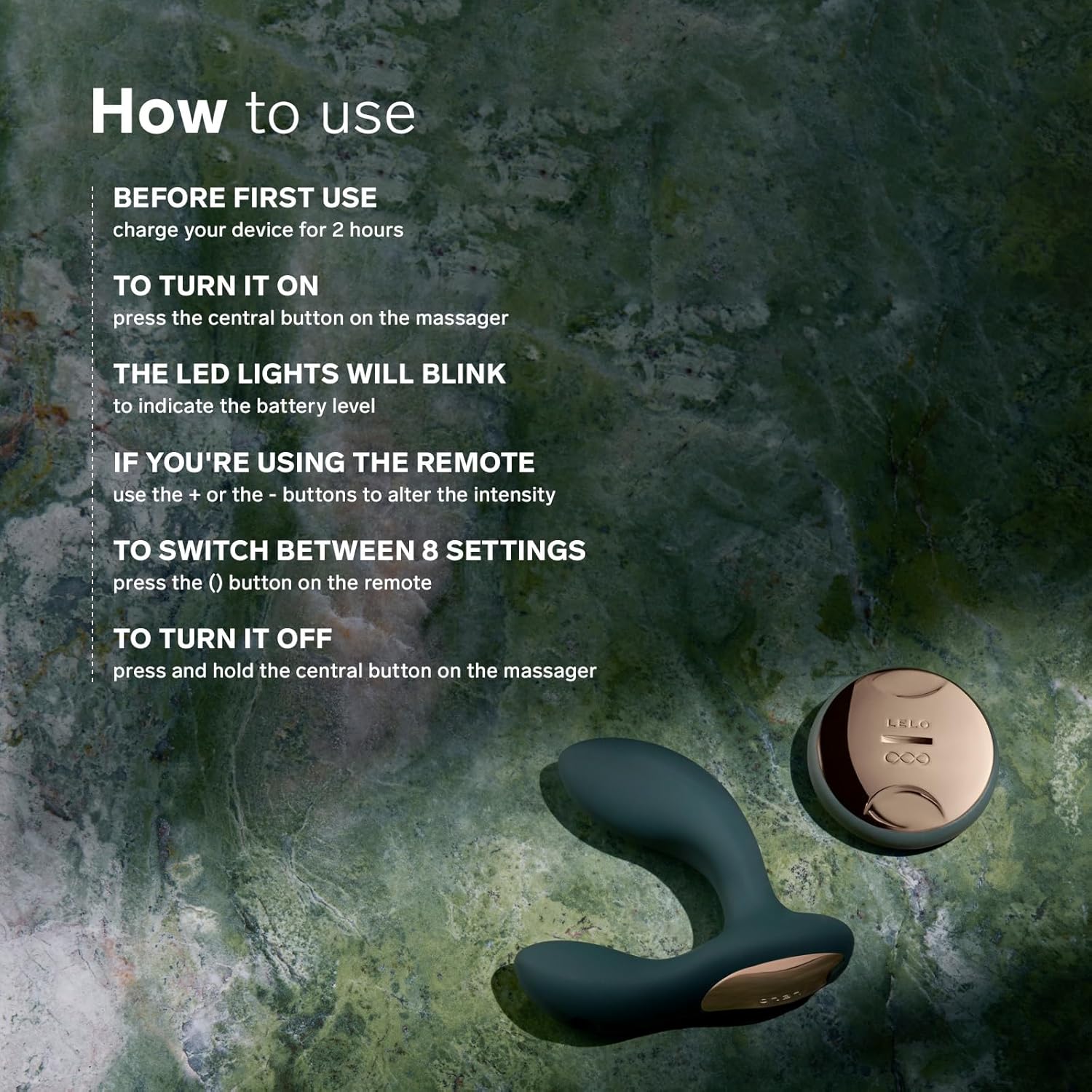
- To Turn On: Press the central button on the massager. The LED lights will blink to indicate the battery level.
- To Turn Off: Press and hold the central button on the massager.
- Using the Remote: If using the remote, press the '+' or '-' buttons to alter the intensity.
- Switching Settings: Press the '()' button on the remote to cycle through the 8 rhythmic vibration settings.
Application Guide:
- Prep: Apply a generous amount of LELO Personal Moisturizer (or any water-based lubricant) to the LELO Hugo 2 Remote. Ensure you are in a comfortable position.

Image: Illustration depicting the preparation step, where lubricant is applied to the device. - Engage: Gently insert the LELO Hugo 2 Remote, breathing deeply until it feels comfortable. Power on the device.

Image: Illustration depicting the engagement step, where the device is inserted and powered on. - Indulge: Switch through the different settings and adjust intensity using the remote until you find your preferred sensation.

Image: Illustration depicting the indulgence step, where the user controls the device with the remote to find desired sensations.
Maintenance
Cleaning:
- Always clean the device thoroughly before and after each use.
- Wash the device with warm water and a mild, antibacterial soap, or use a specialized toy cleaner.
- Rinse thoroughly with clean water.
- Pat dry with a lint-free cloth or air dry.
- Do not use cleaners containing alcohol, petroleum, or acetone, as these can damage the silicone.
Storage:
- Store the device in the provided satin pouch or a clean, dry, dust-free place.
- Keep it away from extreme temperatures and direct sunlight.
- Avoid storing with other toys made of different materials, especially those containing silicone, to prevent material degradation.
Troubleshooting
| Problem | Possible Cause | Solution |
|---|---|---|
| Device does not turn on. | Low battery. | Charge the device for 2 hours. |
| Remote is not controlling the device. | Out of range; interference; remote battery low. | Ensure remote is within 5 meters (16 ft) of the device. Check for obstructions. Ensure remote battery is charged (if applicable, though product description implies device is rechargeable, not remote separately). |
| Vibrations feel weak. | Low battery; intensity setting too low. | Recharge the device. Increase intensity using the '+' button on the remote. |
| Device turns off randomly. | Low battery; internal malfunction. | Recharge the device fully. If the problem persists, contact LELO customer support. |
Warranty and Support
Your LELO Hugo 2 Remote comes with a 1-year warranty and a 10-year quality guarantee, ensuring long-term enjoyment and peace of mind.
For warranty claims, technical support, or any questions regarding your device, please visit the official LELO website or contact their customer service directly. Refer to the Warranty Registration Card included in your package for specific details.
Manufacturer: Lelo
Model Number: 89635
Disposal Information
This device contains a rechargeable lithium-polymer battery and electronic components. Do not dispose of it with general household waste. Please follow local regulations for electronic waste recycling to protect the environment.