
1. Introduction
The Sper Scientific Compact Digital Min/Max Thermometer 800121 is designed for accurate temperature measurement and recording of minimum and maximum temperature values over time. This device is suitable for various environments, including laboratories, food storage, HVAC systems, and greenhouses. It features a clear LCD display, switchable Celsius (°C) and Fahrenheit (°F) units, and an IPX4 water-resistant rating for enhanced durability.
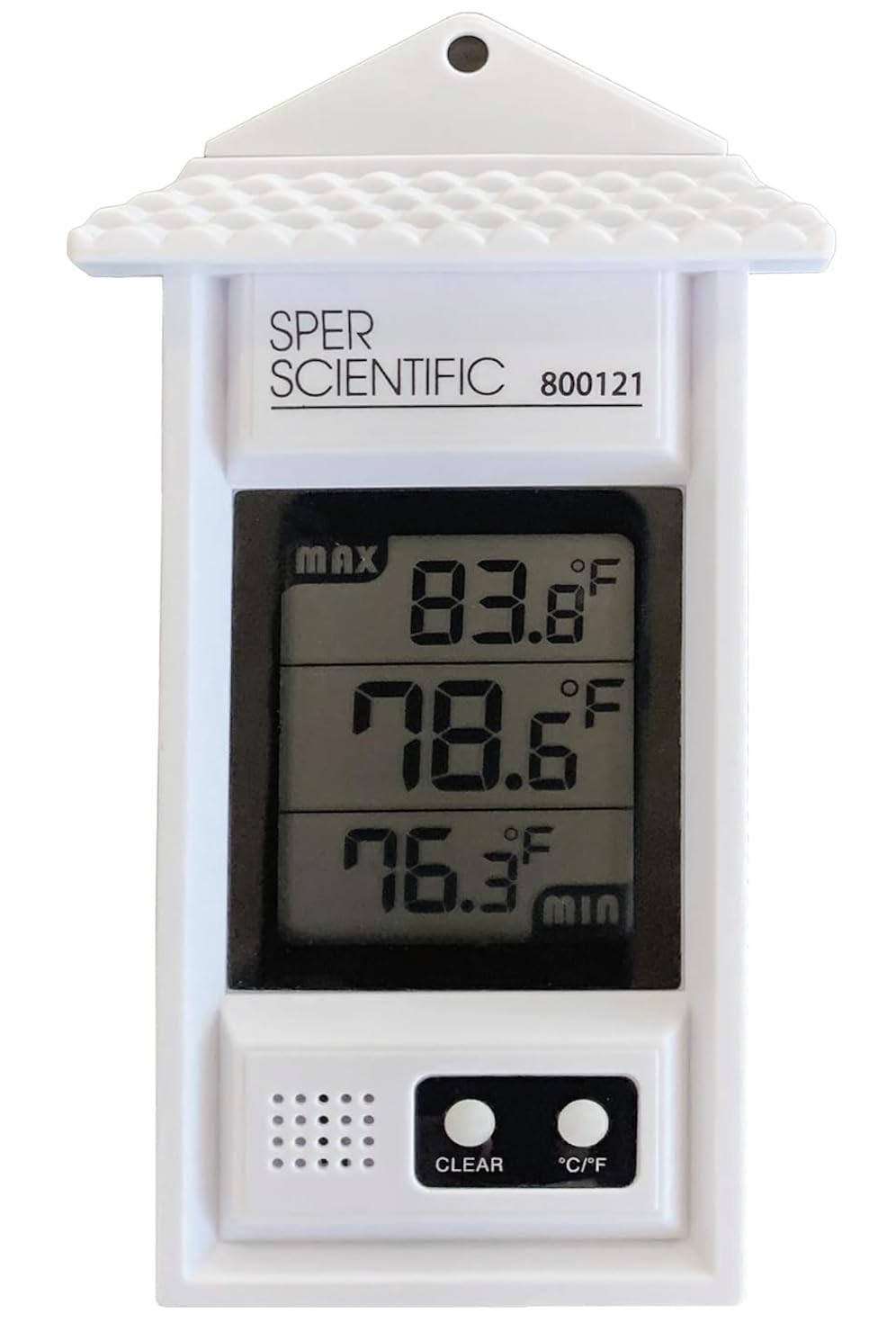
Figure 1: Sper Scientific Compact Digital Min/Max Thermometer 800121
2. Key Features
The Sper Scientific Compact Digital Min/Max Thermometer 800121 offers several features designed for effective temperature monitoring:
- Min/Max Temperature Recording: Automatically logs and displays the minimum and maximum temperatures recorded since the last reset, allowing for tracking of temperature fluctuations.
- Wide Temperature Range: Capable of measuring temperatures from -50°C to 70°C (-58°F to 158°F), making it suitable for diverse environments.
- Clear Digital Display: Features a large LCD screen that clearly shows current, minimum, and maximum temperatures.
- Compact and Portable Design: Its small size and lightweight construction ensure easy portability for use in various locations.
- Battery-Powered Operation: Operates on a single AAA battery, providing long-lasting performance.
- Durable and Water-Resistant: Built with rugged construction and an IPX4 waterproof rating, offering resistance to water splashes for both indoor and outdoor use.

Figure 2: Compact and portable design for convenient use.
3. Package Contents
Please check the package contents to ensure all items are present and undamaged.
- 1 x Sper Scientific Compact Digital Min/Max Thermometer 800121
- 1 x AAA Battery
- 1 x Instruction Manual (this document)
4. Product Overview
Familiarize yourself with the components and display elements of your thermometer.

Figure 3: Front view of the thermometer with labeled display and buttons.
- Maximum Temperature: Displays the highest recorded temperature.
- Current Temperature: Shows the real-time temperature.
- Minimum Temperature: Displays the lowest recorded temperature.
- Clear Button: Resets the recorded minimum and maximum temperatures.
- °C to °F Switching Button: Toggles between Celsius and Fahrenheit temperature units.
5. Setup
5.1 Battery Installation
The thermometer requires one AAA battery for operation.
- Locate the battery compartment cover on the back of the thermometer.
- Slide the cover downwards or in the direction indicated by an arrow to open it.
- Insert one AAA battery, ensuring the correct polarity (+ and - terminals match the markings inside the compartment).
- Replace the battery compartment cover by sliding it back into place until it clicks securely.

Figure 4: Battery compartment and AAA battery.
The thermometer will automatically power on once the battery is correctly installed.
6. Operating Instructions
6.1 Viewing Current Temperature
Upon battery installation, the thermometer will immediately display the current ambient temperature on the main part of the LCD screen.
6.2 Min/Max Temperature Function
The thermometer continuously records the minimum and maximum temperatures since the last reset. These values are displayed on the upper (MAX) and lower (MIN) sections of the LCD.
- To view the recorded minimum and maximum temperatures, simply observe the display.
- To reset the Min/Max temperature records, press the "CLEAR" button located on the front of the thermometer (refer to Figure 3). The display will momentarily show the current temperature for both MIN and MAX, and then begin recording new minimum and maximum values.
6.3 Switching Temperature Units (°C/°F)
To switch between Celsius (°C) and Fahrenheit (°F) temperature units:
- Press the "°C/°F" button on the front of the thermometer (refer to Figure 3). The display will change to the selected unit.
7. Maintenance
7.1 Cleaning
To clean the thermometer, gently wipe its surface with a soft, damp cloth. Do not use abrasive cleaners or immerse the device in water.
7.2 Battery Replacement
When the display becomes dim or the thermometer stops functioning, it is time to replace the AAA battery. Follow the steps outlined in Section 5.1 Battery Installation to replace the battery. Dispose of used batteries responsibly according to local regulations.
8. Troubleshooting
- No Display / Dim Display:
- Check if the AAA battery is installed correctly with the right polarity.
- Replace the AAA battery with a new one.
- Incorrect Temperature Readings:
- Ensure the thermometer is not exposed to direct sunlight or extreme heat sources that could affect its readings.
- Verify that the thermometer is placed in a location representative of the temperature you wish to measure.
- Min/Max Values Not Resetting:
- Ensure you are pressing the "CLEAR" button firmly.
9. Specifications
Detailed technical specifications for the Sper Scientific Compact Digital Min/Max Thermometer 800121.
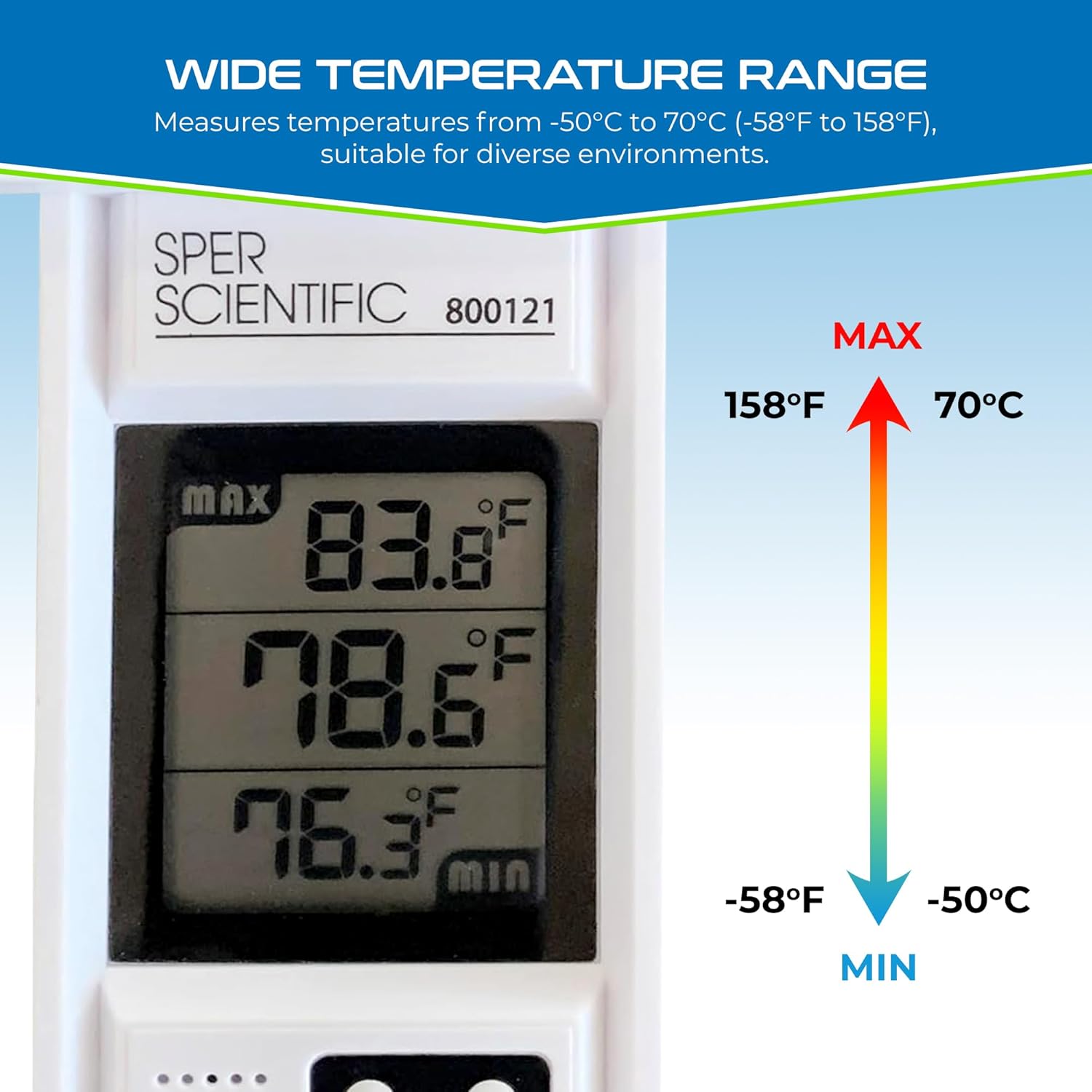
Figure 5: Wide Temperature Range Capability
| Feature | Specification |
|---|---|
| Model Number | 800121 |
| Temperature Range | -50°C to +70°C (-58°F to +158°F) |
| Accuracy | +/-1°C (+/-2°F) |
| Resolution | 0.1°F/C |
| Display Type | Digital LCD |
| Power Source | 1 x AAA Battery (included) |
| Water Resistance | IPX4 (resistant to splashes) |
| Material | Plastic |
| Dimensions (Item Length) | 5.9 Inches |
| Country of Origin | USA |
10. Warranty Information
This Sper Scientific Compact Digital Min/Max Thermometer 800121 comes with a 1-Year Limited Warranty from the date of purchase. This warranty covers defects in materials and workmanship under normal use. It does not cover damage resulting from misuse, accident, unauthorized modification, or improper operation. Please retain your proof of purchase for warranty claims.
11. Customer Support
For technical assistance, troubleshooting beyond this manual, or warranty inquiries, please contact Sper Scientific customer support. Refer to the official Sper Scientific website or your purchase documentation for current contact information.
Online Resources: Visit the Sper Scientific website for FAQs, product updates, and additional support materials.