
Brigii ice cube tray IC01
Brigii Ice Cube Tray with Lid & Bin User Manual
Model: ice cube tray IC01
1. Product Overview
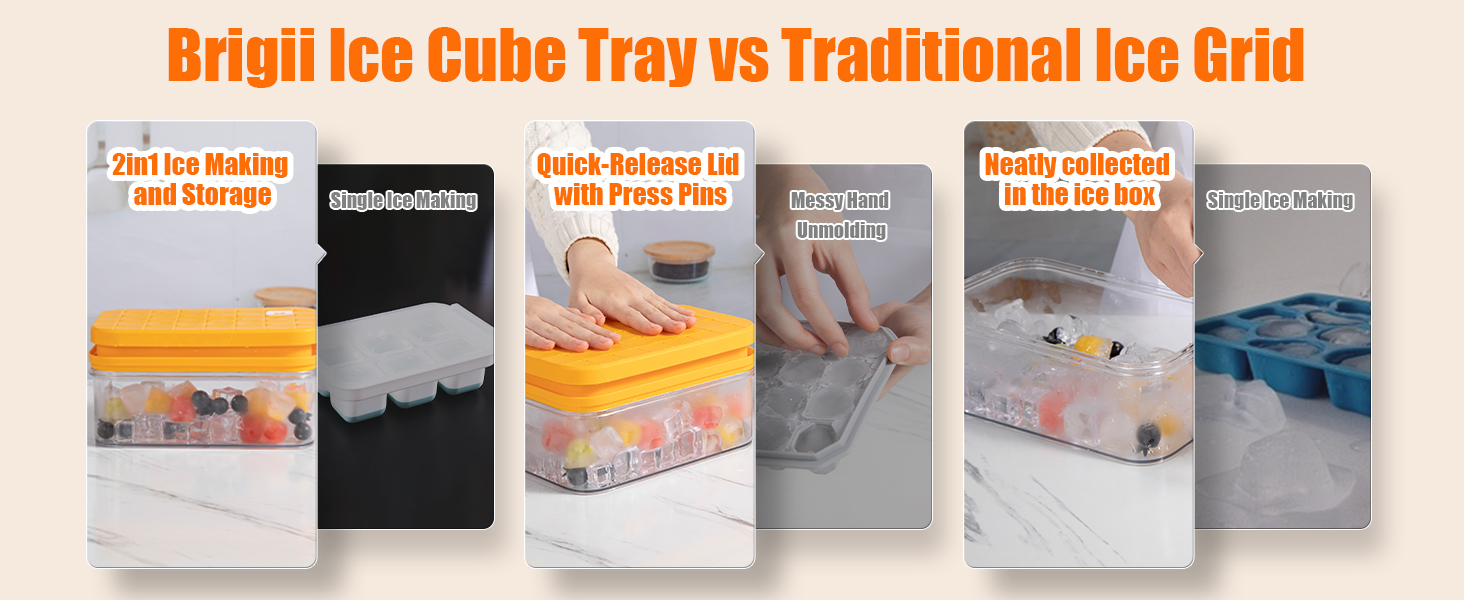
The Brigii Ice Cube Tray system is designed for convenient ice making and storage. It includes two stackable ice trays with easy-release silicone bottoms and a transparent ice storage container with a dustproof lid. An ice scoop is also provided for hygienic ice retrieval. This compact system efficiently utilizes freezer space and is made from food-grade, BPA-free materials.

2. Components
The Brigii Ice Cube Tray system consists of the following parts:
- Ice Tray Lid: Made from PET, designed to cover the ice trays.
- Ice Trays (x2): Made from PP+TPE, each with 56 compartments and a silicone bottom for easy release.
- Ice Storage Box: Made from PET, a transparent container for collecting and storing ice cubes.
- Ice Scoop: Made from PP, for convenient and hygienic ice retrieval.

3. Setup
Before first use, wash all components with warm water and mild soap. Rinse thoroughly and dry. Ensure all parts are completely dry before assembly and use.
- Place one ice tray onto the ice storage box.
- Fill the ice tray with water or your desired beverage. Do not overfill to prevent spillage and allow for ice expansion.
- Place the second ice tray on top of the first, aligning it properly.
- Cover the top ice tray with the provided lid.
- Carefully place the assembled unit into your freezer.
4. Operating Instructions
Follow these steps to efficiently make and release ice cubes:
- Ensure the ice is fully frozen. Freezing overnight is recommended for optimal results.
- Remove the ice cube tray assembly from the freezer.
- Remove the lid.
- Invert the frozen ice tray directly onto the ice storage box.
- Apply firm, even pressure downwards on the top of the inverted tray. The silicone bottom will flex, releasing the ice cubes into the storage box below. (Tip: Gently twist the ice tray slightly before pressing to facilitate easier release.)
- Repeat for the second tray if desired.
- Use the provided ice scoop to retrieve ice cubes from the storage box.


5. Maintenance and Care
Proper care will extend the life of your Brigii Ice Cube Tray system:
- Cleaning: Hand wash all components with warm water and mild dish soap. Rinse thoroughly to remove all soap residue.
- Drying: Ensure all parts are completely dry before reassembling or storing to prevent water spots or odors.
- Dishwasher Safety: This product is not dishwasher safe. Hand washing is required.
- Storage: Store the components stacked neatly in the freezer or a cabinet when not in use. The stackable design helps save space.
- Material Care: Avoid using abrasive cleaners or scouring pads, as these can scratch the surfaces of the trays and bin.
6. Troubleshooting
| Problem | Possible Cause | Solution |
|---|---|---|
| Ice cubes are difficult to release. |
|
|
| Ice cubes stick together in the storage bin. |
|
|
| Unpleasant odor from trays. |
|
|
7. Specifications
| Feature | Detail |
|---|---|
| Model Number | ice cube tray IC01 |
| Dimensions (L x W x H) | 9.05"L x 5.52"W x 4.72"H (approximate) |
| Material | Polyethylene Terephthalate (PET), Thermoplastic Elastomer (TPE), Polypropylene (PP) |
| Color | Orange |
| Ice Cube Capacity | 56 cubes per tray (2 trays included) |
| Ice Cube Size (approx.) | 1 inch per cube |
| Weight | 1.59 pounds (0.72 Kilograms) |
| BPA Free | Yes |
| Dishwasher Safe | No |

8. Warranty and Support
Brigii is committed to providing thoughtful service to its customers. If you encounter any questions or issues regarding your Brigii Ice Cube Tray with Lid & Bin, please do not hesitate to contact the seller directly through Amazon.
The seller aims to respond to all inquiries within 24 hours to ensure your satisfaction.
For further assistance, you may visit the official Brigii store on Amazon: Brigii Amazon Store.
Ask a question about this manual
Ask about setup, troubleshooting, compatibility, parts, safety, or missing instructions. Manuals+ will review the question and use this page’s manual context to help answer it.