
Introduction
Welcome to the Ulefone Note 16 Pro. This smartphone is designed to provide a seamless and efficient mobile experience. Featuring the latest Android 13 operating system, a powerful octa-core processor, and a versatile 50MP dual camera system, it is equipped for both daily tasks and entertainment. This manual will guide you through the setup, operation, and maintenance of your new device.
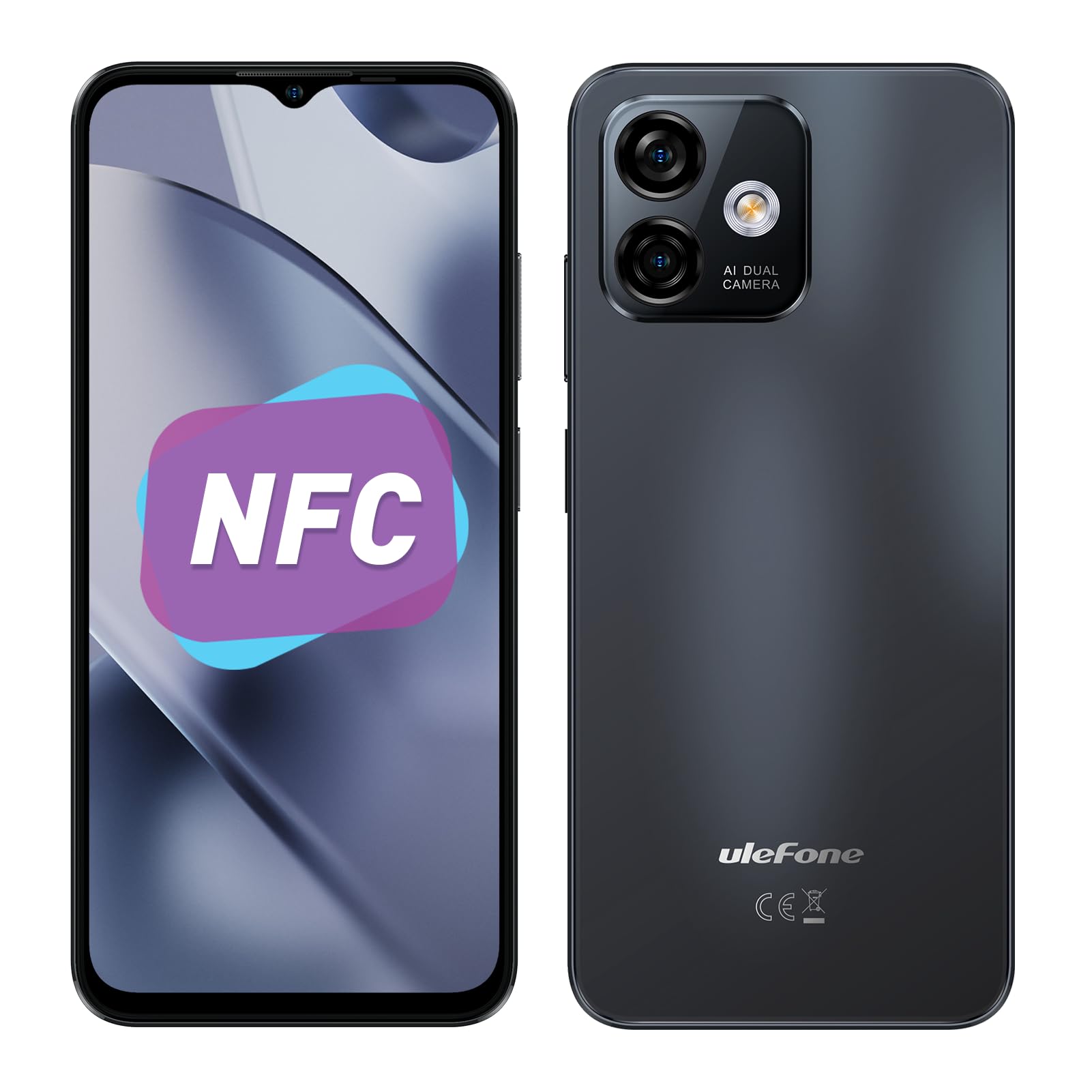
Figure 1: Ulefone Note 16 Pro smartphone, showcasing its sleek design.
What's in the Box
Your Ulefone Note 16 Pro package includes the following items:
- 1x AC Power Charger (100~240V/US Plug)
- 1x USB-A to USB-C 2.0 Charger Cable (1m)
- 1x Protective Film (Pre-installed)
- 1x TPU Protective Case
- 1x SIM Needle
Setup
1. Inserting SIM Cards and MicroSD Card
- Locate the SIM card tray on the side of your device.
- Use the provided SIM needle to gently eject the tray.
- Place your Nano SIM cards (up to two) and/or a MicroSD card (up to 256GB) into the designated slots on the tray. Ensure they are correctly oriented.
- Carefully reinsert the tray into the phone.

Figure 2: Illustration of SIM card and MicroSD card insertion, along with the 3.5mm headphone jack.
2. Powering On and Initial Setup
- Press and hold the Power button (located on the side) until the Ulefone logo appears.
- Follow the on-screen prompts to select your language, connect to a Wi-Fi network, and set up your Google account.
- You may choose to transfer data from a previous Android device during this process.
Operating Your Device
Android 13 Operating System
The Ulefone Note 16 Pro runs on Android 13, offering a personalized and privacy-focused user experience. This pure version of Android ensures no ads or unwanted pre-installed software.

Figure 3: The clean and intuitive interface of Android 13 on the Ulefone Note 16 Pro.
Performance and Storage
Equipped with a powerful octa-core Unisoc T606 processor, 12GB RAM (4GB physical + 8GB virtual), and 128GB internal storage (expandable up to 256GB via microSD), the device ensures smooth multitasking and ample space for your applications and media.

Figure 4: Visual representation of the phone's memory and processing power.
Display
Enjoy vivid details on the large 6.52-inch HD+ IPS LCD screen, featuring a 90% screen-to-body ratio for an immersive viewing experience.

Figure 5: The 6.52-inch HD+ IPS LCD display provides clear and vibrant visuals.
Camera System
Capture every moment with the 50MP main camera, featuring AI scene detection and HDR. The 2MP macro lens allows for detailed close-up shots, while the 8MP front camera with portrait enhancements ensures high-quality selfies and video calls.

Figure 6: Overview of the Ulefone Note 16 Pro's camera capabilities.
Battery Life
The built-in 4400mAh battery provides extended usage, offering up to 277 hours of standby time, 24 hours of talk time, and 13 hours of TikTok usage.

Figure 7: The 4400mAh battery offers reliable long-lasting power.
Security Features
Unlock your phone conveniently and securely using the side-mounted fingerprint sensor or Face Unlock technology.

Figure 8: Secure and convenient unlocking options with Face Unlock and Fingerprint ID.
Connectivity
The Ulefone Note 16 Pro supports Dual 4G connectivity, dual-band Wi-Fi (2.4GHz & 5GHz), and includes built-in GPS, GLONASS, BeiDou, and Galileo for accurate navigation. It also features NFC for convenient mobile payments and data transfer.

Figure 9: Key connectivity features of the Ulefone Note 16 Pro.
Audio
A 3.5mm headphone jack is included for wired audio connections.
Maintenance
To ensure the longevity and optimal performance of your Ulefone Note 16 Pro, consider the following maintenance tips:
- Keep it Clean: Regularly wipe your phone with a soft, lint-free cloth. Avoid harsh chemicals.
- Protect the Screen: Utilize the pre-installed protective film and the included TPU case to guard against scratches and minor impacts.
- Battery Care: Avoid fully draining the battery frequently. Charge your device using the provided charger and cable.
- Software Updates: Keep your device's software updated to benefit from the latest security patches and feature enhancements.
- Avoid Extreme Conditions: Do not expose your phone to extreme temperatures, direct sunlight for prolonged periods, or excessive moisture.
Troubleshooting
If you encounter issues with your Ulefone Note 16 Pro, try these common troubleshooting steps:
- Device Not Responding: Press and hold the Power button for about 10-15 seconds to force a restart.
- Connectivity Issues (Wi-Fi/Mobile Data): Toggle Wi-Fi or mobile data off and on. If the issue persists, restart your device or check network settings.
- Battery Draining Quickly: Check background app usage in settings. Reduce screen brightness and disable unnecessary features like GPS or Bluetooth when not in use.
- App Crashes: Clear the cache and data for the problematic app in Settings > Apps. If the issue continues, reinstall the app.
- Slow Performance: Close unused apps, clear cache, and ensure sufficient storage space. Consider a factory reset as a last resort (back up your data first).
Specifications
| Feature | Detail |
|---|---|
| Brand | Ulefone |
| Model Name | Ulefone Note 16 Pro |
| Operating System | Android 13.0 |
| CPU Model | Unisoc T606 Octa-core |
| RAM Memory Installed Size | 12 GB (4GB RAM + 8GB virtual RAM) |
| Memory Storage Capacity | 128 GB (expandable up to 256 GB via MicroSD) |
| Screen Size | 6.52 Inches HD+ IPS LCD |
| Resolution | 1560 x 720 or 1600 x 720 |
| Rear Facing Camera Photo Sensor Resolution | 50 MP (Main), 2 MP (Macro) |
| Front Photo Sensor Resolution | 8 MP |
| Battery Capacity | 4400 Milliamp Hours |
| Cellular Technology | 4G (Dual SIM) |
| Wireless Network Technology | Wi-Fi (2.4GHz & 5GHz), NFC |
| Biometric Security Feature | Fingerprint Recognition, Face Unlock |
| Headphones Jack | 3.5 mm |
| Water Resistance Level | Not Water Resistant |
Warranty and Support
Your Ulefone Note 16 Pro comes with a 1-year warranty from the manufacturer, Ulefone. For any support inquiries or warranty claims, please contact Ulefone customer service directly or refer to their official website for detailed contact information.