
1. Introduction
This manual provides instructions for the GHUST ERF2B36H replacement remote control, designed for use with various Hisense Smart TV models. This remote offers a direct replacement solution without requiring complex programming or setup.
2. Compatibility
The GHUST ERF2B36H remote control is compatible with the following Hisense Smart TV models:
- EN2D36H
- 32A45GV, 32A35HUV
- 40A45GV, 40A35HUV
- 43A6GV, 43A45GV, 43A35HUV
- 50A6GV
- 55A6GV
- 65A6GV
- EN2B36H, ERF2D36H, ERF2M36H, ERF2I36H, ERF2J36H, ERF2R36H
Please verify your TV model number against this list to ensure compatibility.
3. Setup
The GHUST ERF2B36H remote control requires no programming or complex setup. Simply install batteries to begin operation.
3.1 Battery Installation
- Locate the battery compartment on the back of the remote control.
- Slide the battery compartment cover downwards to open it.
- Insert two (2) AAA batteries, ensuring the positive (+) and negative (-) terminals align correctly with the markings inside the compartment.
- Slide the battery compartment cover back into place until it clicks securely.

Figure 3.1: Battery compartment with AAA batteries. Batteries are not included with the remote control.
The remote is now ready for use with your compatible Hisense Smart TV.
4. Operating Instructions
This remote control provides intuitive access to all standard functions of your Hisense Smart TV. Its design emphasizes precise control and ease of use.
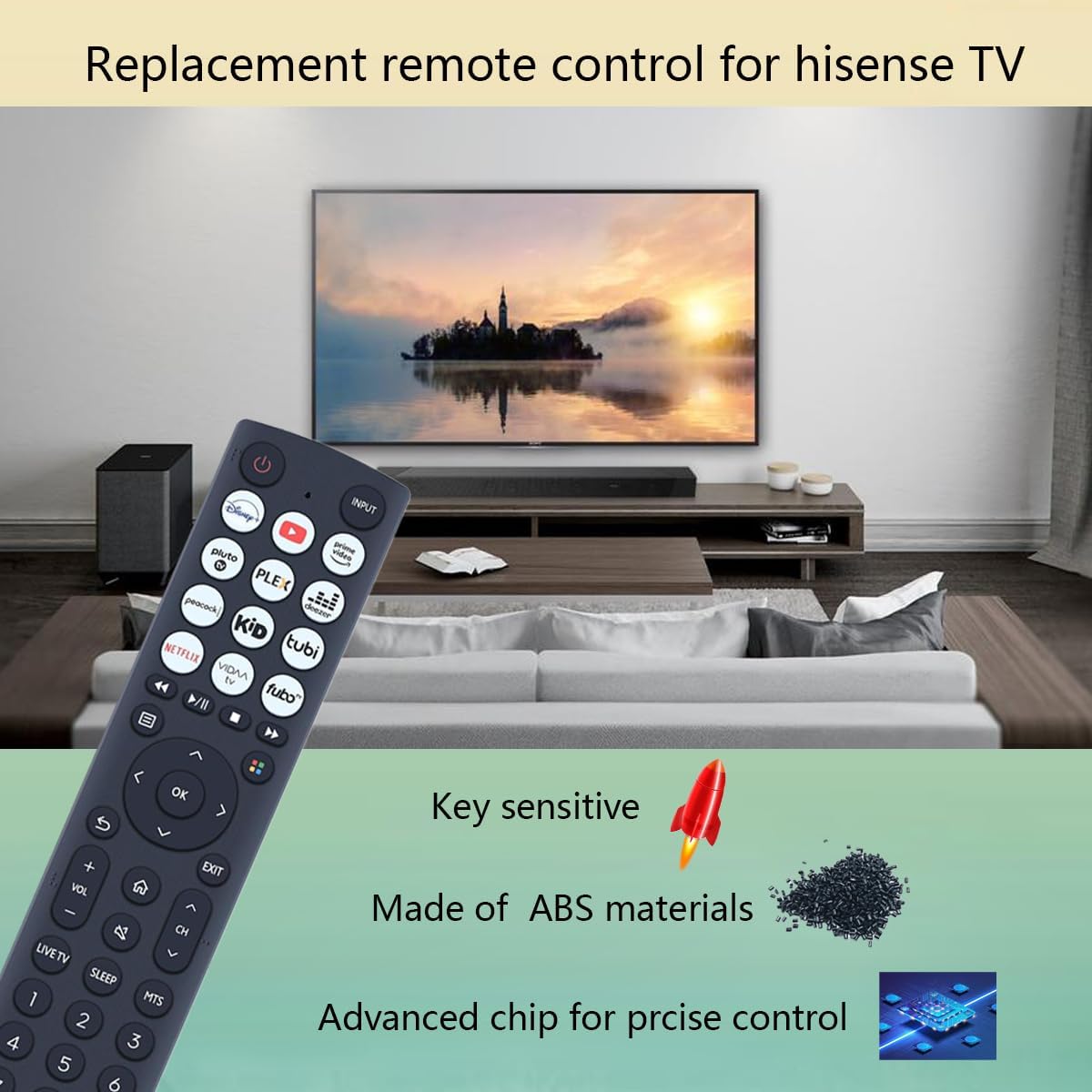
Figure 4.1: The GHUST ERF2B36H remote control in use with a Hisense Smart TV.
4.1 Basic Functions
- Power Button: Turns the TV on or off.
- Input Button: Cycles through available input sources (HDMI, AV, etc.).
- Volume Up/Down: Adjusts the TV's volume level.
- Channel Up/Down: Changes TV channels.
- Navigation Pad (Up/Down/Left/Right/OK): Used to navigate menus and select options.
- Back/Exit Buttons: Returns to the previous screen or exits a menu.
- App Shortcut Buttons: Direct access to popular streaming applications (e.g., Netflix, YouTube, Disney+).
- Number Pad: For direct channel entry.

Figure 4.2: Features of the GHUST ERF2B36H remote control.
5. Maintenance
To ensure the longevity and optimal performance of your remote control, follow these maintenance guidelines:
- Battery Replacement: Replace batteries when the remote's response becomes sluggish or stops working. Always replace both batteries simultaneously with new AAA batteries.
- Cleaning: Wipe the remote control with a soft, dry cloth. For stubborn dirt, lightly dampen the cloth with water. Avoid using harsh chemicals or abrasive cleaners.
- Storage: Store the remote in a cool, dry place away from direct sunlight and extreme temperatures.
- Durability: The remote is constructed from high-quality ABS material for enhanced durability. However, avoid dropping the remote or exposing it to excessive force.
6. Troubleshooting
If you encounter issues with your remote control, refer to the following troubleshooting steps:
- Remote Not Responding:
- Check if the batteries are inserted correctly with the correct polarity (+/-).
- Replace old batteries with new AAA batteries.
- Ensure there are no obstructions between the remote control and the TV's infrared receiver.
- Point the remote directly at the TV.
- Intermittent Functionality:
- This may indicate low battery power. Replace the batteries.
- Ensure no strong light sources (like direct sunlight or bright fluorescent lights) are interfering with the IR signal.
If problems persist after attempting these steps, please contact customer support.
7. Specifications
| Feature | Specification |
|---|---|
| Model Number | ERF2B36H, EN2D36H |
| Dimensions (L x W x H) | 8.4 x 1.8 x 0.8 inches (approximately 21.3 x 4.6 x 2.0 cm) |
| Item Weight | 3.2 ounces (approximately 90.7 grams) |
| Batteries Required | 2 x AAA (not included) |
| Material | High-quality ABS |
| Color | Black |
| Compatible Devices | Television |
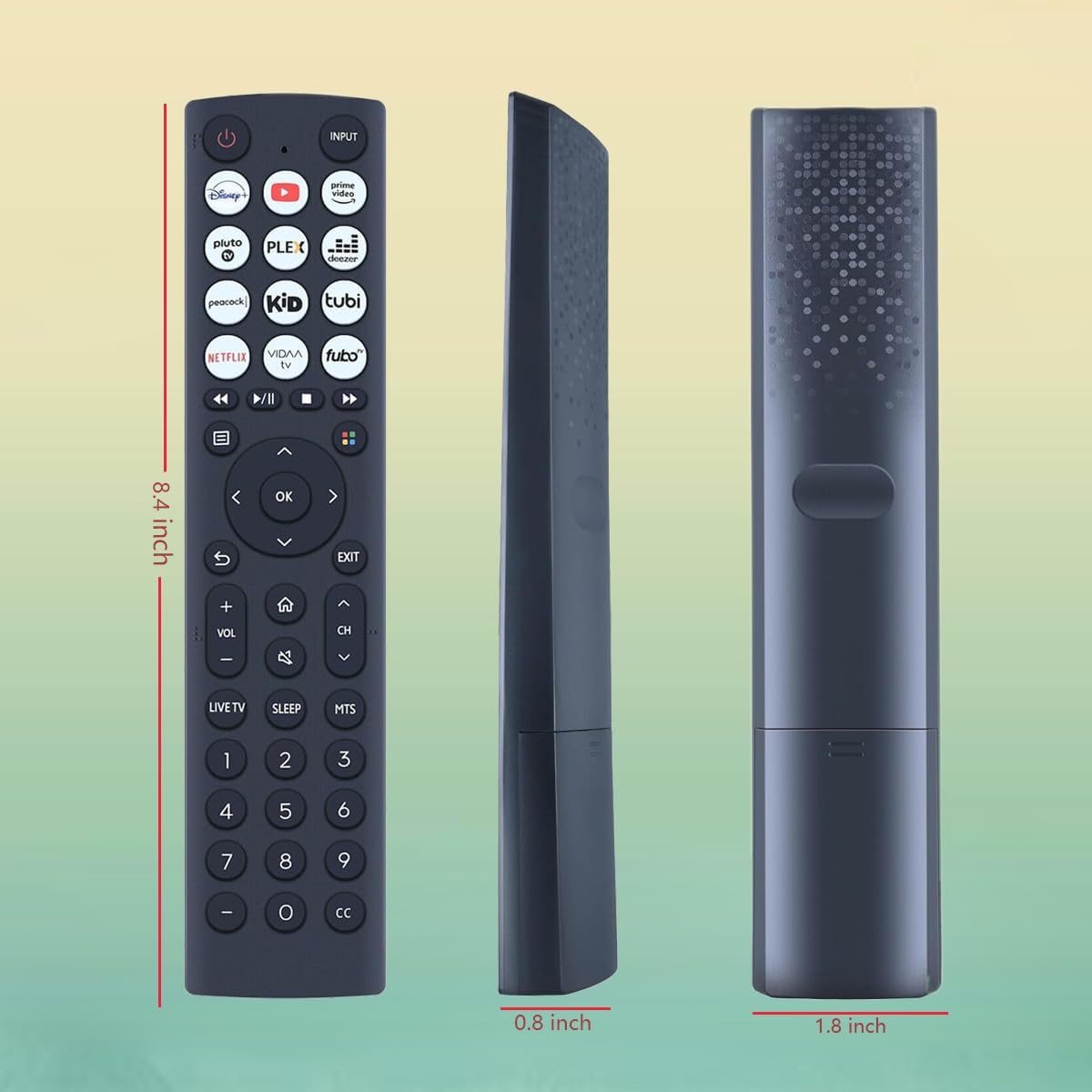
Figure 7.1: Physical dimensions of the remote control.
8. Support
For any questions regarding the quality or functionality of your GHUST ERF2B36H remote control, please contact our customer support team. We are committed to promptly addressing any concerns you may have.
Contact information can typically be found on the product packaging or the retailer's website where the product was purchased.