
1. Introduction
Thank you for choosing the ZeroKor Portable Power Station R100 with its accompanying 40W Foldable Solar Panel. This comprehensive manual provides essential information for the safe and efficient operation, maintenance, and troubleshooting of your device. Please read this manual thoroughly before use and retain it for future reference.
The ZeroKor R100 is a compact and portable power solution designed for outdoor activities, emergency backup, and general power needs for small electronic devices. It features multiple output ports and can be recharged via wall outlet, car, or solar panel.
2. Safety Instructions
- Do not use electrical appliances over 100W with the power station. This can damage the unit, especially devices prone to heat or with built-in air compressors (e.g., coffee makers, hair dryers, water pumps, toasters, portable air conditioners).
- The portable power bank's performance is maintained by regular charging and discharging. Do not completely deplete the unit's power before recharging.
- If not in use, recharge the power bank at least once every half a month, maintaining the battery capacity at 60%-80% to prevent it from entering a self-protection state.
- The junction box of the solar panel is not waterproof. Keep it dry to prevent damage.
- Avoid short circuits, over-current, over-voltage, overload, and overheating. The built-in Battery Management System (BMS) provides protection against these conditions.
- Operate and store the device within recommended temperature ranges.
3. Package Contents
Your ZeroKor Portable Solar Generator Kit includes:
- 1x ZeroKor 100W Portable Power Station (R100)
- 1x AC Power Adapter (15V/2A Max)
- 1x Cigarette Lighter Adapter
- 1x 12V Car Charging Cable
- 1x ZeroKor 40W Portable Foldable Solar Panel Kit
- 2x User Manuals
4. Product Overview
4.1. ZeroKor R100 Portable Power Station
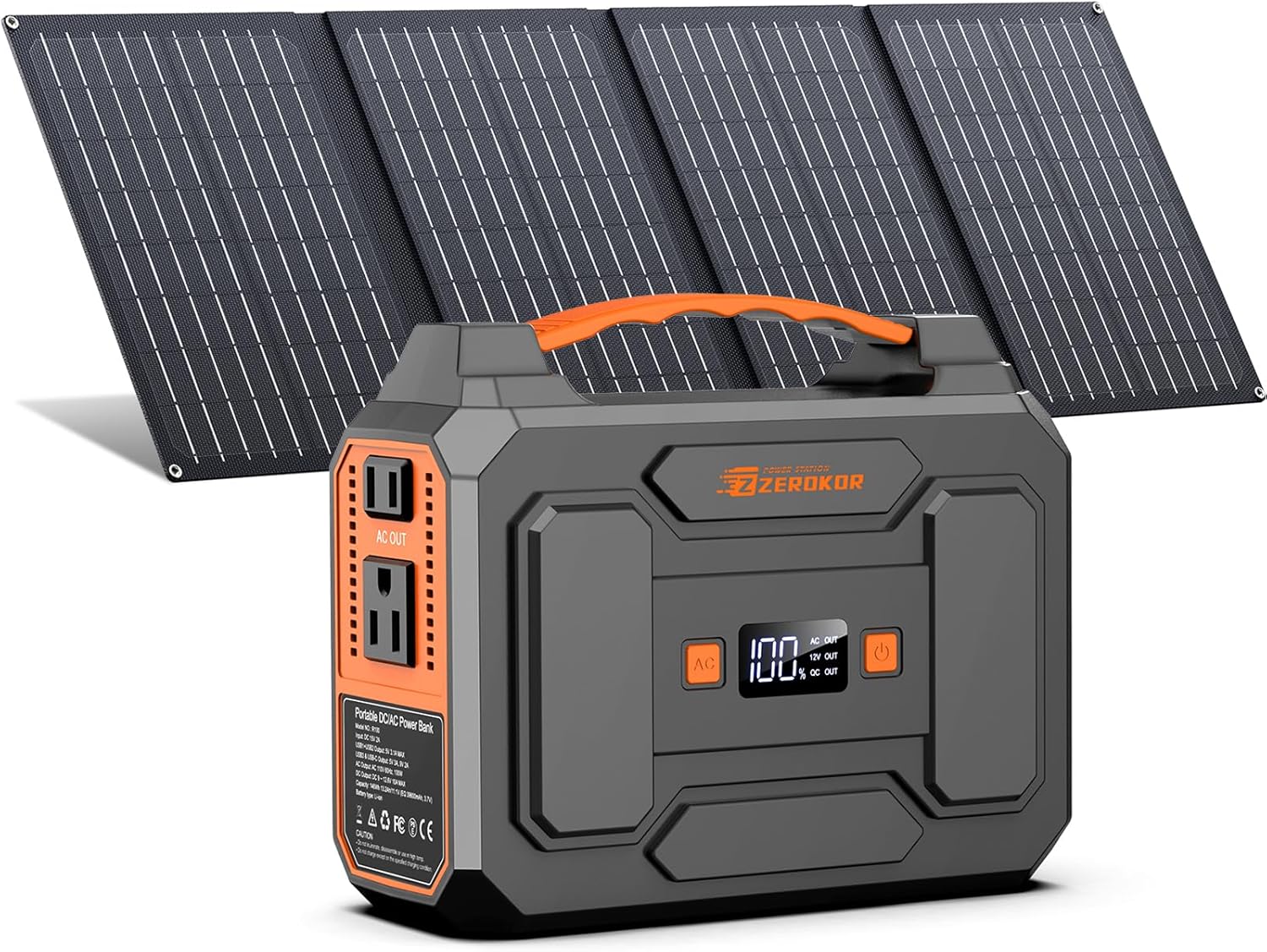
Image: The ZeroKor R100 Portable Power Station shown alongside its foldable 40W solar panel.
The R100 Portable Power Station is a compact and robust unit designed for various power needs. It features a clear display, multiple output ports, and integrated lighting.
Key Features:
- Digital Display: Shows battery percentage, input/output wattage, and status indicators.
- AC Outlets: Two 110V/100W MAX AC outlets for standard appliances.
- DC Output: One DC (9V~12.6V/10A MAX) port.
- USB Ports:
- 2x USB1+USB2 5V/3.1A Max
- 1x QC USB (5V/3A 9V/2A MAX)
- 1x USB-C (5V/3A 9V/2A MAX)
- Integrated Lighting: Flashlight with SOS mode for emergencies.
- Portable Design: Compact (7.59"L x 3.74"W x 6.16"H) and lightweight (3.3 lbs) with a sturdy handle.
- Battery Management System (BMS): Provides short circuit, over-current, over-voltage, overload, and overheating protection.

Image: Detailed dimensions of the ZeroKor R100 Portable Power Station.

Image: Front and side view of the ZeroKor R100 Portable Power Station with all input and output ports clearly labeled.
4.2. 40W Foldable Solar Panel

Image: The ZeroKor 40W Foldable Solar Panel showing its USB-A, USB-C, and DC output ports.
The 40W Foldable Solar Panel is designed for portability and high efficiency, allowing you to recharge your power station or other devices directly using sunlight.
Key Features:
- High Conversion Efficiency: 20.5% monocrystalline solar cells for effective power generation even in low light.
- Multiple Outputs:
- 1x USB-A output (5V/3A, 9V/2A, 12V/1.5A)
- 1x USB-C output (5V/3A, 9V/2A, 12V/1.5A Max)
- 1x DC interface (15V/2.66A 40W Max)
- Smart Chip: Intelligently identifies devices to maximize charging speed.
- Foldable Design: Compact and easy to carry, making it ideal for outdoor use.
- Compatibility: Includes 10 DC connectors for compatibility with most portable solar generators.
5. Setup & Charging
5.1. Charging the R100 Portable Power Station

Image: Illustration of the three charging methods for the ZeroKor R100 Portable Power Station: Portable Solar Panel, AC Wall Adapter, and 12V Car Charging Cable.
The R100 Power Station can be recharged using three methods:
- Wall Outlet (AC Power Adapter): Connect the provided AC power adapter to the 'INPUT' port on the power station and plug it into a standard wall outlet.
- 12V Carport (Car Charging Cable): Connect the provided 12V car charging cable to the 'INPUT' port on the power station and plug the other end into your vehicle's 12V car socket.
- Solar Panel (40W Foldable Solar Panel): Connect the provided 40W foldable solar panel to the 'INPUT' port on the power station. Position the solar panel in direct sunlight for optimal charging. The power station has a built-in MPPT controller for efficient solar charging.
5.2. Using the 40W Foldable Solar Panel Directly
The 40W Foldable Solar Panel can also charge small devices directly without the power station:
- Unfold the solar panel and place it in direct sunlight.
- Connect your smartphone, tablet, digital camera, or other small devices to the USB-A or USB-C output ports on the solar panel's junction box.
6. Operating Instructions
6.1. Powering Devices
To power your devices, ensure the power station is adequately charged. Press the respective power button (AC, DC, or USB) to activate the desired output ports. The digital display will show the output wattage.
- AC Output: Plug your AC-powered devices (under 100W) into the 110V AC outlets.
- DC Output: Connect your DC-powered devices to the DC output port.
- USB Output: Use the USB-A, QC USB, or USB-C ports to charge your smart devices.
6.2. Using the Flashlight

Image: The ZeroKor R100 Portable Power Station with its integrated LED flashlight illuminated, providing light in a camping tent.
The power station features an integrated LED flashlight with multiple modes:
- Press the flashlight button once for steady light.
- Press again to cycle through strobe and SOS modes.
- Press a third time to turn off the flashlight.
7. Maintenance
- Keep the power station and solar panel clean and dry.
- Store the device in a cool, dry place away from direct sunlight and extreme temperatures.
- Recharge the power station every half a month if not in use, keeping the battery capacity at 60%-80%.
- Avoid dropping or subjecting the device to strong impacts.
8. Troubleshooting
- Device not charging: Ensure all cables are securely connected. Check the power source (wall outlet, car, or solar panel) for functionality. Verify the solar panel is in direct sunlight.
- Power station not turning on: Ensure the battery has sufficient charge. Recharge the unit if the battery level is low.
- Output ports not working: Press the corresponding AC, DC, or USB power button to activate the ports. Check if the connected device exceeds the 100W power limit.
- Overheating: If the unit feels excessively hot, disconnect all devices and allow it to cool down in a well-ventilated area.
9. Specifications
| Feature | Specification |
|---|---|
| Brand | ZeroKor |
| Model Name | R100 Solar Power Station with Panel |
| Item Model Number | R100 |
| Power Source | AC/DC/USB, battery-powered, solar powered (40W solar panel included) |
| Wattage | 100 watts (Output) |
| Voltage | 110 Volts (AC) |
| Item Weight | 3.3 Pounds |
| Product Dimensions | 7.59"L x 3.74"W x 6.16"H |
| Material | ABS |
| Batteries | 1 Lithium Ion battery required (included) |
| Solar Panel Efficiency | 20.5% (monocrystalline) |
10. Official Product Video
Video: ZeroKor Portable Solar Power Station 100W Power Bank Generator 110V. This video provides an overview of the product's features and uses.
11. Warranty & Support
ZeroKor offers 12 months of customer support and 7x24 hours of professional customer assistance. For any inquiries or issues, please contact ZeroKor customer service.

