
1. Introduction
Thank you for choosing the Monkey Loop ML-BL1 Blues Driver Guitar Effects Pedal. This manual provides essential information for the proper setup, operation, and maintenance of your new pedal. Please read it thoroughly to ensure optimal performance and longevity of your device.
2. Safety Information
- Power Supply: Use only a DC 9V adapter with center-negative polarity. Incorrect power supply can damage the unit and void the warranty. The pedal consumes 5.5 mA.
- Environment: Do not expose the pedal to extreme temperatures, humidity, water, or direct sunlight.
- Cleaning: Use a soft, dry cloth for cleaning. Do not use liquid cleaners.
- Servicing: Do not attempt to service the unit yourself. Refer all servicing to qualified personnel.

The underside of the Monkey Loop ML-BL1 pedal, detailing its power requirements: DC 9V adapter with center-negative polarity. Regulatory compliance marks such as FC, CE, and RoHS are also visible, along with 'Made in China'.
3. Package Contents
The Monkey Loop ML-BL1 Blues Driver pedal package includes:
- Monkey Loop ML-BL1 Blues Driver Pedal
- User Manual (this document)
- Velcro strap for pedalboard mounting
4. Product Overview
The Monkey Loop ML-BL1 is a compact Blues Driver effects pedal designed to deliver a distinctive blues sound with precise control over gain and tone. It features a True Bypass circuit to maintain signal integrity when the effect is disengaged.
Controls and Connections:

This image displays the Monkey Loop ML-BL1 Blues Driver pedal from a top-down perspective. Visible controls include the Level, Tone, and Gain knobs, the footswitch for engaging the effect, and a red LED indicator labeled 'BLUES'.
- LEVEL Knob: Adjusts the overall output volume of the effect.
- TONE Knob: Controls the tonal characteristics, from warmer to brighter sounds.
- GAIN Knob: Adjusts the amount of overdrive/distortion, from subtle boost to rich blues crunch.
- Footswitch: Engages or disengages the effect.
- BLUES LED: Illuminates when the effect is active.
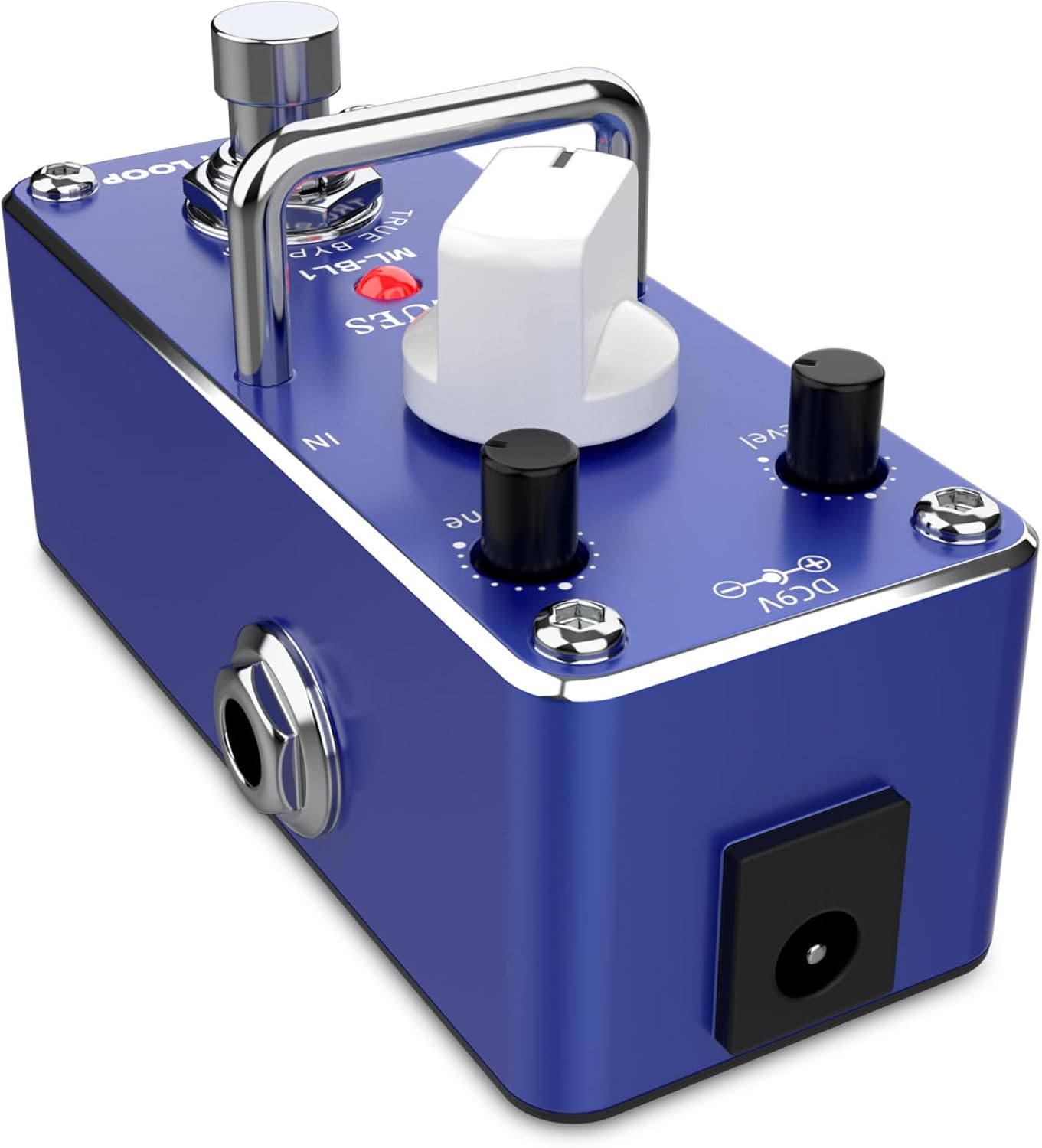
A side view of the Monkey Loop ML-BL1 Blues Driver pedal, highlighting the input (IN) and output (OUT) jacks for guitar and amplifier connections, along with the DC 9V power input.
- IN Jack: 1/4-inch input for your guitar or previous effects pedal.
- OUT Jack: 1/4-inch output to your amplifier or next effects pedal.
- DC 9V Input: Power input for a 9V DC (center-negative) adapter.
5. Setup
Follow these steps to set up your ML-BL1 Blues Driver pedal:
- Power Connection: Connect a DC 9V (center-negative) power adapter to the DC 9V input jack on the pedal. Ensure the power adapter is suitable for musical instrument pedals.
- Input Connection: Connect your guitar to the 'IN' jack of the ML-BL1 pedal using a standard 1/4-inch instrument cable.
- Output Connection: Connect the 'OUT' jack of the ML-BL1 pedal to your amplifier's input (or the input of your next effects pedal) using another 1/4-inch instrument cable.
- Initial Settings: Before powering on, set the LEVEL, TONE, and GAIN knobs to their minimum positions (fully counter-clockwise) to avoid sudden loud sounds.
- Power On: Plug in your power adapter to a wall outlet and turn on your amplifier.
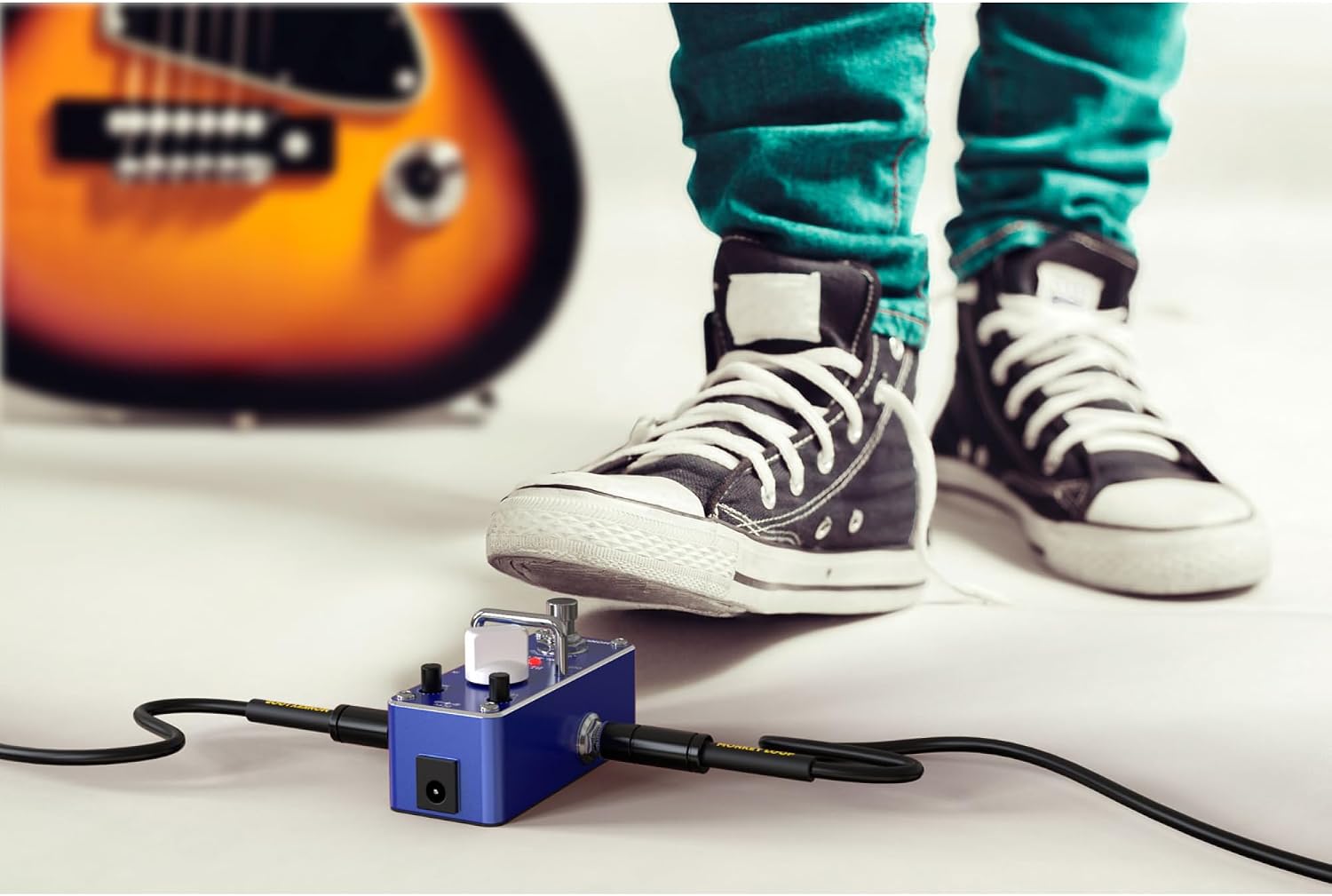
This image shows the Monkey Loop ML-BL1 Blues Driver pedal in an operational setup, connected between a guitar (partially visible) and an amplifier. A foot is positioned to press the footswitch, demonstrating its active use.
6. Operating Instructions
Once the pedal is set up, you can begin using it to shape your guitar tone:
- Engage the Effect: Press the footswitch to activate the Blues Driver effect. The 'BLUES' LED will illuminate.
- Adjust GAIN: Slowly turn the GAIN knob clockwise to increase the amount of overdrive. Experiment with different settings to find your desired level of blues crunch.
- Adjust TONE: Use the TONE knob to fine-tune the brightness or warmth of your sound. Turning it clockwise generally increases treble, while counter-clockwise reduces it.
- Adjust LEVEL: Once you have your desired GAIN and TONE settings, adjust the LEVEL knob to match the volume of your clean signal or to boost it for solos.
- True Bypass: When the effect is disengaged (LED off), the pedal's True Bypass circuit ensures that your guitar signal passes through unaffected, preserving your original tone.
7. Maintenance
- Cleaning: Keep the pedal clean by wiping it with a soft, dry cloth. Avoid abrasive materials or solvents.
- Storage: When not in use for extended periods, disconnect the power supply and store the pedal in a dry, cool place away from direct sunlight.
- Connections: Periodically check all cable connections for wear and tear. Replace damaged cables to ensure optimal signal quality.
8. Troubleshooting
If you encounter issues with your ML-BL1 pedal, refer to the following common problems and solutions:
- No Sound:
- Check all cable connections (guitar to IN, OUT to amplifier).
- Ensure the power adapter is correctly connected and providing DC 9V (center-negative).
- Verify your guitar and amplifier are working correctly.
- Check if the pedal is engaged (BLUES LED should be on for effect).
- Weak or Distorted Sound (when not intended):
- Check the GAIN and LEVEL knob settings.
- Ensure your power supply is stable and providing sufficient current (5.5 mA minimum).
- Inspect cables for damage.
- Excessive Noise/Hum:
- Ensure you are using a regulated power supply.
- Check for ground loops in your setup.
- Move the pedal away from power transformers or other electronic devices that may cause interference.
- The pedal has a low equivalent input noise of -90 dBu or less, but external factors can introduce noise.
If problems persist, contact Monkey Loop customer support or your retailer.
9. Specifications
The following are the technical specifications for the Monkey Loop ML-BL1 Blues Driver pedal:

A graphic display of the Monkey Loop ML-BL1's technical specifications, including its precise gain and tone control for blues sound, input impedance of 500 Kohm, output impedance of 150 Ohm, equivalent input noise of -90 dBu or less, and current consumption of 5.5 mA (DC 9V).
| Feature | Specification |
|---|---|
| Model | ML-BL1 |
| Effect Type | Blues Driver |
| Input Impedance | 500 Kohm |
| Output Impedance | 150 Ohm |
| Equivalent Input Noise | -90 dBu or less |
| Current Consumption | 5.5 mA (DC 9V) |
| Power Supply | DC 9V Adapter (center-negative) |
| Connectivity Type | 1/4 inch audio |
| Signal Format | Analog |
| Material Type | Plastic, Metal |
| Dimensions (Package) | 12.5 x 7.2 x 6.7 cm |
| Item Weight | 230 grams |
| Country of Origin | China |
10. Warranty and Support
For warranty information and customer support, please refer to the documentation provided at the time of purchase or contact your retailer. Information regarding spare parts availability is currently unavailable.

