
Introduction
This manual provides essential information for the safe and effective use of the D60BV-12 12V 0.50A 4-Wire Cooling Fan. Please read this manual thoroughly before installation and operation.
Product Overview
The D60BV-12 is a 60x60x25mm 4-wire cooling fan designed for various electronic cooling applications. It operates on 12V DC and draws 0.50A of current.
Key Features
- Model: D60BV-12
- Voltage: 12V DC
- Current: 0.50A
- Dimensions: 60x60x25mm (6CM)
- Connector: 4-Wire
- Cooling Method: Air
- Material: Copper
Package Contents
- 1 x D60BV-12 Cooling Fan
Product Images
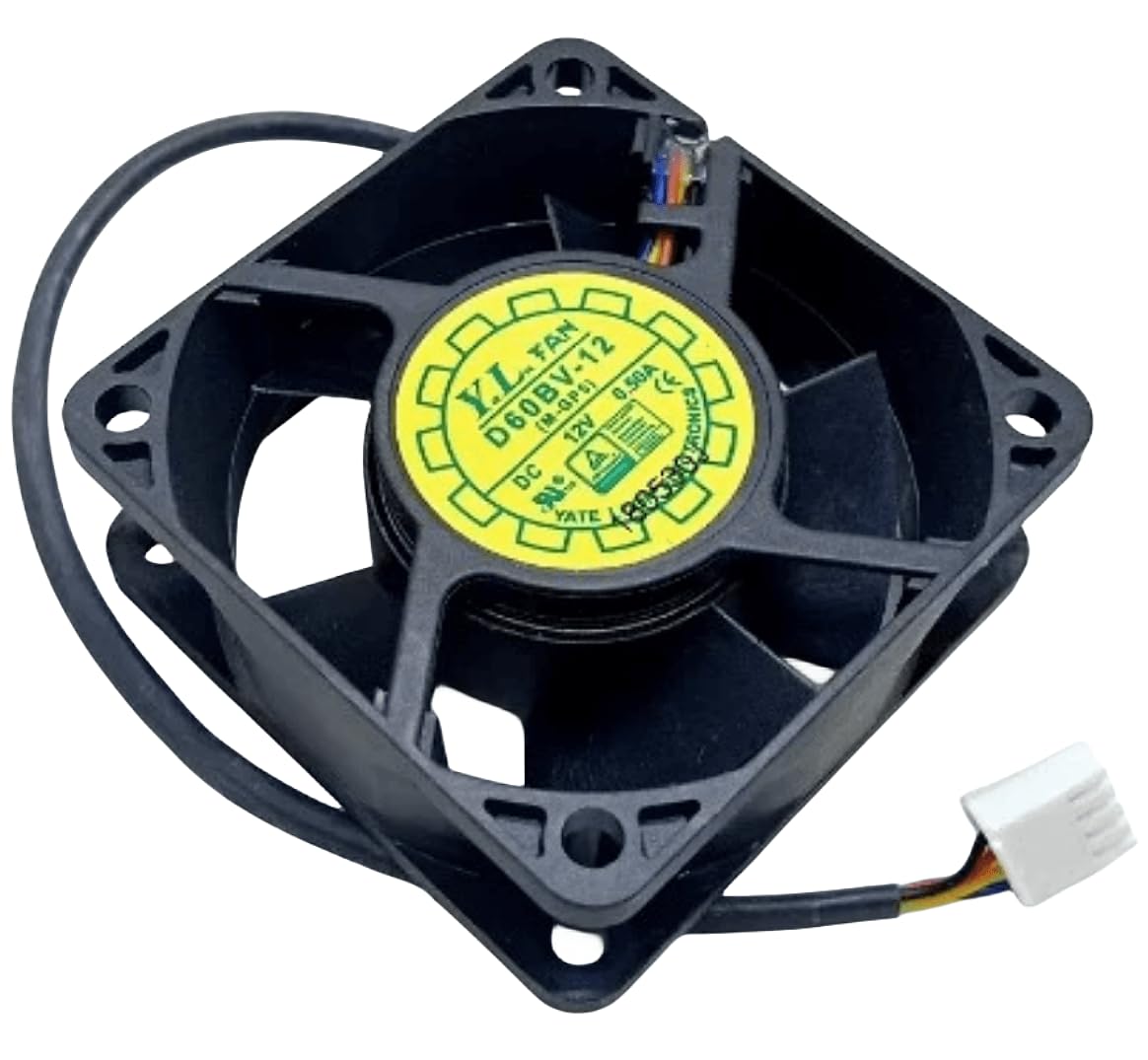
Image 1: Top view of the D60BV-12 cooling fan, highlighting the fan blades and the central label displaying "D60BV-12", "12V", and "0.50A".

Image 2: Side view of the D60BV-12 cooling fan, illustrating its profile and the sturdy frame.

Image 3: Bottom view of the D60BV-12 cooling fan, revealing the motor housing and the four corner mounting holes.
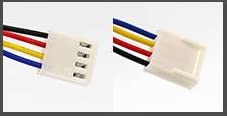
Image 4: Detailed view of the 4-pin power connector, showing the individual wires (red, black, yellow, blue) and their corresponding pins.
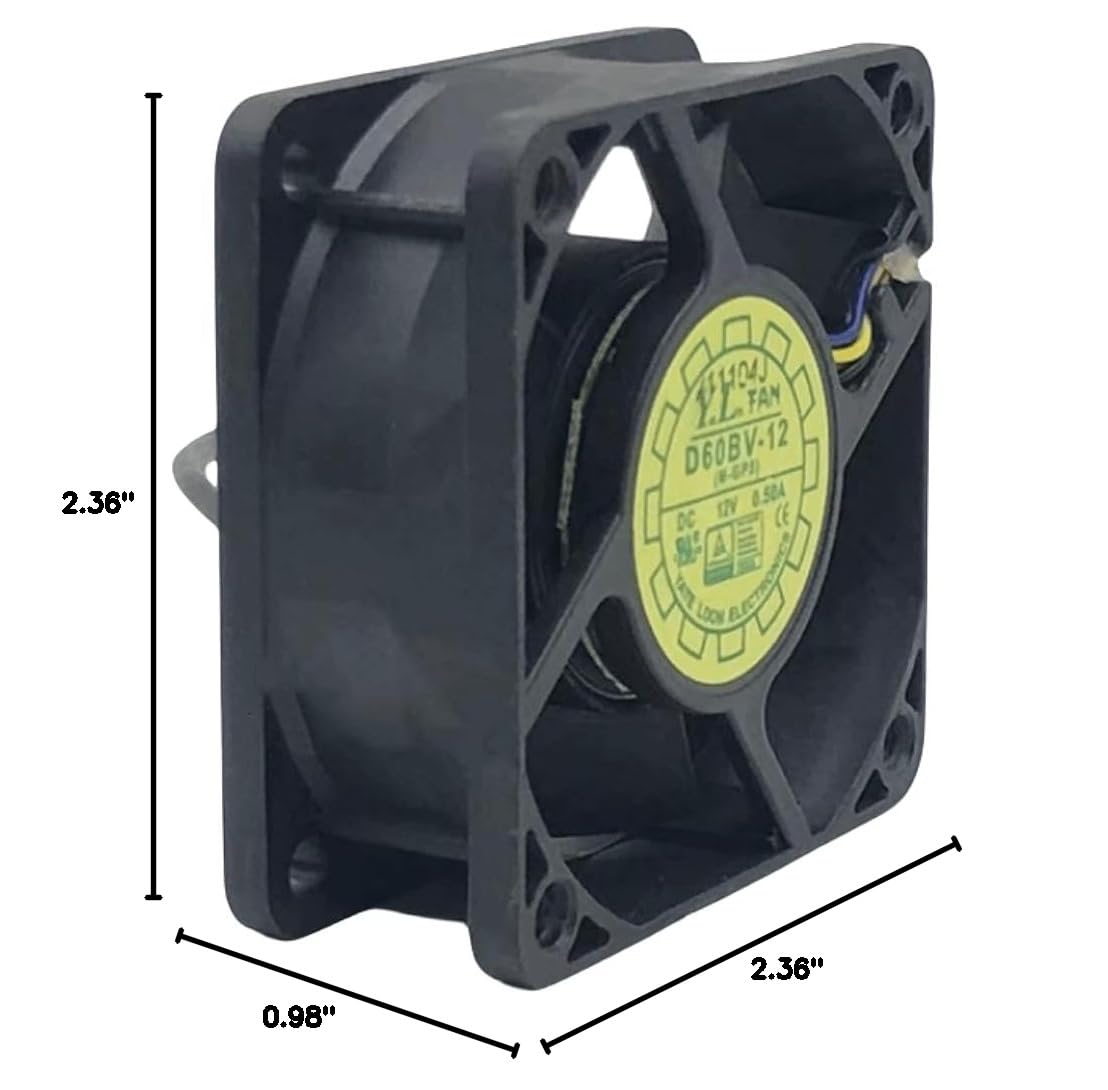
Image 5: Dimensional diagram of the D60BV-12 cooling fan, indicating its length (2.36"), width (0.98"), and height (2.36").
Safety Information
Always observe the following safety precautions to prevent injury or damage to the fan or connected equipment.
- Ensure the power supply matches the fan's voltage (12V DC) and current (0.50A) requirements.
- Disconnect power before installation, maintenance, or troubleshooting.
- Avoid touching the fan blades while the fan is operating.
- Do not obstruct the fan's airflow.
- Install the fan in a dry environment, away from moisture and excessive heat.
- This fan is designed for cooling electronic components. Do not use it for purposes other than its intended use.
Setup
Follow these steps for proper installation of the D60BV-12 cooling fan.
-
Prepare the Mounting Location: Identify a suitable location for the fan, ensuring adequate space for airflow and secure mounting. The fan dimensions are 60x60x25mm.
-
Mount the Fan: Secure the fan using appropriate screws through the four mounting holes located at each corner of the fan frame. Ensure the fan is firmly attached to prevent vibration.
-
Connect Power: Connect the 4-wire power connector to a compatible 12V DC power source. Observe proper polarity:
- Red wire: Positive (+)
- Black wire: Negative (-) / Ground
- Yellow wire: Tachometer (RPM signal output)
- Blue wire: PWM (Pulse Width Modulation) control input
Ensure the connection is secure to prevent intermittent operation or damage.
-
Verify Airflow Direction: Before powering on, confirm the desired airflow direction. Most fans have an arrow indicating airflow direction on the side of the frame.
Operating Instructions
Once the D60BV-12 cooling fan is properly installed and connected, operation is straightforward.
-
Power On: Apply 12V DC power to the connected power source. The fan should begin to rotate immediately.
-
Monitor Operation: Observe the fan to ensure it is spinning freely and quietly. Check for any unusual noises or vibrations.
-
PWM Control (Optional): If your system supports PWM control, you can adjust the fan speed by sending a PWM signal to the blue wire. Refer to your system's documentation for specific PWM signal requirements.
-
Tachometer Output (Optional): The yellow wire provides a tachometer signal, which can be used by your system to monitor the fan's rotational speed (RPM).
Maintenance
Regular maintenance helps ensure the longevity and optimal performance of your D60BV-12 cooling fan.
-
Dust Removal: Periodically inspect the fan blades and housing for dust accumulation. Use compressed air or a soft brush to gently remove dust. Ensure the fan is powered off before cleaning.
-
Check Connections: Occasionally verify that the power connections are secure and free from corrosion.
-
Listen for Noise: Pay attention to any changes in fan noise. Increased noise or grinding sounds may indicate a failing bearing, requiring replacement.
-
Environmental Conditions: Ensure the fan operates within its specified temperature and humidity ranges to prevent premature wear.
Troubleshooting
If you encounter issues with your D60BV-12 cooling fan, refer to the following common problems and solutions.
| Problem | Possible Cause | Solution |
|---|---|---|
| Fan does not spin | No power, incorrect wiring, faulty fan | Check power supply (12V DC). Verify wiring connections (Red +, Black -). Test fan with a known good power source. |
| Fan spins slowly or intermittently | Insufficient voltage/current, loose connection, dust buildup | Ensure power supply meets specifications. Secure all connections. Clean fan blades and motor housing. |
| Excessive noise or vibration | Loose mounting, obstructed blades, worn bearing | Tighten mounting screws. Remove any obstructions. If noise persists, the fan bearing may be failing and require replacement. |
| PWM control not working | Incorrect PWM signal, faulty blue wire connection | Verify PWM signal specifications from your system. Check the integrity of the blue wire connection. |
If the problem persists after attempting these solutions, contact customer support.
Specifications
| Attribute | Value |
|---|---|
| Model | D60BV-12 |
| Voltage | 12V DC |
| Current | 0.50A |
| Dimensions (L x W x H) | 2.36" x 0.98" x 2.36" (60mm x 25mm x 60mm) |
| Power Connector Type | 4-Pin |
| Cooling Method | Air |
| Material | Copper |
| Compatible Devices | Inverter (and other electronic components requiring cooling) |
| Manufacturer | Jason L Terry |
| UPC | 782068176032 |
Warranty and Support
For any questions or assistance regarding your D60BV-12 cooling fan, please contact the manufacturer or seller.
The seller states: "Please feel free to contact us if you have any questions. We will reply to you as soon as possible. We are happy to serve you."
Return Policy: The product has a 30-day refund/replacement return policy.
Manufacturer: Jason L Terry
Seller: Jason L Terry
For direct inquiries, please refer to the contact information provided at the point of purchase.