
1. Introduction
Thank you for choosing the Elite Kitchen Supply C55R Commercial Reach-in Refrigerator. This manual provides essential information for the safe and efficient operation, maintenance, and troubleshooting of your new appliance. Designed for commercial kitchens, restaurants, cafes, bakeries, bars, and offices, this 49 cu. ft. unit features durable stainless steel construction, precise temperature control, and energy-efficient operation.
2. Safety Information
- This appliance is ETL certified for safety and sanitation. Adhere to all local and national electrical and plumbing codes.
- Ensure the unit is properly grounded to prevent electrical shock.
- Do not store explosive substances such as aerosol cans with a flammable propellant in this appliance.
- Keep ventilation openings in the appliance enclosure or in the built-in structure clear of obstruction.
- Do not use mechanical devices or other means to accelerate the defrosting process, other than those recommended by the manufacturer.
- Do not damage the refrigerant circuit.
- Do not use electrical appliances inside the food storage compartments of the appliance, unless they are of the type recommended by the manufacturer.
3. Setup and Installation
3.1 Unpacking and Inspection
Upon receiving your refrigerator, carefully inspect the packaging and the unit for any signs of shipping damage. Report any damage immediately to the carrier and your supplier. Retain all packaging materials for inspection.
3.2 Placement
- This is a freestanding unit. Ensure adequate clearance around the unit for proper ventilation and maintenance.
- Avoid placing the unit in direct sunlight, near heat-producing equipment (ovens, fryers), or in areas with high humidity.
- The unit is equipped with lockable casters for easy movement. Once in position, lock the casters to secure the unit.
- Important Note: The warranty does not cover equipment used in food trucks, trailers, boats, residential addresses, islands, or built-in decorations. Ensure proper commercial installation.
3.3 Electrical Connection
Connect the unit to a dedicated 115 Volt, 60Hz, single-phase power supply. Ensure the outlet is properly grounded and matches the plug type. Do not use extension cords.
3.4 Dimensions and Weight
- Exterior Dimensions (D x W x H): 32" x 54" x 81"
- Interior Dimensions (W x D x H): 49.5" x 25" x 48"
- Weight: 463 lbs
- Capacity: 49 Cubic Feet

Image: Front view of the Elite Kitchen Supply C55R refrigerator highlighting features like White LED Lighting, Temperature Display, Safety Lock, and Lockable Casters. This image illustrates key components for setup and operation.

Image: Rear view of the Elite Kitchen Supply C55R refrigerator, showing the compressor unit and power cord connection point at the bottom. This view is important for understanding installation requirements.
Video: A detailed walkthrough of the Elite Kitchen Supply C55R refrigerator, demonstrating its dimensions, interior features, control panel, and rear components. This video provides a comprehensive overview for setup and initial inspection.
4. Operating Instructions
4.1 Initial Startup
After installation, allow the refrigerator to sit for at least 2-4 hours before plugging it in. This allows the refrigerant to settle. Once plugged in, the unit will begin cooling. Allow it to reach the desired temperature before loading products.
4.2 Temperature Control
The unit features digital temperature control, allowing precise temperature settings between 33℉ and 41℉. Refer to the control panel instructions for specific adjustments. The digital display provides a visual indication of the current internal temperature.
4.3 Loading Products
- The refrigerator is equipped with adjustable epoxy-coated, corrosion-resistant shelves. Arrange shelves to accommodate various product sizes.
- Utilize the LED lighting for clear visibility and efficient inventory management.
- The fan-forced air circulation system ensures uniform cooling throughout the cabinet, preserving food effectively.

Image: An interior shot of the refrigerator showing a hand reaching for a bottle, demonstrating the accessibility and ample storage space provided by the adjustable shelves.
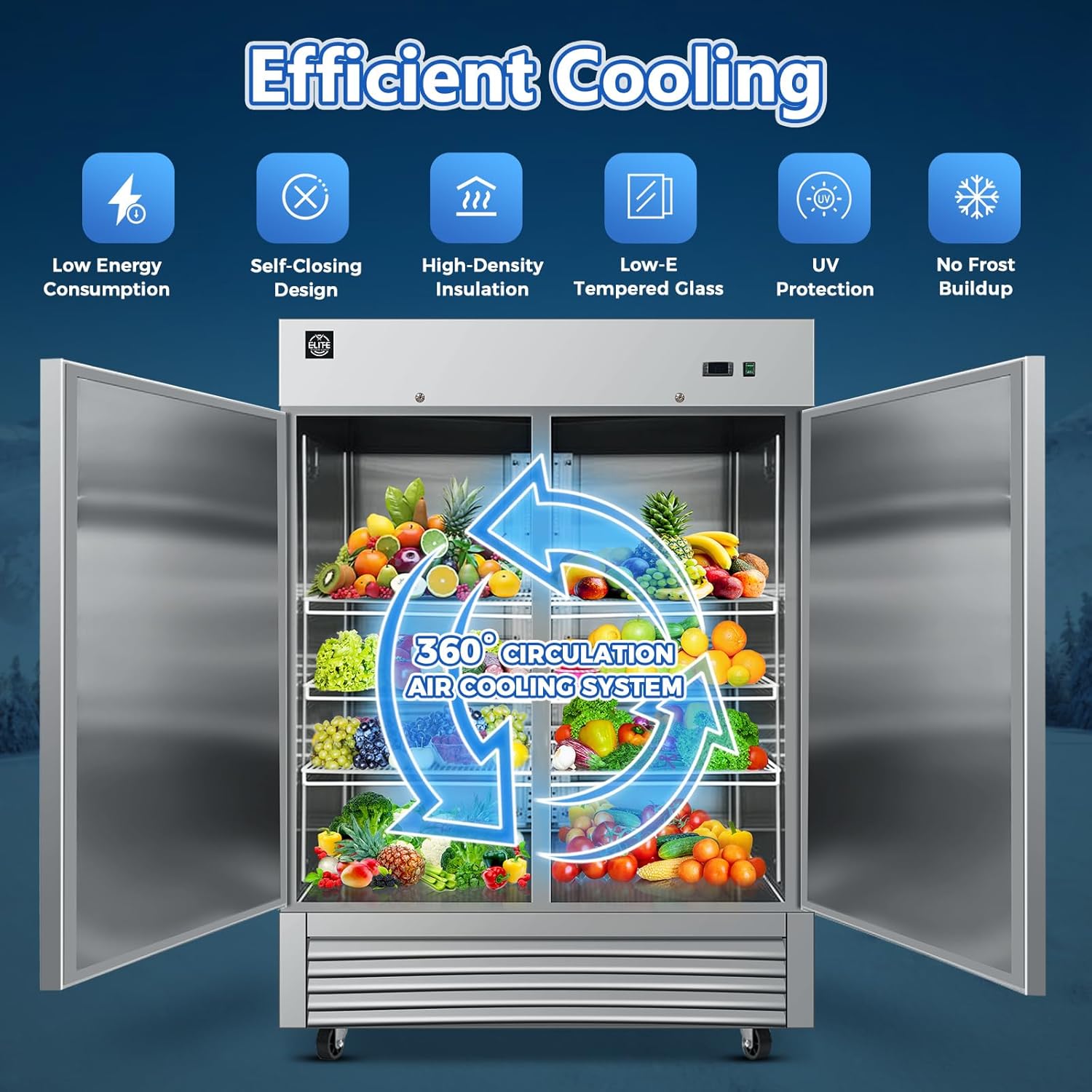
Image: A diagram illustrating the 360° circulation air cooling system within the refrigerator, emphasizing low energy consumption, self-closing design, high-density insulation, and no frost buildup.
4.4 Door Operation
- The unit features two self-closing doors to minimize temperature fluctuations and save energy.
- Each door is equipped with a safety lock to secure contents overnight or when unattended.
5. Maintenance
5.1 Cleaning
- The 430 and 304 stainless steel interior and exterior surfaces are designed for easy cleaning. Use mild soap and water with a soft cloth. Avoid abrasive cleaners or scouring pads.
- Regularly clean the interior, including shelves, to maintain hygiene and prevent odors.
5.2 Defrosting
The C55R refrigerator features an automatic defrost system, eliminating the need for manual defrosting. This ensures consistent performance and reduces maintenance effort.
5.3 Evaporator and Condenser Maintenance
The innovative top-mounted evaporator design simplifies access for maintenance. Regularly inspect and clean the condenser coils to ensure optimal cooling efficiency and prevent compressor strain. A dirty condenser coil can significantly reduce the unit's performance and lifespan.

Image: Close-up of the interior top section of the refrigerator, showing the air circulation fans and the LED light strip. This area is crucial for efficient cooling and visibility.
6. Troubleshooting
If you experience any issues with your Elite Kitchen Supply C55R refrigerator, please refer to the detailed troubleshooting guide in the full product manual (if available) or contact Elite Kitchen Supply customer support for assistance. Common issues may include:
- Unit not cooling: Check power supply, thermostat settings, and ensure condenser coils are clean.
- Excessive noise: Verify unit is level and not vibrating against other equipment.
- Door not closing properly: Inspect door gaskets for damage or obstructions.
7. Specifications
| Feature | Specification |
|---|---|
| Brand Name | Elite Kitchen Supply |
| Model Info | 13781 |
| Item Weight | 463 pounds |
| Product Dimensions | 32 x 54 x 81 inches |
| Item model number | 13781 |
| Capacity | 49 Cubic Feet |
| Refrigerator Fresh Food Capacity | 49 Cubic Feet |
| Installation Type | Freestanding |
| Part Number | C55R |
| Form Factor | Side By Side |
| Special Features | Digital Temperature Control, Energy Efficient and Quiet |
| Color | Metallic-Silver |
| Voltage | 115 Volts |
| Defrost | Automatic |
| Door Material Type | Stainless Steel |
| Shelf Type | Wire |
| Shelves | 6 |
| Certification | ETL |
| Included Components | Handles |
| Number Of Doors | 2 |
8. Warranty Information
The Elite Kitchen Supply C55R Commercial Reach-in Refrigerator comes with a comprehensive warranty:
- All Parts: 3-year warranty
- Compressor: 6-year warranty
- Labor: 1-year warranty
Important: This warranty does not cover equipment used in food trucks, trailers, boats, residential addresses, islands, or built-in decorations. Please review the full warranty terms and conditions provided with your product for complete details.

Image: Front view of the Elite Kitchen Supply C55R refrigerator displaying badges for 3-year parts warranty and 6-year compressor warranty, highlighting the product's coverage.
9. Customer Support
For any questions, technical assistance, or warranty claims, please contact Elite Kitchen Supply customer support. Refer to your product packaging or the official Elite Kitchen Supply website for contact information.


