
1. Product Overview
The Lovskoo Led Jellyfish Lamp provides a tranquil and soothing deep-sea ambiance with its lifelike jellyfish and captivating color-changing LED lights. This lamp is designed for indoor use as a decorative item and for stress relief.
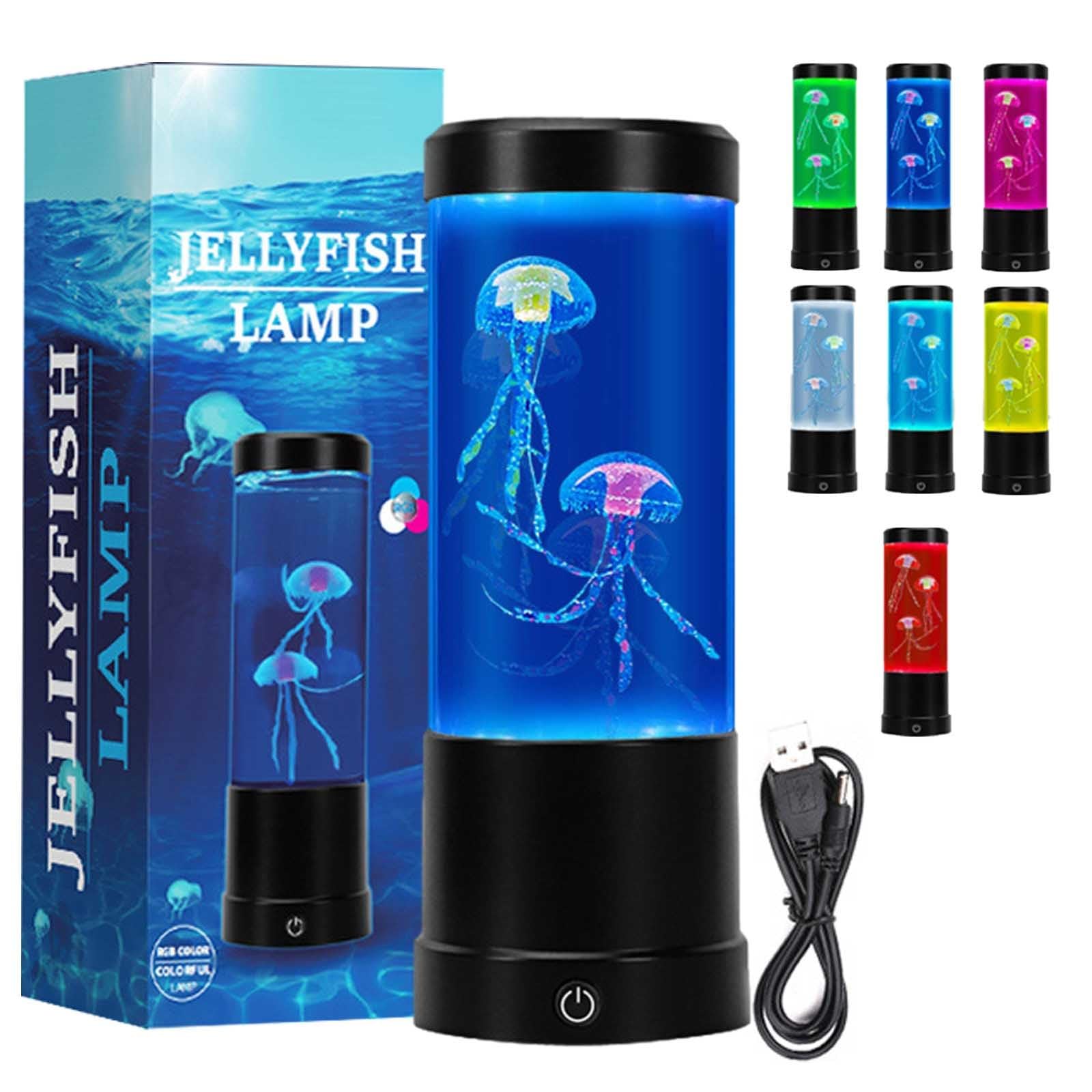
Image 1: Lovskoo Led Jellyfish Lamp showing its dimensions (3.54"D x 3.54"W x 9.05"H).
2. Setup Instructions
Follow these steps to set up your Lovskoo Led Jellyfish Lamp:
- Unpack: Carefully remove all components from the packaging. Ensure you have the lamp unit, two synthetic jellyfish, and the USB power cable.
- Open the Lamp: Gently twist the top cap counter-clockwise to remove it from the lamp cylinder.
- Fill with Water: Fill the lamp cylinder with pure water. It is recommended to use pure water to maintain clarity and prevent impurities.
- Add Dish Soap: Add 2-3 drops of dishwashing liquid into the water. This helps the jellyfish float and move naturally.
- Insert Jellyfish: Place the two synthetic jellyfish into the water. If there are impurities on the jellyfish during first use, gently sweep them up and change the water.
- Secure Cap: Replace the top cap by twisting it clockwise until it is securely fastened.
- Connect Power: Connect the USB power cable to the lamp and then to a compatible USB power source (e.g., USB wall adapter, computer USB port).

Image 2: Visual guide for twisting off the cap and adding water to the jellyfish lamp.
3. Operating Instructions
Once set up, operating your jellyfish lamp is simple:
- Power On: Press the power button located on the base of the lamp. The lamp will illuminate and the jellyfish will begin to move.
- Color Changing Effects: The lamp features 18 LED lights (6 Red, 6 Blue, 6 Green) that create 5 distinct color-changing effects automatically.
- Power Off: Press the power button again to turn off the lamp.
Important Note: Do not add any external items or objects into the lamp, as this can cause the unit to malfunction or damage the internal components.

Image 3: The jellyfish lamp operating, highlighting its one-click start, colorful lighting, and soft illumination.
Video 1: Demonstration of the Lovskoo Led Jellyfish Lamp in operation, showcasing its color-changing lights and jellyfish movement.
4. Maintenance
Proper maintenance ensures the longevity and optimal performance of your jellyfish lamp:
- Regular Water Changes: To maintain water quality and clarity, it is recommended to change the water regularly. Use pure water for best results.
- Initial Cleaning: During the first use, if you notice any impurities on the jellyfish, gently remove them and replace the water.
- Avoid Additives: Do not add any external items, chemicals, or substances to the water other than the recommended dishwashing liquid, as this can damage the lamp or affect jellyfish movement.
5. Troubleshooting
If you encounter any issues with your Lovskoo Led Jellyfish Lamp, refer to the following common problems and solutions:
- Jellyfish Not Floating or Moving:
- Ensure you have added 2-3 drops of dishwashing liquid to the water. This reduces surface tension, allowing the jellyfish to float freely.
- Check for any trapped air bubbles on the jellyfish. Gently push them down with a non-sharp object to release any air.
- Verify that the water level is appropriate and the cap is securely closed.
- Lamp Not Lighting Up:
- Confirm that the USB power cable is securely connected to both the lamp and the power source.
- Try plugging the USB cable into a different USB port or power adapter to rule out a faulty power source.
- Ensure the power button on the lamp's base has been pressed.
- Water Appears Cloudy:
- Perform a water change using pure water.
- Ensure no foreign particles or substances have been introduced into the lamp.
6. Specifications
Detailed specifications for the Lovskoo Led Jellyfish Lamp:
| Feature | Detail |
|---|---|
| Model Number | HGJFT-381 |
| Brand | Lovskoo |
| Product Dimensions | 3.54"D x 3.54"W x 9.05"H |
| Item Weight | 0.37 kg |
| Base Material | Plastic |
| Shade Material | Acrylonitrile Butadiene Styrene |
| Light Source Type | LED |
| Number of Light Sources | 18 (6 Red, 6 Blue, 6 Green) |
| Wattage | 5 watts |
| Power Source | Corded Electric (USB) |
| Control Method | Touch (Push Button) |
| Indoor/Outdoor Usage | Indoor |
| Water Resistance Level | Not Water Resistant |
| Included Components | Power Cable |
7. Warranty Information
Specific warranty details for this product are not provided in the available information. Please refer to the retailer's return policy or contact the seller directly for warranty inquiries.
8. Support
For further assistance, technical support, or product-related questions, please contact the seller, tianyuef, through the platform where you purchased the product. You may also visit the seller's help page for more information: Seller Support Page.