
Introduction
Welcome to the Derynome Solar Post Cap Lights instruction manual. These lights are designed to provide ambient illumination for outdoor spaces such as decks, fences, and patios. Featuring solar-powered operation, automatic on/off functionality, and durable construction, they offer a convenient and energy-efficient lighting solution for your outdoor environment.
Safety Information
- Ensure the solar panel receives direct sunlight for optimal charging. Shaded areas will reduce performance.
- Do not attempt to open or modify the internal components of the light. This may void the warranty and cause damage.
- Keep the product away from open flames or extreme heat sources to prevent damage to components.
- Dispose of batteries according to local environmental regulations. Do not incinerate.
Package Contents
- Solar Post Cap Lights (2 units)
- Mounting Hardware (screws, anchors, bracket)
- Instruction Manual
Specifications
| Feature | Detail |
|---|---|
| Brand | Derynome |
| Model Name | SPCL002 |
| Color | Matter Black |
| Material | Aluminum, Plastic, Glass |
| Product Dimensions | 5.5"L x 5.5"W x 9.8"H |
| Power Source | Solar Powered |
| Light Source Type | LED (Tungsten Type) |
| Light Color | Warm White (3000 Kelvin) |
| Brightness | 150 lumens |
| Battery | 3.2V Rechargeable Battery (Included) |
| Water Resistance Level | Waterproof |
| Charging Time | 4-6 hours (direct sunlight) |
| Lighting Duration | 8-10 hours (after full charge) |
Setup and Installation
These solar post cap lights are designed for easy installation on various post sizes or flat surfaces. No electrical wiring is required.
Preparation:
- Unpack Components: Carefully remove all items from the packaging.
- Activate the Light: Locate the "ON" button on the base of the light. Press it to activate the solar charging and automatic lighting function.

Image: Step 1 - Turning on the "ON" button located on the base of the solar light.
Installation Steps for Wooden Posts:
- Assemble Light Cover: Fit the clear glass light cover onto the main light unit.

Image: Step 2 - Fitting the light cover onto the main unit.
- Attach Top Component: Twist the decorative top finial component onto the light housing.
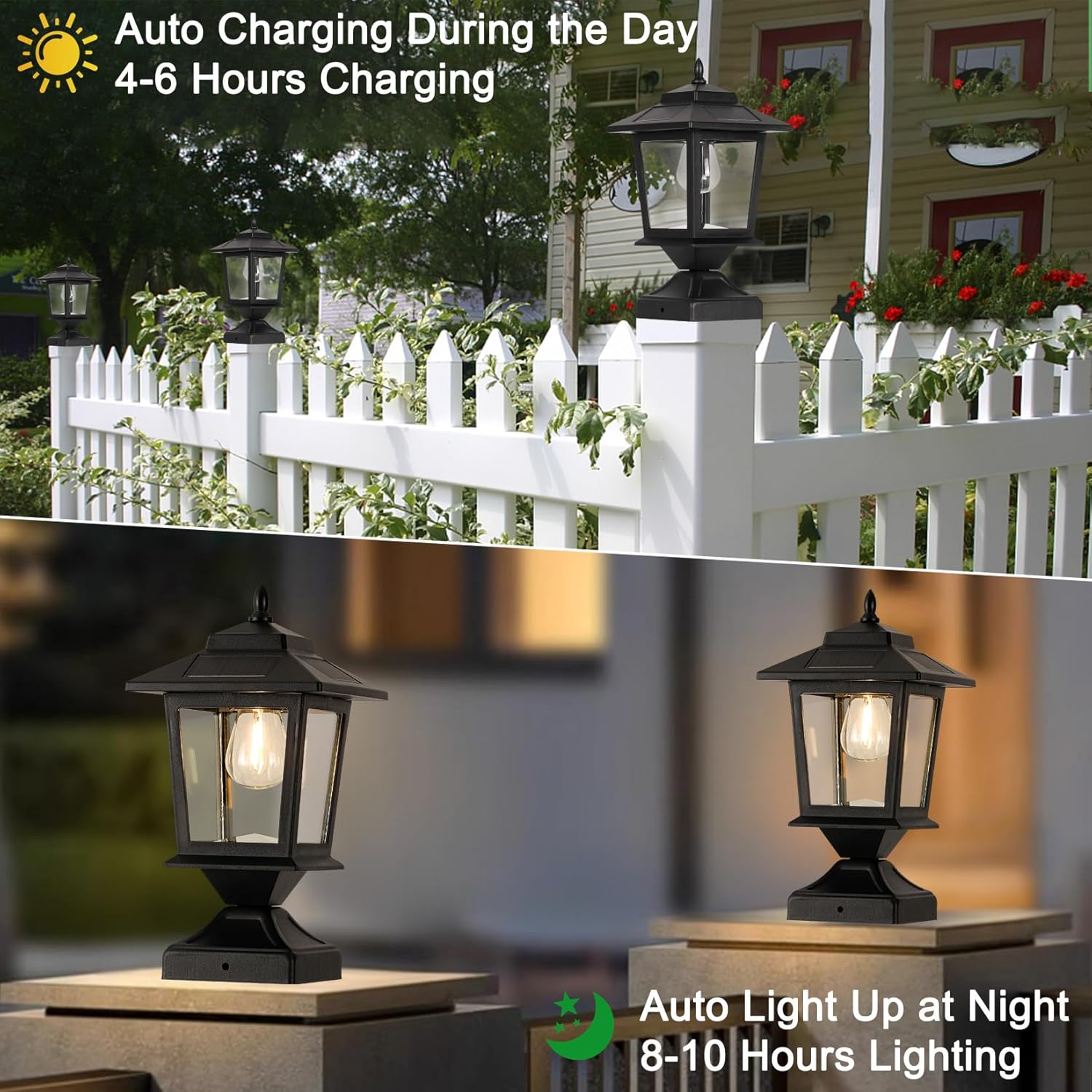
Image: Step 3 - Twisting the top decorative component into place.
- Install Base: Secure the base of the light using the provided screws. Ensure it is firmly attached to the desired surface.

Image: Step 4 - Securing the light base with screws.
- Mounting on 4x4 Wooden Posts: For standard 4x4 wooden posts, the light base can be directly placed on top and secured with the provided screws.
- Mounting on 5x5 or 6x6 Posts / Flat Surfaces: For larger posts (5x5, 6x6) or flat surfaces, use the included metal bracket. Attach the bracket to the post/surface first, then secure the light base to the bracket using the appropriate screws.

Image: Optional installation methods for different post sizes. The left illustrates direct mounting on a 4x4 post, while the right shows mounting on a larger post using a metal bracket.
Operating Instructions
- Initial Charge: After installation and activation, place the solar lights in a location where the solar panel receives 4-6 hours of direct, unobstructed sunlight daily for optimal performance.
- Automatic Operation: Once activated (refer to Setup, Step 1) and sufficiently charged, the lights will automatically turn on at dusk and turn off at dawn.
- Lighting Duration: A full day's charge typically provides 8-10 hours of illumination during the night.

Image: Illustration of the solar light's automatic function: charging during the day (4-6 hours) and lighting up at night (8-10 hours).
Maintenance
- Cleaning: Periodically wipe the solar panel and glass shade with a soft, damp cloth to remove dust, dirt, or debris. This ensures efficient charging and optimal light output. Avoid abrasive cleaners.
- Battery Replacement: The lights utilize a 3.2V rechargeable battery. If the light duration significantly decreases over time, the battery may need replacement. Consult the manufacturer for compatible replacement batteries to ensure proper function.
- Winter Care: In regions with heavy snow or prolonged periods of low sunlight, consider cleaning snow off the solar panels regularly or temporarily storing the lights indoors to prolong battery life and maintain performance.
Troubleshooting
| Problem | Possible Cause | Solution |
|---|---|---|
| Light does not turn on at night. | 1. Switch is OFF. 2. Insufficient sunlight for charging. 3. Solar panel is dirty or obstructed. 4. Battery is depleted or faulty. | 1. Ensure the "ON" switch is engaged. 2. Relocate the light to an area with direct sunlight for 4-6 hours. 3. Clean the solar panel thoroughly. 4. Allow several days for charging; if problem persists, consider battery replacement. |
| Light duration is short. | 1. Insufficient charging due to poor sunlight. 2. Battery capacity has reduced over time. | 1. Ensure optimal sunlight exposure and clean solar panel. 2. Replace the rechargeable battery with a compatible model. |
| Light flickers or is dim. | 1. Partial charge. 2. Loose connection within the unit. 3. Battery issue. | 1. Allow for a full day's charge in direct sunlight. 2. Check that all components are securely assembled. 3. Replace battery if necessary. |
Warranty and Support
Derynome products typically come with a limited warranty. For specific warranty details, including coverage period and terms, please refer to the product packaging or contact Derynome customer support directly.
For technical assistance, troubleshooting, or any inquiries regarding your Derynome Solar Post Cap Lights, please visit the official Derynome store or contact their customer service department through the provided channels.
- Derynome Store: Visit Derynome Store on Amazon