
1. Introduction
Thank you for choosing the joliker UK-M4S-64GB MP3 Player. This portable digital music player is designed to provide a high-quality audio experience with its 64GB internal storage, Bluetooth 5.3 connectivity, and a 2.4-inch full touchscreen interface. It also features a built-in speaker, FM radio, and voice recording capabilities, making it a versatile device for your audio needs.
This manual provides detailed instructions on how to set up, operate, and maintain your MP3 player. Please read it thoroughly before use to ensure optimal performance and longevity of your device.
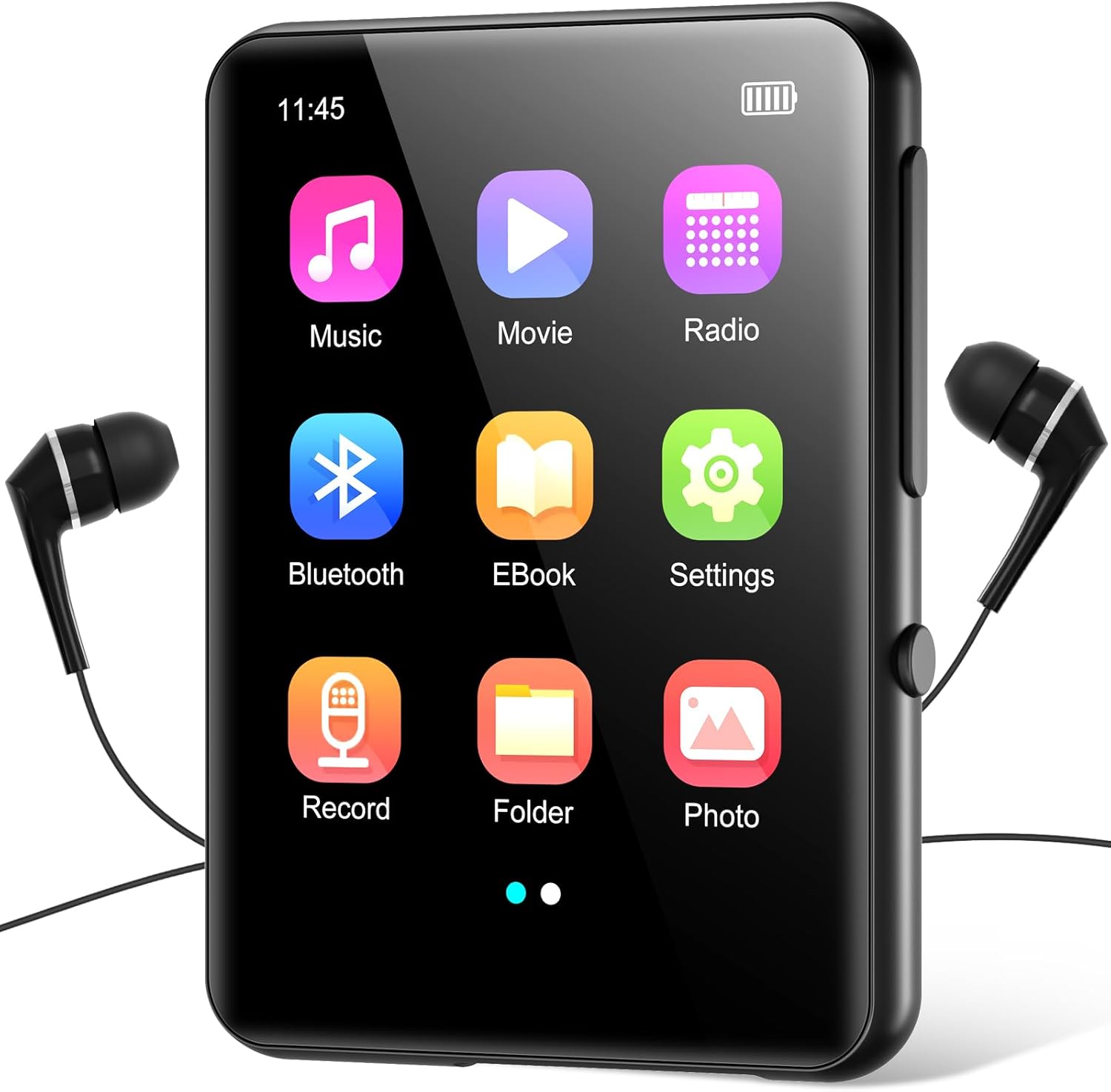
Image 1.1: joliker UK-M4S-64GB MP3 Player Main Interface
2. Package Contents
Please check the package for the following items:
- 1 x joliker UK-M4S-64GB MP3 Player
- 1 x User Manual
- 1 x Type-C Charging Cable
- 1 x Wired Headphones
- 1 x AUX Cable

Image 2.1: Product Diagram and Included Accessories
3. Product Overview
3.1 Device Layout
Refer to Image 2.1 for a visual representation of the device's components and ports.
- 2.4-inch TFT Full Touch Screen: Main display for navigation and interaction.
- Volume + / - Buttons: Adjust audio output level.
- Speaker: Integrated speaker for audio playback without headphones.
- TF Card Slot: For expanding storage with a microSD card (up to 128GB, not included).
- USB Port (Type-C): For charging and data transfer.
- Headphone Jack (3.5mm): For connecting wired headphones.
3.2 Touch Screen Interface

Image 3.1: Full Touch Screen Interaction
The device features a highly sensitive 2.4-inch full touch screen for intuitive navigation through menus and functions.
4. Setup
4.1 Charging the Device
Before first use, fully charge the MP3 player. Connect the included Type-C charging cable to the device's USB port and the other end to a USB power adapter (not included) or a computer's USB port.
- The battery icon on the screen will indicate charging status.
- A full charge typically takes approximately 2-3 hours.
4.2 Power On/Off
- To Power On: Press and hold the power button (usually on the side) for a few seconds until the screen lights up.
- To Power Off: Press and hold the power button for a few seconds until a power-off option appears on the screen, then confirm.
4.3 Initial Setup
Upon first power-on, you may be prompted to select your preferred language and set the date and time. Follow the on-screen instructions.
5. Operating Instructions
5.1 Transferring Music and Files
Connect the MP3 player to your computer using the Type-C cable. The device will appear as a removable disk. You can then drag and drop music files, videos, photos, and e-books into the respective folders on the player.

Image 5.1: 64GB Internal Storage with TF Card Expansion
The player supports various audio formats including MP3, AAC, FLAC, WAV, WMA, OGG, APE, ALAC, CUE, DFF, DSD, MP2, MP1, AIFF, LRC, LPCM, PCM, RAW, M4A, AMR.
5.2 Music Playback
- From the main menu, tap the 'Music' icon.
- Browse your music library by artist, album, genre, or folder.
- Tap a song to begin playback.
- Use the on-screen controls for play/pause, skip tracks, and adjust volume.
5.3 Bluetooth 5.3 Connectivity
The device features Bluetooth 5.3 for wireless audio streaming to compatible headphones or speakers.

Image 5.2: Bluetooth 5.3 Connection Options
- From the main menu, tap the 'Bluetooth' icon or navigate to 'Settings' > 'Bluetooth'.
- Turn Bluetooth 'On'.
- Ensure your Bluetooth headphones or speaker are in pairing mode.
- The player will scan for available devices. Select your device from the list to pair.
5.4 FM Radio
To use the FM radio function, you must connect wired headphones to the 3.5mm jack, as they act as the antenna.
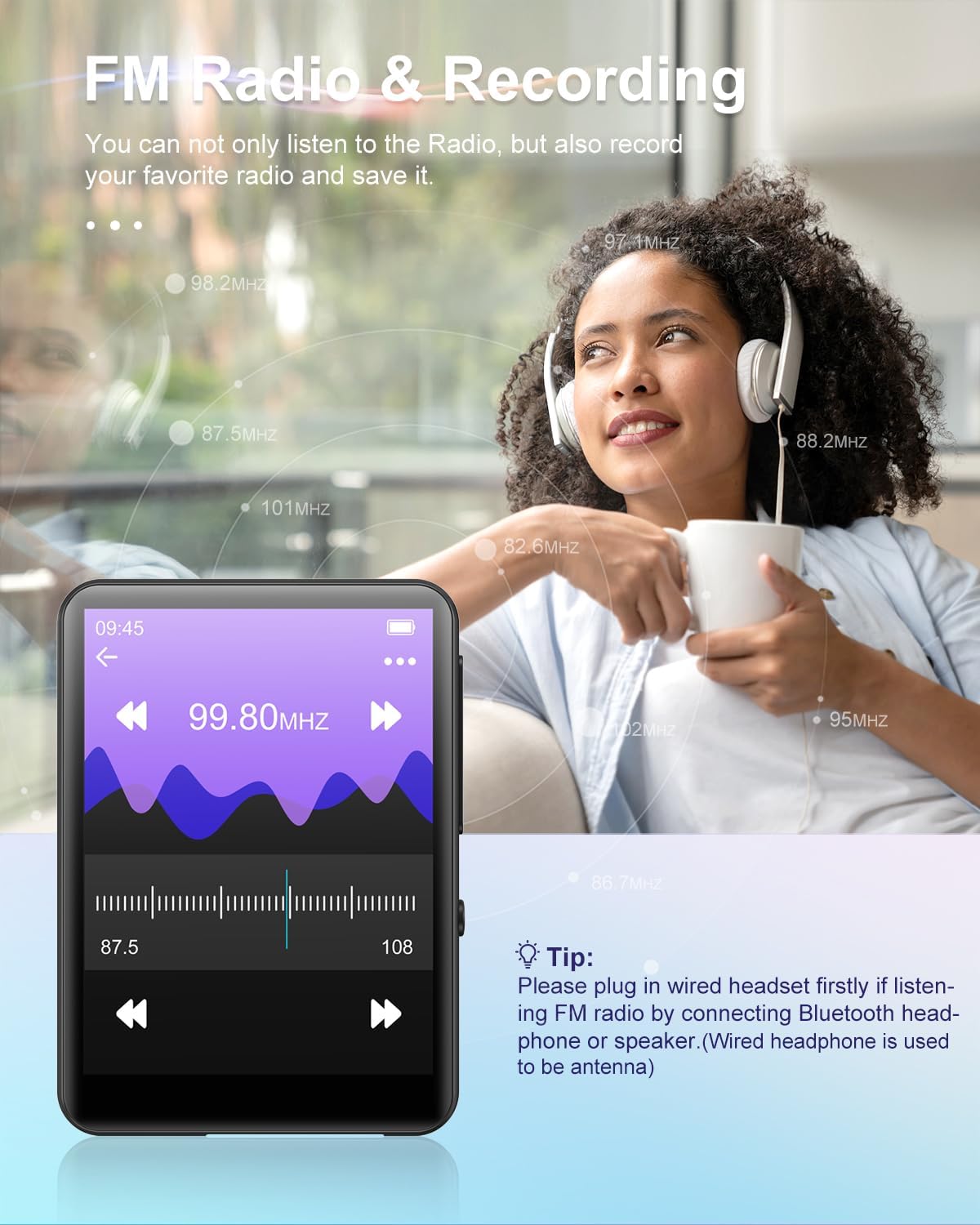
Image 5.3: FM Radio Interface
- Connect wired headphones.
- From the main menu, tap the 'Radio' icon.
- Use the on-screen controls to scan for stations or manually tune to a frequency.
5.5 Voice Recorder
The built-in voice recorder allows you to capture audio notes and lectures.
- From the main menu, tap the 'Record' icon.
- Tap the record button to start and stop recording.
- Recordings are saved and can be accessed from the 'Record' menu.
5.6 Other Functions (E-books, Video, Photos)
The MP3 player supports additional functions:
- E-books: Read text files (e.g., TXT format) by tapping the 'EBook' icon.
- Video: Play compatible video files by tapping the 'Movie' icon. Note: Video format support may be limited (e.g., AVI).
- Photos: View image files by tapping the 'Photo' icon.
5.7 Built-in Speaker
The device includes an integrated HD speaker, allowing you to listen to audio without headphones. To use the speaker, ensure no headphones are connected to the 3.5mm jack.

Image 5.4: Built-in Speaker Functionality
5.8 Settings
Access the 'Settings' menu to customize various aspects of your player, including:
- Language
- Date and Time
- Display Brightness
- Equalizer settings
- Bluetooth On/Off
- System Information

Image 5.5: Convenient Settings Options
6. Maintenance
6.1 Cleaning
Wipe the device with a soft, dry cloth. Do not use liquid cleaners or abrasive materials, as they may damage the screen or casing.
6.2 Storage
Store the MP3 player in a cool, dry place away from direct sunlight, extreme temperatures, and humidity. Avoid dropping the device or exposing it to strong impacts.
6.3 Battery Care
To prolong battery life, avoid fully discharging the battery frequently. Charge the device regularly, even if not in use for extended periods.
7. Troubleshooting
| Problem | Possible Cause | Solution |
|---|---|---|
| Device does not power on. | Low battery. | Charge the device for at least 30 minutes. |
| No sound from headphones/speaker. | Volume too low; Headphones not properly connected; Bluetooth not paired. | Increase volume; Reconnect headphones; Re-pair Bluetooth device. |
| Bluetooth device not connecting. | Device not in pairing mode; Out of range. | Ensure Bluetooth device is in pairing mode; Move devices closer; Restart Bluetooth on both devices. |
| Screen is unresponsive. | Temporary software glitch. | Perform a soft reset (press and hold power button for 10-15 seconds). |
| Cannot transfer files to device. | Incorrect USB connection mode; Driver issue. | Ensure device is connected as a media device (MTP); Try a different USB port or cable; Update computer's USB drivers. |
8. Specifications
| Feature | Detail |
|---|---|
| Brand | joliker |
| Model | UK-M4S-Noir-64GB |
| Memory Storage Capacity | 64 GB (expandable via TF card up to 128 GB) |
| Display | 2.4 Inch TFT Full Touch Screen (LCD) |
| Wireless Type | Bluetooth 5.3 |
| Connector Type | Aux, Bluetooth, USB (Type-C) |
| Supported Audio Formats | MP3, AAC, FLAC, WAV, WMA, OGG, APE, ALAC, CUE, DFF, DSD, MP2, MP1, AIFF, LRC, LPCM, PCM, RAW, M4A, AMR |
| Special Features | Equalizer, FM Radio, Voice Recorder, Built-in Speaker, Touch Screen |
| Battery Type | Lithium-Polymer (included) |
| Dimensions (approx.) | 4.9 x 6.8 x 0.8 cm |
| Color | Black |
9. Warranty and Support
For warranty information and customer support, please refer to the documentation provided at the time of purchase or contact your retailer. Keep your proof of purchase for any warranty claims.
If you encounter any issues not covered in this manual, please reach out to joliker customer service for assistance.