
Introduction
The HXVIEW BU-H800 is a state-of-the-art 4K PTZ security camera designed for outdoor surveillance. Featuring advanced optical zoom, intelligent detection capabilities, and robust construction, this camera provides comprehensive security for your property. This manual will guide you through the setup, operation, and maintenance of your new security camera.

Figure 1: HXVIEW BU-H800 4K PTZ Security Camera.
Key Features
- 30X Optical Zoom: Clearly see distant details without losing image quality, with autofocus lens.
- True 4K Ultra HD & Color Night Vision: Equipped with 1/2.8-inch IMX415 CMOS sensor for stunning 4K images. Supports color, intelligent, and infrared night vision up to 1,000 feet.
- Auto Cruise & Human Tracking: Set multiple preset positions for automatic cruising. Camera automatically tracks detected human targets until they are out of view, then returns to preset position.
- Smart Person/Vehicle Detection & Real-Time Alarm: Intelligently identifies people and vehicles, sending accurate real-time alerts. Customizable detection areas, sensitivities, and schedules.
- 2.4/5GHz Dual-Band Wi-Fi: Supports both 2.4GHz for long-distance transmission and 5GHz for faster data transfer.
- 2-Way Audio: Communicate with visitors or deter intruders using the built-in microphone and speaker.
- 24/7 Continuous Recording & IP66 Waterproof: Supports continuous recording to a Micro SD card (up to 128GB, not included). Rugged aluminum casing with IP66 waterproof design for extreme weather conditions.

Figure 2: Demonstrating 30X Optical Zoom capability.
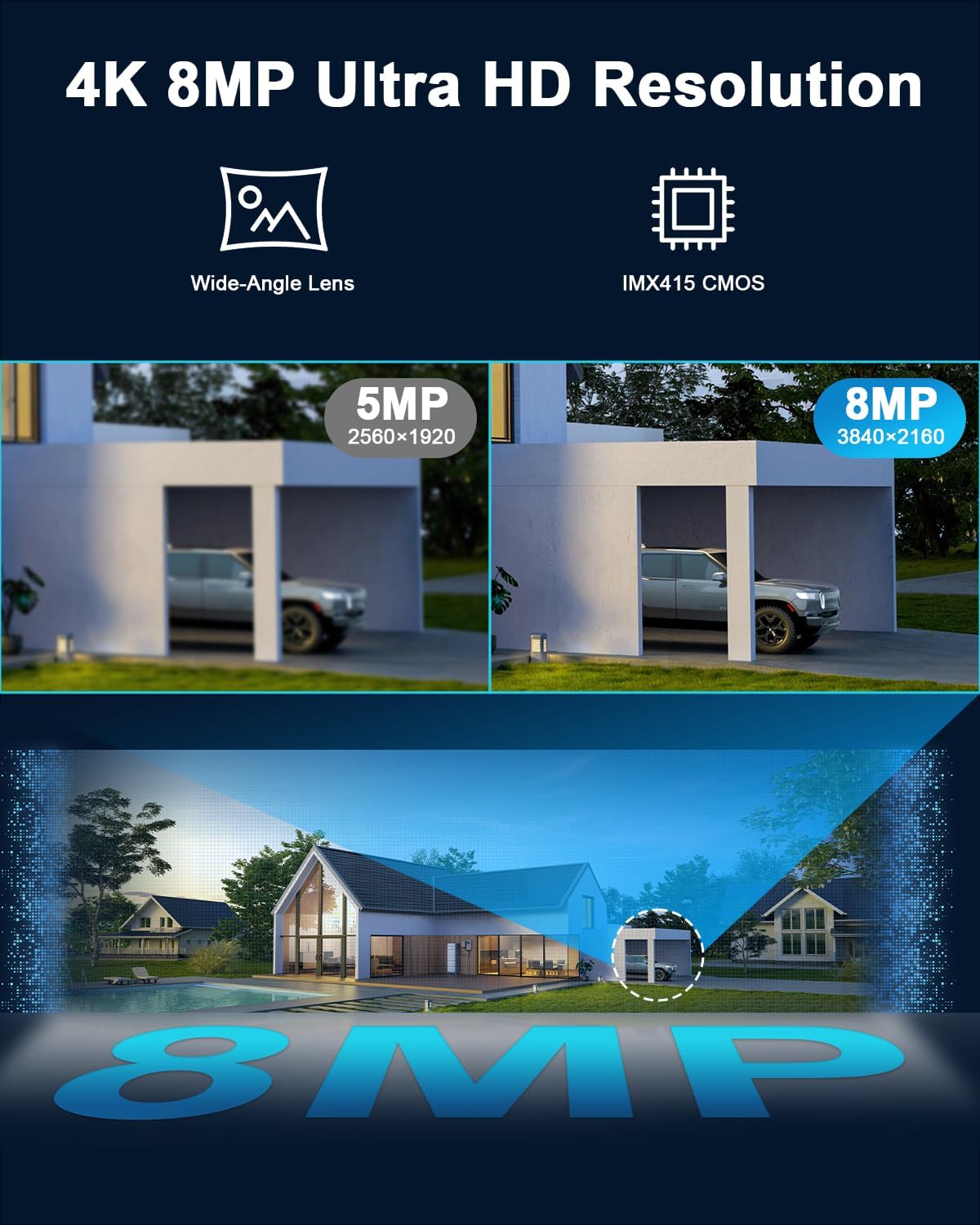
Figure 3: Visual comparison of 4K 8MP Ultra HD resolution.

Figure 4: Smart detection and automatic tracking of people and vehicles.

Figure 5: Auto cruise function covering a 360° viewing angle.
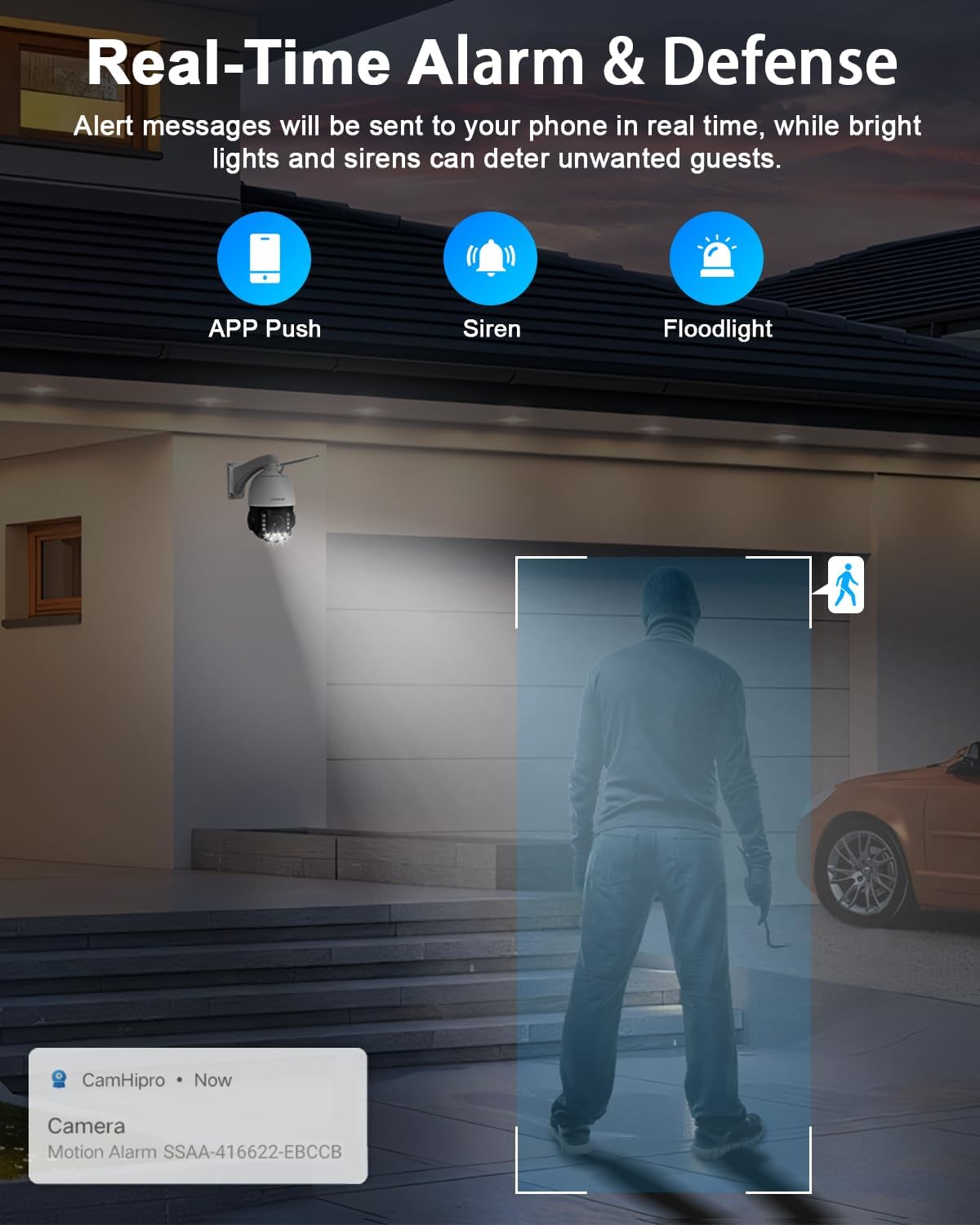
Figure 6: Real-time alarm notifications and defense features.

Figure 7: Durable metal housing and IP66 waterproof rating for all-weather performance.

Figure 8: Dual-band Wi-Fi connectivity for stable and fast transmission.

Figure 9: Two-way audio communication and multi-user viewing capabilities.
Setup Guide
Follow these steps to quickly connect your HXVIEW BU-H800 camera to the CamHipro APP:
- Connect Power: Connect the power adapter to the camera. Wait approximately one minute for the camera to complete its self-check.
- Enable Bluetooth: Turn on the Bluetooth switch on your smartphone.
- Open CamHipro APP: Launch the CamHipro APP on your phone and select the option to add a new camera.
- Select Wi-Fi: Choose your home Wi-Fi network and enter the Wi-Fi password.
- Test Signal Strength: The app will test the Wi-Fi signal strength in the current location. Ensure it is strong for optimal performance.
- Configuration Success: Once the device is connected, the configuration is successful, and you can begin viewing the live feed.
Video 1: How to quickly connect to the camera via CamHipro APP. This video demonstrates the step-by-step process of connecting your camera to the mobile application for initial setup and live viewing.
Operating Instructions
The HXVIEW BU-H800 camera offers extensive control and viewing options through the CamHipro APP and compatible third-party software.
PTZ Control
Utilize the Pan, Tilt, and Zoom (PTZ) functions to adjust the camera's viewing angle and focus. The camera supports 355° pan and 90° tilt, allowing for comprehensive 360° coverage. The 30X optical zoom provides clear details even at long distances.
Night Vision Modes
The camera features three night vision modes:
- Infrared Night Vision: Provides clear black and white images in complete darkness up to 1,000 feet.
- Color Night Vision: Activates built-in floodlights to provide full-color images even in low-light conditions.
- Intelligent Night Vision: Automatically switches between infrared and color night vision based on detected motion or light conditions.
Auto Tracking and Presets
Configure preset positions within the app for quick navigation. The auto-tracking feature allows the camera to automatically follow detected persons or vehicles, ensuring continuous surveillance of moving subjects.
Video 2: HXVIEW 4K PTZ Security Camera Outdoor with 30X Optical Zoom. This video provides a detailed overview of the camera's features and operational capabilities, including PTZ functions and zoom demonstration.
Video 3: 4K PTZ Camera Ultra-Long Distance Human Automatic Tracking. This video showcases the camera's advanced human automatic tracking feature, demonstrating its ability to follow subjects over long distances.
Maintenance
Regular maintenance ensures the longevity and optimal performance of your security camera.
- Cleaning: Periodically clean the camera lens and housing with a soft, damp cloth. Avoid abrasive cleaners that could scratch the lens.
- Firmware Updates: Check the CamHipro APP regularly for firmware updates. Keeping the firmware updated ensures access to the latest features and security enhancements.
- Cable Inspection: Inspect all cables and connections for any signs of wear, damage, or corrosion, especially in outdoor installations.
- Environmental Protection: While IP66 rated, ensure the camera is installed in a location that minimizes direct exposure to extreme weather conditions where possible, to prolong its lifespan.
Troubleshooting
If you encounter issues with your camera, refer to these common troubleshooting tips:
- No Power: Ensure the power adapter is securely connected to both the camera and a working power outlet. Check the power source.
- Offline Status: Verify your Wi-Fi network is active and the camera is within range. Check the Wi-Fi password entered in the app. Restart the camera and your router if necessary.
- Poor Image Quality: Ensure the lens is clean and free from obstructions. Check your internet connection speed. Adjust image settings in the CamHipro APP.
- Motion Detection Issues: Adjust detection sensitivity and customize detection areas in the app to reduce false alarms or missed events.
- SD Card Not Recording: Ensure the Micro SD card is correctly inserted and formatted within the app. Check if the card is full or damaged.
For further assistance, please contact customer support.
Specifications
| Feature | Specification |
|---|---|
| Model Name | BU-H800 |
| Brand | HXVIEW |
| Indoor/Outdoor Usage | Outdoor |
| Connectivity Technology | Wireless (Wi-Fi) |
| Video Capture Resolution | 4K (8MP Effective Still Resolution) |
| Optical Zoom | 30X |
| Night Vision Range | 1000 Feet |
| Viewing Angle | 360 Degrees (Pan 355°, Tilt 90°) |
| Waterproof Rating | IP66 |
| Storage Type | Micro SD (Max 128GB) |
| Power Source | Corded Electric (12 Volts DC, 48 watts) |
| Material | Metal |
| Item Dimensions L x W x H | 6.69 x 5.12 x 9.84 inches |
| Item Weight | 4.86 pounds |
What's in the Box
- 4K 30X Optical Zoom PTZ WiFi Camera
- Power Adaptor
- Network Cable
- Camera Screw Packs
- Cable Waterproof Lids
Warranty and Support
HXVIEW is committed to providing reliable products and excellent customer service.
- Warranty: This product comes with a 3-year warranty.
- Technical Support: Access professional technical support. Queries are typically replied to within 24 hours.
- Online Resources: Visit the official HXVIEW website for additional support, FAQs, and video tutorials.